Category: Cloud

  • Why AI Agents Need a Permission Budget Before They Touch Production Systems

    Why AI Agents Need a Permission Budget Before They Touch Production Systems

    Teams love to talk about what an AI agent can do, but production trouble usually starts with what the agent is allowed to do. An agent that reads dashboards, opens tickets, updates records, triggers workflows, and calls external tools can accumulate real operational power long before anyone formally acknowledges it.

    That is why serious deployments need a permission budget before the agent ever touches production. A permission budget is a practical limit on what the system may read, write, trigger, approve, and expose by default. It forces the team to design around bounded authority instead of discovering the boundary after the first near miss.

    Capability Growth Usually Outruns Governance

    Most agent programs start with a narrow, reasonable use case. Maybe the first version summarizes alerts, drafts internal updates, or recommends next actions to a human operator. Then the obvious follow-up requests arrive. Can it reopen incidents automatically? Can it restart a failed job? Can it write back to the CRM? Can it call the cloud API directly when confidence is high?

    Each one sounds efficient in isolation. Together, they create a system whose real authority is much broader than the original design. If the team never defines an explicit budget for access, production permissions expand through convenience and one-off exceptions instead of through deliberate architecture.

    A Permission Budget Makes Access a Design Decision

    Budgeting permissions sounds restrictive, but it actually speeds up healthy delivery. The team agrees on the categories of access the agent can have in its current stage: read-only telemetry, limited ticket creation, low-risk configuration reads, or a narrow set of workflow triggers. Everything else stays out of scope until the team can justify it.

    That creates a cleaner operating model. Product owners know what automation is realistic. Security teams know what to review. Platform engineers know which credentials, roles, and tool connectors are truly required. Instead of debating every new capability from scratch, the budget becomes the reference point for whether a request belongs in the current release.

    Read, Write, Trigger, and Approve Should Be Treated Differently

    One reason agent permissions get messy is that teams bundle very different powers together. Reading a runbook is not the same as changing a firewall rule. Creating a draft support response is not the same as sending that response to a customer. Triggering a diagnostic workflow is not the same as approving a production change.

    A useful permission budget breaks these powers apart. Read access should be scoped by data sensitivity. Write access should be limited by object type and blast radius. Trigger rights should be limited to reversible workflows where audit trails are strong. Approval rights should usually stay human-controlled unless the action is narrow, low-risk, and fully observable.

    Budgets Need Technical Guardrails, Not Just Policy Language

    A slide deck that says “least privilege” is not a control. The budget needs technical enforcement. That can mean separate service principals for separate tools, environment-specific credentials, allowlisted actions, scoped APIs, row-level filtering, approval gates, and time-bound tokens instead of long-lived secrets.

    It also helps to isolate the dangerous paths. If an agent can both observe a problem and execute the fix, the execution path should be narrower, more logged, and easier to disable than the observation path. Production systems fail more safely when the powerful operations are few, explicit, and easy to audit.

    Escalation Rules Matter More Than Confidence Scores

    Teams often focus on model confidence when deciding whether an agent should act. Confidence has value, but it is a weak substitute for escalation design. A highly confident agent can still act on stale context, incomplete data, or a flawed tool result. A permission budget works better when it is paired with rules for when the system must stop, ask, or hand off.

    For example, an agent may be allowed to create a draft remediation plan, collect diagnostics, or execute a rollback in a sandbox. The moment it touches customer-facing settings, identity boundaries, billing records, or irreversible actions, the workflow should escalate to a human. That threshold should exist because of risk, not because the confidence score fell below an arbitrary number.

    Auditability Is Part of the Budget

    An organization does not really control an agent if it cannot reconstruct what the agent read, what tools it invoked, what it changed, and why the action appeared allowed at the time. Permission budgets should therefore include logging expectations. If an action cannot be tied back to a request, a credential, a tool call, and a resulting state change, it probably should not be production-eligible yet.

    This is especially important when multiple systems are involved. AI platforms, orchestration layers, cloud roles, and downstream applications may each record a different fragment of the story. The budget conversation should include how those fragments are correlated during reviews, incident response, and postmortems.

    Start Small Enough That You Can Expand Intentionally

    The best early agent deployments are usually a little boring. They summarize, classify, draft, collect, and recommend before they mutate production state. That is not a failure of ambition. It is a way to build trust with evidence. Once the team sees the agent behaving well under real conditions, it can expand the budget one category at a time with stronger tests and better telemetry.

    That expansion path matters because production access is sticky. Once a workflow depends on a broad permission set, it becomes politically and technically hard to narrow it later. Starting with a tight budget is easier than trying to claw back authority after the organization has grown comfortable with risky automation.

    Final Takeaway

    If an AI agent is heading toward production, the right question is not just whether it works. The harder and more useful question is what authority it should be allowed to accumulate at this stage. A permission budget gives teams a shared language for answering that question before convenience becomes policy.

    Agents can be powerful without being over-privileged. In most organizations, that is the difference between an automation program that matures safely and one that spends the next year explaining preventable exceptions.

  • Why Internal AI Teams Need Model Upgrade Runbooks Before They Swap Providers

    Why Internal AI Teams Need Model Upgrade Runbooks Before They Swap Providers

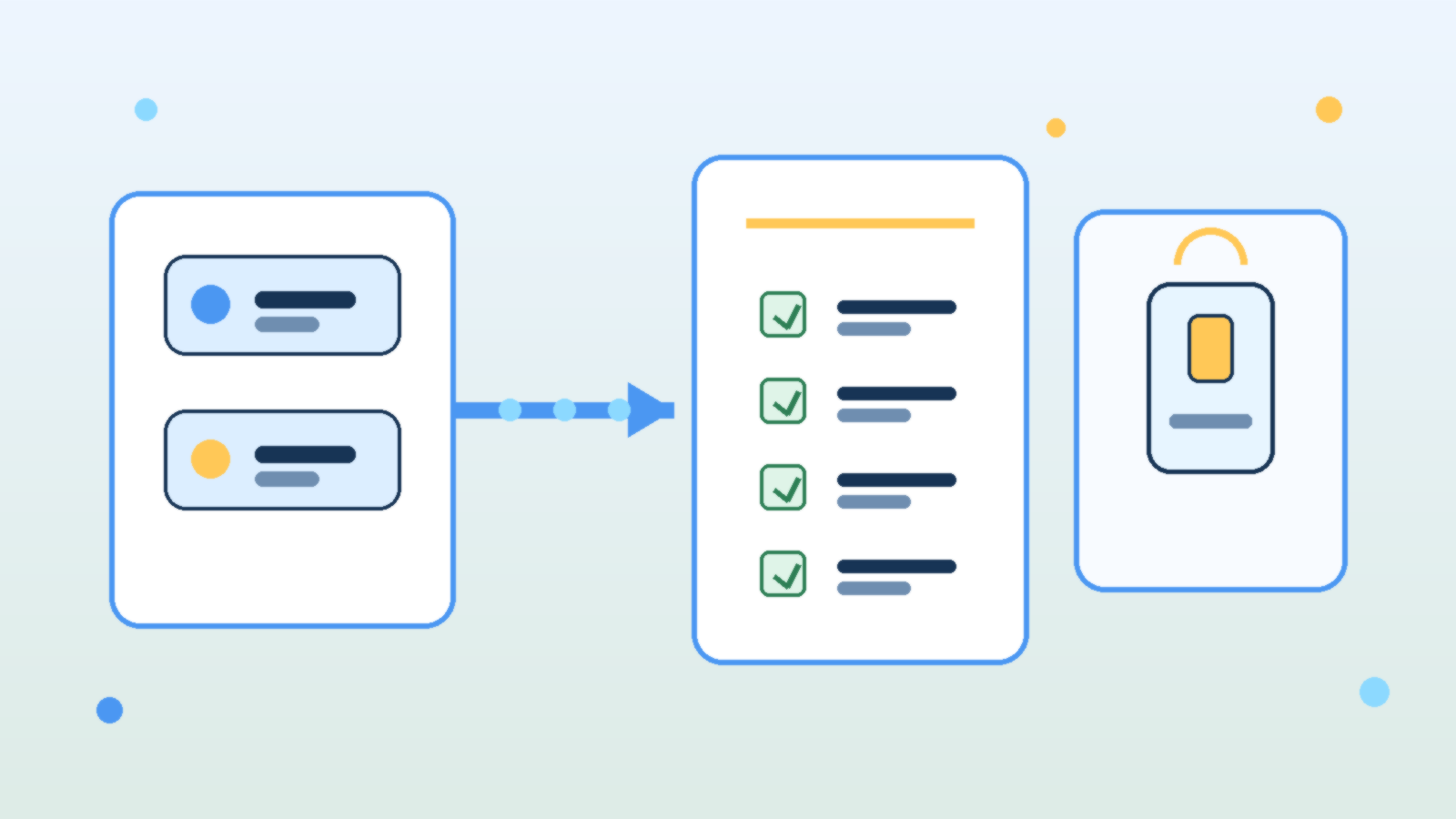
    Abstract illustration of AI model cards moving through a checklist into a production application panel

    Teams love to talk about model swaps as if they are simple configuration changes. In practice, changing from one LLM to another can alter output style, refusal behavior, latency, token usage, tool-calling reliability, and even the kinds of mistakes the system makes. If an internal AI product is already wired into real work, a model upgrade is an operational change, not just a settings tweak.

    That is why mature teams need a model upgrade runbook before they swap providers or major versions. A runbook forces the team to review what could break, what must be tested, who signs off, and how to roll back if the new model behaves differently under production pressure.

    Treat Model Changes Like Product Changes, Not Playground Experiments

    A model that looks impressive in a demo may still be a poor fit for a production workflow. Some models sound more confident while being less careful with facts. Others are cheaper but noticeably worse at following structured instructions. Some are faster but more fragile when long context, multi-step reasoning, or tool use enters the picture.

    The point is not that newer models are bad. The point is that every model has a behavioral profile, and changing that profile affects the product your users actually experience. If your team treats a model swap like a harmless backend refresh, you are likely to discover the differences only after customers or coworkers do.

    Document the Critical Behaviors You Cannot Afford to Lose

    Before any upgrade, the team should name the behaviors that matter most. That list usually includes answer quality, citation discipline, formatting consistency, safety boundaries, cost per task, tool-calling success, and latency under normal load. A runbook is useful because it turns vague concerns into explicit checks.

    Without that baseline, teams judge the new model by vibes. One person likes the tone, another likes the price, and nobody notices that JSON outputs started drifting, refusal rates changed, or the assistant now needs more retries to complete the same job. Operational clarity beats subjective enthusiasm here.

    Test Prompts, Guardrails, and Tools Together

    Prompt behavior rarely transfers perfectly across models. A system prompt that produced clean structured output on one provider may become overly verbose, too cautious, or unexpectedly brittle on another. The same goes for moderation settings, retrieval grounding, and function-calling schemas. A good runbook assumes that the whole stack needs validation, not just the model name.

    This is especially important for internal AI tools that trigger actions or surface sensitive knowledge. Teams should test realistic workflows end to end: the prompt, the retrieved context, the safety checks, the tool call, the final answer, and the failure path. A model that performs well in isolation can still create operational headaches when dropped into a real chain of dependencies.

    Plan for Cost and Latency Drift Before Finance or Users Notice

    Many upgrades are justified by capability gains, but those gains often come with a price profile or latency pattern that changes how the product feels. If the new model uses more tokens, refuses caching opportunities, or responds more slowly during peak periods, the product may become harder to budget or less pleasant to use even if answer quality improves.

    A runbook should require teams to test representative workloads, not just a few hand-picked prompts. That means checking throughput, token consumption, retry frequency, and timeout behavior on the tasks people actually run every day. Otherwise the first real benchmark becomes your production bill.

    Define Approval Gates and a Rollback Path

    The strongest runbooks include explicit approval gates. Someone should confirm that quality testing passed, safety checks still hold, cost impact is acceptable, and the user-facing experience is still aligned with the product’s purpose. This does not need to be bureaucratic theater, but it should be deliberate.

    Rollback matters just as much. If the upgraded model starts failing under live conditions, the team should know how to revert quickly without improvising credentials, prompts, or routing rules under stress. Fast rollback is one of the clearest signals that a team respects AI changes as operational work instead of magical experimentation.

    Capture What Changed So the Next Upgrade Is Easier

    Every model swap teaches something about your product. Maybe the new model required shorter tool instructions. Maybe it handled retrieval better but overused hedging language. Maybe it cut cost on simple tasks but struggled with the long documents your users depend on. Those lessons should be captured while they are fresh.

    This is where teams either get stronger or keep relearning the same pain. A short post-upgrade note about prompt changes, known regressions, evaluation results, and rollback conditions turns one migration into reusable operational knowledge.

    Final Takeaway

    Internal AI products are not stable just because the user interface stays the same. If the underlying model changes, the product changes too. Teams that treat upgrades like serious operational events usually catch regressions early, protect costs, and keep trust intact.

    The practical move is simple: build a runbook before you need one. When the next provider release or pricing shift arrives, you will be able to test, approve, and roll back with discipline instead of hoping the new model behaves exactly like the old one.

  • Why Azure Landing Zones Break When Naming and Tagging Are Optional

    Why Azure Landing Zones Break When Naming and Tagging Are Optional

    Azure landing zones are supposed to make cloud growth more orderly. They give teams a place to standardize subscriptions, networking, policy, identity, and operational guardrails before entropy gets a head start. On paper, that sounds mature. In practice, plenty of landing zone efforts still stumble because two basics stay optional for too long: naming and tagging.

    That sounds almost too simple to be the real problem, which is probably why teams keep underestimating it. But once naming and tagging turn into suggestions instead of standards, everything built on top of them starts getting noisier, slower, and more expensive. Cost reviews get fuzzy. Automation needs custom exceptions. Ownership questions become detective work. Governance looks present but behaves inconsistently.

    Naming Standards Are Really About Operational Clarity

    A naming convention is not there to make architects feel organized. It is there so humans and systems can identify resources quickly without opening six different blades in the portal. When a resource group, key vault, virtual network, or storage account tells you nothing about environment, workload, region, or purpose, the team loses time every time it touches that asset.

    That friction compounds fast. Incident response gets slower because responders need extra lookup steps. Access reviews take longer because reviewers cannot tell whether a resource is still aligned to a real workload. Migration and cleanup work become riskier because teams hesitate to remove anything they do not understand. A weak naming model quietly taxes every future operation.

    Tagging Is What Turns Governance Into Something Queryable

    Tags are not just decorative metadata. They are one of the simplest ways to make a cloud estate searchable, classifiable, and automatable across subscriptions. If a team wants to know which resources belong to a business service, which owner is accountable, which environment is production, or which workloads are in scope for a control, tags are often the easiest path to a reliable answer.

    Once tagging becomes optional, teams stop trusting the data. Some resources have an owner tag, some do not. Some use prod, some use production, and some use nothing at all. Finance cannot line costs up cleanly. Security cannot target review campaigns precisely. Platform engineers start writing workaround logic because the metadata layer cannot be trusted to tell the truth consistently.

    Cost Management Suffers First, Even When Nobody Notices Right Away

    One of the earliest failures shows up in cloud cost reporting. Leaders want to know which product, department, environment, or initiative is driving spend. If resources were deployed without consistent tags, those questions become partial guesses instead of clear reports. The organization still gets a bill, but the explanation behind the bill becomes less credible.

    That uncertainty changes behavior. Teams argue over chargeback numbers. Waste reviews turn into debates about attribution instead of action. FinOps work gets stuck in data cleanup mode because the estate was never disciplined enough to support clean slices in the first place. Optional tagging looks harmless at deployment time, but it becomes expensive during every monthly review afterward.

    Automation Gets Fragile When Metadata Cannot Be Trusted

    Cloud automation usually assumes some level of consistency. Scripts, policies, lifecycle jobs, and dashboards need stable ways to identify what they are acting on. If naming patterns drift and tags are missing, engineers either broaden automation until it becomes risky or narrow it with manual exception lists until it becomes annoying to maintain.

    Neither outcome is good. Broad automation can hit the wrong resources. Narrow automation turns every new workload into a special case. This is one reason strong landing zones bake in naming and tagging requirements as early controls. Those standards are not bureaucracy for its own sake. They are the foundation that lets automation stay predictable as the estate grows.

    Policy Without Enforced Basics Becomes Mostly Symbolic

    Many Azure teams proudly point to policy initiatives, blueprint replacements, and control frameworks that look solid in governance meetings. But if the environment still allows unmanaged names and inconsistent tags into production, the governance model is weaker than it appears. The organization has controls on paper, but not enough discipline at creation time.

    The better approach is straightforward: define required naming components, define a small set of mandatory tags that actually matter, and enforce them where teams create resources. That usually means combining clear standards with Azure Policy, templates, and review expectations. The goal is not to turn every deployment into a paperwork exercise. The goal is to stop avoidable ambiguity before it becomes operational debt.

    What Strong Teams Usually Standardize

    The most effective standards are short enough to follow and strict enough to be useful. Most teams do well when they standardize a naming pattern that signals workload, environment, region, and resource purpose, then require a focused tag set that covers owner, cost center, application or service name, environment, and data sensitivity or criticality where appropriate.

    That is usually enough to improve operations without drowning people in metadata chores. The mistake is trying to make every tag optional except during audits. If the tag is important for cost, support, or governance, it should exist at deployment time, not after a spreadsheet-driven cleanup sprint.

    Final Takeaway

    Azure landing zones do not break only because of major architecture mistakes. They also break because teams leave basic operational structure to individual preference. Optional naming and tagging create confusion that spreads into cost management, automation, access reviews, and governance reporting.

    If a team wants its landing zone to stay useful beyond the first wave of deployments, naming and tagging cannot live in the nice-to-have category. They are not the whole governance story, but they are the part that makes the rest of the story easier to run.

  • How to Use Azure Policy Without Turning Governance Into a Developer Tax

    How to Use Azure Policy Without Turning Governance Into a Developer Tax

    Azure Policy is one of those tools that can either make a cloud estate safer and easier to manage, or make every engineering team feel like governance exists to slow them down. The difference is not the feature set. The difference is how you use it. When policy is introduced as a wall of denials with no rollout plan, teams work around it, deployments fail late, and governance earns a bad reputation. When it is used as a staged operating model, it becomes one of the most practical ways to raise standards without creating unnecessary friction.

    Start with visibility before enforcement

    The fastest way to turn Azure Policy into a developer tax is to begin with broad deny rules across subscriptions that already contain drift, exceptions, and legacy workloads. A better approach is to start with audit-focused initiatives that show what is happening today. Teams need a baseline before they can improve it. Platform owners also need evidence about where the biggest risks actually are, instead of assuming every standard should be enforced immediately.

    This visibility-first phase does two useful things. First, it surfaces repeat problems such as untagged resources, public endpoints, or unsupported SKUs. Second, it gives you concrete data for prioritization. If a rule only affects a small corner of the estate, it does not deserve the same rollout energy as a control that improves backup coverage, identity hygiene, or network exposure across dozens of workloads.

    Write policies around platform standards, not one-off preferences

    Strong governance comes from standardizing the things that should be predictable across the platform. Naming patterns, required tags, approved regions, private networking expectations, managed identity usage, and logging destinations are all good candidates because they reduce ambiguity and improve operations. Weak governance happens when policy gets used to encode every opinion an administrator has ever had. That creates clutter, exceptions, and resistance.

    If a standard matters enough to enforce, it should also exist outside the policy engine. It should be visible in landing zone documentation, infrastructure-as-code modules, architecture patterns, and deployment examples. Policy works best as the safety net behind a clear paved road. If teams can only discover a rule after a deployment fails, governance has already arrived too late.

    Use initiatives to express intent at the right level

    Individual policy definitions are useful building blocks, but initiatives are where governance starts to feel operationally coherent. Grouping related policies into initiatives makes it easier to align controls with business goals like secure networking, cost discipline, or data protection. It also simplifies assignment and reporting because stakeholders can discuss the outcome they want instead of memorizing a list of disconnected rule names.

    • A baseline initiative for core platform hygiene such as tags, approved regions, and diagnostics.
    • A security initiative for identity, network exposure, encryption, and monitoring expectations.
    • An application delivery initiative for approved service patterns, backup settings, and deployment guardrails.

    The list matters less than the structure. Teams respond better when governance feels organized and purposeful. They respond poorly when every assignment looks like a random pile of rules added over time.

    Pair deny policies with a clean exception process

    Deny policies have an important place, especially for high-risk issues that should never make it into production. But the moment you enforce them, you need a legitimate path for handling edge cases. Otherwise, engineers will treat the platform team as a ticket queue whose main job is approving bypasses. A clean exception process should define who can approve a waiver, how long it lasts, what compensating controls are expected, and how it gets reviewed later.

    This is where governance maturity shows up. Good policy programs do not pretend exceptions will disappear. They make exceptions visible, temporary, and expensive enough that teams only request them when they genuinely need them. That protects standards without ignoring real-world delivery pressure.

    Shift compliance feedback left into delivery pipelines

    Even a well-designed policy set becomes frustrating if developers only encounter it at deployment time in a shared subscription. The better pattern is to surface likely violations earlier through templates, pre-deployment validation, CI checks, and standardized modules. When teams can see policy expectations before the final deployment stage, they spend less time debugging avoidable issues and more time shipping working systems.

    In practical terms, this usually means platform teams invest in reusable Bicep or Terraform modules, example repositories, and pipeline steps that mirror the same standards enforced in Azure. Governance becomes cheaper when compliance is the default path rather than a separate clean-up exercise after a failed release.

    Measure whether policy is improving the platform

    Azure Policy should produce operational outcomes, not just dashboards full of non-compliance counts. If the program is working, you should see fewer risky configurations, faster environment provisioning, less debate about standards, and better consistency across subscriptions. Those are platform outcomes people can feel. Raw violation totals only tell part of the story, because they can rise temporarily when your visibility improves.

    A useful governance review looks at trends such as how quickly findings are remediated, which controls generate repeated exceptions, which subscriptions drift most often, and which standards are still too hard to meet through the paved road. If policy keeps finding the same issue, that is usually a platform design problem, not just a team discipline problem.

    Governance works best when it feels like product design

    The healthiest Azure environments treat governance as part of platform product design. The platform team sets standards, publishes a clear path for meeting them, watches the data, and tightens enforcement in stages. That approach respects both risk management and delivery speed. Azure Policy is powerful, but power alone is not what makes it valuable. The real value comes from using it to make the secure, supportable path the easiest path for everyone building on the platform.

  • Why AI Cost Controls Break Without Usage-Level Visibility

    Why AI Cost Controls Break Without Usage-Level Visibility

    Enterprise leaders love the idea of AI productivity, but finance teams usually meet the bill before they see the value. That is why so many “AI cost optimization” efforts stall out. They focus on list prices, model swaps, or a single monthly invoice, while the real problem lives one level deeper: nobody can clearly see which prompts, teams, tools, and workflows are creating cost and whether that cost is justified.

    If your organization only knows that “AI spend went up,” you do not have cost governance. You have an expensive mystery. The fix is not just cheaper models. It is usage-level visibility that links technical activity to business intent.

    Why top-line AI spend reports are not enough

    Most teams start with the easiest number to find: total spend by vendor or subscription. That is a useful starting point, but it does not help operators make better decisions. A monthly platform total cannot tell you whether cost growth came from a successful customer support assistant, a badly designed internal chatbot, or developers accidentally sending huge contexts to a premium model.

    Good governance needs a much tighter loop. You should be able to answer practical questions such as which application generated the call, which user or team triggered it, which model handled it, how many tokens or inference units were consumed, whether retrieval or tool calls were involved, how long it took, and what business workflow the request supported. Without that level of detail, every cost conversation turns into guesswork.

    The unit economics every AI team should track

    The most useful AI cost metric is not cost per month. It is cost per useful outcome. That outcome will vary by workload. For a support assistant, it may be cost per resolved conversation. For document processing, it may be cost per completed file. For a coding assistant, it may be cost per accepted suggestion or cost per completed task.

    • Cost per request: the baseline price of serving a single interaction.
    • Cost per session or workflow: the full spend for a multi-step task, including retries and tool calls.
    • Cost per successful outcome: the amount spent to produce something that actually met the business goal.
    • Cost by team, feature, and environment: the split that shows whether spend is concentrated in production value or experimental churn.
    • Latency and quality alongside cost: because a cheaper answer is not better if it is too slow or too poor to use.

    Those metrics let you compare architectures in a way that matters. A larger model can be the cheaper option if it reduces retries, escalations, or human cleanup. A smaller model can be the costly option if it creates low-quality output that downstream teams must fix manually.

    Where AI cost visibility usually breaks down

    The breakdown usually happens at the application layer. Finance may see vendor charges. Platform teams may see API traffic. Product teams may see user engagement. But those views are often disconnected. The result is a familiar pattern: everyone has data, but nobody has an explanation.

    There are a few common causes. Prompt versions are not tracked. Retrieval calls are billed separately from model inference. Caching savings are invisible. Development and production traffic are mixed together. Shared service accounts hide ownership. Tool-using agents create multi-step costs that never get tied back to a single workflow. By the time someone asks why a budget doubled, the evidence is scattered across logs, dashboards, and invoices.

    What a usable AI cost telemetry model looks like

    The cleanest approach is to treat AI activity like any other production workload: instrument it, label it, and make it queryable. Every request should carry metadata that survives all the way from the user action to the billing record. That usually means attaching identifiers for the application, feature, environment, tenant, user role, experiment flag, prompt template, model, and workflow instance.

    From there, you can build dashboards that answer the questions leadership actually asks. Which features have the best cost-to-value ratio? Which teams are burning budget in testing? Which prompt releases increased average token usage? Which workflows should move to a cheaper model? Which ones deserve a premium model because the business value is strong?

    If you are running AI on Azure, this usually means combining application telemetry, Azure Monitor or Log Analytics data, model usage metrics, and chargeback labels in a consistent schema. The exact tooling matters less than the discipline. If your labels are sloppy, your analysis will be sloppy too.

    Governance should shape behavior, not just reporting

    Visibility only matters if it changes decisions. Once you can see cost at the workflow level, you can start enforcing sensible controls. You can set routing rules that reserve premium models for high-value scenarios. You can cap context sizes. You can detect runaway agent loops. You can require prompt reviews for changes that increase average token consumption. You can separate experimentation budgets from production budgets so innovation does not quietly eat operational margin.

    That is where AI governance becomes practical instead of performative. Instead of generic warnings about responsible use, you get concrete operating rules tied to measurable behavior. Teams stop arguing in the abstract and start improving what they can actually see.

    A better question for leadership to ask

    Many executives ask, “How do we lower AI spend?” That is understandable, but it is usually the wrong first question. The better question is, “Which AI workloads have healthy unit economics, and which ones are still opaque?” Once you know that, cost reduction becomes a targeted exercise instead of a blanket reaction.

    AI programs do not fail because the invoices exist. They fail because leaders cannot distinguish productive spend from noisy spend. Usage-level visibility is what turns AI from a budget risk into an operating discipline. Until you have it, cost control will always feel one step behind reality.

  • Why Cloud Teams Need Simpler Runbooks, Not More Documentation

    Why Cloud Teams Need Simpler Runbooks, Not More Documentation

    When systems get more complex, teams often respond by writing more documentation. That sounds sensible, but in practice it often creates a different problem: nobody can find the one page they actually need when something is on fire. Strong cloud teams usually need simpler runbooks, not larger piles of documentation.

    Runbooks Should Be Actionable Under Pressure

    A runbook is not the same thing as a knowledge base article. During an incident, people need short, clear steps with the right links, commands, and escalation paths. Long explanations might be useful for training, but they slow people down when response time matters.

    The best runbooks assume the reader is under pressure and has no patience for extra scrolling.

    Too Much Documentation Creates Decision Friction

    If a team has six different pages for the same service, no one knows which one is current. That uncertainty creates hesitation, and hesitation is expensive during outages and risky changes. Simpler runbooks reduce the time spent deciding which document to trust.

    Documentation volume is not the same as operational clarity.

    Separate Explanation from Execution

    Teams often mix background explanation and emergency procedure into the same page. That makes both weaker. A cleaner pattern is to keep a short execution runbook for urgent work and a separate reference doc for deeper context.

    This gives responders speed while still preserving the why behind the process.

    Review Runbooks After Real Incidents

    The best time to improve a runbook is right after it fails to help enough. If responders had to improvise steps, chase outdated links, or ignore the document entirely, that is a sign the runbook needs revision. Real incidents reveal the difference between documentation that exists and documentation that works.

    Teams should treat runbooks like operational tools, not static paperwork.

    Final Takeaway

    Cloud teams do not need endless pages to feel prepared. They need a smaller set of clear, current runbooks that are easy to use when decisions need to happen fast.

  • Why Knowledge Quality Beats Prompt Tricks in Internal AI Tools

    Why Knowledge Quality Beats Prompt Tricks in Internal AI Tools

    When internal AI tools disappoint, teams often blame the prompt first. That is understandable, but it is usually the wrong diagnosis. Weak knowledge quality causes more practical failures than weak wording.

    Bad Source Material Produces Weak Answers

    If documents are stale, duplicated, contradictory, or poorly structured, the assistant has no solid ground to stand on. Even a capable model will produce uncertain answers when the source material is messy.

    In other words, a polished prompt cannot fix an unreliable knowledge base.

    Metadata Is Part of Quality

    Teams often focus on the documents themselves and ignore metadata. But owners, timestamps, document type, and access rules all influence retrieval quality. Without that context, the system struggles to prioritize the right information.

    Good metadata turns raw content into something an assistant can actually use well.

    Cleaning Content Creates Faster Wins

    Many teams could improve internal assistant accuracy more by cleaning the top 100 most-used documents than by spending weeks refining prompt templates. Removing outdated pages, merging duplicates, and clarifying structure often creates immediate improvement.

    This is not as flashy as prompt experimentation, but it is usually more effective.

    Prompting Still Matters, Just Less Than People Think

    Good prompts still help with structure, tone, and output consistency. But they perform best when they are built on top of reliable retrieval and well-maintained knowledge. Prompting should refine a strong system, not rescue a weak one.

    That is the difference between optimization and compensation.

    Final Takeaway

    If an internal AI tool keeps giving weak answers, inspect the knowledge layer before obsessing over prompt wording. In most cases, better content quality beats clever prompt tricks.

  • Azure Architecture Reviews: What Strong Teams Check Before Launch

    Azure Architecture Reviews: What Strong Teams Check Before Launch

    Architecture reviews often become shallow checkbox exercises right when they should be most valuable. A strong Azure architecture review should happen before launch pressure takes over and should focus on operational reality, not just diagrams.

    Check Identity and Access First

    Identity mistakes are still some of the most expensive mistakes in cloud environments. Before launch, teams should review role assignments, managed identities, and any broad contributor-level access that slipped in during development.

    If permissions look convenient instead of intentional, they probably need one more pass.

    Validate Networking Assumptions

    Cloud architectures often look safe on paper while hiding risky defaults in networking. Review ingress paths, private endpoints, outbound traffic needs, DNS dependencies, and cross-region communications before the system reaches production traffic.

    It is much cheaper to fix networking assumptions before customers depend on the application.

    Review Observability as a Launch Requirement

    Monitoring should not be a follow-up project. A launch-ready system needs enough logging, metrics, and alerting to explain failures quickly. If the team cannot answer what will page, who will respond, and how they will investigate, the review is not finished.

    Architecture is not just about how the system runs. It is also about how the team supports it.

    Ask What Happens Under Stress

    Strong reviews always include failure-mode questions. What happens if traffic doubles? What fails first if a dependent service slows down? What happens if a region, key service, or identity dependency is unavailable?

    Systems look strongest before launch. Good reviews test whether they will still look strong under pressure.

    Final Takeaway

    A useful Azure architecture review is not a formality. It is a final chance to find weak assumptions before customers, cost, and complexity turn them into real incidents.

  • How to Back Up Family Photos Without Paying for the Wrong Thing

    How to Back Up Family Photos Without Paying for the Wrong Thing

    If your family takes photos on multiple phones, tablets, and laptops, you probably already have the same problem most households do: the memories feel safe right up until the moment someone drops a phone in water, runs out of storage, or realizes the “backup” only existed on one device. Family photo loss is usually not dramatic. It is quiet, accidental, and completely preventable.

    The good news is that you do not need an enterprise-grade setup to protect family photos. You need a routine that is simple enough to keep using. A strong photo backup plan should do three things well: copy your pictures automatically, keep more than one copy, and make it easy to find the good stuff later.

    Start With the 3-2-1 Rule, but Keep It Practical

    The classic backup rule is still the best place to begin: keep three copies of your photos, on two different types of storage, with one copy off-site. For a family, that usually translates into one copy on the phone you used to take the picture, one copy in a cloud photo service, and one more copy on an external drive at home.

    What matters is not perfection. What matters is that the setup survives ordinary life. If one parent uses an iPhone, another uses Android, and the kids share a tablet, your backup plan has to work across that messy reality. A system that only works when one very organized person remembers a weekly checklist is not really a system.

    Pick One Cloud Home for the Automatic Copy

    The easiest mistake families make is spreading photos across too many services. A few pictures land in iCloud, some go to Google Photos, a handful are stuck inside a messaging app, and older albums live on a laptop no one opens anymore. That is how memories become hard to trust.

    Choose one primary cloud destination and treat it as the automatic catch basin for new photos. For many households, Google Photos or iCloud Photos is the easiest answer because phone uploads happen in the background. The right choice depends less on branding and more on what your family already uses every day. If everyone in the home uses Apple devices, iCloud may create the least friction. If your devices are mixed, Google Photos is often more flexible.

    • Turn on automatic uploads for every phone that matters.
    • Confirm uploads continue on Wi-Fi and, if appropriate, on mobile data.
    • Make sure low-storage warnings are not silently pausing sync.
    • Review whether messaging apps are saving photo attachments into the same library.

    The goal here is simple: the newest family photos should get off the device without anyone having to think about it.

    Add a Home Copy You Control

    Cloud storage is convenient, but it should not be your only backup. Accounts get locked, subscriptions lapse, sync mistakes happen, and accidental deletion can spread fast. That is why a local copy still matters.

    A small external SSD is enough for most families starting out. Once a month, export or sync your full photo library to that drive. If you are more technical, you can automate this with a home computer or NAS. If you are not, a calendar reminder and a clearly labeled external drive is still much better than relying on hope.

    Store that drive somewhere safe and boring. A kitchen counter next to juice boxes is not the ideal archival environment. A desk drawer, office shelf, or closet container works better. If your family has years of photos, consider rotating two drives so you are never one hardware failure away from a bad day.

    Organize Just Enough to Be Useful

    Families often avoid photo organization because it feels like an endless cleanup project. The trick is to do less, not more. You do not need museum-grade curation. You need enough structure that future-you can find the school concert, the beach trip, or the photo of the dog wearing a birthday hat.

    A practical system is to create a short list of yearly or event-based albums and move on. For example, keep one album for each year, plus separate albums for vacations, holidays, and major family events. If your cloud service supports favorites, use that liberally. A smaller “best of” collection is often more valuable than a giant, untouched archive.

    Also, do not ignore old pictures trapped in apps or computers. Once or twice a year, do a sweep for photos sitting in text threads, downloads folders, SD cards, and retired laptops. Those forgotten pockets are where family history quietly disappears.

    Protect the Backup From Human Mistakes

    Most photo loss is not caused by hackers. It is caused by normal people making normal mistakes. Someone deletes a folder while cleaning up storage. Someone signs into the wrong account. Someone assumes “synced” means “archived forever.” A solid routine anticipates this.

    Turn on account security for the services holding your photo library. Use strong passwords or passkeys, enable two-factor authentication, and make sure more than one trusted adult knows how to access the family archive if needed. If your platform has a trash or recently deleted folder, learn how long items stay there before permanent deletion. That one detail can save a lot of regret.

    It is also smart to do a quick recovery test every few months. Open the cloud app, find an older album, and confirm the photos still load. Plug in the external drive and open a few files. Backups only count if you can actually restore from them.

    The Best Backup Plan Is the One Your Family Will Actually Keep

    The best family photo strategy is usually not the most advanced one. It is the one that runs automatically, survives device upgrades, and does not depend on one tech-savvy person being in the mood to manage it. Pick one cloud home, keep a second copy on a drive you control, and check it often enough that surprises stay small.

    If your current setup feels scattered, do not try to fix everything in one weekend. Start with the newest photos, turn on automatic uploads, and create a local copy this month. Small habits protect more memories than ambitious plans that never get finished.

  • How-To: Build a Safer Internal AI Assistant Without Overengineering It

    How-To: Build a Safer Internal AI Assistant Without Overengineering It

    Internal AI assistants can create real value quickly, but they also create risk if teams rush straight to broad access and vague permissions. The good news is that a safer first version does not need to be complicated.

    Start with Narrow Access

    The safest internal assistant is one that can only see the information it actually needs. Instead of giving it broad access to every shared drive and internal system, start with a tightly scoped document set for one use case.

    Narrow access reduces both privacy risk and answer confusion. It also makes testing much easier.

    Add Clear Refusal Boundaries

    Your assistant should know when not to answer. If the retrieval context is missing, if the request touches restricted data, or if the system cannot verify the source, it should say so directly instead of bluffing.

    That kind of refusal behavior is often more valuable than one more clever answer.

    Require Human Approval for Risky Actions

    If the assistant can trigger external communication, account changes, or purchasing decisions, put a human checkpoint in front of those actions. Approval gates are not a sign of weakness. They are part of responsible deployment.

    Teams usually regret removing controls too early, not adding them too soon.

    Log What the Assistant Saw and Did

    Good logs make internal AI safer. Track the request, the retrieved context, the chosen tools, and the final output. When something goes wrong, you need enough visibility to explain it.

    Without observability, every strange result becomes guesswork.

    Roll Out to a Small Group First

    Early users will expose weak spots quickly. A limited pilot lets you improve access rules, prompts, and source quality before the tool reaches the broader organization.

    This is usually faster overall than launching wide and fixing trust problems later.

    Final Takeaway

    A safer internal AI assistant is not built by adding maximum complexity. It is built by starting narrow, adding clear controls, and expanding only after the system earns trust.