Category: Cloud

  • How to Use Azure API Management as an AI Control Plane

    How to Use Azure API Management as an AI Control Plane

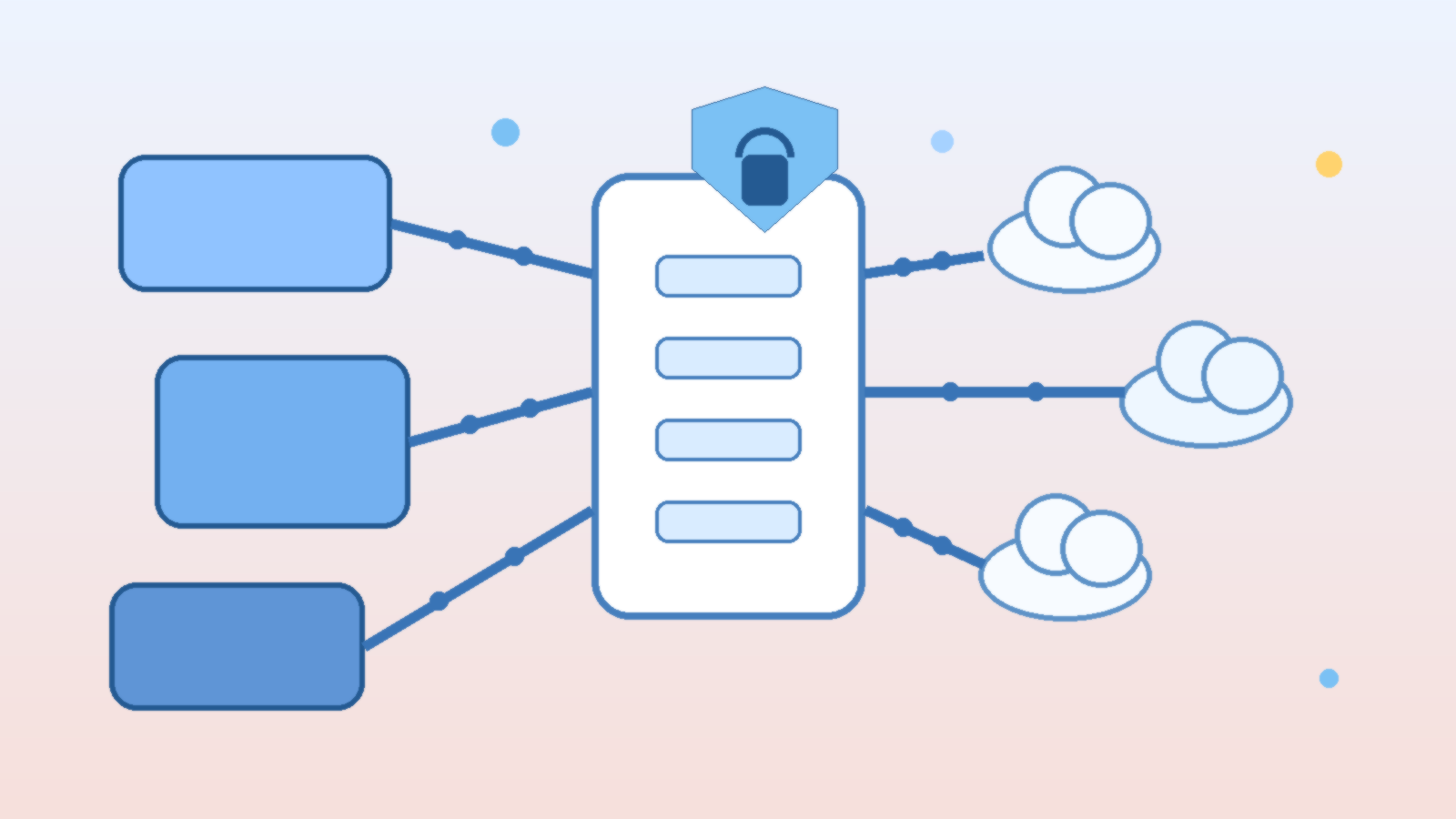
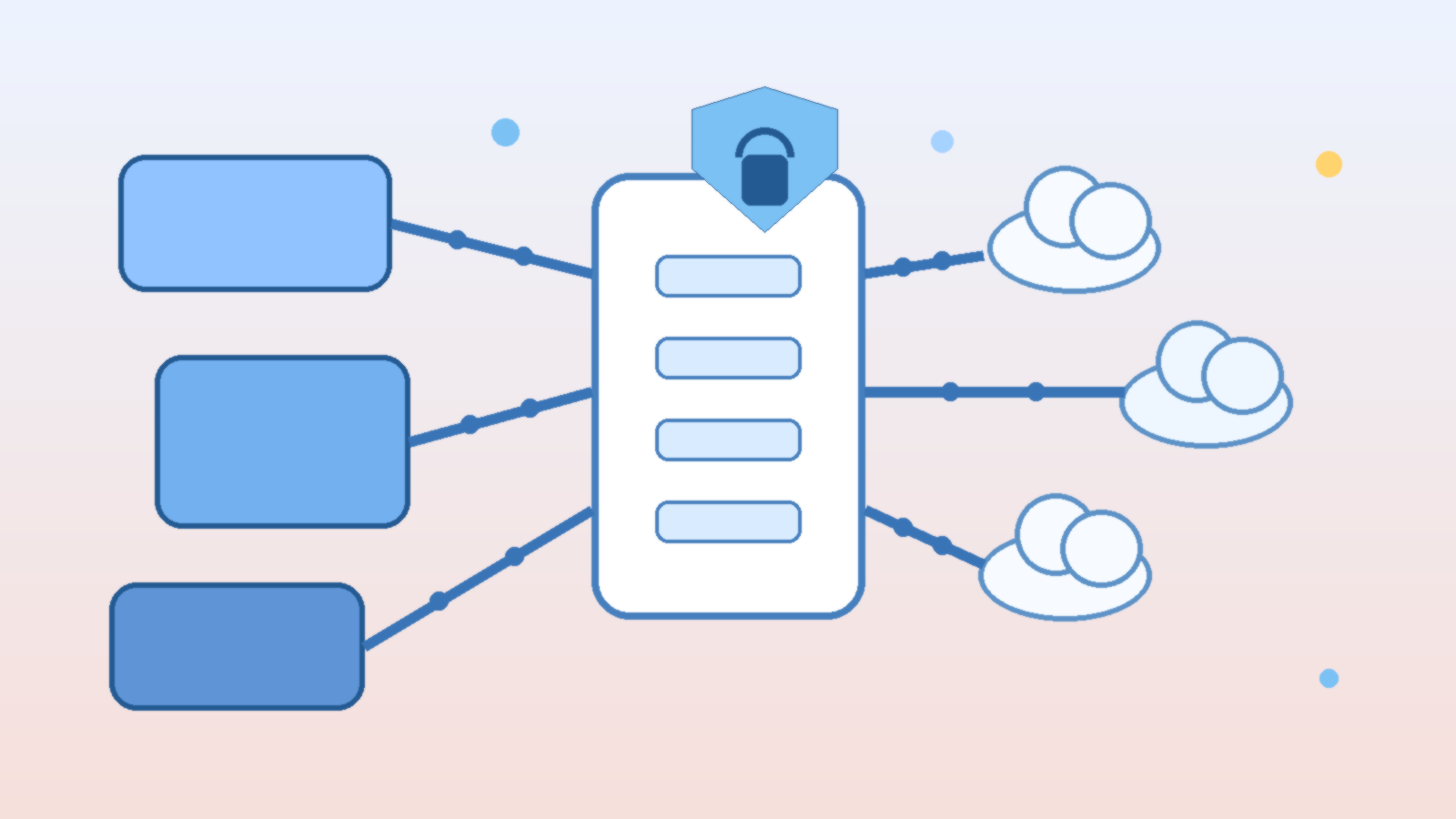
    Many organizations start their AI platform journey by wiring applications straight to a model endpoint and promising themselves they will add governance later. That works for a pilot, but it breaks down quickly once multiple teams, models, environments, and approval boundaries show up. Suddenly every app has its own authentication pattern, logging format, retry logic, and ad hoc content controls.

    Azure API Management can help clean that up, but only if it is treated as an AI control plane rather than a basic pass-through proxy. The goal is not to add bureaucracy between developers and models. The goal is to centralize the policies that should be consistent anyway, while letting teams keep building on top of a stable interface.

    Start With a Stable Front Door Instead of Per-App Model Wiring

    When each application connects directly to Azure OpenAI or another model provider, every team ends up solving the same platform problems on its own. One app may log prompts, another may not. One team may rotate credentials correctly, another may leave secrets in a pipeline variable for months. The more AI features spread, the more uneven that operating model becomes.

    A stable API Management front door gives teams one integration pattern for authentication, quotas, headers, observability, and policy enforcement. That does not eliminate application ownership, but it does remove a lot of repeated plumbing. Developers can focus on product behavior while the platform team handles the cross-cutting controls that should not vary from app to app.

    Put Model Routing Rules in Policy, Not in Scattered Application Code

    Model selection tends to become messy fast. A chatbot might use one deployment for low-cost summarization, another for tool calling, and a fallback model during regional incidents. If every application embeds that routing logic separately, you create a maintenance problem that looks small at first and expensive later.

    API Management policies give you a cleaner place to express routing decisions. You can steer traffic by environment, user type, request size, geography, or service health without editing six applications every time a model version changes. This also helps governance teams understand what is actually happening, because the routing rules live in one visible control layer instead of being hidden across repos and release pipelines.

    Use the Gateway to Enforce Cost and Rate Guardrails Early

    Cost surprises in AI platforms rarely come from one dramatic event. They usually come from many normal requests that were never given a sensible ceiling. A gateway layer is a practical place to apply quotas, token budgeting, request size constraints, and workload-specific rate limits before usage gets strange enough to trigger a finance conversation.

    This matters even more in internal platforms where success spreads by imitation. If one useful AI feature ships without spending controls, five more teams may copy the same pattern within a month. A control plane lets you set fair limits once and improve them deliberately instead of treating cost governance as a cleanup project.

    Centralize Identity and Secret Handling Without Hiding Ownership

    One of the least glamorous benefits of API Management is also one of the most important: it reduces the number of places where model credentials and backend connection details need to live. Managed identity, Key Vault integration, and policy-based authentication flows are not exciting talking points, but they are exactly the kind of boring consistency that keeps an AI platform healthy.

    That does not mean application teams lose accountability. They still own their prompts, user experiences, data handling choices, and business logic. The difference is that the platform team can stop secret sprawl and normalize backend access patterns before they become a long-term risk.

    Log the Right AI Signals, Not Just Generic API Metrics

    Traditional API telemetry is helpful, but AI workloads need additional context. It is useful to know more than latency and status code. Teams usually need visibility into which model deployment handled the request, whether content filters fired, which policy branch routed the call, what quota bucket applied, and whether a fallback path was used.

    When API Management sits in front of your model estate, it becomes a natural place to enrich logs and forward them into your normal monitoring stack. That makes platform reviews, incident response, and capacity planning much easier because AI traffic is described in operational terms rather than treated like an opaque blob of HTTP requests.

    Keep the Control Plane Thin Enough That Developers Do Not Fight It

    There is a trap here: once a gateway becomes central, it is tempting to cram every idea into it. If the control plane becomes slow, hard to version, or impossible to debug, teams will look for a way around it. Good platform design means putting shared policy in the gateway while leaving product-specific behavior in the application where it belongs.

    A useful rule is to centralize what should be consistent across teams, such as authentication, quotas, routing, basic safety checks, and observability. Leave conversation design, retrieval strategy, business workflow decisions, and user-facing behavior to the teams closest to the product. That balance protects the platform without turning it into a bottleneck.

    Final Takeaway

    Azure API Management is not the whole AI governance story, but it is a strong place to anchor the parts that benefit from consistency. Used well, it gives developers a predictable front door, gives platform teams a durable policy layer, and gives leadership a clearer answer to the question of how AI traffic is being controlled.

    If you want AI teams to move quickly without rebuilding governance from scratch in every repo, treat API Management as an AI control plane. Keep the policies visible, keep the developer experience sane, and keep the shared rules centralized enough that scaling does not turn into drift.
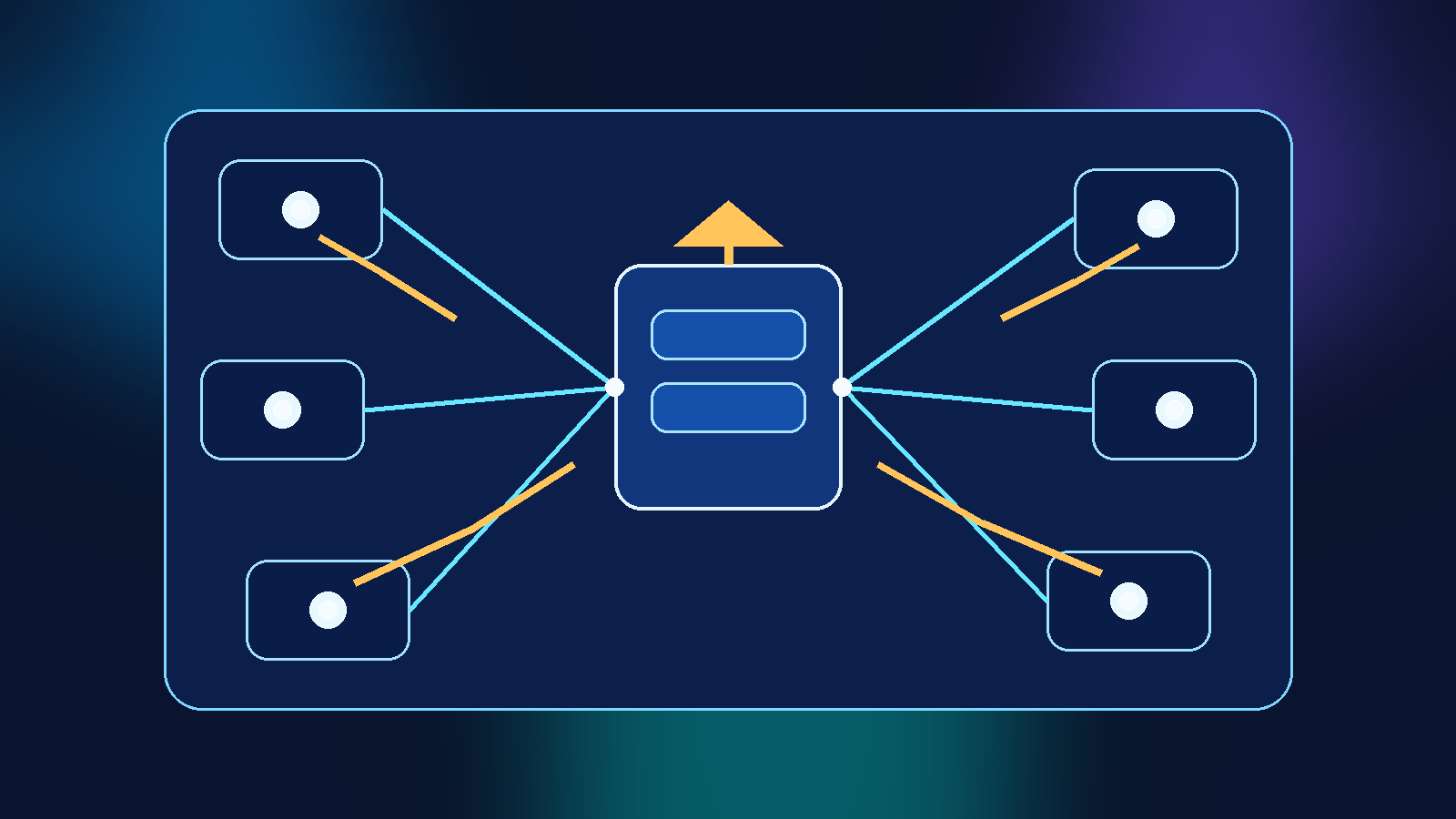
  • Why AI Knowledge Connectors Need Scope Boundaries Before Search Starts Oversharing

    Why AI Knowledge Connectors Need Scope Boundaries Before Search Starts Oversharing

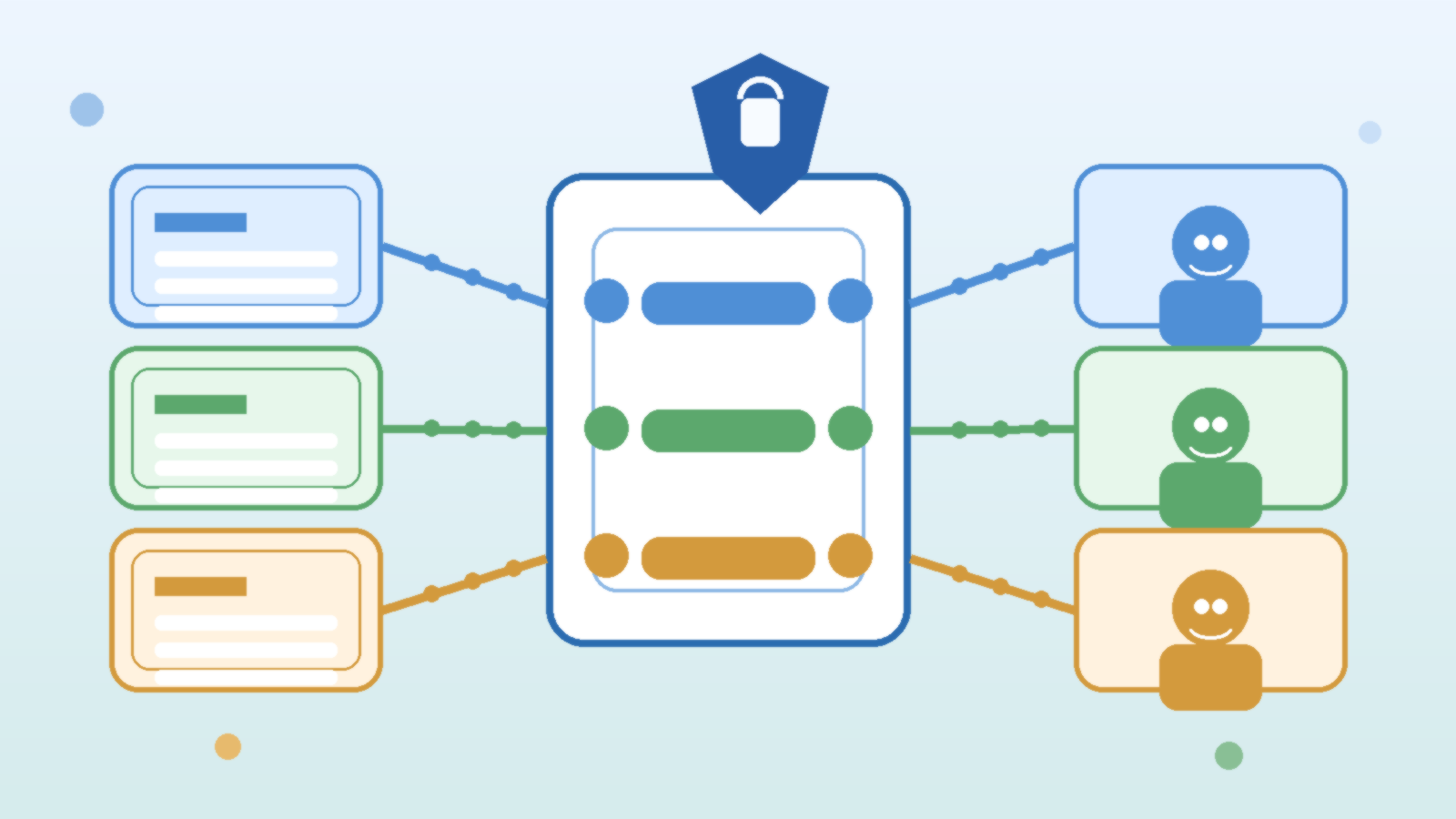
    The fastest way to make an internal AI assistant look useful is to connect it to more content. Team sites, document libraries, ticket systems, shared drives, wikis, chat exports, and internal knowledge bases all promise richer answers. The problem is that connector growth can outpace governance. When that happens, the assistant does not become smarter in a responsible way. It becomes more likely to retrieve something that was technically reachable but contextually inappropriate.

    That is the real risk with AI knowledge connectors. Oversharing often does not come from a dramatic breach. It comes from weak scoping, inherited permissions that nobody reviewed closely, and retrieval pipelines that treat all accessible content as equally appropriate for every question. If a team wants internal AI search to stay useful and trustworthy, scope boundaries need to come before connector sprawl.

    Connector reach is not the same thing as justified access

    A common mistake is to assume that if a system account can read a repository, then the AI layer should be allowed to index it broadly. That logic skips an important governance question. Technical reach only proves the connector can access the content. It does not prove that the content should be available for retrieval across every workflow, assistant, or user group.

    This matters because repositories often contain mixed-sensitivity material. A single SharePoint site or file share may hold general guidance, manager-only notes, draft contracts, procurement discussions, or support cases with customer data. If an AI retrieval process ingests the whole source without sharper boundaries, the system can end up surfacing information in contexts that feel harmless to the software and uncomfortable to the humans using it.

    The safest default is narrower than most teams expect

    Teams often start with broad indexing because it is easier to explain in a demo. More content usually improves the odds of getting an answer, at least in the short term. But a strong production posture starts narrower. Index what supports the intended use case, verify the quality of the answers, and only then expand carefully.

    That narrow-first model forces useful discipline. It makes teams define the assistant’s job, the audience it serves, and the classes of content it truly needs. It also reduces the cleanup burden later. Once a connector has already been positioned as a universal answer engine, taking content away feels like a regression even when the original scope was overly generous.

    Treat retrieval domains as products, not plumbing

    One practical way to improve governance is to stop thinking about connectors as background plumbing. A retrieval domain should have an owner, a documented purpose, an approved audience, and a review path for scope changes. If a connector feeds a help desk copilot, that connector should not quietly evolve into an all-purpose search layer for finance, HR, engineering, and executive material just because the underlying platform allows it.

    Ownership matters here because connector decisions are rarely neutral. Someone needs to answer why a source belongs in the domain, what sensitivity assumptions apply, and how removal or exception handling works. Without that accountability, retrieval estates tend to grow through convenience rather than intent.

    Inherited permissions still need policy review

    Many teams rely on source-system permissions as the main safety boundary. That is useful, but it is not enough by itself. Source permissions may be stale, overly broad, or designed for occasional human browsing rather than machine-assisted retrieval at scale. An AI assistant can make obscure documents feel much more discoverable than they were before.

    That change in discoverability is exactly why inherited access deserves a second policy review. A document that sat quietly in a large folder for two years may become materially more exposed once a conversational interface can summarize it instantly. Governance teams should ask not only whether access is technically inherited, but whether the resulting retrieval behavior matches the business intent behind that access.

    Metadata and segmentation reduce quiet mistakes

    Better scoping usually depends on better segmentation. Labels, sensitivity markers, business domain tags, repository ownership data, and lifecycle state all help a retrieval system decide what belongs where. Without metadata, teams are left with crude include-or-exclude decisions at the connector level. With metadata, they can create more precise boundaries.

    For example, a connector might be allowed to pull only published procedures, approved knowledge articles, and current policy documents while excluding drafts, investigation notes, and expired content. That sort of rule set does not eliminate judgment calls, but it turns scope control into an operational practice instead of a one-time guess.

    Separate answer quality from content quantity

    Another trap is equating a better answer rate with a better operating model. A broader connector set can improve answer coverage while still making the system less governable. That is why production reviews should measure more than relevance. Teams should also ask whether answers come from the right repositories, whether citations point to appropriate sources, and whether the assistant routinely pulls material outside the intended domain.

    Those checks are especially important for executive copilots, enterprise search assistants, and general-purpose internal help tools. The moment an assistant is marketed as a fast path to institutional knowledge, users will test its boundaries. If the system occasionally answers with content from the wrong operational lane, confidence drops quickly.

    Scope expansion should follow a change process

    Connector sprawl often happens one small exception at a time. Someone wants one more library included. Another team asks for access to a new knowledge base. A pilot grows into production without anyone revisiting the original assumptions. To prevent that drift, connector changes should move through a lightweight but explicit change process.

    That process does not need to be painful. It just needs to capture the source being added, the audience, the expected value, the sensitivity concerns, the rollback path, and the owner approving the change. The discipline is worth it because retrieval mistakes are easier to prevent than to explain after screenshots start circulating.

    Logging should show what the assistant searched, not only what it answered

    If a team wants to investigate oversharing risk seriously, answer logs are only part of the story. It is also useful to know which repositories were queried, which documents were considered relevant, and which scope filters were applied. That level of visibility helps teams distinguish between a bad answer, a bad ranking result, and a bad connector design.

    It also supports routine governance. If a supposedly narrow assistant keeps reaching into repositories outside its intended lane, something in the scope model is already drifting. Catching that early is much better than learning about it when a user notices a citation that should never have appeared.

    Trustworthy AI search comes from boundaries, not bravado

    Internal AI search can absolutely be valuable. People do want faster access to useful knowledge, and connectors are part of how that happens. But the teams that keep trust are usually the ones that resist the urge to connect everything first and rationalize it later.

    Strong retrieval systems are built with clear scope boundaries, accountable ownership, metadata-aware filtering, and deliberate change control. That does not make them less useful. It makes them safe enough to stay useful after the novelty wears off. If a team wants AI search to scale beyond demos, the smartest move is to govern connector scope before the assistant starts oversharing for them.

  • Why AI Gateway Failover Needs Policy Equivalence Before It Needs a Traffic Switch

    Why AI Gateway Failover Needs Policy Equivalence Before It Needs a Traffic Switch

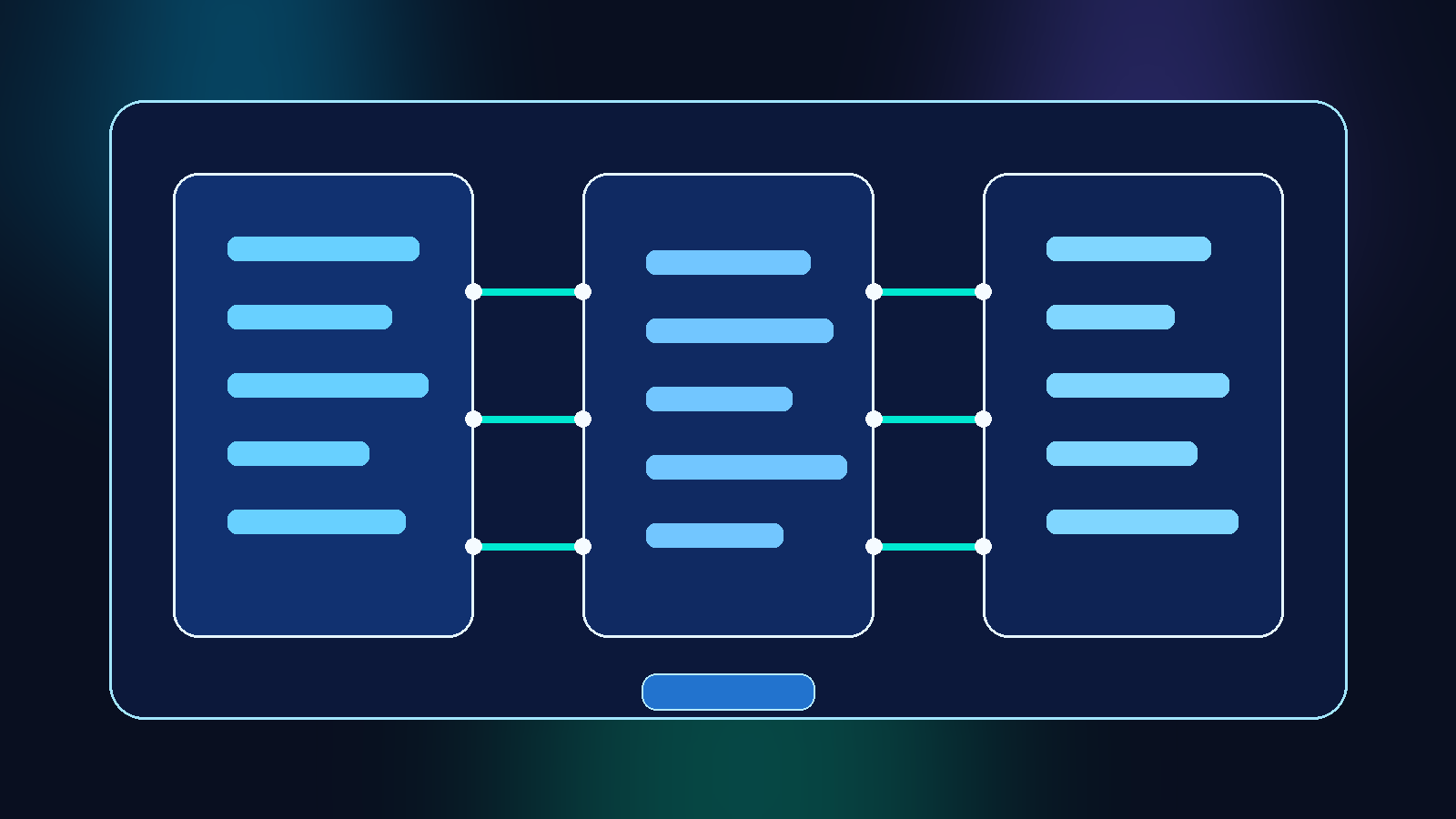
    Teams love the idea of AI provider portability. It sounds prudent to say a gateway can route between multiple model vendors, fail over during an outage, and keep applications running without a major rewrite. That flexibility is useful, but too many programs stop at the routing story. They wire up model endpoints, prove that prompts can move from one provider to another, and declare the architecture resilient.

    The problem is that a traffic switch is not the same thing as a control plane. If one provider path has prompt logging disabled, another path stores request history longer, and a third path allows broader plugin or tool access, then failover can quietly change the security and compliance posture of the application. The business thinks it bought resilience. In practice, it may have bought inconsistent policy enforcement that only shows up when something goes wrong.

    Routing continuity is only one part of operational continuity

    Engineering teams often design AI failover around availability. If provider A slows down or returns errors, route requests to provider B. That is a reasonable starting point, but it is incomplete. An AI platform also has to preserve the controls around those requests, not just the success rate of the API call.

    That means asking harder questions before the failover demo looks impressive. Will the alternate provider keep data in the same region? Are the same retention settings available? Does the backup path expose the same model family to the same users, or will it suddenly allow features that the primary route blocks? If the answer is different across providers, then the organization is not really failing over one governed service. It is switching between services with different rules.

    A resilience story that ignores policy equivalence is the kind of architecture that looks mature in a slide deck and fragile during an audit.

    Define the nonnegotiable controls before you define the fallback order

    The cleanest way to avoid drift is to decide what must stay true no matter where the request goes. Those controls should be documented before anyone configures weighted routing or health-based failover.

    For many organizations, the nonnegotiables include data residency, retention limits, request and response logging behavior, customer-managed access patterns, content filtering expectations, and whether tool or retrieval access is allowed. Some teams also need prompt redaction, approval gates for sensitive workloads, or separate policies for internal versus customer-facing use cases.

    Once those controls are defined, each provider route can be evaluated against the same checklist. A provider that fails an important requirement may still be useful for isolated experiments, but it should not sit in the automatic production failover chain. That line matters. Not every technically reachable model endpoint deserves equal operational trust.

    The hidden problem is often metadata, not just model output

    When teams compare providers, they usually focus on model quality, token pricing, and latency. Those matter, but governance problems often appear in the surrounding metadata. One provider may log prompts for debugging. Another may keep richer request traces. A third may attach different identifiers to sessions, users, or tool calls.

    That difference can create a mess for retention and incident response. Imagine a regulated workflow where the primary path keeps minimal logs for a short period, but the failover path stores additional request context for longer because that is how the vendor debugging feature works. The application may continue serving users correctly while silently creating a broader data footprint than the risk team approved.

    That is why provider reviews should include the entire data path: prompts, completions, cached content, system instructions, tool outputs, moderation events, and operational logs. The model response is only one part of the record.

    Treat failover eligibility like a policy certification

    A strong pattern is to certify each provider route before it becomes eligible for automatic failover. Certification should be more than a connectivity test. It should prove that the route meets the minimum control standard for the workload it may serve.

    For example, a low-risk internal drafting assistant may allow multiple providers with roughly similar settings. A customer support assistant handling sensitive account context may have a narrower list because residency, retention, and review requirements are stricter. The point is not to force every workload into the same vendor strategy. The point is to prevent the gateway from making governance decisions implicitly during an outage.

    A practical certification review should cover:

    • allowed data types for the route
    • approved regions and hosting boundaries
    • retention and logging behavior
    • moderation and safety control parity
    • tool, plugin, or retrieval permission differences
    • incident-response visibility and auditability
    • owner accountability for exceptions and renewals

    That list is not glamorous, but it is far more useful than claiming portability without defining what portable means.

    Separate failover for availability from failover for policy exceptions

    Another common mistake is bundling every exception into the same routing mechanism. A team may say, "If the primary path fails, use the backup provider," while also using that same backup path for experiments that need broader features. That sounds efficient, but it creates confusion because the exact same route serves two different governance purposes.

    A better design separates emergency continuity from deliberate exceptions. The continuity route should be boring and predictable. It exists to preserve service under stress while staying within the approved policy envelope. Exception routes should be explicit, approved, and usually manual or narrowly scoped.

    This separation makes reviews much easier. Auditors and security teams can understand which paths are part of the standard operating model and which ones exist for temporary or special-case use. It also reduces the temptation to leave a broad backup path permanently enabled just because it helped once during a migration.

    Test the policy outcome, not just the failover event

    Most failover exercises are too shallow. Teams simulate a provider outage, verify that traffic moves, and stop there. That test proves only that routing works. It does not prove that the routed traffic still behaves within policy.

    A better exercise inspects what changed after failover. Did the logs land in the expected place? Did the same content controls trigger? Did the same headers, identities, and approval gates apply? Did the same alerts fire? Could the security team still reconstruct the transaction path afterward?

    Those are the details that separate operational resilience from operational surprise. If nobody checks them during testing, the organization learns about control drift during a real incident, which is exactly when people are least equipped to reason carefully.

    Build provider portability as a governance feature, not just an engineering feature

    Provider portability is worth having. No serious platform team wants a brittle single-vendor dependency for critical AI workflows. But portability should be treated as a governance feature as much as an engineering one.

    That means the gateway should carry policy with the request instead of assuming every endpoint is interchangeable. Route selection should consider workload classification, approved regions, tool access limits, logging rules, and exception status. If the platform cannot preserve those conditions automatically, then failover should narrow to the routes that can.

    In other words, the best AI gateway is not the one with the most model connectors. It is the one that can switch paths without changing the organization’s risk posture by accident.

    Start with one workload and prove policy equivalence end to end

    Teams do not need to solve this across every application at once. Start with one workload that matters, map the control requirements, and compare the primary and backup provider paths in a disciplined way. Document what is truly equivalent, what is merely similar, and what requires an exception.

    That exercise usually reveals the real maturity of the platform. Sometimes the backup path is not ready for automatic failover yet. Sometimes the organization needs better logging normalization or tighter route-level policy tags. Sometimes the architecture is already in decent shape and simply needs clearer documentation.

    Either way, the result is useful. AI gateway failover becomes a conscious operating model instead of a comforting but vague promise. That is the difference between resilience you can defend and resilience you only hope will hold up when the primary provider goes dark.

  • Why Every Azure AI Pilot Needs a Cost Cap Before It Needs a Bigger Model

    Why Every Azure AI Pilot Needs a Cost Cap Before It Needs a Bigger Model

    Teams often start an Azure AI pilot with a simple goal: prove that a chatbot, summarizer, document assistant, or internal copilot can save time. That part is reasonable. The trouble starts when the pilot shows just enough promise to attract more users, more prompts, more integrations, and more expectations before anyone sets a financial boundary.

    That is why every serious Azure AI pilot needs a cost cap before it needs a bigger model. A cost cap is not just a budget number buried in a spreadsheet. It is an operating guardrail that forces the team to define how much experimentation, latency, accuracy, and convenience they are actually willing to buy during the pilot stage.

    Why AI Pilots Become Expensive Faster Than They Look

    Most pilots do not fail because the first demo is too costly. They become expensive because success increases demand. A tool that starts with a small internal audience can quickly expand from a few users to an entire department. Prompt lengths grow, file uploads increase, and teams begin asking for premium models for tasks that were originally scoped as lightweight assistance.

    Azure makes this easy to miss because the growth is often distributed across several services. Model inference, storage, search indexes, document processing, observability, networking, and integration layers can all rise together. No single line item looks catastrophic at first, but the total spend can drift far away from what leadership thought the pilot would cost.

    A Cost Cap Changes the Design Conversation

    Without a cap, discussions about features tend to sound harmless. Can we keep more chat history for better answers? Can we run retrieval on every request? Can we send larger documents? Can we upgrade the default model for everyone? Each change may improve user experience, but each one also increases spend or creates unpredictable usage patterns.

    A cost cap changes the conversation from “what else can we add” to “what is the most valuable capability we can deliver inside a fixed operating boundary.” That is a healthier question. It pushes teams to choose the right model tier, trim waste, and separate must-have experiences from nice-to-have upgrades.

    The Right Cap Is Tied to the Pilot Stage

    A pilot should not be budgeted like a production platform. Its purpose is to test usefulness, operational fit, and governance maturity. That means the cap should reflect the stage of learning. Early pilots should prioritize bounded experimentation, not maximum reach.

    A practical approach is to define a monthly ceiling and then translate it into technical controls. If the pilot cannot exceed a known monthly number, the team needs daily or weekly signals that show whether usage is trending in the wrong direction. It also needs clear rules for what happens when the pilot approaches the limit. In many environments, slowing expansion for a week is far better than discovering a surprise bill after the month closes.

    Four Controls That Actually Keep Azure AI Spend in Check

    1. Put a model policy in writing

    Many pilots quietly become expensive because people keep choosing larger models by default. Write down which model is approved for which task. For example, a smaller model may be good enough for classification, metadata extraction, or simple drafting, while a stronger model is reserved for complex reasoning or executive-facing outputs.

    That written policy matters because it prevents the team from treating model upgrades as casual defaults. If someone wants a more expensive model path, they should be able to explain what measurable value the upgrade creates.

    2. Cap high-cost features at the workflow level

    Token usage is only part of the picture. Retrieval-augmented generation, document parsing, and multi-step orchestration can turn a cheap interaction into an expensive one. Instead of trying to control cost only after usage lands, put limits into the workflow itself.

    For example, limit the number of uploaded files per session, cap how much source content is retrieved into a single answer, and avoid chaining multiple tools when a simpler path would solve the problem. Workflow caps are easier to enforce than good intentions.

    3. Monitor cost by scenario, not only by service

    Azure billing data is useful, but it does not automatically explain which product behavior is driving spend. A better view groups cost by user scenario. Separate the daily question-answer flow from document summarization, batch processing, and experimentation environments.

    That separation helps the team see which use cases are sustainable and which ones need redesign. If one scenario consumes a disproportionate share of the pilot budget, leadership can decide whether it deserves more investment or tighter limits.

    4. Create a slowdown plan before the cap is hit

    A cap without a response plan is just a warning light. Teams should decide in advance what changes when usage approaches the threshold. That may include disabling premium models for noncritical users, shortening retained context, delaying batch jobs, or restricting large uploads until the next reporting window.

    This is not about making the pilot worse for its own sake. It is about preserving control. A planned slowdown is much less disruptive than emergency cost cutting after the fact.

    Cost Discipline Also Improves Governance

    There is a governance benefit here that technical teams sometimes overlook. If a pilot can only stay within budget by constantly adding exceptions, hidden services, or untracked experiments, that is a sign the operating model is not ready for wider rollout.

    A disciplined cap exposes those issues early. It reveals whether teams have clear ownership, meaningful telemetry, and a real approval process for expanding capability. In that sense, cost control is not separate from governance. It is one of the clearest tests of whether governance is real.

    Bigger Models Are Not the First Answer

    When a pilot struggles, the instinct is often to reach for a more capable model. Sometimes that is justified. Often it is lazy architecture. Weak prompt design, poor retrieval hygiene, oversized context windows, and vague user journeys can all create poor results that a larger model only partially hides.

    Before paying more, teams should ask whether the system is sending the model cleaner inputs, constraining the task well, and using the right model for the job. A sharper design usually delivers better economics than a reflexive upgrade.

    The Best Pilots Earn the Right to Expand

    A healthy Azure AI pilot should prove more than model quality. It should show that the team can manage demand, understand cost drivers, and grow on purpose instead of by accident. That is what earns trust from finance, security, and leadership.

    If the pilot cannot operate comfortably inside a defined cost cap, it is not ready for bigger adoption yet. The goal is not to starve experimentation. The goal is to build enough discipline that when the pilot succeeds, the organization can scale it without losing control.

    A bigger model might improve an answer. A cost cap improves the entire operating model. In the long run, that matters more.

  • How to Scope Browser-Based AI Agents Before They Become Internal Proxies

    How to Scope Browser-Based AI Agents Before They Become Internal Proxies

    Abstract dark navy illustration of browser windows, guarded network paths, and segmented internal connections

    Browser-based AI agents are getting good at navigating dashboards, filling forms, collecting data, and stitching together multi-step work across web apps. That makes them useful for operations teams that want faster workflows without building every integration from scratch. It also creates a risk that many teams underestimate: the browser session can become a soft internal proxy for systems the model should never broadly traverse.

    The problem is not that browser agents exist. The problem is approving them as if they are simple productivity features instead of networked automation workers with broad visibility. Once an agent can authenticate into internal apps, follow links, download files, and move between tabs, it can cross trust boundaries that were originally designed for humans acting with context and restraint.

    Start With Reachability, Not Task Convenience

    Browser agent reviews often begin with an attractive use case. Someone wants the agent to collect metrics from a dashboard, check a backlog, pull a few details from a ticketing system, and summarize the result in one step. That sounds efficient, but the real review should begin one layer lower.

    What matters first is where the agent can go once the browser session is established. If it can reach admin portals, internal tools, shared document systems, and customer-facing consoles from the same authenticated environment, then the browser is effectively acting as a movement layer between systems. The task may sound narrow while the reachable surface is much wider.

    Separate Observation From Action

    A common design mistake is giving the same agent permission to inspect systems and make changes in them. Read access, workflow preparation, and final action execution should not be bundled by default. When they are combined, a prompt mistake or weak instruction can turn a harmless data-gathering flow into an unintended production change.

    A stronger pattern is to let the browser agent observe state and prepare draft output, but require a separate approval point before anything is submitted, closed, deleted, or provisioned. This keeps the time-saving part of automation while preserving a hard boundary around consequential actions.

    Shrink the Session Scope on Purpose

    Teams usually spend time thinking about prompts, but the browser session itself deserves equally careful design. If the session has persistent cookies, broad single sign-on access, and visibility into multiple internal tools at once, the agent inherits a large amount of organizational reach even when the requested task is small.

    That is why session minimization matters. Use dedicated low-privilege accounts where possible, narrow which apps are reachable in that context, and avoid running the browser inside a network zone that sees more than the workflow actually needs. A well-scoped session reduces both accidental exposure and the blast radius of bad instructions.

    Treat Downloads and Page Content as Sensitive Output Paths

    Browser agents do not need a formal API connection to move sensitive information. A page render, exported CSV, downloaded PDF, copied table, or internal search result can all become output that gets summarized, logged, or passed into another tool. If those outputs are not controlled, the browser becomes a quiet data extraction layer.

    This is why reviewers should ask practical questions about output handling. Can the agent download files? Can it open internal documents? Are screenshots retained? Do logs capture raw page content? Can the workflow pass retrieved text into another model or external service? These details often matter more than the headline feature list.

    Keep Environment Boundaries Intact

    Many teams pilot browser agents in test or sandbox systems and then assume the same operating model is safe for production. That shortcut is risky because the production browser session usually has richer data, stronger connected workflows, and fewer safe failure modes.

    Development, test, and production browser agents should be treated as distinct trust decisions with distinct credentials, allowlists, and monitoring expectations. If a team cannot explain why an agent truly needs production browser access, that is a sign the workflow should stay outside production until the controls are tighter.

    Add Guardrails That Match Real Browser Behavior

    Governance controls often focus on API scopes, but browser agents need controls that fit browser behavior. Navigation allowlists, download restrictions, time-boxed sessions, visible audit logs, and explicit human confirmation before destructive clicks are more relevant than generic policy language.

    A short control checklist can make reviews much stronger:

    • Limit which domains and paths the agent may visit during a run.
    • Require a fresh, bounded session instead of long-lived persistent browsing state.
    • Block or tightly review file downloads and uploads.
    • Preserve action logs that show what page was opened and what control was used.
    • Put high-impact actions behind a separate approval step.

    Those guardrails are useful because they match the way browser agents actually move through systems. Good governance becomes concrete when it reflects the tool’s operating surface instead of relying on broad statements about responsible AI.

    Final Takeaway

    Browser-based AI agents can save real time, especially in environments where APIs are inconsistent or missing. But once they can authenticate across internal apps, they stop being simple assistants and start looking a lot like controlled proxy workers.

    The safest approach is to approve them with the same seriousness you would apply to any system that can traverse trust boundaries, observe internal state, and initiate actions. Scope the reachable surface, separate read from write behavior, constrain session design, and verify output paths before the agent becomes normal infrastructure.

  • Why AI Agent Sandboxing Belongs in Your Cloud Governance Model

    Why AI Agent Sandboxing Belongs in Your Cloud Governance Model

    Enterprise teams are moving from simple chat assistants to AI agents that can call tools, read internal data, open tickets, generate code, and trigger workflows. That shift is useful, but it changes the risk profile. An assistant that only answers questions is one thing. An agent that can act inside your environment is closer to a junior operator with a very large blast radius.

    That is why sandboxing should sit inside your cloud governance model instead of living as an afterthought in an AI pilot. If an agent can reach production systems, sensitive documents, or shared credentials without strong boundaries, then your cloud controls are already being tested by automation whether your governance process acknowledges it or not.

    Sandboxing Changes the Conversation From Trust to Containment

    Many AI governance discussions still revolve around model safety, prompt filtering, and human review. Those controls matter, but they do not replace execution boundaries. Sandboxing matters because it assumes agents will eventually make a bad call, encounter malicious input, or receive access they should not keep forever.

    A good sandbox does not pretend the model is flawless. It limits what the agent can touch, how long it can keep access, what network paths are available, and what happens when something unusual is requested. That design turns inevitable mistakes into containable incidents instead of cross-system failures.

    Identity Scope Is the First Boundary, Not the Last

    Too many deployments start with broad service credentials because they are fast to wire up. The result is an AI agent that inherits more privilege than any human operator would receive for the same task. In cloud environments, that is a governance smell. Agents should get narrow identities, purpose-built roles, and explicit separation between read, write, and approval paths.

    When teams treat identity as the first sandbox layer, they gain several advantages at once. Access reviews become clearer, audit logs become easier to interpret, and rollback decisions become less chaotic because the agent never had universal reach in the first place.

    Network and Runtime Isolation Matter More Once Tools Enter the Picture

    As soon as an agent can browse, run code, connect to APIs, or pull files from storage, runtime isolation becomes a practical control instead of a theoretical one. Separate execution environments help prevent one compromised task from becoming a pivot point into broader infrastructure. They also let teams apply environment-specific egress rules, storage limits, and expiration windows.

    This is especially important in cloud estates where AI features are layered on top of existing automation. If the same runtime can touch internal documentation, deployment systems, and customer data sources, your governance model is relying on luck. Segmented runtimes give you a cleaner answer when someone asks which agent could access what, under which conditions, and for how long.

    Approval Gates Should Match Business Impact

    Not every agent action deserves the same friction. Reading internal knowledge articles is not the same as rotating secrets, approving invoices, or changing production policy. Sandboxing works best when it is paired with action tiers. Low-risk actions can run automatically inside a narrow lane. Medium-risk actions may require confirmation. High-risk actions should cross a human approval boundary before the agent can continue.

    That structure makes governance feel operational instead of bureaucratic. Teams can move quickly where the risk is low while still preserving deliberate oversight where a mistake would be expensive, public, or hard to reverse.

    Logging Needs Context, Not Just Volume

    AI agent logging often becomes noisy fast. A flood of tool calls is not the same as meaningful auditability. Governance teams need to know which identity was used, which data source was accessed, which policy allowed the action, whether a human approved anything, and what outputs left the sandbox boundary.

    Context-rich logs make incident response far more realistic. They also support healthier reviews with security, compliance, and platform teams because discussions can focus on concrete behavior rather than vague assurances that the agent is “mostly restricted.”

    Start With a Small Operating Model, Then Expand Carefully

    The strongest first move is not a massive autonomous platform. It is a narrow operating model that defines which agent classes exist, which tasks they may perform, which environments they may run in, and which data classes they are allowed to touch. From there, teams can add more capability without losing track of the original safety assumptions.

    That approach is more sustainable than retrofitting controls after several enthusiastic teams have already connected agents to everything. Governance rarely fails because nobody cared. It usually fails because convenience expanded faster than the control model that was supposed to shape it.

    Final Takeaway

    AI agent sandboxing is not just a security feature. It is a governance decision about scope, accountability, and failure containment. In cloud environments, those questions already exist for workloads, service principals, automation accounts, and data platforms. Agents should not get a special exemption just because the interface feels conversational.

    If your organization wants agentic AI without creating invisible operational risk, put sandboxing in the model early. Define identities narrowly, isolate runtimes, tier approvals, and log behavior with enough context to defend your decisions later. That is what responsible scale actually looks like.

  • How to Rotate Secrets for AI Connectors Without Breaking Production Workflows

    How to Rotate Secrets for AI Connectors Without Breaking Production Workflows

    Abstract illustration of rotating credentials across connected AI services and protected systems

    AI teams love connecting models to storage accounts, vector databases, ticketing systems, cloud services, and internal tools. Then the uncomfortable part arrives: those connections depend on credentials that eventually need to change. Secret rotation sounds like a security housekeeping task until a production workflow breaks at 2 AM because one forgotten connector is still using the old value.

    The fix is not to rotate less often. The fix is to treat secret rotation as an operational design problem instead of a once-a-quarter scramble. If your AI workflows depend on API keys, service principals, app passwords, webhooks, or database credentials, you need a rotation plan that assumes connectors will be missed, caches will linger, and rollback may be necessary. The teams that handle rotation cleanly are not luckier. They are just more deliberate.

    Start by Mapping Every Dependency the Secret Actually Touches

    A single credential often reaches more places than people remember. The obvious path might be an application setting or secret vault reference, but the real blast radius can include scheduled jobs, CI pipelines, local environment files, monitoring webhooks, serverless functions, backup scripts, and internal admin tools. AI platforms make this worse because teams often wire up extra connectors during experimentation and forget to document them once the prototype becomes real.

    Before rotating anything, build a dependency map. Identify where the credential is stored, which services consume it, who owns each consumer, and how each component reloads configuration. A connector that only reads its secret on startup behaves very differently from one that pulls fresh values on every request. That distinction matters because it tells you whether rotation is a config update, a restart event, or a staged cutover.

    Prefer Dual-Key or Overlap Windows Whenever the Platform Allows It

    The cleanest secret rotations avoid hard cutovers. If a platform supports two active keys, overlapping certificates, or parallel client secrets, use that feature. Create the new credential, distribute it everywhere, validate that traffic works, and only then retire the old one. This reduces the rotation from a cliff-edge event to a controlled migration.

    That overlap window is especially helpful for AI connectors because some jobs run on schedules, some hold long-lived workers in memory, and some retry aggressively after failures. A dual-key period gives those systems time to converge. Without it, you are counting on every service to update at exactly the right moment, which is a fantasy most production environments do not deserve.

    Separate Rotation Readiness From Rotation Day

    One reason secret updates go badly is that teams combine discovery, implementation, validation, and the actual cutover into the same maintenance window. That is backwards. Readiness work should happen before the rotation date. Config paths should already be known. Restart requirements should already be documented. Owners should already know what success looks like and what rollback steps exist.

    On rotation day, the goal should be boring execution, not detective work. If engineers are still trying to remember where an old key might live, the process is already fragile. A good runbook breaks the event into phases: prepare the new credential, distribute it safely, validate connectivity in low-risk paths, switch production traffic, monitor for failures, and then revoke the retired secret only after you have enough confidence that nothing critical is still leaning on it.

    Design AI Integrations to Fail Loudly and Usefully

    Many secret rotation incidents become painful because connectors fail in vague ways. The model call times out. A background job retries forever. An ingestion pipeline quietly stops syncing. None of those symptoms immediately tells an operator that a credential expired or that a downstream service is rejecting the new authentication path.

    Your AI connectors should emit failures that make the problem legible. Authentication errors should be distinguishable from rate limits and payload issues. Health checks should exercise the real dependency path, not just confirm that the process is still running. Dashboards should show which connector failed, which environment is affected, and whether the issue began at the same time as a rotation event. If the system cannot explain its own failure, rotation will feel much riskier than it needs to be.

    Use Staged Validation Instead of Blind Trust

    After distributing a new secret, prove that each important path still works. That does not mean only testing one happy-path API call. It means validating the real workflows that matter: model inference, document ingestion, retrieval, outbound notifications, scheduled maintenance jobs, and any approval or handoff processes tied to those connectors.

    Staged validation helps because it catches environment-specific drift. Maybe development was updated but production still references an older variable group. Maybe the background worker uses a separate secret store from the web app. Maybe one serverless function still has an inline credential from six months ago. These are ordinary problems, not rare disasters, and they are exactly why a rotation checklist should test each lane explicitly instead of assuming consistency because the architecture diagram looked tidy.

    Rollback Must Be Planned Before Revocation

    Teams sometimes think rollback is impossible for secret rotation because the point is to retire an old credential. That is only partly true. If you use overlap windows, rollback can mean temporarily restoring the prior active key while you fix the consumers that missed the change. If you do not have that option, then rollback needs to mean a fast path to issue and distribute another replacement credential with known ownership and clear communication.

    The important thing is not pretending that revocation is the final step in the story. Revocation should happen after validation and after a short observation period, not as a dramatic act of confidence the moment the new secret is generated. Security is stronger when rotation is reliable. Breaking production just to prove you take credential hygiene seriously is not maturity. It is theater.

    Final Takeaway

    Secret rotation for AI connectors works best when it is treated like controlled change management: map dependencies, use overlap where possible, separate readiness from execution, validate real workflows, and delay revocation until you have evidence that the new path is stable.

    That approach is not glamorous, but it is the difference between a responsible security practice and a self-inflicted outage. In production AI systems, the goal is not just to rotate secrets. It is to rotate them without teaching the business that every security improvement comes with avoidable chaos.

  • Why Every RAG Project Needs a Content Freshness Policy Before Users Trust the Answers

    Why Every RAG Project Needs a Content Freshness Policy Before Users Trust the Answers

    Retrieval-augmented generation, usually shortened to RAG, often gets pitched as the practical fix for stale model knowledge. Instead of relying only on a model’s training data, a RAG system pulls in documents from your own environment and uses them as context for an answer. That sounds reassuring, but it creates a new problem that many teams underestimate: the system is only as trustworthy as the freshness of the content it retrieves.

    If outdated policies, old product notes, retired architecture diagrams, or superseded runbooks stay in the retrievable set for too long, the model will happily cite and summarize them. To an end user, the answer still looks polished and current. Under the hood, however, the system may be grounding itself in documents that no longer reflect reality.

    Fresh Retrieval Is Not the Same Thing as Accurate Retrieval

    Many RAG conversations focus on ranking quality, chunking strategy, vector similarity, and prompt templates. Those matter, but they do not solve the governance problem. A retriever can be technically excellent and still return the wrong material if the index contains stale, duplicated, or no-longer-approved content.

    This is why freshness needs to be treated as a first-class quality signal. When users ask about pricing, internal procedures, product capabilities, or security controls, they are usually asking for the current truth, not the most semantically similar historical answer.

    Stale Context Creates Quiet Failure Modes

    The dangerous part of stale context is that it does not usually fail in dramatic ways. A RAG system rarely announces that its source document was archived nine months ago or that a newer policy replaced the one it found. Instead, it produces an answer that sounds measured, complete, and useful.

    That kind of failure is hard to catch because it blends into normal success. A support assistant may quote an obsolete escalation path. A security copilot may recommend an access pattern that the organization already banned. An internal knowledge bot may pull from a migration guide that applied before the platform team changed standards. The result is not just inaccuracy. It is misplaced trust.

    Every Corpus Needs Lifecycle Rules

    A content freshness policy gives the retrieval layer a lifecycle instead of a pileup. Teams should define which sources are authoritative, how often they are re-indexed, when documents expire, and what happens when a source is replaced or retired. Without those rules, the corpus tends to grow forever, and old material keeps competing with the documents people actually want the assistant to use.

    The policy does not have to be complicated, but it does need to be explicit. A useful starting point is to classify sources by operational sensitivity and change frequency. Security standards, HR policies, pricing pages, API references, incident runbooks, and architecture decisions all age differently. Treating them as if they share the same refresh cycle is a shortcut to drift.

    • Define source owners for each indexed content domain.
    • Set expected refresh windows based on how quickly the source changes.
    • Mark superseded or archived documents so they drop out of normal retrieval.
    • Record version metadata that can be shown to users or reviewers.

    Metadata Should Help the Model, Not Just the Admin

    Freshness policies work better when metadata is usable at inference time, not just during indexing. If the retrieval layer knows a document’s publication date, review date, owner, status, and superseded-by relationship, it can make better ranking decisions before the model ever starts writing.

    That same metadata can also support safer answer generation. For example, a system can prefer reviewed documents, down-rank stale ones, or warn the user when the strongest matching source is older than the expected freshness window. Those controls turn freshness from an internal maintenance task into a visible trust feature.

    Trust Improves When the System Admits Its Boundaries

    One of the smartest things a RAG product can do is refuse false confidence. If the newest authoritative document is too old, missing, or contradictory, the assistant should say so clearly. That may feel less impressive than producing a seamless answer, but it is much better for long-term credibility.

    In practice, this means designing for uncertainty. A mature implementation might respond with the best available answer while also exposing source dates, linking to the underlying documents, or noting that the most relevant policy has not been reviewed recently. Users do not need perfection. They need enough signal to judge whether the answer is current enough to act on.

    Freshness Is a Product Decision, Not Just an Indexing Job

    It is tempting to assign content freshness to the search pipeline and call it done. In reality, this is a cross-functional decision involving platform owners, content teams, security reviewers, and product leads. The retrieval layer reflects the organization’s habits. If content ownership is vague and document retirement is inconsistent, the RAG experience will eventually inherit that chaos.

    The strongest teams treat freshness like part of product quality. They decide what “current enough” means for each use case, measure it, and design visible safeguards around it. That is how a RAG assistant stops being a demo and starts becoming something people can rely on.

    Final Takeaway

    RAG does not remove the need for knowledge management. It raises the cost of doing it badly. If your system retrieves content that is old, superseded, or ownerless, the model can turn that drift into confident-looking answers at scale.

    A content freshness policy is what keeps retrieval grounded in the present instead of the archive. Before users trust your answers, make sure your corpus has rules for staying current.

  • How to Build an AI Gateway Layer Without Locking Every Workflow to One Model Provider

    How to Build an AI Gateway Layer Without Locking Every Workflow to One Model Provider

    Teams often start with the fastest path: wire one application directly to one model provider, ship a feature, and promise to clean it up later. That works for a prototype, but it usually turns into a brittle operating model. Pricing changes, model behavior shifts, compliance requirements grow, and suddenly a simple integration becomes a dependency that is hard to unwind.

    An AI gateway layer gives teams a cleaner boundary. Instead of every app talking to every provider in its own custom way, the gateway becomes the control point for routing, policy, observability, and fallback behavior. The mistake is treating that layer like a glorified pass-through. If it only forwards requests, it adds latency without adding much value. If it becomes a disciplined platform boundary, it can make the rest of the stack easier to change.

    Start With the Contract, Not the Vendor List

    The first job of an AI gateway is to define a stable contract for internal consumers. Applications should know how to ask for a task, pass context, declare expected response shape, and receive traceable results. They should not need to know whether the answer came from Azure OpenAI, another hosted model, or a future internal service.

    That contract should include more than the prompt payload. It should define timeout behavior, retry policy, error categories, token accounting, and any structured output expectations. Once those rules are explicit, swapping providers becomes a controlled engineering exercise instead of a scavenger hunt through half a dozen apps.

    Centralize Policy Where It Can Actually Be Enforced

    Many organizations talk about AI policy, but enforcement still lives inside application code written by different teams at different times. That usually means inconsistent logging, uneven redaction, and a lot of trust in good intentions. A gateway is the natural place to standardize the controls that should not vary from one workflow to another.

    For example, the gateway can apply request classification, strip fields that should never leave the environment, attach tenant or project metadata, and block model access that is outside an approved policy set. That approach does not eliminate application responsibility, but it does remove a lot of duplicated security plumbing from the edges.

    Make Routing a Product Decision, Not a Secret Rule Set

    Provider routing tends to get messy when it evolves through one-off exceptions. One team wants the cheapest model for summarization, another wants the most accurate model for extraction, and a third wants a regional endpoint for data handling requirements. Those are all valid needs, but they should be expressed as routing policy that operators can understand, review, and change deliberately.

    A good gateway supports explicit routing criteria such as task type, latency target, sensitivity class, geography, or approved model tier. That makes the system easier to govern and much easier to explain during incident review. If nobody can tell why a request went to a given provider, the platform is already too opaque.

    Observability Has To Include Cost and Behavior

    Normal API monitoring is not enough for AI traffic. Teams need to see token usage, response quality drift, fallback rates, blocked requests, and structured failure modes. Otherwise the gateway becomes a black box that hides the real health of the platform behind a simple success code.

    Cost visibility matters just as much. An AI gateway should make it easy to answer practical questions: which workflows are consuming the most tokens, which teams are driving retries, and which provider choices are no longer justified by the value they deliver. Without those signals, multi-provider flexibility can quietly become multi-provider waste.

    Design for Graceful Degradation Before You Need It

    Provider independence sounds strategic until the first outage, quota cap, or model regression lands in production. That is when the gateway either proves its worth or exposes its shortcuts. If every internal workflow assumes one model family and one response pattern, failover will be more theoretical than real.

    Graceful degradation means identifying which tasks can fail over cleanly, which can use a cheaper backup path, and which should stop rather than produce unreliable output. The gateway should carry those rules in configuration and runbooks, not in tribal memory. That way operators can respond quickly without improvising under pressure.

    Keep the Gateway Thin Enough to Evolve

    There is a real danger on the other side: a gateway that becomes so ambitious it turns into a monolith. If the platform owns every prompt template, every orchestration step, every evaluation flow, and every application-specific quirk, teams will just recreate tight coupling at a different layer.

    The healthier model is a thin but opinionated platform. Let the gateway own shared concerns like contracts, policy, routing, auditability, and telemetry. Let product teams keep application logic and domain-specific behavior close to the product. That split gives the organization leverage without turning the platform into a bottleneck.

    Final Takeaway

    An AI gateway is not valuable because it makes diagrams look tidy. It is valuable because it gives teams a stable internal contract while the external model market keeps changing. When designed well, it reduces lock-in, improves governance, and makes operations calmer. When designed poorly, it becomes one more opaque hop in an already complicated stack.

    The practical goal is simple: keep application teams moving without letting every workflow hard-code today’s provider assumptions into tomorrow’s architecture. That is the difference between an integration shortcut and a real platform capability.

  • How to Build an AI Gateway Layer Without Locking Every Workflow to One Model Provider

    How to Build an AI Gateway Layer Without Locking Every Workflow to One Model Provider

    Teams often start with the fastest path: wire one application directly to one model provider, ship a feature, and promise to clean it up later. That works for a prototype, but it usually turns into a brittle operating model. Pricing changes, model behavior shifts, compliance requirements grow, and suddenly a simple integration becomes a dependency that is hard to unwind.

    An AI gateway layer gives teams a cleaner boundary. Instead of every app talking to every provider in its own custom way, the gateway becomes the control point for routing, policy, observability, and fallback behavior. The mistake is treating that layer like a glorified pass-through. If it only forwards requests, it adds latency without adding much value. If it becomes a disciplined platform boundary, it can make the rest of the stack easier to change.

    Start With the Contract, Not the Vendor List

    The first job of an AI gateway is to define a stable contract for internal consumers. Applications should know how to ask for a task, pass context, declare expected response shape, and receive traceable results. They should not need to know whether the answer came from Azure OpenAI, another hosted model, or a future internal service.

    That contract should include more than the prompt payload. It should define timeout behavior, retry policy, error categories, token accounting, and any structured output expectations. Once those rules are explicit, swapping providers becomes a controlled engineering exercise instead of a scavenger hunt through half a dozen apps.

    Centralize Policy Where It Can Actually Be Enforced

    Many organizations talk about AI policy, but enforcement still lives inside application code written by different teams at different times. That usually means inconsistent logging, uneven redaction, and a lot of trust in good intentions. A gateway is the natural place to standardize the controls that should not vary from one workflow to another.

    For example, the gateway can apply request classification, strip fields that should never leave the environment, attach tenant or project metadata, and block model access that is outside an approved policy set. That approach does not eliminate application responsibility, but it does remove a lot of duplicated security plumbing from the edges.

    Make Routing a Product Decision, Not a Secret Rule Set

    Provider routing tends to get messy when it evolves through one-off exceptions. One team wants the cheapest model for summarization, another wants the most accurate model for extraction, and a third wants a regional endpoint for data handling requirements. Those are all valid needs, but they should be expressed as routing policy that operators can understand, review, and change deliberately.

    A good gateway supports explicit routing criteria such as task type, latency target, sensitivity class, geography, or approved model tier. That makes the system easier to govern and much easier to explain during incident review. If nobody can tell why a request went to a given provider, the platform is already too opaque.

    Observability Has To Include Cost and Behavior

    Normal API monitoring is not enough for AI traffic. Teams need to see token usage, response quality drift, fallback rates, blocked requests, and structured failure modes. Otherwise the gateway becomes a black box that hides the real health of the platform behind a simple success code.

    Cost visibility matters just as much. An AI gateway should make it easy to answer practical questions: which workflows are consuming the most tokens, which teams are driving retries, and which provider choices are no longer justified by the value they deliver. Without those signals, multi-provider flexibility can quietly become multi-provider waste.

    Design for Graceful Degradation Before You Need It

    Provider independence sounds strategic until the first outage, quota cap, or model regression lands in production. That is when the gateway either proves its worth or exposes its shortcuts. If every internal workflow assumes one model family and one response pattern, failover will be more theoretical than real.

    Graceful degradation means identifying which tasks can fail over cleanly, which can use a cheaper backup path, and which should stop rather than produce unreliable output. The gateway should carry those rules in configuration and runbooks, not in tribal memory. That way operators can respond quickly without improvising under pressure.

    Keep the Gateway Thin Enough to Evolve

    There is a real danger on the other side: a gateway that becomes so ambitious it turns into a monolith. If the platform owns every prompt template, every orchestration step, every evaluation flow, and every application-specific quirk, teams will just recreate tight coupling at a different layer.

    The healthier model is a thin but opinionated platform. Let the gateway own shared concerns like contracts, policy, routing, auditability, and telemetry. Let product teams keep application logic and domain-specific behavior close to the product. That split gives the organization leverage without turning the platform into a bottleneck.

    Final Takeaway

    An AI gateway is not valuable because it makes diagrams look tidy. It is valuable because it gives teams a stable internal contract while the external model market keeps changing. When designed well, it reduces lock-in, improves governance, and makes operations calmer. When designed poorly, it becomes one more opaque hop in an already complicated stack.

    The practical goal is simple: keep application teams moving without letting every workflow hard-code today’s provider assumptions into tomorrow’s architecture. That is the difference between an integration shortcut and a real platform capability.