Category: AI

  • What Good AI Agent Governance Looks Like in Practice

    What Good AI Agent Governance Looks Like in Practice

    AI agent governance is turning into one of those phrases that sounds solid in a strategy deck and vague everywhere else. Most teams agree they need it. Fewer teams can explain what it looks like in day-to-day operations when agents are handling requests, touching data, and making decisions inside real business workflows.

    The practical version is less glamorous than the hype cycle suggests. Good governance is not a single approval board and it is not a giant document nobody reads. It is a set of operating rules that make agents visible, constrained, reviewable, and accountable before they become deeply embedded in the business.

    Start With a Clear Owner for Every Agent

    An agent without a named owner is a future cleanup problem. Someone needs to be responsible for what the agent is allowed to do, which data it can touch, which systems it can call, and what happens when it behaves badly. This is true whether the agent was built by a platform team, a security group, or a business unit using a low-code tool.

    Ownership matters because AI agents rarely fail in a neat technical box. A bad permission model, an overconfident workflow, or a weak human review step can all create risk. If nobody owns the full operating model, issues bounce between teams until the problem becomes expensive enough to get attention.

    Treat Identity and Access as Product Design, Not Setup Work

    Many governance problems start with identity shortcuts. Agents get broad service credentials because it is faster. Connectors inherit access nobody re-evaluates. Test workflows keep production permissions because nobody wants to break momentum. Then the organization acts surprised when an agent can see too much or trigger the wrong action.

    Good practice is boring on purpose: least privilege, scoped credentials, environment separation, and explicit approval for high-risk actions. If an agent drafts a change request, that is different from letting it execute the change. If it summarizes financial data, that is different from letting it publish a finance-facing decision. Those lines should be designed early, not repaired after an incident.

    Put Approval Gates Where the Business Risk Actually Changes

    Not every agent action deserves the same level of friction. Requiring human approval for everything creates theater and pushes people toward shadow tools. Requiring approval for nothing creates a different kind of mess. The smarter approach is to put gates at the moments where consequences become meaningfully harder to undo.

    For most organizations, those moments include sending externally, changing records of authority, spending money, granting access, and triggering irreversible workflow steps. Internal drafting, summarization, or recommendation work may need logging and review without needing a person to click approve every single time. Governance works better when it follows risk gradients instead of blanket fear.

    Make Agent Behavior Observable Without Turning It Into Noise

    If teams cannot see which agents are active, what tools they use, which policies they hit, and where they fail, they do not have governance. They have hope. That does not mean collecting everything forever. It means keeping the signals that help operations and accountability: workflow context, model path, tool calls, approval state, policy decisions, and enough event history to investigate a problem properly.

    The quality of observability matters more than sheer volume. Useful governance data should help a team answer concrete questions: which agent handled this task, who approved the risky step, what data boundary was crossed, and what changed after the rollout. If the logs cannot support those answers, the governance layer is mostly decorative.

    Review Agents as Living Systems, Not One-Time Projects

    AI agents drift. Prompts change, models change, connectors change, and business teams start relying on workflows in ways nobody predicted during the pilot. That is why launch approval is only the start. Strong teams schedule lightweight reviews that check whether an agent still has the right access, still matches its documented purpose, and still deserves the trust the business is placing in it.

    Those reviews do not need to be dramatic. A recurring review can confirm ownership, recent incidents, policy exceptions, usage growth, and whether the original guardrails still match the current risk. The important thing is that review is built into the lifecycle. Agents should not become invisible just because they survived their first month.

    Keep the Human Role Real

    Governance fails when “human in the loop” becomes a slogan attached to fake oversight. If the reviewer lacks context, lacks authority, or is expected to rubber-stamp outputs at speed, the control is mostly cosmetic. A real human control means the person understands what they are approving and has a credible path to reject, revise, or escalate the action.

    This matters because the social part of governance is easy to underestimate. Teams need to know when they are accountable for an agent outcome and when the platform itself should carry the burden. Good operating models remove that ambiguity before the first messy edge case lands on someone’s desk.

    Final Takeaway

    Good AI agent governance is not abstract. It looks like named ownership, constrained access, risk-based approval gates, useful observability, scheduled review, and human controls that mean something. None of that kills innovation. It keeps innovation from quietly turning into operational debt with a smarter marketing label.

    Organizations do not need perfect governance before they start using agents. They do need enough structure to know who built what, what it can do, when it needs oversight, and how to pull it back when reality gets more complicated than the demo.


  • How to Keep AI Usage Logs Useful Without Turning Them Into Employee Surveillance

    How to Keep AI Usage Logs Useful Without Turning Them Into Employee Surveillance

    Once teams start using internal AI tools, the question of logging shows up quickly. Leaders want enough visibility to investigate bad outputs, prove policy compliance, control costs, and spot risky behavior. Employees, meanwhile, do not want every prompt treated like a surveillance feed. Both instincts are understandable, which is why careless logging rules create trouble fast.

    The useful framing is simple: the purpose of AI usage logs is to improve system accountability, not to watch people for the sake of watching them. When logging becomes too vague, security and governance break down. When it becomes too invasive, trust breaks down. A good policy protects both.

    Start With the Questions You Actually Need to Answer

    Many logging programs fail because they begin with a technical capability instead of a governance need. If a platform can capture everything, some teams assume they should capture everything. That is backwards. First define the questions the logs need to answer. Can you trace which tool handled a sensitive task? Can you investigate a policy violation? Can you explain a billing spike? Can you reproduce a failure that affected a customer or employee workflow?

    Those questions usually point to a narrower set of signals than full prompt hoarding. In many environments, metadata such as user role, tool name, timestamp, model, workflow identifier, approval path, and policy outcome will do more governance work than raw prompt text alone. The more precise the operational question, the less tempted a team will be to collect data just because it is available.

    Separate Security Logging From Performance Review Data

    This is where a lot of organizations get themselves into trouble. If employees believe AI logs will quietly flow into performance management, the tools become politically radioactive. People stop experimenting, work around approved tools, or avoid useful automation because every interaction feels like evidence waiting to be misread.

    Teams should explicitly define who can access AI logs and for what reasons. Security, platform engineering, and compliance functions may need controlled access for incident response, troubleshooting, or audit support. That does not automatically mean direct managers should use prompt histories as an informal productivity dashboard. If the boundaries are real, write them down. If they are not written down, people will assume the broadest possible use.

    Log the Workflow Context, Not Just the Prompt

    A prompt without context is easy to overinterpret. Someone asking an AI tool to draft a termination memo, summarize a security incident, or rephrase a customer complaint may be doing legitimate work. The meaningful governance signal often comes from the surrounding workflow, not the sentence fragment itself.

    That is why mature logging should connect AI activity to the business process around it. Record whether the interaction happened inside an approved HR workflow, a ticketing tool, a document review pipeline, or an engineering assistant. Track whether the output was reviewed by a human, blocked by policy, or sent to an external system. This makes investigations more accurate and reduces the chance that a single alarming prompt gets ripped out of context.

    Redact and Retain Deliberately

    Not every log field needs the same lifespan. Sensitive prompt content, uploaded files, and generated outputs should be handled with more care than high-level event metadata. In many cases, teams can store detailed content for a shorter retention window while keeping less sensitive control-plane records longer for audit and trend analysis.

    Redaction matters too. If prompts may contain personal data, legal material, health information, or customer secrets, a logging strategy that blindly stores raw text creates a second data-governance problem in the name of solving the first one. Redaction pipelines, access controls, and tiered retention are not optional polish. They are part of the design.

    Make Employees Aware of the Rules Before Problems Happen

    Trust does not come from saying, after the fact, that the logs were only meant for safety. It comes from telling people up front what is collected, why it is collected, how long it is retained, and who can review it. A short plain-language policy often does more good than a dense governance memo nobody reads.

    That policy should also explain what the logs are not for. If the organization is serious about avoiding surveillance drift, say so clearly. Employees do not need perfect silence around monitoring. They need predictable rules and evidence that leadership can follow its own boundaries.

    Good Logging Should Reduce Fear, Not Increase It

    The best AI governance programs make responsible use easier. Good logs support incident reviews, debugging, access control, and policy enforcement without turning every employee interaction into a suspicion exercise. That balance is possible, but only if teams resist the lazy idea that maximum collection equals maximum safety.

    If your AI logging approach would make a reasonable employee assume they are being constantly watched, it probably needs redesign. Useful governance should create accountability for systems and decisions. It should not train people to fear the tools that leadership wants them to use well.

    Final Takeaway

    AI usage logs are worth keeping, but they need purpose, limits, and context. Collect enough to investigate risk, improve reliability, and satisfy governance obligations. Avoid turning a technical control into a cultural liability. When the logging model is narrow, transparent, and role-based, teams get safer AI operations without sliding into employee surveillance by accident.

  • What Good AI Agent Governance Looks Like in Practice

    What Good AI Agent Governance Looks Like in Practice

    AI agents are moving from demos into real business workflows. That shift changes the conversation. The question is no longer whether a team can connect an agent to internal tools, cloud platforms, or ticketing systems. The real question is whether the organization can control what that agent is allowed to do, understand what it actually did, and stop it quickly when it drifts outside its intended lane.

    Good AI agent governance is not about slowing everything down with paperwork. It is about making sure automation stays useful, predictable, and safe. In practice, the best governance models look less like theoretical policy decks and more like a set of boring but reliable operational controls.

    Start With a Narrow Action Boundary

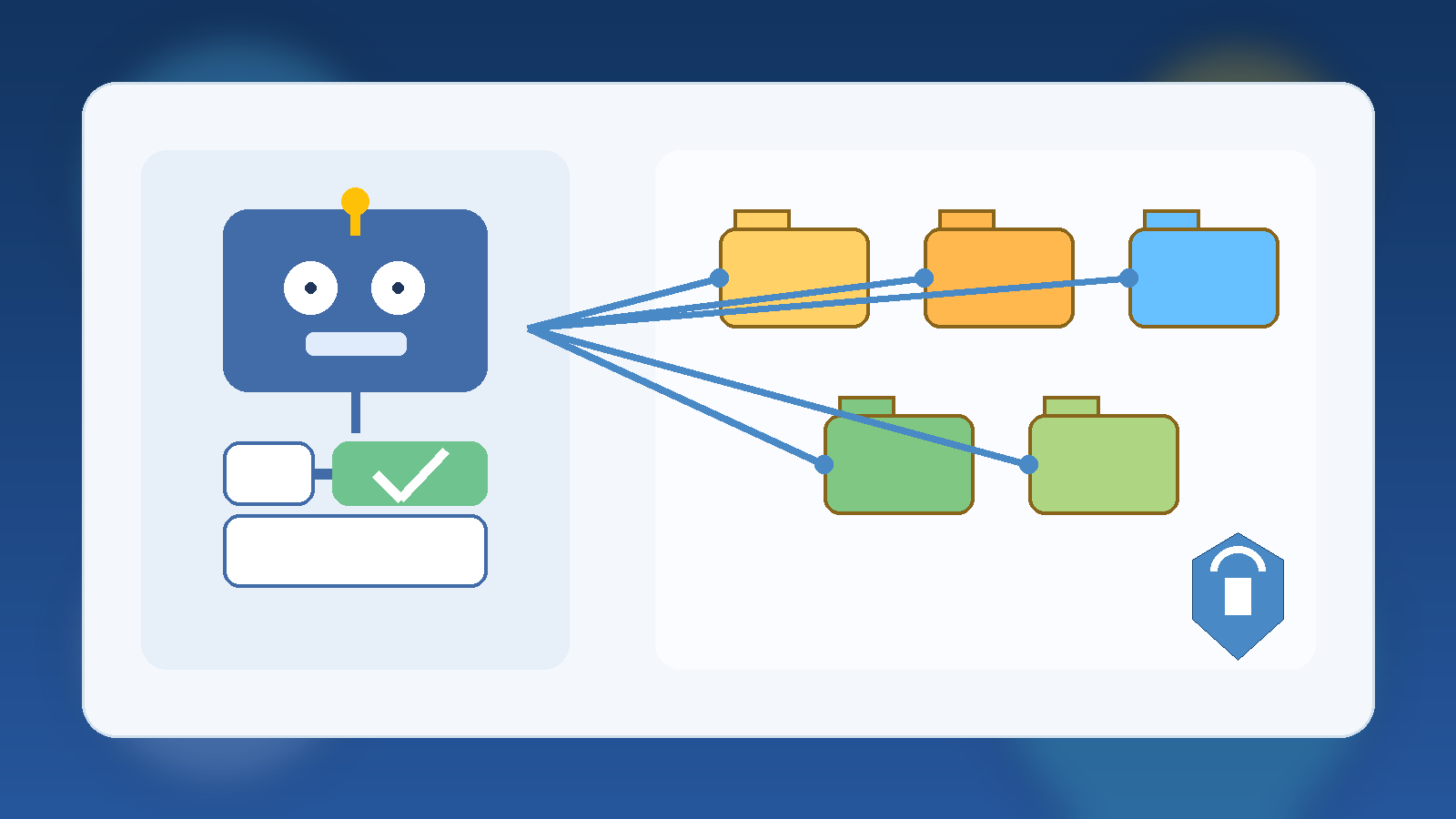
    The first mistake many teams make is giving an agent broad access because it might be helpful later. That is backwards. An agent should begin with a sharply defined job and the minimum set of permissions needed to complete that job. If it summarizes support tickets, it does not also need rights to close accounts. If it drafts infrastructure changes, it does not also need permission to apply them automatically.

    Narrow action boundaries reduce blast radius. They also make testing easier because teams can evaluate one workflow at a time instead of trying to reason about a loosely controlled digital employee with unclear privileges. Restriction at the start is not a sign of distrust. It is a sign of decent engineering.

    Separate Read Access From Write Access

    Many agent use cases create value before they ever need to change anything. Reading dashboards, searching documentation, classifying emails, or assembling reports can deliver measurable savings without granting the power to modify systems. That is why strong governance separates observation from execution.

    When write access is necessary, it should be specific and traceable. Approving a purchase order, restarting a service, or updating a customer record should happen through a constrained interface with known rules. This is far safer than giving a generic API token and hoping the prompt keeps the agent disciplined.

    Put Human Approval in Front of High-Risk Actions

    There is a big difference between asking an agent to prepare a recommendation and asking it to execute a decision. High-risk actions should pass through an approval checkpoint, especially when money, access, customer data, or public communication is involved. The agent can gather context, propose the next step, and package the evidence, but a person should still confirm the action when the downside is meaningful.

    • Infrastructure changes that affect production systems
    • Messages sent to customers, partners, or the public
    • Financial transactions or purchasing actions
    • Permission grants, credential rotation, or identity changes

    Approval gates are not a sign that the system failed. They are part of the system. Mature automation does not remove judgment from important decisions. It routes judgment to the moments where it matters most.

    Make Audit Trails Non-Negotiable

    If an agent touches a business workflow, it needs logs that a human can follow. Those logs should show what context the agent received, what tool or system it called, what action it attempted, whether the action succeeded, and who approved it if approval was required. Without that trail, incident response turns into guesswork.

    Auditability also improves adoption. Security teams trust systems they can inspect. Operations teams trust systems they can replay. Leadership trusts systems that produce evidence instead of vague promises. An agent that cannot explain itself operationally will eventually become a political problem, even if it works most of the time.

    Add Budget and Usage Guardrails Early

    Cost governance is easy to postpone because the first pilot usually looks cheap. The trouble starts when a successful pilot becomes a habit and that habit spreads across teams. Good AI agent governance includes clear token budgets, API usage caps, concurrency limits, and alerts for unusual spikes. The goal is to avoid the familiar pattern where a clever internal tool quietly becomes a permanent spending surprise.

    Usage guardrails also create better engineering behavior. When teams know there is a budget, they optimize prompts, trim unnecessary context, and choose lower-cost models for low-risk tasks. Governance is not just defensive. It often produces a better product.

    Treat Prompts, Policies, and Connectors as Versioned Assets

    Many organizations still treat agent behavior as something informal and flexible, but that mindset does not scale. Prompt instructions, escalation rules, tool permissions, and system connectors should all be versioned like application code. If a change makes an agent more aggressive, expands its tool access, or alters its approval rules, that change should be reviewable and reversible.

    This matters for both reliability and accountability. When an incident happens, teams need to know whether the problem came from a model issue, a prompt change, a connector bug, or a permissions expansion. Versioned assets give investigators something concrete to compare.

    Plan for Fast Containment, Not Perfect Prevention

    No governance framework will eliminate every mistake. Models can still hallucinate, tools can still misbehave, and integrations can still break in confusing ways. That is why good governance includes a fast containment model: kill switches, credential revocation paths, disabled connectors, rate limiting, and rollback procedures that do not depend on improvisation.

    The healthiest teams design for graceful failure. They assume something surprising will happen eventually and build the controls that keep a weird moment from becoming a major outage or a trust-damaging incident.

    Governance Should Make Adoption Easier

    Teams resist governance when it feels like a vague set of objections. They accept governance when it gives them a clean path to deployment. A practical standard might say that read-only workflows can launch with documented logs, while write-enabled workflows need explicit approval gates and named owners. That kind of framework helps delivery teams move faster because the rules are understandable.

    In other words, good AI agent governance should function like a paved road, not a barricade. The best outcome is not a perfect policy document. It is a repeatable way to ship useful automation without leaving security, finance, and operations to clean up the mess later.

  • How to Keep Internal AI Tools From Becoming Shadow IT

    How to Keep Internal AI Tools From Becoming Shadow IT

    Internal AI tools usually start with good intentions. A team wants faster summaries, better search, or a lightweight assistant that understands company documents. Someone builds a prototype, people like it, and adoption jumps before governance catches up.

    That is where the risk shows up. An internal AI tool can feel small because it lives inside the company, but it still touches sensitive data, operational workflows, and employee trust. If nobody owns the boundaries, the tool can become shadow IT with better marketing.

    Speed Without Ownership Creates Quiet Risk

    Fast internal adoption often hides basic unanswered questions. Who approves new data sources? Who decides whether the system can take action instead of just answering questions? Who is on the hook when the assistant gives a bad answer about policy, architecture, or customer information?

    If those answers are vague, the tool is already drifting into shadow IT territory. Teams may trust it because it feels useful, while leadership assumes someone else is handling the risk. That gap is how small experiments grow into operational dependencies with weak accountability.

    Start With a Clear Operating Boundary

    The strongest internal AI programs define a narrow first job. Maybe the assistant can search approved documentation, summarize support notes, or draft low-risk internal content. That is a much healthier launch point than giving it broad access to private systems on day one.

    A clear boundary makes review easier because people can evaluate a real use case instead of a vague promise. It also gives the team a chance to measure quality and failure modes before the system starts touching higher-risk workflows.

    Decide Which Data Is In Bounds Before People Ask

    Most governance trouble shows up around data, not prompts. Employees will naturally ask the tool about contracts, HR issues, customer incidents, pricing notes, and half-finished strategy documents if the interface allows it. If the system has access, people will test the edge.

    That means teams should define approved data sources before broad rollout. It helps to write the rule in plain language: what the assistant may read, what it must never ingest, and what requires an explicit review path first. Ambiguity here creates avoidable exposure.

    Give the Tool a Human Escalation Path

    Internal AI should not pretend it can safely answer everything. When confidence is low, policy is unclear, or a request would trigger a sensitive action, the system needs a graceful handoff. That might be a support queue, a documented owner, or a clear instruction to stop and ask a human reviewer.

    This matters because trust is easier to preserve than repair. People can accept a tool that says, “I am not the right authority for this.” They lose trust quickly when it sounds confident and wrong in a place where accuracy matters.

    Measure More Than Usage

    Adoption charts are not enough. A healthy internal AI program also watches for error patterns, risky requests, stale knowledge, and the amount of human review still required. Those signals reveal whether the tool is maturing into infrastructure or just accumulating unseen liabilities.

    • Track which sources the assistant relies on most often.
    • Review failed or escalated requests for patterns.
    • Check whether critical guidance stays current after policy changes.
    • Watch for teams using the tool outside its original scope.

    That kind of measurement keeps leaders grounded in operational reality. It shifts the conversation from “people are using it” to “people are using it safely, and we know where it still breaks.”

    Final Takeaway

    Internal AI tools do not become shadow IT because teams are reckless. They become shadow IT because usefulness outruns ownership. The cure is not endless bureaucracy. It is clear scope, defined data boundaries, accountable operators, and a visible path for human review when the tool reaches its limits.

    If an internal assistant is becoming important enough that people depend on it, it is important enough to govern like a real system.

  • Security Posture Scorecards: What Leaders Should Actually Measure in 2026

    Security Posture Scorecards: What Leaders Should Actually Measure in 2026

    Security scorecards can be helpful, but many of them still emphasize whatever is easy to count rather than what actually reduces risk. In 2026, strong teams are moving away from vanity metrics and toward measures that reflect real operational posture.

    Measure Response Readiness, Not Just Control Coverage

    It is useful to know how many controls are enabled, but leaders also need to know how quickly the team can detect, triage, and respond when something goes wrong. A control that exists on paper but does not improve response outcomes can create false confidence.

    That is why response readiness should be visible in the scorecard alongside preventive controls.

    Track Identity Risk in Practical Terms

    Identity remains one of the most important parts of modern security posture. Instead of only counting users with MFA enabled, teams should also track stale privileged accounts, unreviewed service identities, and broad role assignments that survive longer than they should.

    Those metrics point more directly at the places where real incidents often start.

    Include Exception Debt

    Security exceptions pile up quietly. Temporary rule changes, policy bypasses, and one-off approvals often remain in place far beyond their intended life. A useful scorecard should show how many exceptions exist, how old they are, and whether they still have a justified owner.

    Exception debt is one of the clearest signs that posture may be weaker than leadership assumes.

    Use Trends, Not Isolated Snapshots

    A single monthly score can hide more than it reveals. Teams should look at direction over time: are privileged accounts being reduced, is patch lag improving, are unresolved high-risk findings shrinking, and are incident response times getting faster?

    Trend lines tell a more honest story than one polished status number.

    Final Takeaway

    The best security scorecards in 2026 are not designed to look impressive in a meeting. They are designed to help leaders see whether risk is actually going down and where the team needs to act next.

  • Why Family Rules for AI Photo Editing Should Start With Consent

    Why Family Rules for AI Photo Editing Should Start With Consent

    AI photo editing has become weirdly normal, weirdly fast. A family can now remove backgrounds, smooth blemishes, age a portrait, swap styles, or build a silly birthday image in minutes. Some of that is harmless fun. Some of it gets uncomfortable quickly, especially when one person edits another person’s face or body without asking first.

    That is why the most useful household rule is not about which app to ban. It is about consent. Before a family shares, posts, or even circulates an AI-edited photo of another person, there should be a clear yes from the person being edited or from a parent when the subject is a younger child. This is less about being dramatic and more about keeping trust intact while the tools get more powerful.

    AI Editing Changes More Than Color and Lighting

    Traditional photo edits usually fix exposure, crop a frame, or sharpen a blurry shot. AI tools can do much more. They can reshape expressions, invent backgrounds, change clothing details, and produce a version of a moment that never actually happened. That shift matters because the edit is no longer just cleanup. It can become a new story about a real person.

    In a family context, that is where friction starts. A teenager may not want an edited image shared with relatives. A spouse may dislike a heavily filtered version that feels fake. A younger child may be too young to understand how far a playful edit can spread once it lands in a group chat or social feed.

    Consent Protects Trust Better Than After-the-Fact Apologies

    Families often treat photo sharing as informal because the people involved already know each other. But familiarity does not erase discomfort. If someone sees a stylized or altered version of themselves after it has already been posted, the conversation starts from embarrassment instead of respect.

    A simple ask-first habit changes the tone completely. It tells people that creativity is welcome, but control over your own image still matters. That is a useful lesson for adults and kids alike because it scales beyond family life into school, friendships, and social media norms.

    Set Different Rules for Private Fun and Public Sharing

    Not every playful edit needs a family policy meeting. A goofy image made for a birthday card or a private laugh may be fine when everyone is in on the joke. Problems usually start when the image leaves that context. Once an edited photo is posted publicly or forwarded broadly, it becomes much harder to pull back.

    A practical household rule is to divide photo edits into two lanes. Private, clearly harmless edits can stay in the family chat if the people involved are comfortable. Public posts, profile pictures, school-related uses, or anything that changes a person’s appearance in a meaningful way should require explicit approval first.

    • Ask before editing someone else’s face, body, or expression in a noticeable way.
    • Ask again before posting an AI-edited image outside the immediate family chat.
    • Avoid edits that make a child look older, more glamorous, or substantially different from reality for public sharing.
    • Delete the edit without debate if the subject says they are uncomfortable with it.

    Those rules are not complicated, and that is the point. Families follow the boundaries they can remember in real life.

    Children Need Protection From Both Strangers and Familiar Pressure

    When kids are involved, the stakes go up. Adults may focus on obvious privacy risks like location clues or school logos in the background, but AI edits create a second problem: they can shape a child’s digital identity before the child has any say in it. A steady stream of polished, stylized, or heavily altered images can quietly teach kids that their ordinary face is not the version worth sharing.

    That is one reason to keep public AI edits of children rare and boring. Families do not need to turn every holiday snapshot into an uncanny masterpiece. Most of the time, the healthier choice is to save the creative experiments for local use and keep public sharing more grounded in reality.

    Use AI Tools That Let You Stay in Control

    The app itself matters too. Some tools make private review easy, while others push users toward instant sharing, cloud syncing, or public templates. For family use, calmer tools are usually better. The best app is not the one with the most viral effects. It is the one that lets you preview, save locally, and decide deliberately what happens next.

    It is also smart to check whether uploaded images are used to train models, stored by default, or attached to a social profile. A tool that feels playful on the surface may still collect more than a family expects. That is another good reason to keep the household rule simple: if you would feel weird explaining the edit and the app’s behavior later, slow down first.

    The Best Family Rule Is Boring and Clear

    Families do not need a hundred-photo policy. They need one sturdy default: ask before you meaningfully edit someone else’s image, and ask before you share it beyond the room it was made for. That rule respects dignity, prevents avoidable arguments, and teaches kids that technology should not outrun consent.

    AI photo editing is not going away. The households that handle it best will not be the ones with the fanciest tools. They will be the ones that keep trust more important than novelty.

  • Why Knowledge Quality Beats Prompt Tricks in Internal AI Tools

    Why Knowledge Quality Beats Prompt Tricks in Internal AI Tools

    When internal AI tools disappoint, teams often blame the prompt first. That is understandable, but it is usually the wrong diagnosis. Weak knowledge quality causes more practical failures than weak wording.

    Bad Source Material Produces Weak Answers

    If documents are stale, duplicated, contradictory, or poorly structured, the assistant has no solid ground to stand on. Even a capable model will produce uncertain answers when the source material is messy.

    In other words, a polished prompt cannot fix an unreliable knowledge base.

    Metadata Is Part of Quality

    Teams often focus on the documents themselves and ignore metadata. But owners, timestamps, document type, and access rules all influence retrieval quality. Without that context, the system struggles to prioritize the right information.

    Good metadata turns raw content into something an assistant can actually use well.

    Cleaning Content Creates Faster Wins

    Many teams could improve internal assistant accuracy more by cleaning the top 100 most-used documents than by spending weeks refining prompt templates. Removing outdated pages, merging duplicates, and clarifying structure often creates immediate improvement.

    This is not as flashy as prompt experimentation, but it is usually more effective.

    Prompting Still Matters, Just Less Than People Think

    Good prompts still help with structure, tone, and output consistency. But they perform best when they are built on top of reliable retrieval and well-maintained knowledge. Prompting should refine a strong system, not rescue a weak one.

    That is the difference between optimization and compensation.

    Final Takeaway

    If an internal AI tool keeps giving weak answers, inspect the knowledge layer before obsessing over prompt wording. In most cases, better content quality beats clever prompt tricks.

  • AI Agents Need Better Boundaries, Not More Freedom

    AI Agents Need Better Boundaries, Not More Freedom

    A lot of agent hype still assumes the path to better performance is giving systems more freedom. In real deployments, that usually creates more risk than value. Better boundaries often improve results because they reduce avoidable mistakes and make behavior easier to trust.

    Freedom Without Scope Creates Confusion

    An agent that can do too many things rarely becomes more useful. More often, it becomes less predictable. Broad permissions increase the chance of wrong tool choices, accidental side effects, and inconsistent handling of exceptions.

    That is why strong production systems usually begin with a narrow task definition and grow only after reliability is proven.

    Boundaries Improve Debugging

    When an agent operates inside clear rules, failures are easier to diagnose. You can tell whether the problem came from poor retrieval, a weak decision rule, or a bad tool response. Without boundaries, every failure looks messy and harder to isolate.

    This matters because dependable systems are built through iteration, and iteration depends on being able to explain what happened.

    Human Checkpoints Still Matter

    Some tasks should never skip human review. Public publishing, financial actions, account changes, and sensitive communications all deserve approval gates. Those checkpoints are not signs that the system failed. They are signs the system was designed responsibly.

    The goal is not to eliminate humans. It is to use automation where it creates leverage and keep people in the loop where judgment matters most.

    Good Guardrails Increase Trust

    People adopt internal AI tools faster when they understand the limits. If the system is clear about what it can do, what it cannot do, and when it will ask for confirmation, trust grows faster than it does with overconfident autonomy.

    In practice, trust is often the real bottleneck to adoption, not model quality.

    Final Takeaway

    The best agent systems in 2026 are not the ones with the fewest constraints. They are the ones with the smartest ones. Boundaries make agents safer, easier to improve, and more useful in the long run.

  • How Families Can Use AI Homework Helpers Without Letting Them Do the Thinking

    How Families Can Use AI Homework Helpers Without Letting Them Do the Thinking

    AI homework tools are getting better fast, and that makes them both useful and risky. Used well, they can help students brainstorm, explain hard concepts, and check understanding. Used badly, they can turn into answer machines that short-circuit learning.

    The practical goal is not to ban these tools or hand them unlimited control. It is to build a routine where AI supports thinking instead of replacing it. Families that set clear expectations early usually have a much easier time later.

    Start With AI as a Tutor, Not a Ghostwriter

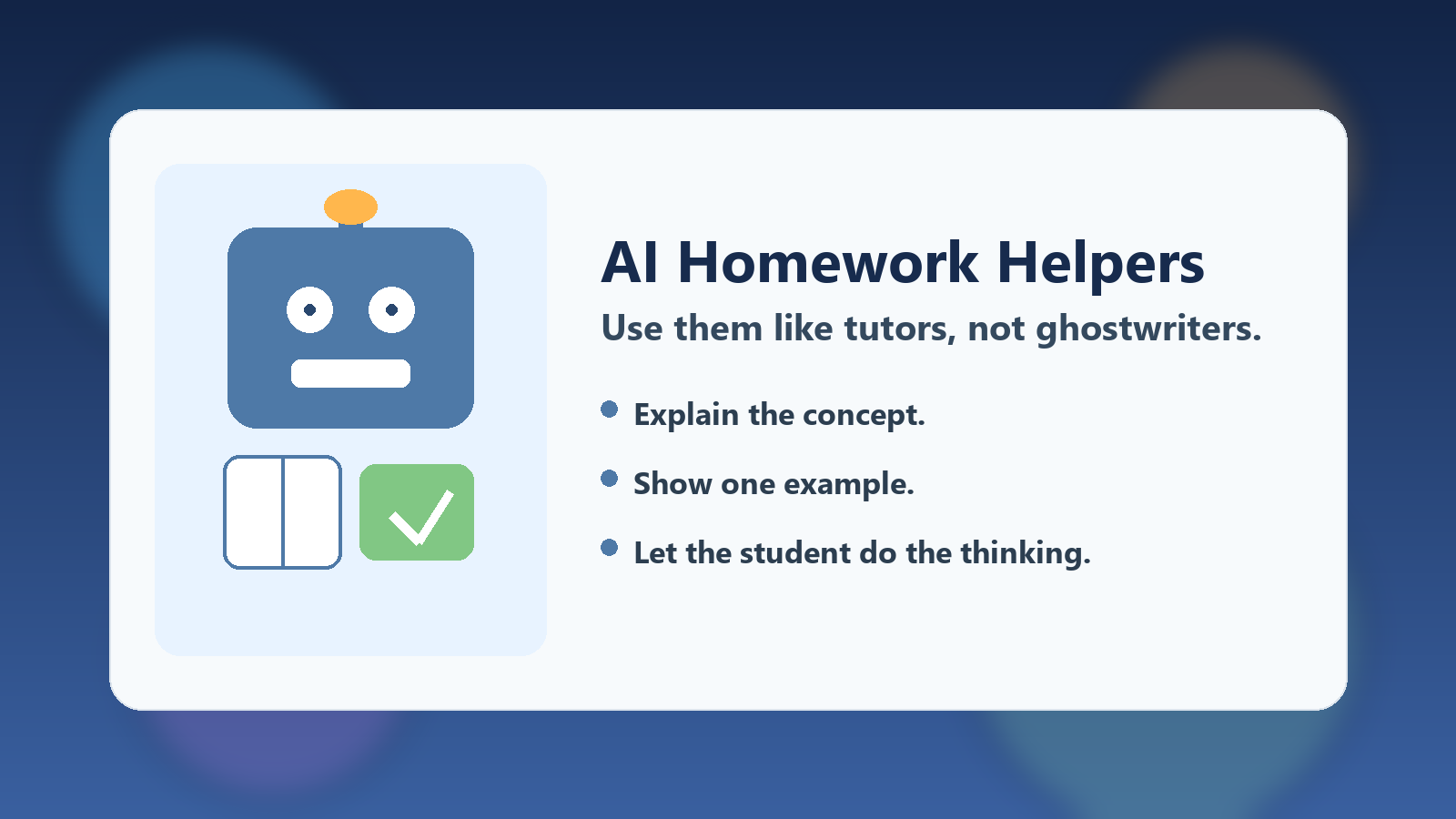
    The healthiest default is to treat AI like a patient tutor. A tutor can explain a math step, suggest a better outline, or ask follow-up questions. A tutor should not quietly complete the assignment and disappear.

    That distinction matters because students learn through struggle, revision, and reflection. If the tool produces polished work too early, the student may get the grade without gaining the skill.

    Use Better Prompts That Force Understanding

    Many of the worst outcomes come from vague prompts like “write my essay” or “give me the answer.” Families can improve the experience immediately by encouraging prompts that ask for explanation rather than completion.

    • Explain this concept in simpler words.
    • Show me one example, then let me try the next one myself.
    • Point out what is weak in my draft without rewriting the whole thing.
    • Ask me three questions that test whether I really understand the chapter.

    Those prompt patterns keep the student in the loop. They also make it easier for a parent or teacher to see whether the tool is strengthening comprehension or just generating output.

    Set a Simple Family Rule for Drafting

    A good household rule is that the student creates the first real input. That might be an outline, a rough paragraph, a set of notes, or an attempted solution. After that, AI can help improve clarity, organize ideas, or identify mistakes.

    This rule is useful because it preserves ownership. The assignment still starts with the student’s thinking, which makes the final result more honest and much more educational.

    Watch for the Warning Signs of Overuse

    Parents do not need to monitor every prompt, but a few signals are worth noticing. If a student cannot explain their own answer, suddenly writes in a voice that does not sound like them, or becomes dependent on AI for every small step, the tool is probably doing too much.

    The fix is usually not punishment. It is narrowing the allowed use. Move back to explanation, quizzing, and feedback until the student can show independent understanding again.

    Teach Verification Alongside Convenience

    AI systems still make mistakes, invent facts, and present weak reasoning with too much confidence. That means students should learn a second habit at the same time they learn prompting: verify important claims.

    For homework, that can mean checking textbook pages, class notes, teacher instructions, or reputable reference sources before trusting a polished answer. This habit matters beyond school because it trains digital judgment, not just tool usage.

    Final Takeaway

    AI homework helpers are not automatically good or bad. They are leverage. In a family with clear boundaries, they can make learning less frustrating and more interactive. Without boundaries, they can make students look capable while quietly weakening real understanding.

    The best approach is simple: let AI explain, question, and coach, but keep the student responsible for the thinking.

  • How-To: Build a Safer Internal AI Assistant Without Overengineering It

    How-To: Build a Safer Internal AI Assistant Without Overengineering It

    Internal AI assistants can create real value quickly, but they also create risk if teams rush straight to broad access and vague permissions. The good news is that a safer first version does not need to be complicated.

    Start with Narrow Access

    The safest internal assistant is one that can only see the information it actually needs. Instead of giving it broad access to every shared drive and internal system, start with a tightly scoped document set for one use case.

    Narrow access reduces both privacy risk and answer confusion. It also makes testing much easier.

    Add Clear Refusal Boundaries

    Your assistant should know when not to answer. If the retrieval context is missing, if the request touches restricted data, or if the system cannot verify the source, it should say so directly instead of bluffing.

    That kind of refusal behavior is often more valuable than one more clever answer.

    Require Human Approval for Risky Actions

    If the assistant can trigger external communication, account changes, or purchasing decisions, put a human checkpoint in front of those actions. Approval gates are not a sign of weakness. They are part of responsible deployment.

    Teams usually regret removing controls too early, not adding them too soon.

    Log What the Assistant Saw and Did

    Good logs make internal AI safer. Track the request, the retrieved context, the chosen tools, and the final output. When something goes wrong, you need enough visibility to explain it.

    Without observability, every strange result becomes guesswork.

    Roll Out to a Small Group First

    Early users will expose weak spots quickly. A limited pilot lets you improve access rules, prompts, and source quality before the tool reaches the broader organization.

    This is usually faster overall than launching wide and fixing trust problems later.

    Final Takeaway

    A safer internal AI assistant is not built by adding maximum complexity. It is built by starting narrow, adding clear controls, and expanding only after the system earns trust.