Tag: best-practices

  • How to Pilot Agent-to-Agent Protocols Without Creating an Invisible Trust Mesh

    How to Pilot Agent-to-Agent Protocols Without Creating an Invisible Trust Mesh

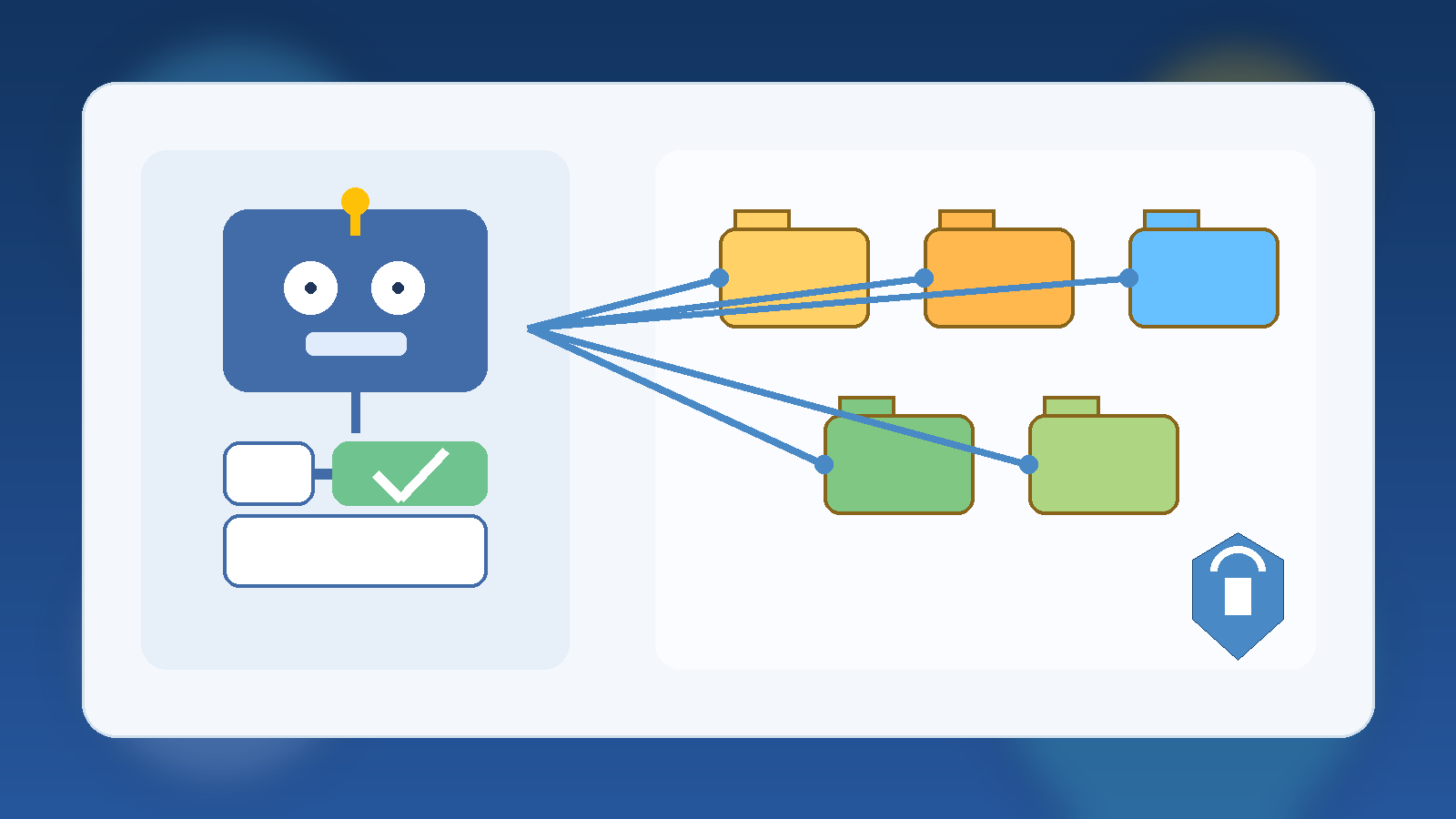
    Agent-to-agent protocols are starting to move from demos into real enterprise architecture conversations. The promise is obvious. Instead of building one giant assistant that tries to do everything, teams can let specialized agents coordinate with each other. One agent may handle research, another may manage approvals, another may retrieve internal documentation, and another may interact with a system of record. In theory, that creates cleaner modularity and better scale. In practice, it can also create a fast-growing trust problem that many teams do not notice until too late.

    The risk is not simply that one agent makes a bad decision. The deeper issue is that agent-to-agent communication can turn into an invisible trust mesh. As soon as agents can call each other, pass tasks, exchange context, and inherit partial authority, your architecture stops being a single application design question. It becomes an identity, authorization, logging, and containment problem. If you want to pilot agent-to-agent patterns safely, you need to design those controls before the ecosystem gets popular inside your company.

    Treat every agent as a workload identity, not a friendly helper

    One of the biggest mistakes teams make is treating agents like conversational features instead of software workloads. The interface may feel friendly, but the operational reality is closer to service-to-service communication. Each agent can receive requests, call tools, reach data sources, and trigger actions. That means each one should be modeled as a distinct identity with a defined purpose, clear scope, and explicit ownership.

    If two agents share the same credentials, the same API key, or the same broad access token, you lose the ability to say which one did what. You also make containment harder when one workflow behaves badly. Give each agent its own identity, bind it to specific resources, and document which upstream agents are allowed to delegate work to it. That sounds strict, but it is much easier than untangling a cluster of semi-trusted automations after several teams have started wiring them together.

    Do not let delegation quietly become privilege expansion

    Agent-to-agent designs often look clean on a whiteboard because delegation is framed as a simple handoff. In reality, delegation can hide privilege expansion. An orchestration agent with broad visibility may call a domain agent that has write access to a sensitive system. A support agent may ask an infrastructure agent to perform a task that the original requester should never have been able to trigger indirectly. If those boundaries are not explicit, the protocol turns into an accidental privilege broker.

    A safer pattern is to evaluate every handoff through two questions. First, what authority is the calling agent allowed to delegate? Second, what authority is the receiving agent willing to accept for this specific request? The second question matters because the receiver should not assume that every incoming request is automatically valid. It should verify the identity of the caller, the type of task being requested, and the policy rules around that relationship. Delegation should narrow and clarify authority, not blur it.

    Map trust relationships before you scale the ecosystem

    Most teams are comfortable drawing application dependency diagrams. Fewer teams draw trust relationship maps for agents. That omission becomes costly once multiple business units start piloting their own agent stacks. Without a trust map, you cannot easily answer basic governance questions. Which agents can invoke which other agents? Which ones are allowed to pass user context? Which ones may request tool use, and under what conditions? Where does human approval interrupt the flow?

    Before you expand an agent-to-agent pilot, create a lightweight trust registry. It does not need to be fancy. It does need to list the participating agents, their owners, the systems they can reach, the types of requests they can accept, and the allowed caller relationships. This becomes the backbone for reviews, audits, and incident response. Without it, agent connectivity spreads through convenience rather than design, and convenience is a terrible security model.

    Separate context sharing from tool authority

    Another common failure mode is assuming that because one agent can share context with another, it should also be able to trigger the second agent’s tools. Those are different trust decisions. Context sharing may be limited to summarization, classification, or planning. Tool authority may involve ticket changes, infrastructure updates, customer record access, or outbound communication. Conflating the two leads to more power than the workflow actually needs.

    Design the protocol so context exchange is scoped independently from action rights. For example, a planning agent may be allowed to send sanitized task context to a deployment agent, but only a human-approved workflow token should allow the deployment step itself. This separation keeps collaboration useful while preventing one loosely governed agent from becoming a shortcut to operational control. It also makes audits more understandable because reviewers can distinguish informational flows from action-bearing flows.

    Build logging that preserves the delegation chain

    When something goes wrong in an agent ecosystem, a generic activity log is not enough. You need to reconstruct the delegation chain. That means recording the original requester when applicable, the calling agent, the receiving agent, the policy decision taken at each step, the tools invoked, and the final outcome. If your logging only shows that Agent C called a database or submitted a change, you are missing the chain of trust that explains why that action happened.

    Good logging for agent-to-agent systems should answer four things quickly: who initiated the workflow, which agents participated, which policies allowed or blocked each hop, and what data or tools were touched along the way. That level of traceability is not just for incident response. It also helps operations teams separate a protocol design flaw from a prompt issue, a mis-scoped permission, or a broken integration. Without chain-aware logging, every investigation gets slower and more speculative.

    Put hard stops around high-risk actions

    Agent-to-agent workflows are most useful when they reduce routine coordination work. They are most dangerous when they create a smooth path to high-impact actions without a meaningful stop. A pilot should define clear categories of actions that require stronger controls, such as production changes, financial commitments, permission grants, sensitive data exports, or outbound communications that represent the company.

    For those cases, use approval boundaries that are hard to bypass through delegation tricks. A downstream agent should not be able to claim that an upstream agent already validated the request unless that approval is explicit, scoped, and auditable. Human review is not required for every low-risk step, but it should appear at the points where business, security, or reputational impact becomes material. A pilot that proves useful while preserving these stops is much more likely to survive real governance review.

    Start with a small protocol neighborhood

    It is tempting to let every promising agent participate once a protocol seems to work. Resist that urge. Early pilots should operate inside a small protocol neighborhood with intentionally limited participants. Pick a narrow use case, define two or three agent roles, control the allowed relationships, and keep the reachable systems modest. This gives the team room to test reliability, logging, and policy behavior without creating a sprawling network of assumptions.

    That smaller scope also makes governance conversations better. Instead of debating abstract future risk, the team can review one contained design and ask whether the trust model is clear, whether the telemetry is good enough, and whether the escalation path makes sense. Expansion should happen only after those basics are working. The protocol is not the product. The operating model around it is what determines whether the product remains manageable.

    A practical minimum standard for enterprise pilots

    If you want a realistic starting point for piloting agent-to-agent patterns in an enterprise setting, the minimum standard should include the following controls:

    • Distinct identities for each agent, with clear owners and documented purpose.
    • Explicit allowlists for which agents may call which other agents.
    • Policy checks on delegation, not just on final tool execution.
    • Separate controls for context sharing versus action authority.
    • Chain-aware logging that records each hop, policy decision, and resulting action.
    • Human approval boundaries for high-risk actions and sensitive data movement.
    • A maintained trust registry for participating agents, reachable systems, and approved relationships.

    That is not excessive overhead. It is the minimum structure needed to keep a protocol pilot from turning into a distributed trust problem that nobody fully owns.

    The real design challenge is trust, not messaging

    Agent-to-agent protocols will keep improving, and that is useful. Better interoperability can absolutely reduce duplicated tooling and help organizations compose specialized capabilities more cleanly. But the hard part is not getting agents to talk. The hard part is deciding what they are allowed to mean to each other. The trust model matters more than the message format.

    Teams that recognize that early will pilot these patterns with far fewer surprises. They will know which relationships are approved, which actions need hard stops, and how to explain an incident when something misfires. That is the difference between a protocol experiment that stays governable and one that quietly grows into a cross-team automation mesh no one can confidently defend.
  • How to Use Microsoft Entra Access Reviews to Clean Up Internal AI Tool Groups Before They Become Permanent Entitlements

    How to Use Microsoft Entra Access Reviews to Clean Up Internal AI Tool Groups Before They Become Permanent Entitlements

    Internal AI programs usually start with good intentions. A team needs access to a chatbot, a retrieval connector, a sandbox subscription, or a model gateway, so someone creates a group and starts adding people. The pilot moves quickly, the group does its job, and then the dangerous part begins: nobody comes back later to ask who still needs access.

    That is how “temporary” AI access turns into long-lived entitlement sprawl. A user changes roles, a contractor project ends, or a test environment becomes more connected to production than anyone planned. The fix is not a heroic cleanup once a year. The fix is a repeatable review process that asks the right people, at the right cadence, to confirm whether access still belongs.

    Why AI Tool Groups Drift Faster Than Traditional Access

    AI programs create access drift faster than many older enterprise apps because they are often assembled from several moving parts. A single internal assistant may depend on Microsoft Entra groups, Azure roles, search indexes, storage accounts, prompt libraries, and connectors into business systems. If group membership is not reviewed regularly, users can retain indirect access to much more than a single app.

    There is also a cultural issue. Pilot programs are usually measured on adoption, speed, and experimentation. Cleanup work feels like friction, so it gets postponed. That mindset is understandable, but it quietly changes the risk profile. What began as a narrow proof of concept can become standing access to sensitive content without any deliberate decision to make it permanent.

    Start With the Right Review Scope

    Before turning on access reviews, decide which AI-related groups deserve recurring certification. This usually includes groups that grant access to internal copilots, knowledge connectors, model endpoints, privileged prompt management, evaluation datasets, and sandbox environments with corporate data. If a group unlocks meaningful capability or meaningful data, it deserves a review path.

    The key is to review access at the group boundary that actually controls the entitlement. If your AI app checks membership in a specific Entra group, review that group. If access is inherited through a broad “innovation” group that also unlocks unrelated services, break it apart first. Access reviews work best when the object being reviewed has a clear purpose and a clear owner.

    Choose Reviewers Who Can Make a Real Decision

    Many review programs fail because the wrong people are asked to approve access. The most practical reviewer is usually the business or technical owner who understands why the AI tool exists and which users still need it. In some cases, self-review can help for broad collaboration tools, but high-value AI groups are usually better served by manager review, owner review, or a staged combination of both.

    If nobody can confidently explain why a group exists or who should stay in it, that is not a sign to skip the review. It is a sign that the group has already outlived its governance model. Access reviews expose that problem, which is exactly why they are worth doing.

    Use Cadence Based on Risk, Not Habit

    Not every AI-related group needs the same review frequency. A monthly review may make sense for groups tied to privileged administration, production connectors, or sensitive retrieval sources. A quarterly review may be enough for lower-risk pilot groups with limited blast radius. The point is to match cadence to exposure, not to choose a number that feels administratively convenient.

    • Monthly: privileged AI admins, connector operators, production data access groups
    • Quarterly: standard internal AI app users with business data access
    • Per project or fixed-term: pilot groups, contractors, and temporary evaluation teams

    That structure keeps the process credible. When high-risk groups are reviewed more often than low-risk groups, the review burden feels rational instead of random.

    Make Expiration and Removal the Default Outcome for Ambiguous Access

    The biggest value in access reviews comes from removing unclear access, not from reconfirming obvious access. If a reviewer cannot tell why a user still belongs in an internal AI group, the safest default is usually removal with a documented path to request re-entry. That sounds stricter than many teams prefer at first, but it prevents access reviews from becoming a ceremonial click-through exercise.

    This matters even more for AI tools because the downstream effect of stale membership is often invisible. A user may never open the main app but still retain access to prompts, indexes, or integrations that were intended for a narrower audience. Clean removal is healthier than carrying uncertainty forward another quarter.

    Pair Access Reviews With Naming, Ownership, and Request Paths

    Access reviews work best when the groups themselves are easy to understand. A good AI access group should have a clear name, a visible owner, a short description, and a known request process. Reviewers make better decisions when the entitlement is legible. Users also experience less frustration when removal is paired with a clean way to request access again for legitimate work.

    This is where many teams underestimate basic hygiene. You do not need a giant governance platform to improve results. Clear naming, current ownership, and a lightweight request path solve a large share of review confusion before the first campaign even launches.

    What a Good Result Looks Like

    A successful Entra access review program for AI groups does not produce perfect stillness. People will continue joining and leaving, pilots will continue spinning up, and business demand will keep changing. Success looks more practical than that: temporary access stays temporary, group purpose remains clear, and old memberships do not linger just because nobody had time to question them.

    That is the real governance win. Instead of waiting for an audit finding or an embarrassing oversharing incident, the team creates a normal operating rhythm that trims stale access before it becomes a larger security problem.

    Final Takeaway

    Internal AI access should not inherit the worst habit of enterprise collaboration systems: nobody ever removes anything. Microsoft Entra access reviews give teams a straightforward control for keeping AI tool groups aligned with current need. If you want temporary pilots, limited access, and cleaner boundaries around sensitive data, recurring review is not optional housekeeping. It is part of the design.

  • Why Internal AI Teams Need Model Upgrade Runbooks Before They Swap Providers

    Why Internal AI Teams Need Model Upgrade Runbooks Before They Swap Providers

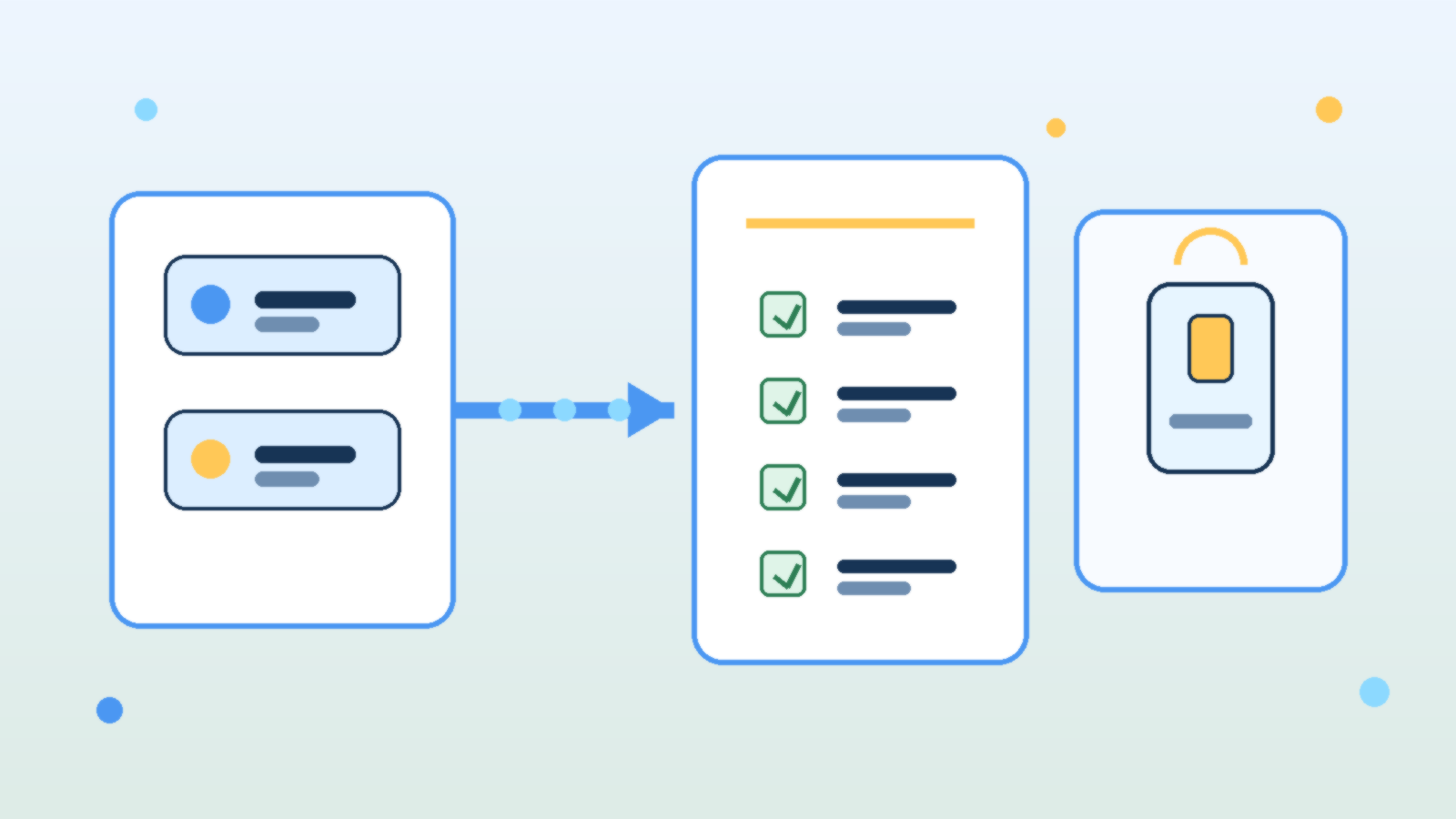
    Abstract illustration of AI model cards moving through a checklist into a production application panel

    Teams love to talk about model swaps as if they are simple configuration changes. In practice, changing from one LLM to another can alter output style, refusal behavior, latency, token usage, tool-calling reliability, and even the kinds of mistakes the system makes. If an internal AI product is already wired into real work, a model upgrade is an operational change, not just a settings tweak.

    That is why mature teams need a model upgrade runbook before they swap providers or major versions. A runbook forces the team to review what could break, what must be tested, who signs off, and how to roll back if the new model behaves differently under production pressure.

    Treat Model Changes Like Product Changes, Not Playground Experiments

    A model that looks impressive in a demo may still be a poor fit for a production workflow. Some models sound more confident while being less careful with facts. Others are cheaper but noticeably worse at following structured instructions. Some are faster but more fragile when long context, multi-step reasoning, or tool use enters the picture.

    The point is not that newer models are bad. The point is that every model has a behavioral profile, and changing that profile affects the product your users actually experience. If your team treats a model swap like a harmless backend refresh, you are likely to discover the differences only after customers or coworkers do.

    Document the Critical Behaviors You Cannot Afford to Lose

    Before any upgrade, the team should name the behaviors that matter most. That list usually includes answer quality, citation discipline, formatting consistency, safety boundaries, cost per task, tool-calling success, and latency under normal load. A runbook is useful because it turns vague concerns into explicit checks.

    Without that baseline, teams judge the new model by vibes. One person likes the tone, another likes the price, and nobody notices that JSON outputs started drifting, refusal rates changed, or the assistant now needs more retries to complete the same job. Operational clarity beats subjective enthusiasm here.

    Test Prompts, Guardrails, and Tools Together

    Prompt behavior rarely transfers perfectly across models. A system prompt that produced clean structured output on one provider may become overly verbose, too cautious, or unexpectedly brittle on another. The same goes for moderation settings, retrieval grounding, and function-calling schemas. A good runbook assumes that the whole stack needs validation, not just the model name.

    This is especially important for internal AI tools that trigger actions or surface sensitive knowledge. Teams should test realistic workflows end to end: the prompt, the retrieved context, the safety checks, the tool call, the final answer, and the failure path. A model that performs well in isolation can still create operational headaches when dropped into a real chain of dependencies.

    Plan for Cost and Latency Drift Before Finance or Users Notice

    Many upgrades are justified by capability gains, but those gains often come with a price profile or latency pattern that changes how the product feels. If the new model uses more tokens, refuses caching opportunities, or responds more slowly during peak periods, the product may become harder to budget or less pleasant to use even if answer quality improves.

    A runbook should require teams to test representative workloads, not just a few hand-picked prompts. That means checking throughput, token consumption, retry frequency, and timeout behavior on the tasks people actually run every day. Otherwise the first real benchmark becomes your production bill.

    Define Approval Gates and a Rollback Path

    The strongest runbooks include explicit approval gates. Someone should confirm that quality testing passed, safety checks still hold, cost impact is acceptable, and the user-facing experience is still aligned with the product’s purpose. This does not need to be bureaucratic theater, but it should be deliberate.

    Rollback matters just as much. If the upgraded model starts failing under live conditions, the team should know how to revert quickly without improvising credentials, prompts, or routing rules under stress. Fast rollback is one of the clearest signals that a team respects AI changes as operational work instead of magical experimentation.

    Capture What Changed So the Next Upgrade Is Easier

    Every model swap teaches something about your product. Maybe the new model required shorter tool instructions. Maybe it handled retrieval better but overused hedging language. Maybe it cut cost on simple tasks but struggled with the long documents your users depend on. Those lessons should be captured while they are fresh.

    This is where teams either get stronger or keep relearning the same pain. A short post-upgrade note about prompt changes, known regressions, evaluation results, and rollback conditions turns one migration into reusable operational knowledge.

    Final Takeaway

    Internal AI products are not stable just because the user interface stays the same. If the underlying model changes, the product changes too. Teams that treat upgrades like serious operational events usually catch regressions early, protect costs, and keep trust intact.

    The practical move is simple: build a runbook before you need one. When the next provider release or pricing shift arrives, you will be able to test, approve, and roll back with discipline instead of hoping the new model behaves exactly like the old one.

  • How to Use Azure Policy Without Turning Governance Into a Developer Tax

    How to Use Azure Policy Without Turning Governance Into a Developer Tax

    Azure Policy is one of those tools that can either make a cloud estate safer and easier to manage, or make every engineering team feel like governance exists to slow them down. The difference is not the feature set. The difference is how you use it. When policy is introduced as a wall of denials with no rollout plan, teams work around it, deployments fail late, and governance earns a bad reputation. When it is used as a staged operating model, it becomes one of the most practical ways to raise standards without creating unnecessary friction.

    Start with visibility before enforcement

    The fastest way to turn Azure Policy into a developer tax is to begin with broad deny rules across subscriptions that already contain drift, exceptions, and legacy workloads. A better approach is to start with audit-focused initiatives that show what is happening today. Teams need a baseline before they can improve it. Platform owners also need evidence about where the biggest risks actually are, instead of assuming every standard should be enforced immediately.

    This visibility-first phase does two useful things. First, it surfaces repeat problems such as untagged resources, public endpoints, or unsupported SKUs. Second, it gives you concrete data for prioritization. If a rule only affects a small corner of the estate, it does not deserve the same rollout energy as a control that improves backup coverage, identity hygiene, or network exposure across dozens of workloads.

    Write policies around platform standards, not one-off preferences

    Strong governance comes from standardizing the things that should be predictable across the platform. Naming patterns, required tags, approved regions, private networking expectations, managed identity usage, and logging destinations are all good candidates because they reduce ambiguity and improve operations. Weak governance happens when policy gets used to encode every opinion an administrator has ever had. That creates clutter, exceptions, and resistance.

    If a standard matters enough to enforce, it should also exist outside the policy engine. It should be visible in landing zone documentation, infrastructure-as-code modules, architecture patterns, and deployment examples. Policy works best as the safety net behind a clear paved road. If teams can only discover a rule after a deployment fails, governance has already arrived too late.

    Use initiatives to express intent at the right level

    Individual policy definitions are useful building blocks, but initiatives are where governance starts to feel operationally coherent. Grouping related policies into initiatives makes it easier to align controls with business goals like secure networking, cost discipline, or data protection. It also simplifies assignment and reporting because stakeholders can discuss the outcome they want instead of memorizing a list of disconnected rule names.

    • A baseline initiative for core platform hygiene such as tags, approved regions, and diagnostics.
    • A security initiative for identity, network exposure, encryption, and monitoring expectations.
    • An application delivery initiative for approved service patterns, backup settings, and deployment guardrails.

    The list matters less than the structure. Teams respond better when governance feels organized and purposeful. They respond poorly when every assignment looks like a random pile of rules added over time.

    Pair deny policies with a clean exception process

    Deny policies have an important place, especially for high-risk issues that should never make it into production. But the moment you enforce them, you need a legitimate path for handling edge cases. Otherwise, engineers will treat the platform team as a ticket queue whose main job is approving bypasses. A clean exception process should define who can approve a waiver, how long it lasts, what compensating controls are expected, and how it gets reviewed later.

    This is where governance maturity shows up. Good policy programs do not pretend exceptions will disappear. They make exceptions visible, temporary, and expensive enough that teams only request them when they genuinely need them. That protects standards without ignoring real-world delivery pressure.

    Shift compliance feedback left into delivery pipelines

    Even a well-designed policy set becomes frustrating if developers only encounter it at deployment time in a shared subscription. The better pattern is to surface likely violations earlier through templates, pre-deployment validation, CI checks, and standardized modules. When teams can see policy expectations before the final deployment stage, they spend less time debugging avoidable issues and more time shipping working systems.

    In practical terms, this usually means platform teams invest in reusable Bicep or Terraform modules, example repositories, and pipeline steps that mirror the same standards enforced in Azure. Governance becomes cheaper when compliance is the default path rather than a separate clean-up exercise after a failed release.

    Measure whether policy is improving the platform

    Azure Policy should produce operational outcomes, not just dashboards full of non-compliance counts. If the program is working, you should see fewer risky configurations, faster environment provisioning, less debate about standards, and better consistency across subscriptions. Those are platform outcomes people can feel. Raw violation totals only tell part of the story, because they can rise temporarily when your visibility improves.

    A useful governance review looks at trends such as how quickly findings are remediated, which controls generate repeated exceptions, which subscriptions drift most often, and which standards are still too hard to meet through the paved road. If policy keeps finding the same issue, that is usually a platform design problem, not just a team discipline problem.

    Governance works best when it feels like product design

    The healthiest Azure environments treat governance as part of platform product design. The platform team sets standards, publishes a clear path for meeting them, watches the data, and tightens enforcement in stages. That approach respects both risk management and delivery speed. Azure Policy is powerful, but power alone is not what makes it valuable. The real value comes from using it to make the secure, supportable path the easiest path for everyone building on the platform.

  • What Good AI Agent Governance Looks Like in Practice

    What Good AI Agent Governance Looks Like in Practice

    AI agent governance is turning into one of those phrases that sounds solid in a strategy deck and vague everywhere else. Most teams agree they need it. Fewer teams can explain what it looks like in day-to-day operations when agents are handling requests, touching data, and making decisions inside real business workflows.

    The practical version is less glamorous than the hype cycle suggests. Good governance is not a single approval board and it is not a giant document nobody reads. It is a set of operating rules that make agents visible, constrained, reviewable, and accountable before they become deeply embedded in the business.

    Start With a Clear Owner for Every Agent

    An agent without a named owner is a future cleanup problem. Someone needs to be responsible for what the agent is allowed to do, which data it can touch, which systems it can call, and what happens when it behaves badly. This is true whether the agent was built by a platform team, a security group, or a business unit using a low-code tool.

    Ownership matters because AI agents rarely fail in a neat technical box. A bad permission model, an overconfident workflow, or a weak human review step can all create risk. If nobody owns the full operating model, issues bounce between teams until the problem becomes expensive enough to get attention.

    Treat Identity and Access as Product Design, Not Setup Work

    Many governance problems start with identity shortcuts. Agents get broad service credentials because it is faster. Connectors inherit access nobody re-evaluates. Test workflows keep production permissions because nobody wants to break momentum. Then the organization acts surprised when an agent can see too much or trigger the wrong action.

    Good practice is boring on purpose: least privilege, scoped credentials, environment separation, and explicit approval for high-risk actions. If an agent drafts a change request, that is different from letting it execute the change. If it summarizes financial data, that is different from letting it publish a finance-facing decision. Those lines should be designed early, not repaired after an incident.

    Put Approval Gates Where the Business Risk Actually Changes

    Not every agent action deserves the same level of friction. Requiring human approval for everything creates theater and pushes people toward shadow tools. Requiring approval for nothing creates a different kind of mess. The smarter approach is to put gates at the moments where consequences become meaningfully harder to undo.

    For most organizations, those moments include sending externally, changing records of authority, spending money, granting access, and triggering irreversible workflow steps. Internal drafting, summarization, or recommendation work may need logging and review without needing a person to click approve every single time. Governance works better when it follows risk gradients instead of blanket fear.

    Make Agent Behavior Observable Without Turning It Into Noise

    If teams cannot see which agents are active, what tools they use, which policies they hit, and where they fail, they do not have governance. They have hope. That does not mean collecting everything forever. It means keeping the signals that help operations and accountability: workflow context, model path, tool calls, approval state, policy decisions, and enough event history to investigate a problem properly.

    The quality of observability matters more than sheer volume. Useful governance data should help a team answer concrete questions: which agent handled this task, who approved the risky step, what data boundary was crossed, and what changed after the rollout. If the logs cannot support those answers, the governance layer is mostly decorative.

    Review Agents as Living Systems, Not One-Time Projects

    AI agents drift. Prompts change, models change, connectors change, and business teams start relying on workflows in ways nobody predicted during the pilot. That is why launch approval is only the start. Strong teams schedule lightweight reviews that check whether an agent still has the right access, still matches its documented purpose, and still deserves the trust the business is placing in it.

    Those reviews do not need to be dramatic. A recurring review can confirm ownership, recent incidents, policy exceptions, usage growth, and whether the original guardrails still match the current risk. The important thing is that review is built into the lifecycle. Agents should not become invisible just because they survived their first month.

    Keep the Human Role Real

    Governance fails when “human in the loop” becomes a slogan attached to fake oversight. If the reviewer lacks context, lacks authority, or is expected to rubber-stamp outputs at speed, the control is mostly cosmetic. A real human control means the person understands what they are approving and has a credible path to reject, revise, or escalate the action.

    This matters because the social part of governance is easy to underestimate. Teams need to know when they are accountable for an agent outcome and when the platform itself should carry the burden. Good operating models remove that ambiguity before the first messy edge case lands on someone’s desk.

    Final Takeaway

    Good AI agent governance is not abstract. It looks like named ownership, constrained access, risk-based approval gates, useful observability, scheduled review, and human controls that mean something. None of that kills innovation. It keeps innovation from quietly turning into operational debt with a smarter marketing label.

    Organizations do not need perfect governance before they start using agents. They do need enough structure to know who built what, what it can do, when it needs oversight, and how to pull it back when reality gets more complicated than the demo.

  • How to Keep AI Usage Logs Useful Without Turning Them Into Employee Surveillance

    How to Keep AI Usage Logs Useful Without Turning Them Into Employee Surveillance

    Once teams start using internal AI tools, the question of logging shows up quickly. Leaders want enough visibility to investigate bad outputs, prove policy compliance, control costs, and spot risky behavior. Employees, meanwhile, do not want every prompt treated like a surveillance feed. Both instincts are understandable, which is why careless logging rules create trouble fast.

    The useful framing is simple: the purpose of AI usage logs is to improve system accountability, not to watch people for the sake of watching them. When logging becomes too vague, security and governance break down. When it becomes too invasive, trust breaks down. A good policy protects both.

    Start With the Questions You Actually Need to Answer

    Many logging programs fail because they begin with a technical capability instead of a governance need. If a platform can capture everything, some teams assume they should capture everything. That is backwards. First define the questions the logs need to answer. Can you trace which tool handled a sensitive task? Can you investigate a policy violation? Can you explain a billing spike? Can you reproduce a failure that affected a customer or employee workflow?

    Those questions usually point to a narrower set of signals than full prompt hoarding. In many environments, metadata such as user role, tool name, timestamp, model, workflow identifier, approval path, and policy outcome will do more governance work than raw prompt text alone. The more precise the operational question, the less tempted a team will be to collect data just because it is available.

    Separate Security Logging From Performance Review Data

    This is where a lot of organizations get themselves into trouble. If employees believe AI logs will quietly flow into performance management, the tools become politically radioactive. People stop experimenting, work around approved tools, or avoid useful automation because every interaction feels like evidence waiting to be misread.

    Teams should explicitly define who can access AI logs and for what reasons. Security, platform engineering, and compliance functions may need controlled access for incident response, troubleshooting, or audit support. That does not automatically mean direct managers should use prompt histories as an informal productivity dashboard. If the boundaries are real, write them down. If they are not written down, people will assume the broadest possible use.

    Log the Workflow Context, Not Just the Prompt

    A prompt without context is easy to overinterpret. Someone asking an AI tool to draft a termination memo, summarize a security incident, or rephrase a customer complaint may be doing legitimate work. The meaningful governance signal often comes from the surrounding workflow, not the sentence fragment itself.

    That is why mature logging should connect AI activity to the business process around it. Record whether the interaction happened inside an approved HR workflow, a ticketing tool, a document review pipeline, or an engineering assistant. Track whether the output was reviewed by a human, blocked by policy, or sent to an external system. This makes investigations more accurate and reduces the chance that a single alarming prompt gets ripped out of context.

    Redact and Retain Deliberately

    Not every log field needs the same lifespan. Sensitive prompt content, uploaded files, and generated outputs should be handled with more care than high-level event metadata. In many cases, teams can store detailed content for a shorter retention window while keeping less sensitive control-plane records longer for audit and trend analysis.

    Redaction matters too. If prompts may contain personal data, legal material, health information, or customer secrets, a logging strategy that blindly stores raw text creates a second data-governance problem in the name of solving the first one. Redaction pipelines, access controls, and tiered retention are not optional polish. They are part of the design.

    Make Employees Aware of the Rules Before Problems Happen

    Trust does not come from saying, after the fact, that the logs were only meant for safety. It comes from telling people up front what is collected, why it is collected, how long it is retained, and who can review it. A short plain-language policy often does more good than a dense governance memo nobody reads.

    That policy should also explain what the logs are not for. If the organization is serious about avoiding surveillance drift, say so clearly. Employees do not need perfect silence around monitoring. They need predictable rules and evidence that leadership can follow its own boundaries.

    Good Logging Should Reduce Fear, Not Increase It

    The best AI governance programs make responsible use easier. Good logs support incident reviews, debugging, access control, and policy enforcement without turning every employee interaction into a suspicion exercise. That balance is possible, but only if teams resist the lazy idea that maximum collection equals maximum safety.

    If your AI logging approach would make a reasonable employee assume they are being constantly watched, it probably needs redesign. Useful governance should create accountability for systems and decisions. It should not train people to fear the tools that leadership wants them to use well.

    Final Takeaway

    AI usage logs are worth keeping, but they need purpose, limits, and context. Collect enough to investigate risk, improve reliability, and satisfy governance obligations. Avoid turning a technical control into a cultural liability. When the logging model is narrow, transparent, and role-based, teams get safer AI operations without sliding into employee surveillance by accident.

  • How to Stop Azure Test Projects From Turning Into Permanent Cost Problems

    How to Stop Azure Test Projects From Turning Into Permanent Cost Problems

    Azure makes it easy to get a promising idea off the ground. That speed is useful, but it also creates a familiar problem: a short-lived test environment quietly survives long enough to become part of the monthly bill. What started as a harmless proof of concept turns into a permanent cost line with no real owner.

    This is not usually a finance problem first. It is an operating discipline problem. When teams can create resources faster than they can label, review, and retire them, cloud spend drifts away from intentional decisions and toward quiet default behavior.

    Fast Provisioning Needs an Expiration Mindset

    Most Azure waste does not come from a dramatic mistake. It comes from things that nobody bothers to shut down: development databases that never sleep, public IPs attached to old test workloads, oversized virtual machines left running after a demo, and storage accounts holding data that no longer matters.

    The fix starts with mindset. If a resource is created for a test, it should be treated like something temporary from the first minute. Teams that assume every experiment needs a review date are much less likely to inherit a pile of stale infrastructure three months later.

    Tagging Only Works When It Drives Decisions

    Many organizations talk about tagging standards, but tags are useless if nobody acts on them. A tag like environment=test or owner=team-alpha becomes valuable only when budgets, dashboards, and cleanup workflows actually use it.

    That is why the best Azure tagging schemes stay practical. Teams need a short set of required tags that answer operational questions: who owns this, what is it for, what environment is it in, and when should it be reviewed. Anything longer than that often collapses under its own ambition.

    Budgets and Alerts Should Reach a Human Who Can Act

    Azure budgets are helpful, but they are not magical. A budget alert sent to a forgotten mailbox or a broad operations list will not change behavior. The alert needs to reach a person or team that can decide whether the spend is justified, temporary, or a sign that something should be turned off.

    That means alerts should map to ownership boundaries, not just subscriptions. If a team can create and run a workload, that same team should see cost signals early enough to respond before an experiment becomes an assumed production dependency.

    Make Cleanup a Normal Part of the Build Pattern

    Cleanup should not be a heroic end-of-quarter exercise. It should be a routine design decision. Infrastructure as code helps here because teams can define not only how resources appear, but also how they get paused, scaled down, or removed when the work is over.

    Even a simple checklist improves outcomes. Before a test project is approved, someone should already know how the environment will be reviewed, what data must be preserved, and which parts can be deleted without debate. That removes friction when it is time to shut things down.

    • Set a review date when the environment is created.
    • Require a real owner tag tied to a team that can take action.
    • Use budgets and alerts at the resource group or workload level when possible.
    • Automate shutdown schedules for non-production compute.
    • Review old storage, networking, and snapshot resources during cleanup, not just virtual machines.

    Governance Should Reduce Drift, Not Slow Useful Work

    Good Azure governance is not about making every experiment painful. It is about making the cheap, responsible path easier than the sloppy one. When teams have standard tags, sensible quotas, cleanup expectations, and clear escalation points, they can still move quickly without leaving financial debris behind them.

    That balance matters because cloud platforms reward speed. If governance only says no, people route around it. If governance creates simple guardrails that fit how engineers actually work, the organization gets both experimentation and cost control.

    Final Takeaway

    Azure test projects become permanent cost problems when nobody defines ownership, review dates, and cleanup expectations at the start. A little structure goes a long way. Temporary workloads stay temporary when tags mean something, alerts reach the right people, and retirement is part of the plan instead of an afterthought.

  • How to Keep Internal AI Tools From Becoming Shadow IT

    How to Keep Internal AI Tools From Becoming Shadow IT

    Internal AI tools usually start with good intentions. A team wants faster summaries, better search, or a lightweight assistant that understands company documents. Someone builds a prototype, people like it, and adoption jumps before governance catches up.

    That is where the risk shows up. An internal AI tool can feel small because it lives inside the company, but it still touches sensitive data, operational workflows, and employee trust. If nobody owns the boundaries, the tool can become shadow IT with better marketing.

    Speed Without Ownership Creates Quiet Risk

    Fast internal adoption often hides basic unanswered questions. Who approves new data sources? Who decides whether the system can take action instead of just answering questions? Who is on the hook when the assistant gives a bad answer about policy, architecture, or customer information?

    If those answers are vague, the tool is already drifting into shadow IT territory. Teams may trust it because it feels useful, while leadership assumes someone else is handling the risk. That gap is how small experiments grow into operational dependencies with weak accountability.

    Start With a Clear Operating Boundary

    The strongest internal AI programs define a narrow first job. Maybe the assistant can search approved documentation, summarize support notes, or draft low-risk internal content. That is a much healthier launch point than giving it broad access to private systems on day one.

    A clear boundary makes review easier because people can evaluate a real use case instead of a vague promise. It also gives the team a chance to measure quality and failure modes before the system starts touching higher-risk workflows.

    Decide Which Data Is In Bounds Before People Ask

    Most governance trouble shows up around data, not prompts. Employees will naturally ask the tool about contracts, HR issues, customer incidents, pricing notes, and half-finished strategy documents if the interface allows it. If the system has access, people will test the edge.

    That means teams should define approved data sources before broad rollout. It helps to write the rule in plain language: what the assistant may read, what it must never ingest, and what requires an explicit review path first. Ambiguity here creates avoidable exposure.

    Give the Tool a Human Escalation Path

    Internal AI should not pretend it can safely answer everything. When confidence is low, policy is unclear, or a request would trigger a sensitive action, the system needs a graceful handoff. That might be a support queue, a documented owner, or a clear instruction to stop and ask a human reviewer.

    This matters because trust is easier to preserve than repair. People can accept a tool that says, “I am not the right authority for this.” They lose trust quickly when it sounds confident and wrong in a place where accuracy matters.

    Measure More Than Usage

    Adoption charts are not enough. A healthy internal AI program also watches for error patterns, risky requests, stale knowledge, and the amount of human review still required. Those signals reveal whether the tool is maturing into infrastructure or just accumulating unseen liabilities.

    • Track which sources the assistant relies on most often.
    • Review failed or escalated requests for patterns.
    • Check whether critical guidance stays current after policy changes.
    • Watch for teams using the tool outside its original scope.

    That kind of measurement keeps leaders grounded in operational reality. It shifts the conversation from “people are using it” to “people are using it safely, and we know where it still breaks.”

    Final Takeaway

    Internal AI tools do not become shadow IT because teams are reckless. They become shadow IT because usefulness outruns ownership. The cure is not endless bureaucracy. It is clear scope, defined data boundaries, accountable operators, and a visible path for human review when the tool reaches its limits.

    If an internal assistant is becoming important enough that people depend on it, it is important enough to govern like a real system.

  • Why Family Laptops Should Use Separate Browser Profiles Instead of One Shared Browser

    Why Family Laptops Should Use Separate Browser Profiles Instead of One Shared Browser

    A family laptop often starts with good intentions. It sits in a kitchen, living room, or shared workspace, and everyone uses the same browser because it feels convenient. Then little problems start piling up: the wrong account stays signed in, autofill exposes private details, bookmarks turn into clutter, and one person’s search history changes what everyone else sees.

    None of that feels dramatic at first, which is exactly why it gets ignored. A shared browser on a shared computer quietly mixes privacy, security, and usability into one messy pile. The easier fix is not buying more hardware. It is giving each regular user their own browser profile.

    One Shared Browser Blends Too Many Digital Lives

    Browsers remember a surprising amount. They keep passwords, payment suggestions, browsing history, synced tabs, extension settings, and account sessions. When a household treats all of that as communal by default, people start bumping into each other’s digital lives in ways that are awkward at best and risky at worst.

    A teenager should not accidentally open a parent’s work email because the tab was still active. A spouse should not have to wonder whether saved cards are being exposed in checkout screens. Even in very trusting homes, convenience has a way of leaking more context than anyone intended to share.

    Separate Profiles Clean Up the Everyday Experience

    The biggest win is often practical, not philosophical. Separate profiles give each person their own bookmarks, open tabs, extensions, theme, and sign-in state. That means the browser stops feeling like a digital junk drawer and starts behaving more like a personalized workspace.

    This also reduces accidental mistakes. When Alex opens the laptop, Alex sees Alex’s accounts. When a child opens it, they land in a different profile with different defaults. That small separation removes a lot of friction before it turns into confusion.

    Profiles Are Also a Quiet Security Upgrade

    Separate browser profiles do not replace good device security, but they do shrink the blast radius of normal family life. Saved passwords stay tied to the right person. Browser extensions for work or school do not automatically affect everyone else. Sync settings become more intentional instead of silently blending accounts together.

    That matters most on laptops that move around the house or leave the house entirely. If one profile is signed in everywhere and used by everyone, a stolen or misplaced device can expose far more than the family realized. Clear profile boundaries make cleanup and account recovery less chaotic.

    Create a Real Guest Option for Short-Term Use

    Not every person touching the laptop needs a full profile. Visiting relatives, a babysitter helping with school pickup information, or a friend checking directions usually need temporary access, not a permanent digital footprint on the machine. Guest mode exists for a reason, and households should use it.

    That keeps temporary browsing separate from the family’s regular habits while also avoiding the bad shortcut of handing someone a signed-in personal window. It is a simple boundary, but it prevents a lot of accidental exposure.

    Keep the Setup Simple Enough to Stick

    The best household system is one people will actually use. That usually means giving each regular user a clearly named browser profile, pinning the browser icon where everyone can find it, and explaining the difference between personal profiles and guest access in one sentence. If the rule is too complicated, people will ignore it and fall back to the shared profile out of habit.

    A little setup work now prevents a lot of digital housekeeping later. The goal is not to make the family laptop feel locked down. It is to make it feel orderly, respectful, and easier for everyone to use without stepping on each other.

    Final Takeaway

    When a household shares one laptop, sharing one browser profile feels harmless because it is familiar. In practice, it creates unnecessary mess and avoidable privacy leaks. Separate profiles are one of those rare tech habits that improve security and convenience at the same time.

    If a family computer still runs through one giant shared browser, that is an easy upgrade to fix this week. Give each person their own profile, keep guest use temporary, and let the laptop stop pretending every user is the same person.