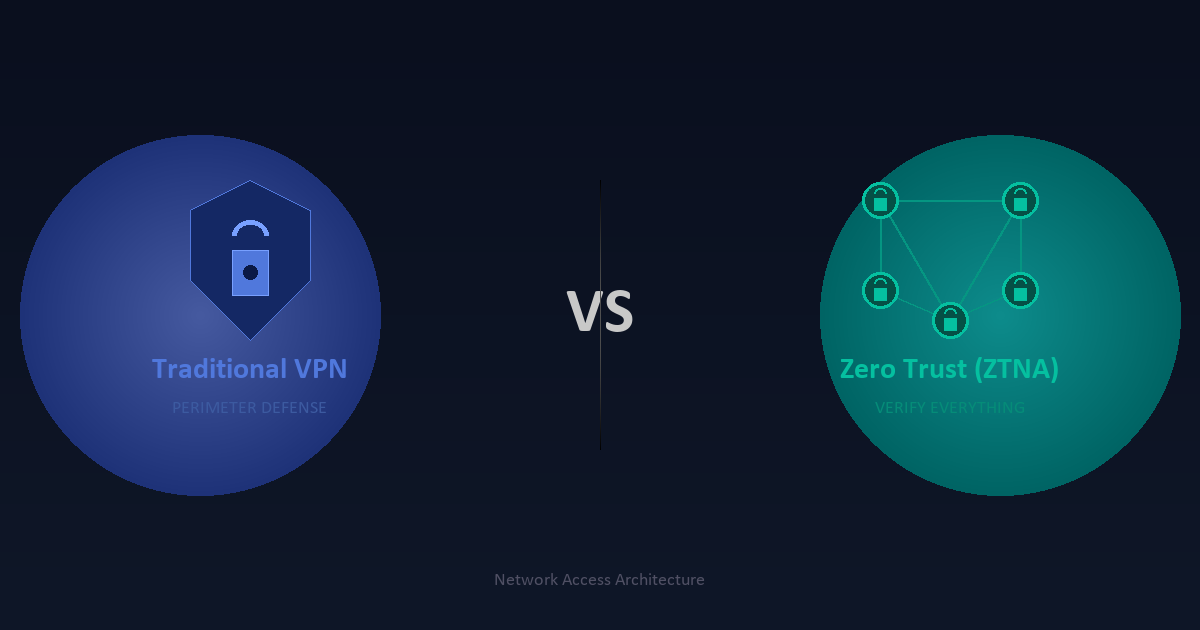
If your organization still routes remote employees through a legacy VPN to access internal resources, you are operating with a security model that was designed for a world that no longer exists. Traditional VPNs were built when corporate networks had clear perimeters, nearly all workloads lived on-premises, and most devices were company-issued and fully managed. None of those assumptions reliably hold anymore.
Zero Trust Network Access (ZTNA) has emerged as the architectural response to this changed reality. By 2026, ZTNA has moved well past early adopter status — it is now a core requirement for most enterprise security frameworks, and a condition of cyber insurance policies from many carriers. Understanding how it differs from traditional VPN, and where the practical implementation challenges lie, is essential for any team responsible for remote access security.
The Core Problem with Traditional VPN
The fundamental design of a traditional VPN is perimeter-based: verify a user or device at the edge, then grant them access to the network segment they connect to. Once inside, lateral movement between systems is often relatively unrestricted, constrained mainly by whatever network segmentation and firewall rules have been manually configured over the years.
This model has three structural weaknesses that become more serious as organizations modernize their infrastructure.
First, the security model assumes the network perimeter is meaningful. In hybrid environments where workloads span on-premises data centers, Azure, AWS, and SaaS applications, there is no single perimeter to defend. Traffic between a remote employee and a cloud application often never touches the corporate network at all, yet a VPN-centric model routes it through the datacenter anyway, adding latency without adding meaningful protection.
Second, VPN grants network-level access rather than application-level access. A compromised VPN credential does not just expose one application — it exposes whatever network segment the VPN configuration allows, which in poorly maintained environments can be quite broad. Ransomware operators and advanced persistent threat actors have made VPN lateral movement one of their primary techniques precisely because it works so reliably.
Third, VPN concentrator infrastructure creates a chokepoint that does not scale gracefully to fully distributed workforces. The surge in remote work since 2020 exposed this limitation in stark terms. Organizations that suddenly needed to put every employee on VPN discovered that their hardware concentrators were not sized for that load, and that adding capacity takes time and capital.
What Zero Trust Network Access Actually Means
Zero Trust Network Access applies the zero trust principle — never trust, always verify — specifically to the problem of remote access. Instead of granting network-level access after a single point of authentication, ZTNA grants access to specific applications, services, or resources, for specific users and devices, based on continuous verification of identity, device health, and contextual signals.
The practical mechanics differ depending on the implementation model, but most ZTNA architectures share several defining characteristics. Authentication and authorization happen before any connection to the resource is established, not after. The resource is not exposed to the public internet at all — instead, a ZTNA broker or proxy handles the connection, so the application’s IP address and port are never directly accessible. Every access decision is logged, and policies can enforce session duration limits, data loss prevention controls, and step-up authentication for sensitive operations.
Device posture is a first-class input to the access decision. Before a connection is allowed, the ZTNA policy engine checks whether the device has an up-to-date operating system, active endpoint protection, disk encryption enabled, and any other configured requirements. A device that fails posture checks gets denied or redirected to a remediation workflow rather than connected to the resource.
Agent-Based vs. Agentless ZTNA
ZTNA deployments fall into two broad patterns, and the right choice depends heavily on what you are protecting and who needs access.
Agent-based ZTNA requires installing a client on the endpoint. The agent handles device posture assessment, establishes the encrypted tunnel to the ZTNA broker, and enforces policy locally. This model offers the richest device visibility and the strongest posture enforcement — you know exactly what is running on the endpoint. It is the right choice for managed corporate devices accessing sensitive internal applications.
Agentless ZTNA delivers access through the browser, typically via a reverse proxy. No software needs to be installed on the endpoint. This model is suitable for third-party contractors, partners, and BYOD scenarios where installing an agent is impractical. The tradeoff is reduced device visibility — without an agent, the policy engine can assess far less about the endpoint’s security posture. Most enterprise ZTNA deployments use both models: agent-based for employees on corporate devices, agentless for third parties and unmanaged devices accessing lower-sensitivity resources.
Performance and User Experience
One of the frequently overlooked benefits of well-implemented ZTNA is improved performance for cloud-hosted applications. Traditional split-tunnel VPN configurations often route cloud application traffic through corporate infrastructure even though a direct path exists. ZTNA architectures using a cloud-delivered broker or a software-defined perimeter typically route traffic more directly, reducing round-trip latency for SaaS and cloud applications.
Full-tunnel VPN, which routes all traffic through corporate infrastructure, almost always performs worse for cloud applications than ZTNA. The performance gap widens as users are geographically distant from the VPN concentrator and as the proportion of traffic destined for cloud services increases — both trends that have moved in one direction over the past five years.
User experience is also meaningfully better when ZTNA is implemented well. Instead of connecting to VPN first as a prerequisite for everything, application access becomes native: open the application, authenticate if prompted, and you are in. For frequently used applications, the session stays active and reconnects silently in the background. This reduces the friction that leads employees to look for workarounds.
Where Traditional VPN Still Makes Sense
ZTNA is not a universal replacement for every VPN use case. There are scenarios where traditional VPN remains the appropriate tool.
Site-to-site VPN for connecting fixed locations — branch offices, data centers, co-location facilities — remains a solid choice. ZTNA is primarily a remote access solution for individual users and devices; it does not replace the persistent encrypted tunnels between network locations that site-to-site VPN provides.
Network-level access requirements also persist in some environments. Operational technology systems, legacy applications that rely on IP-based access controls, development environments where engineers need broad network visibility for troubleshooting — these scenarios can be harder to serve with application-level ZTNA policies and may still require network-level access solutions.
The practical path for most organizations is therefore not to immediately rip out VPN infrastructure, but to identify the highest-risk access scenarios — privileged access to production systems, access to sensitive data stores, third-party contractor access — and address those with ZTNA first. Legacy VPN handles the remaining cases while the ZTNA coverage expands over time.
Implementation Considerations
A ZTNA deployment is a significant project, and several decisions made at the outset have long-term architectural consequences.
Identity is the foundation. ZTNA’s access decisions depend on knowing exactly who is requesting access, which means your identity and access management infrastructure needs to be in good shape before you build access policies on top of it. Single sign-on with phishing-resistant multi-factor authentication is table stakes. If your identity infrastructure has orphaned accounts, stale service accounts, or inconsistent MFA enforcement, fix those problems first.
Application inventory is the next prerequisite. You cannot write access policies for applications you have not catalogued. Organizations frequently discover more internal applications than they expected when they begin this exercise, including shadow IT applications that were deployed without formal IT involvement. The inventory process is a useful forcing function for that cleanup.
Policy design requires a default-deny mindset that can feel unfamiliar at first. Every access grant is explicit and specific — a user gets access to this application, from this device health state, during these hours, at this sensitivity level. The upfront policy work is more intensive than configuring a VPN subnet, but the result is an access model where blast radius from a compromised credential is bounded by design rather than by luck.
Integration with existing security tooling — SIEM, EDR, identity providers, PAM solutions — is important for making ZTNA’s access logs actionable. The access telemetry ZTNA generates is a rich source of signal for detecting anomalous behavior, but only if it flows into your detection and response infrastructure.
The Regulatory and Insurance Angle
Zero trust architecture has moved from a security best practice to a regulatory and insurance expectation. NIST SP 800-207 defines a zero trust architecture framework that federal agencies are required to adopt. The DoD Zero Trust Strategy mandates zero trust implementation across defense systems by 2027. Commercial cyber insurance applications increasingly ask specifically about VPN MFA, network segmentation, and privileged access controls — all areas where ZTNA materially improves posture.
For organizations in regulated industries — healthcare, financial services, critical infrastructure — the combination of PCI DSS 4.0’s tighter access control requirements and HIPAA’s ongoing security rule enforcement creates a compliance environment where ZTNA’s access logging and policy granularity are practical necessities, not optional enhancements.
Choosing a ZTNA Platform
The ZTNA vendor landscape in 2026 is mature and competitive. The major platforms — Zscaler Private Access, Cloudflare Access, Palo Alto Prisma Access, Microsoft Entra Private Access, and Cisco Secure Access — all offer core ZTNA capabilities, but differ meaningfully in integration depth with cloud platforms, the quality of their device posture integrations, their global point-of-presence coverage, and their pricing models.
Microsoft Entra Private Access is worth specific mention for organizations already deep in the Microsoft 365 and Azure ecosystem. Its tight integration with Entra ID, Conditional Access policies, and Microsoft Defender for Endpoint means you can build access policies that incorporate rich identity and device signals from infrastructure you already operate, without adding a separate vendor relationship.
Cloudflare Access offers a compelling option for organizations that want a globally distributed proxy infrastructure. Its zero-configuration DNS routing and broad browser-delivered agentless access make it particularly strong for third-party access scenarios.
The evaluation criteria that matter most are: how well the platform integrates with your existing identity provider, what device platforms and MDM solutions it supports, how granular the access policies are, and how the logging integrates with your SIEM or XDR platform.
The Bottom Line
The VPN-to-ZTNA migration is not a technology switch; it is a security architecture shift. The underlying change is moving from trusting the network and verifying at the edge to verifying every access request and trusting nothing implicitly. That shift requires investment in identity infrastructure, application cataloguing, and policy design, but it produces a meaningfully stronger security posture and better user experience for a distributed workforce.
Organizations that have not started this transition are not standing still — they are falling further behind the threat landscape and the regulatory expectations that increasingly assume zero trust as baseline. Starting with the highest-risk access scenarios, building out from there, and treating the VPN-to-ZTNA migration as a multi-year program rather than a one-time cutover is the realistic path to getting there without operational disruption.