Tag: Enterprise AI

  • Why AI Agent Sandboxing Belongs in Your Cloud Governance Model

    Why AI Agent Sandboxing Belongs in Your Cloud Governance Model

    Enterprise teams are moving from simple chat assistants to AI agents that can call tools, read internal data, open tickets, generate code, and trigger workflows. That shift is useful, but it changes the risk profile. An assistant that only answers questions is one thing. An agent that can act inside your environment is closer to a junior operator with a very large blast radius.

    That is why sandboxing should sit inside your cloud governance model instead of living as an afterthought in an AI pilot. If an agent can reach production systems, sensitive documents, or shared credentials without strong boundaries, then your cloud controls are already being tested by automation whether your governance process acknowledges it or not.

    Sandboxing Changes the Conversation From Trust to Containment

    Many AI governance discussions still revolve around model safety, prompt filtering, and human review. Those controls matter, but they do not replace execution boundaries. Sandboxing matters because it assumes agents will eventually make a bad call, encounter malicious input, or receive access they should not keep forever.

    A good sandbox does not pretend the model is flawless. It limits what the agent can touch, how long it can keep access, what network paths are available, and what happens when something unusual is requested. That design turns inevitable mistakes into containable incidents instead of cross-system failures.

    Identity Scope Is the First Boundary, Not the Last

    Too many deployments start with broad service credentials because they are fast to wire up. The result is an AI agent that inherits more privilege than any human operator would receive for the same task. In cloud environments, that is a governance smell. Agents should get narrow identities, purpose-built roles, and explicit separation between read, write, and approval paths.

    When teams treat identity as the first sandbox layer, they gain several advantages at once. Access reviews become clearer, audit logs become easier to interpret, and rollback decisions become less chaotic because the agent never had universal reach in the first place.

    Network and Runtime Isolation Matter More Once Tools Enter the Picture

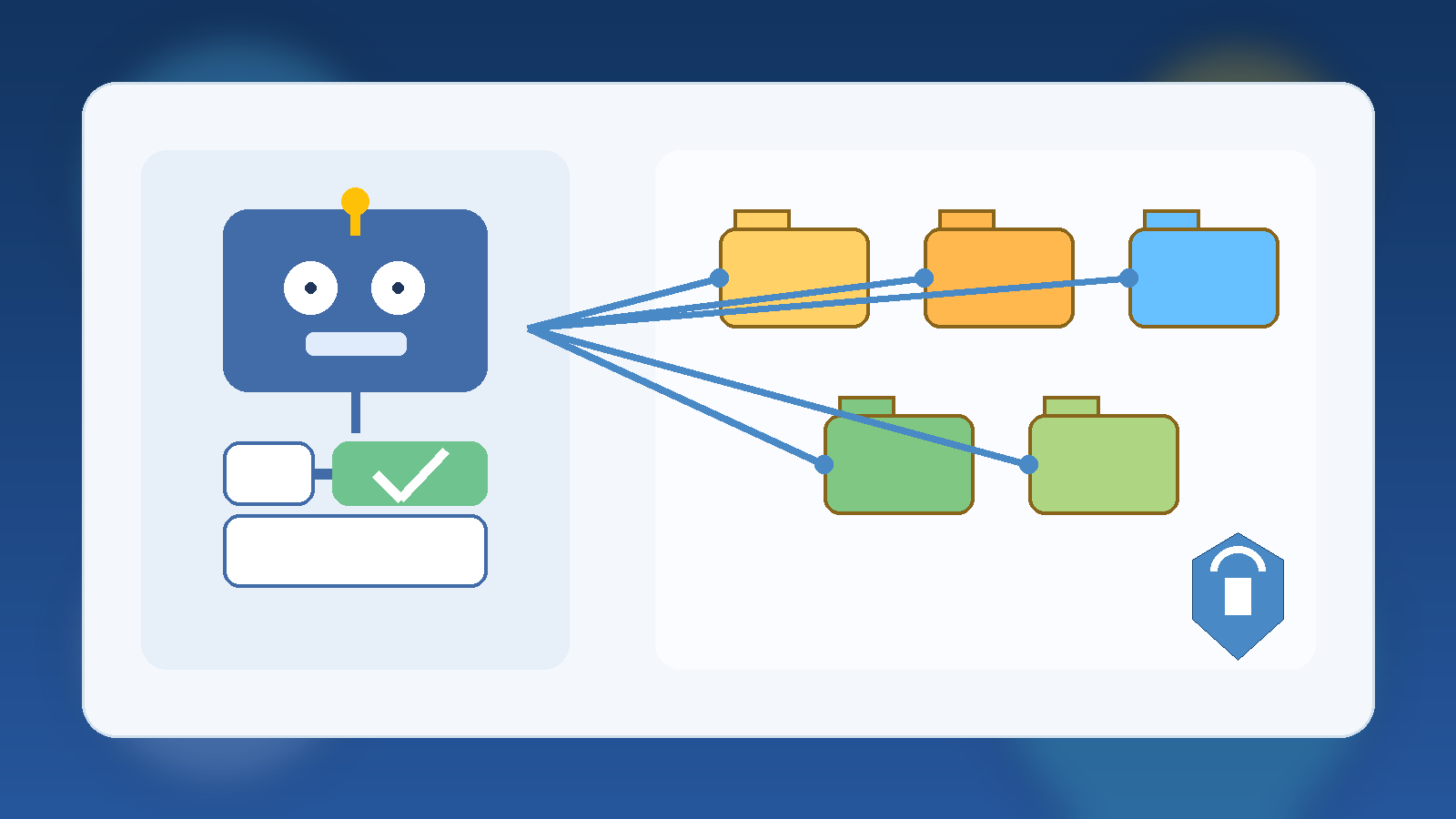
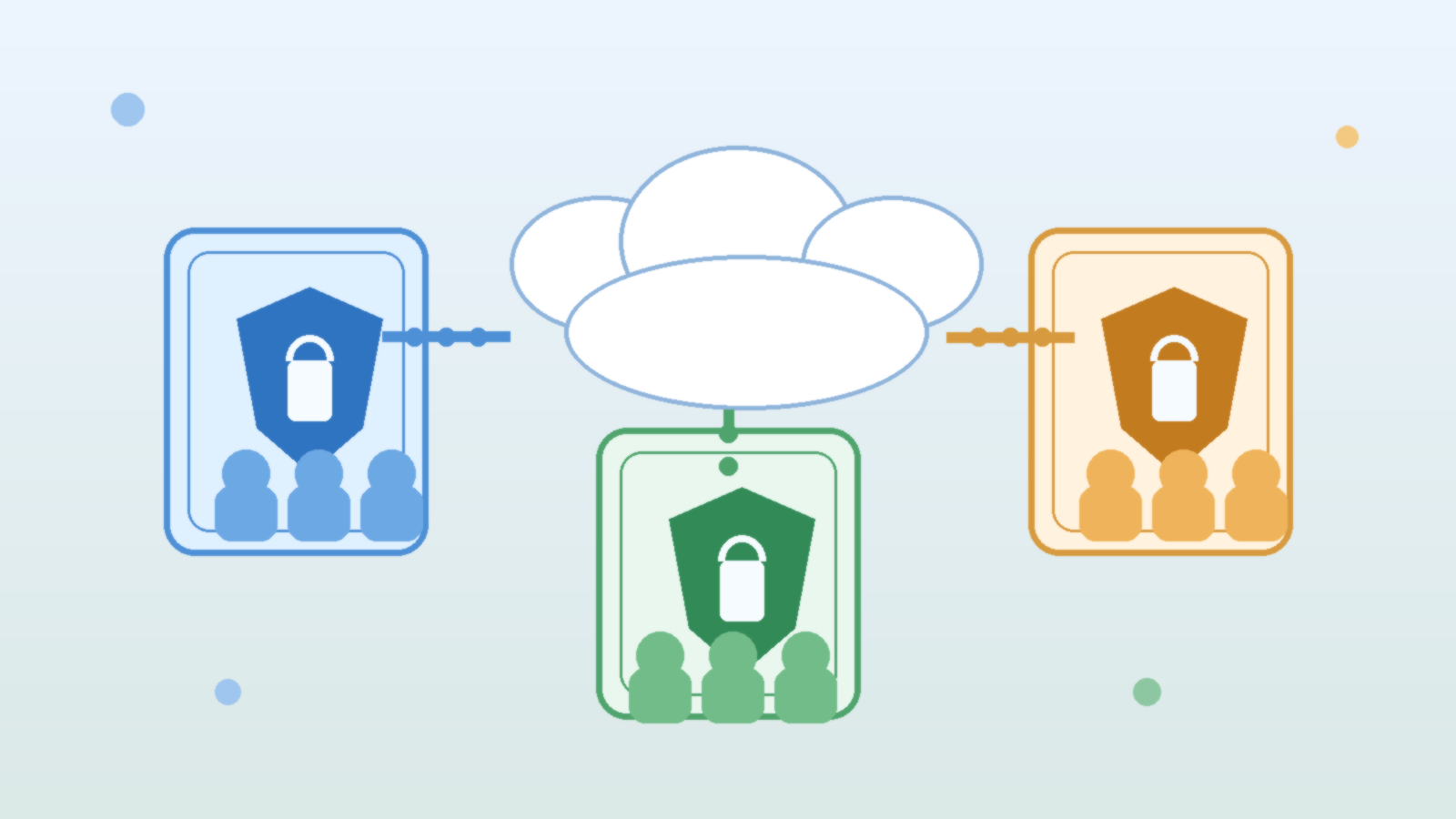
    As soon as an agent can browse, run code, connect to APIs, or pull files from storage, runtime isolation becomes a practical control instead of a theoretical one. Separate execution environments help prevent one compromised task from becoming a pivot point into broader infrastructure. They also let teams apply environment-specific egress rules, storage limits, and expiration windows.

    This is especially important in cloud estates where AI features are layered on top of existing automation. If the same runtime can touch internal documentation, deployment systems, and customer data sources, your governance model is relying on luck. Segmented runtimes give you a cleaner answer when someone asks which agent could access what, under which conditions, and for how long.

    Approval Gates Should Match Business Impact

    Not every agent action deserves the same friction. Reading internal knowledge articles is not the same as rotating secrets, approving invoices, or changing production policy. Sandboxing works best when it is paired with action tiers. Low-risk actions can run automatically inside a narrow lane. Medium-risk actions may require confirmation. High-risk actions should cross a human approval boundary before the agent can continue.

    That structure makes governance feel operational instead of bureaucratic. Teams can move quickly where the risk is low while still preserving deliberate oversight where a mistake would be expensive, public, or hard to reverse.

    Logging Needs Context, Not Just Volume

    AI agent logging often becomes noisy fast. A flood of tool calls is not the same as meaningful auditability. Governance teams need to know which identity was used, which data source was accessed, which policy allowed the action, whether a human approved anything, and what outputs left the sandbox boundary.

    Context-rich logs make incident response far more realistic. They also support healthier reviews with security, compliance, and platform teams because discussions can focus on concrete behavior rather than vague assurances that the agent is “mostly restricted.”

    Start With a Small Operating Model, Then Expand Carefully

    The strongest first move is not a massive autonomous platform. It is a narrow operating model that defines which agent classes exist, which tasks they may perform, which environments they may run in, and which data classes they are allowed to touch. From there, teams can add more capability without losing track of the original safety assumptions.

    That approach is more sustainable than retrofitting controls after several enthusiastic teams have already connected agents to everything. Governance rarely fails because nobody cared. It usually fails because convenience expanded faster than the control model that was supposed to shape it.

    Final Takeaway

    AI agent sandboxing is not just a security feature. It is a governance decision about scope, accountability, and failure containment. In cloud environments, those questions already exist for workloads, service principals, automation accounts, and data platforms. Agents should not get a special exemption just because the interface feels conversational.

    If your organization wants agentic AI without creating invisible operational risk, put sandboxing in the model early. Define identities narrowly, isolate runtimes, tier approvals, and log behavior with enough context to defend your decisions later. That is what responsible scale actually looks like.
  • Why Every AI Pilot Needs a Data Retention Policy Before Launch

    Why Every AI Pilot Needs a Data Retention Policy Before Launch

    Most AI pilot projects begin with excitement and speed. A team wants to test a chatbot, summarize support tickets, draft internal content, or search across documents faster than before. The technical work starts quickly because modern tools make it easy to stand something up in days instead of months.

    What usually lags behind is a decision about retention. People ask whether the model is accurate, how much the service costs, and whether the pilot should connect to internal data. Far fewer teams stop to ask a simple operational question: how long should prompts, uploaded files, generated outputs, and usage logs actually live?

    That gap matters because retention is not just a legal concern. It shapes privacy exposure, security review, troubleshooting, incident response, and user trust. If a pilot stores more than the team expects, or keeps it longer than anyone intended, the project can quietly drift from a safe experiment into a governance problem.

    AI Pilots Accumulate More Data Than Teams Expect

    An AI pilot rarely consists of only a prompt and a response. In practice, there are uploaded files, retrieval indexes, conversation history, feedback labels, exception traces, browser logs, and often a copy of generated output pasted somewhere else for later use. Even when each piece looks harmless on its own, the combined footprint becomes much richer than the team planned for.

    This is why a retention policy should exist before launch, not after the first success story. Once people start using a helpful pilot, the data trail expands fast. It becomes harder to untangle what is essential for product improvement versus what is simply leftover operational residue that nobody remembered to clean up.

    Prompts and Outputs Deserve Different Rules

    Many teams treat all AI data as one category, but that is usually too blunt. Raw prompts may contain sensitive context, copied emails, internal notes, or customer fragments. Generated outputs may be safer to retain in some cases, especially when they become part of an approved business workflow. System logs may need a shorter window, while audit events may need a longer one.

    Separating these categories makes the policy more practical. Instead of saying “keep AI data for 90 days,” a stronger rule might say that prompt bodies expire quickly, approved outputs inherit the retention of the destination system, and security-relevant audit records follow the organization’s existing control standards.

    Retention Decisions Shape Security Exposure

    Every extra day of stored AI interaction data extends the window in which that information can be misused, leaked, or pulled into discovery work nobody anticipated. A pilot that feels harmless in week one may become more sensitive after users realize it can answer real work questions and begin pasting in richer material.

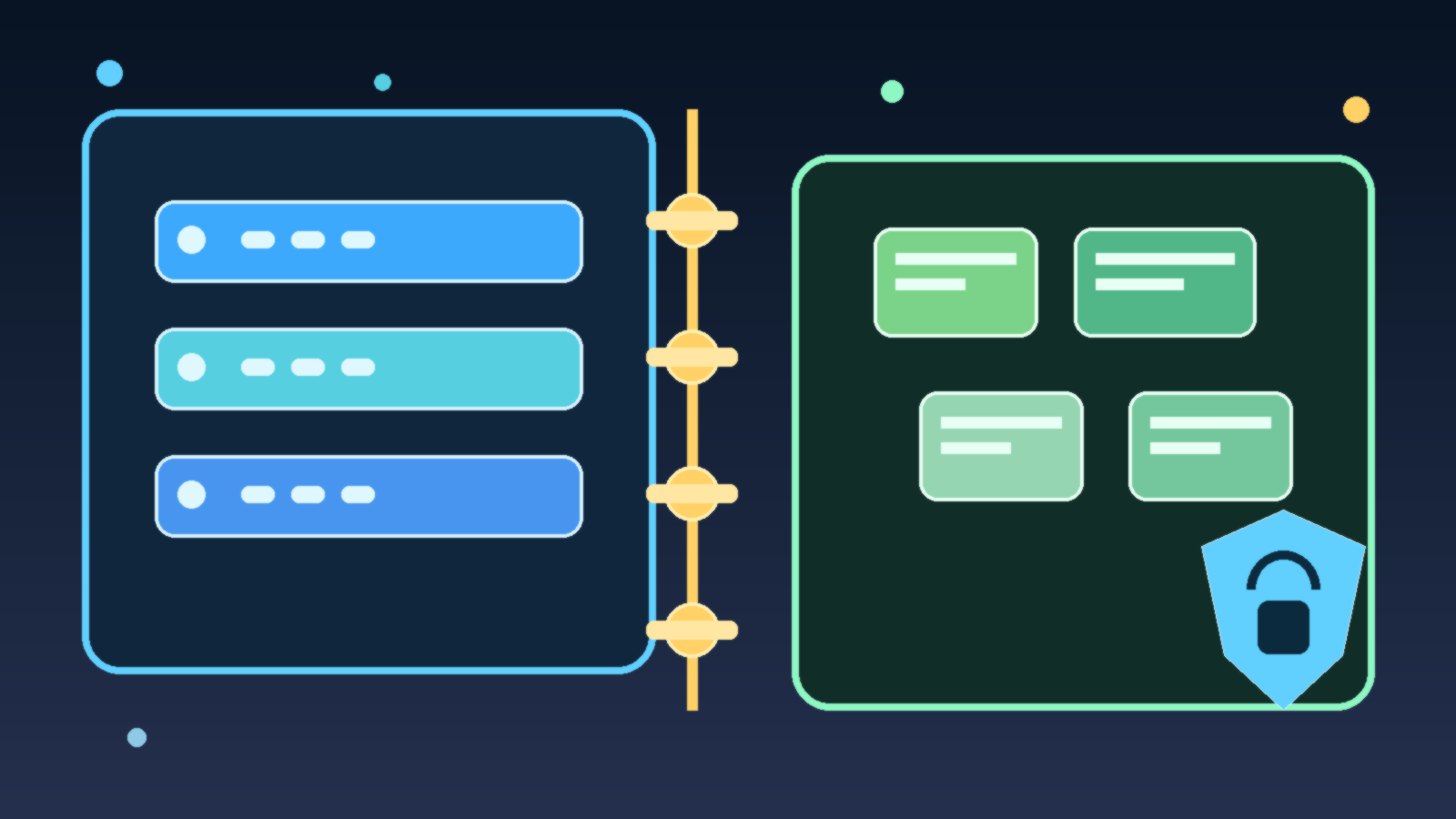
    Retention is therefore a security control, not just housekeeping. Shorter storage windows reduce blast radius. Clear deletion behavior reduces ambiguity during incident response. Defined storage locations make it easier to answer basic questions like who can read the data, what gets backed up, and whether the team can actually honor a delete request.

    Vendors and Internal Systems Create Split Responsibility

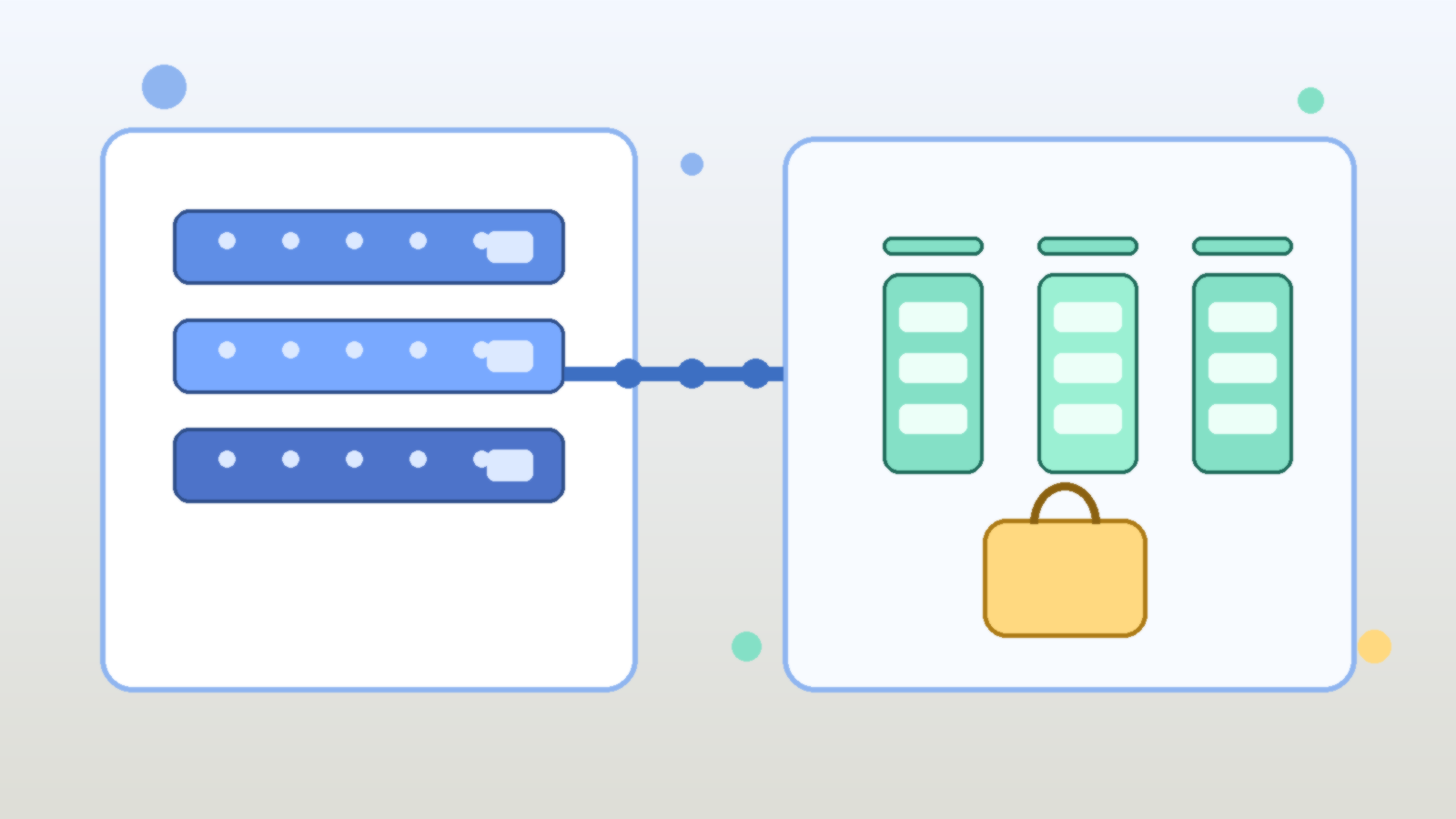
    AI pilots often span a vendor platform plus one or more internal systems. A team might use a hosted model, store logs in a cloud workspace, send analytics into another service, and archive approved outputs in a document repository. If retention is only defined in one layer, the overall policy is incomplete.

    That is where teams get surprised. They disable one history feature and assume the data is gone, while another copy still exists in telemetry, exports, or downstream collaboration tools. A launch-ready retention policy should name each storage point clearly enough that operations and security teams can verify the behavior instead of guessing.

    A Good Pilot Policy Should Be Boring and Specific

    The best retention policies are not dramatic. They are clear, narrow, and easy to execute. They define what data is stored, where it lives, how long it stays, who can access it, and what event triggers deletion or review. They also explain what the pilot should not accept, such as regulated records, source secrets, or customer data that has no business purpose in the test.

    Specificity beats slogans here. “We take privacy seriously” does not help an engineer decide whether prompt logs should expire after seven days or ninety. A simple table in an internal design note, backed by actual configuration, is far more valuable than broad policy language nobody can operationalize.

    Final Takeaway

    An AI pilot is not low risk just because it is temporary. Temporary projects often have the weakest controls because everyone assumes they will be cleaned up later. If the pilot is useful, later usually never arrives on its own.

    That is why retention belongs in the launch checklist. Decide what will be stored, separate prompts from outputs, map vendor and internal copies, and set deletion rules early. Teams that do this before users pile in tend to move faster with fewer surprises once the pilot starts succeeding.

  • How to Set AI Data Boundaries Before Your Team Builds the Wrong Thing

    How to Set AI Data Boundaries Before Your Team Builds the Wrong Thing

    AI projects rarely become risky because a team wakes up one morning and decides to ignore common sense. Most problems start much earlier, when people move quickly with unclear assumptions about what data they can use, where it can go, and what the model is allowed to retain. By the time governance notices, the prototype already exists and nobody wants to slow it down.

    That is why data boundaries matter so much. They turn vague caution into operational rules that product managers, developers, analysts, and security teams can actually follow. If those rules are missing, even a well-intentioned AI effort can drift into risky prompt logs, accidental data exposure, or shadow integrations that were never reviewed properly.

    Start With Data Classes, Not Model Hype

    Teams often begin with model selection, vendor demos, and potential use cases. That sequence feels natural, but it is backwards. The first question should be what kinds of data the use case needs: public content, internal business information, customer records, regulated data, source code, financial data, or something else entirely.

    Once those classes are defined, governance stops being abstract. A team can see immediately whether a proposed workflow belongs in a low-risk sandbox, a tightly controlled enterprise environment, or nowhere at all. That clarity prevents expensive rework because the project is shaped around reality instead of optimism.

    Define Three Buckets People Can Remember

    Many organizations make data policy too complicated for daily use. A practical approach is to create three working buckets: allowed, restricted, and prohibited. Allowed data can be used in approved AI tools under normal controls. Restricted data may require a specific vendor, logging settings, human review, or an isolated environment. Prohibited data stays out of the workflow entirely until policy changes.

    This model is not perfect, but it is memorable. That matters because governance fails when policy only lives inside long documents nobody reads during a real project. Simple buckets give teams a fast decision aid before a prototype becomes a production dependency.

    • Allowed: low-risk internal knowledge, public documentation, or synthetic test content in approved tools.
    • Restricted: customer data, source code, financial records, or sensitive business context that needs stronger controls.
    • Prohibited: data that creates legal, contractual, or security exposure if placed into the current workflow.

    Attach Boundaries to Real Workflows

    Policy becomes useful when it maps to the tasks people are already trying to do. Summarizing meeting notes, drafting support replies, searching internal knowledge, reviewing code, and extracting details from contracts all involve different data paths. If the organization publishes only general statements about “using AI responsibly,” employees will interpret the rules differently and fill gaps with guesswork.

    A better pattern is to publish approved workflow examples. Show which tools are allowed for document drafting, which environments can touch source code, which data requires redaction first, and which use cases need legal or security review. Good examples reduce both accidental misuse and unnecessary fear.

    Decide What Happens to Prompts, Outputs, and Logs

    AI data boundaries are not only about the original input. Teams also need to know what happens to prompts, outputs, telemetry, feedback thumbs, and conversation history. A tool may look safe on the surface while quietly retaining logs in a place that violates policy or creates discovery problems later.

    This is where governance teams need to be blunt. If a vendor stores prompts by default, say so. If retention can be disabled only in an enterprise tier, document that requirement. If outputs can be copied into downstream systems, include those systems in the review. Boundaries should follow the whole data path, not just the first upload.

    Make the Safe Path Faster Than the Unsafe Path

    Employees route around controls when the approved route feels slow, confusing, or unavailable. If the company wants people to avoid consumer tools for sensitive work, it needs to provide an approved alternative that is easy to access and documented well enough to use without a scavenger hunt.

    That means governance is partly a product problem. The secure option should come with clear onboarding, known use cases, and decision support for edge cases. When the safe path is fast, most people will take it. When it is painful, shadow AI becomes the default.

    Review Boundary Decisions Before Scale Hides the Mistakes

    Data boundaries should be reviewed early, then revisited when a pilot grows into a real business process. A prototype that handles internal notes today may be asked to process customer messages next quarter. That change sounds incremental, but it can move the workflow into a completely different risk category.

    Good governance teams expect that drift and check for it on purpose. They do not assume the original boundary decision stays valid forever. A lightweight review at each expansion point is far cheaper than discovering later that an approved experiment quietly became an unapproved production system.

    Final Takeaway

    AI teams move fast when the boundaries are clear and trustworthy. They move recklessly when the rules are vague, buried, or missing. If you want better AI outcomes, do not start with slogans about innovation. Start by defining what data is allowed, what data is restricted, and what data is off limits before anyone builds the wrong thing around the wrong assumptions.

    That one step will not solve every governance problem, but it will prevent a surprising number of avoidable ones.

  • Why AI Cost Controls Break Without Usage-Level Visibility

    Why AI Cost Controls Break Without Usage-Level Visibility

    Enterprise leaders love the idea of AI productivity, but finance teams usually meet the bill before they see the value. That is why so many “AI cost optimization” efforts stall out. They focus on list prices, model swaps, or a single monthly invoice, while the real problem lives one level deeper: nobody can clearly see which prompts, teams, tools, and workflows are creating cost and whether that cost is justified.

    If your organization only knows that “AI spend went up,” you do not have cost governance. You have an expensive mystery. The fix is not just cheaper models. It is usage-level visibility that links technical activity to business intent.

    Why top-line AI spend reports are not enough

    Most teams start with the easiest number to find: total spend by vendor or subscription. That is a useful starting point, but it does not help operators make better decisions. A monthly platform total cannot tell you whether cost growth came from a successful customer support assistant, a badly designed internal chatbot, or developers accidentally sending huge contexts to a premium model.

    Good governance needs a much tighter loop. You should be able to answer practical questions such as which application generated the call, which user or team triggered it, which model handled it, how many tokens or inference units were consumed, whether retrieval or tool calls were involved, how long it took, and what business workflow the request supported. Without that level of detail, every cost conversation turns into guesswork.

    The unit economics every AI team should track

    The most useful AI cost metric is not cost per month. It is cost per useful outcome. That outcome will vary by workload. For a support assistant, it may be cost per resolved conversation. For document processing, it may be cost per completed file. For a coding assistant, it may be cost per accepted suggestion or cost per completed task.

    • Cost per request: the baseline price of serving a single interaction.
    • Cost per session or workflow: the full spend for a multi-step task, including retries and tool calls.
    • Cost per successful outcome: the amount spent to produce something that actually met the business goal.
    • Cost by team, feature, and environment: the split that shows whether spend is concentrated in production value or experimental churn.
    • Latency and quality alongside cost: because a cheaper answer is not better if it is too slow or too poor to use.

    Those metrics let you compare architectures in a way that matters. A larger model can be the cheaper option if it reduces retries, escalations, or human cleanup. A smaller model can be the costly option if it creates low-quality output that downstream teams must fix manually.

    Where AI cost visibility usually breaks down

    The breakdown usually happens at the application layer. Finance may see vendor charges. Platform teams may see API traffic. Product teams may see user engagement. But those views are often disconnected. The result is a familiar pattern: everyone has data, but nobody has an explanation.

    There are a few common causes. Prompt versions are not tracked. Retrieval calls are billed separately from model inference. Caching savings are invisible. Development and production traffic are mixed together. Shared service accounts hide ownership. Tool-using agents create multi-step costs that never get tied back to a single workflow. By the time someone asks why a budget doubled, the evidence is scattered across logs, dashboards, and invoices.

    What a usable AI cost telemetry model looks like

    The cleanest approach is to treat AI activity like any other production workload: instrument it, label it, and make it queryable. Every request should carry metadata that survives all the way from the user action to the billing record. That usually means attaching identifiers for the application, feature, environment, tenant, user role, experiment flag, prompt template, model, and workflow instance.

    From there, you can build dashboards that answer the questions leadership actually asks. Which features have the best cost-to-value ratio? Which teams are burning budget in testing? Which prompt releases increased average token usage? Which workflows should move to a cheaper model? Which ones deserve a premium model because the business value is strong?

    If you are running AI on Azure, this usually means combining application telemetry, Azure Monitor or Log Analytics data, model usage metrics, and chargeback labels in a consistent schema. The exact tooling matters less than the discipline. If your labels are sloppy, your analysis will be sloppy too.

    Governance should shape behavior, not just reporting

    Visibility only matters if it changes decisions. Once you can see cost at the workflow level, you can start enforcing sensible controls. You can set routing rules that reserve premium models for high-value scenarios. You can cap context sizes. You can detect runaway agent loops. You can require prompt reviews for changes that increase average token consumption. You can separate experimentation budgets from production budgets so innovation does not quietly eat operational margin.

    That is where AI governance becomes practical instead of performative. Instead of generic warnings about responsible use, you get concrete operating rules tied to measurable behavior. Teams stop arguing in the abstract and start improving what they can actually see.

    A better question for leadership to ask

    Many executives ask, “How do we lower AI spend?” That is understandable, but it is usually the wrong first question. The better question is, “Which AI workloads have healthy unit economics, and which ones are still opaque?” Once you know that, cost reduction becomes a targeted exercise instead of a blanket reaction.

    AI programs do not fail because the invoices exist. They fail because leaders cannot distinguish productive spend from noisy spend. Usage-level visibility is what turns AI from a budget risk into an operating discipline. Until you have it, cost control will always feel one step behind reality.

  • What Good AI Agent Governance Looks Like in Practice

    What Good AI Agent Governance Looks Like in Practice

    AI agent governance is turning into one of those phrases that sounds solid in a strategy deck and vague everywhere else. Most teams agree they need it. Fewer teams can explain what it looks like in day-to-day operations when agents are handling requests, touching data, and making decisions inside real business workflows.

    The practical version is less glamorous than the hype cycle suggests. Good governance is not a single approval board and it is not a giant document nobody reads. It is a set of operating rules that make agents visible, constrained, reviewable, and accountable before they become deeply embedded in the business.

    Start With a Clear Owner for Every Agent

    An agent without a named owner is a future cleanup problem. Someone needs to be responsible for what the agent is allowed to do, which data it can touch, which systems it can call, and what happens when it behaves badly. This is true whether the agent was built by a platform team, a security group, or a business unit using a low-code tool.

    Ownership matters because AI agents rarely fail in a neat technical box. A bad permission model, an overconfident workflow, or a weak human review step can all create risk. If nobody owns the full operating model, issues bounce between teams until the problem becomes expensive enough to get attention.

    Treat Identity and Access as Product Design, Not Setup Work

    Many governance problems start with identity shortcuts. Agents get broad service credentials because it is faster. Connectors inherit access nobody re-evaluates. Test workflows keep production permissions because nobody wants to break momentum. Then the organization acts surprised when an agent can see too much or trigger the wrong action.

    Good practice is boring on purpose: least privilege, scoped credentials, environment separation, and explicit approval for high-risk actions. If an agent drafts a change request, that is different from letting it execute the change. If it summarizes financial data, that is different from letting it publish a finance-facing decision. Those lines should be designed early, not repaired after an incident.

    Put Approval Gates Where the Business Risk Actually Changes

    Not every agent action deserves the same level of friction. Requiring human approval for everything creates theater and pushes people toward shadow tools. Requiring approval for nothing creates a different kind of mess. The smarter approach is to put gates at the moments where consequences become meaningfully harder to undo.

    For most organizations, those moments include sending externally, changing records of authority, spending money, granting access, and triggering irreversible workflow steps. Internal drafting, summarization, or recommendation work may need logging and review without needing a person to click approve every single time. Governance works better when it follows risk gradients instead of blanket fear.

    Make Agent Behavior Observable Without Turning It Into Noise

    If teams cannot see which agents are active, what tools they use, which policies they hit, and where they fail, they do not have governance. They have hope. That does not mean collecting everything forever. It means keeping the signals that help operations and accountability: workflow context, model path, tool calls, approval state, policy decisions, and enough event history to investigate a problem properly.

    The quality of observability matters more than sheer volume. Useful governance data should help a team answer concrete questions: which agent handled this task, who approved the risky step, what data boundary was crossed, and what changed after the rollout. If the logs cannot support those answers, the governance layer is mostly decorative.

    Review Agents as Living Systems, Not One-Time Projects

    AI agents drift. Prompts change, models change, connectors change, and business teams start relying on workflows in ways nobody predicted during the pilot. That is why launch approval is only the start. Strong teams schedule lightweight reviews that check whether an agent still has the right access, still matches its documented purpose, and still deserves the trust the business is placing in it.

    Those reviews do not need to be dramatic. A recurring review can confirm ownership, recent incidents, policy exceptions, usage growth, and whether the original guardrails still match the current risk. The important thing is that review is built into the lifecycle. Agents should not become invisible just because they survived their first month.

    Keep the Human Role Real

    Governance fails when “human in the loop” becomes a slogan attached to fake oversight. If the reviewer lacks context, lacks authority, or is expected to rubber-stamp outputs at speed, the control is mostly cosmetic. A real human control means the person understands what they are approving and has a credible path to reject, revise, or escalate the action.

    This matters because the social part of governance is easy to underestimate. Teams need to know when they are accountable for an agent outcome and when the platform itself should carry the burden. Good operating models remove that ambiguity before the first messy edge case lands on someone’s desk.

    Final Takeaway

    Good AI agent governance is not abstract. It looks like named ownership, constrained access, risk-based approval gates, useful observability, scheduled review, and human controls that mean something. None of that kills innovation. It keeps innovation from quietly turning into operational debt with a smarter marketing label.

    Organizations do not need perfect governance before they start using agents. They do need enough structure to know who built what, what it can do, when it needs oversight, and how to pull it back when reality gets more complicated than the demo.

  • How to Keep AI Usage Logs Useful Without Turning Them Into Employee Surveillance

    How to Keep AI Usage Logs Useful Without Turning Them Into Employee Surveillance

    Once teams start using internal AI tools, the question of logging shows up quickly. Leaders want enough visibility to investigate bad outputs, prove policy compliance, control costs, and spot risky behavior. Employees, meanwhile, do not want every prompt treated like a surveillance feed. Both instincts are understandable, which is why careless logging rules create trouble fast.

    The useful framing is simple: the purpose of AI usage logs is to improve system accountability, not to watch people for the sake of watching them. When logging becomes too vague, security and governance break down. When it becomes too invasive, trust breaks down. A good policy protects both.

    Start With the Questions You Actually Need to Answer

    Many logging programs fail because they begin with a technical capability instead of a governance need. If a platform can capture everything, some teams assume they should capture everything. That is backwards. First define the questions the logs need to answer. Can you trace which tool handled a sensitive task? Can you investigate a policy violation? Can you explain a billing spike? Can you reproduce a failure that affected a customer or employee workflow?

    Those questions usually point to a narrower set of signals than full prompt hoarding. In many environments, metadata such as user role, tool name, timestamp, model, workflow identifier, approval path, and policy outcome will do more governance work than raw prompt text alone. The more precise the operational question, the less tempted a team will be to collect data just because it is available.

    Separate Security Logging From Performance Review Data

    This is where a lot of organizations get themselves into trouble. If employees believe AI logs will quietly flow into performance management, the tools become politically radioactive. People stop experimenting, work around approved tools, or avoid useful automation because every interaction feels like evidence waiting to be misread.

    Teams should explicitly define who can access AI logs and for what reasons. Security, platform engineering, and compliance functions may need controlled access for incident response, troubleshooting, or audit support. That does not automatically mean direct managers should use prompt histories as an informal productivity dashboard. If the boundaries are real, write them down. If they are not written down, people will assume the broadest possible use.

    Log the Workflow Context, Not Just the Prompt

    A prompt without context is easy to overinterpret. Someone asking an AI tool to draft a termination memo, summarize a security incident, or rephrase a customer complaint may be doing legitimate work. The meaningful governance signal often comes from the surrounding workflow, not the sentence fragment itself.

    That is why mature logging should connect AI activity to the business process around it. Record whether the interaction happened inside an approved HR workflow, a ticketing tool, a document review pipeline, or an engineering assistant. Track whether the output was reviewed by a human, blocked by policy, or sent to an external system. This makes investigations more accurate and reduces the chance that a single alarming prompt gets ripped out of context.

    Redact and Retain Deliberately

    Not every log field needs the same lifespan. Sensitive prompt content, uploaded files, and generated outputs should be handled with more care than high-level event metadata. In many cases, teams can store detailed content for a shorter retention window while keeping less sensitive control-plane records longer for audit and trend analysis.

    Redaction matters too. If prompts may contain personal data, legal material, health information, or customer secrets, a logging strategy that blindly stores raw text creates a second data-governance problem in the name of solving the first one. Redaction pipelines, access controls, and tiered retention are not optional polish. They are part of the design.

    Make Employees Aware of the Rules Before Problems Happen

    Trust does not come from saying, after the fact, that the logs were only meant for safety. It comes from telling people up front what is collected, why it is collected, how long it is retained, and who can review it. A short plain-language policy often does more good than a dense governance memo nobody reads.

    That policy should also explain what the logs are not for. If the organization is serious about avoiding surveillance drift, say so clearly. Employees do not need perfect silence around monitoring. They need predictable rules and evidence that leadership can follow its own boundaries.

    Good Logging Should Reduce Fear, Not Increase It

    The best AI governance programs make responsible use easier. Good logs support incident reviews, debugging, access control, and policy enforcement without turning every employee interaction into a suspicion exercise. That balance is possible, but only if teams resist the lazy idea that maximum collection equals maximum safety.

    If your AI logging approach would make a reasonable employee assume they are being constantly watched, it probably needs redesign. Useful governance should create accountability for systems and decisions. It should not train people to fear the tools that leadership wants them to use well.

    Final Takeaway

    AI usage logs are worth keeping, but they need purpose, limits, and context. Collect enough to investigate risk, improve reliability, and satisfy governance obligations. Avoid turning a technical control into a cultural liability. When the logging model is narrow, transparent, and role-based, teams get safer AI operations without sliding into employee surveillance by accident.

  • What Good AI Agent Governance Looks Like in Practice

    What Good AI Agent Governance Looks Like in Practice

    AI agents are moving from demos into real business workflows. That shift changes the conversation. The question is no longer whether a team can connect an agent to internal tools, cloud platforms, or ticketing systems. The real question is whether the organization can control what that agent is allowed to do, understand what it actually did, and stop it quickly when it drifts outside its intended lane.

    Good AI agent governance is not about slowing everything down with paperwork. It is about making sure automation stays useful, predictable, and safe. In practice, the best governance models look less like theoretical policy decks and more like a set of boring but reliable operational controls.

    Start With a Narrow Action Boundary

    The first mistake many teams make is giving an agent broad access because it might be helpful later. That is backwards. An agent should begin with a sharply defined job and the minimum set of permissions needed to complete that job. If it summarizes support tickets, it does not also need rights to close accounts. If it drafts infrastructure changes, it does not also need permission to apply them automatically.

    Narrow action boundaries reduce blast radius. They also make testing easier because teams can evaluate one workflow at a time instead of trying to reason about a loosely controlled digital employee with unclear privileges. Restriction at the start is not a sign of distrust. It is a sign of decent engineering.

    Separate Read Access From Write Access

    Many agent use cases create value before they ever need to change anything. Reading dashboards, searching documentation, classifying emails, or assembling reports can deliver measurable savings without granting the power to modify systems. That is why strong governance separates observation from execution.

    When write access is necessary, it should be specific and traceable. Approving a purchase order, restarting a service, or updating a customer record should happen through a constrained interface with known rules. This is far safer than giving a generic API token and hoping the prompt keeps the agent disciplined.

    Put Human Approval in Front of High-Risk Actions

    There is a big difference between asking an agent to prepare a recommendation and asking it to execute a decision. High-risk actions should pass through an approval checkpoint, especially when money, access, customer data, or public communication is involved. The agent can gather context, propose the next step, and package the evidence, but a person should still confirm the action when the downside is meaningful.

    • Infrastructure changes that affect production systems
    • Messages sent to customers, partners, or the public
    • Financial transactions or purchasing actions
    • Permission grants, credential rotation, or identity changes

    Approval gates are not a sign that the system failed. They are part of the system. Mature automation does not remove judgment from important decisions. It routes judgment to the moments where it matters most.

    Make Audit Trails Non-Negotiable

    If an agent touches a business workflow, it needs logs that a human can follow. Those logs should show what context the agent received, what tool or system it called, what action it attempted, whether the action succeeded, and who approved it if approval was required. Without that trail, incident response turns into guesswork.

    Auditability also improves adoption. Security teams trust systems they can inspect. Operations teams trust systems they can replay. Leadership trusts systems that produce evidence instead of vague promises. An agent that cannot explain itself operationally will eventually become a political problem, even if it works most of the time.

    Add Budget and Usage Guardrails Early

    Cost governance is easy to postpone because the first pilot usually looks cheap. The trouble starts when a successful pilot becomes a habit and that habit spreads across teams. Good AI agent governance includes clear token budgets, API usage caps, concurrency limits, and alerts for unusual spikes. The goal is to avoid the familiar pattern where a clever internal tool quietly becomes a permanent spending surprise.

    Usage guardrails also create better engineering behavior. When teams know there is a budget, they optimize prompts, trim unnecessary context, and choose lower-cost models for low-risk tasks. Governance is not just defensive. It often produces a better product.

    Treat Prompts, Policies, and Connectors as Versioned Assets

    Many organizations still treat agent behavior as something informal and flexible, but that mindset does not scale. Prompt instructions, escalation rules, tool permissions, and system connectors should all be versioned like application code. If a change makes an agent more aggressive, expands its tool access, or alters its approval rules, that change should be reviewable and reversible.

    This matters for both reliability and accountability. When an incident happens, teams need to know whether the problem came from a model issue, a prompt change, a connector bug, or a permissions expansion. Versioned assets give investigators something concrete to compare.

    Plan for Fast Containment, Not Perfect Prevention

    No governance framework will eliminate every mistake. Models can still hallucinate, tools can still misbehave, and integrations can still break in confusing ways. That is why good governance includes a fast containment model: kill switches, credential revocation paths, disabled connectors, rate limiting, and rollback procedures that do not depend on improvisation.

    The healthiest teams design for graceful failure. They assume something surprising will happen eventually and build the controls that keep a weird moment from becoming a major outage or a trust-damaging incident.

    Governance Should Make Adoption Easier

    Teams resist governance when it feels like a vague set of objections. They accept governance when it gives them a clean path to deployment. A practical standard might say that read-only workflows can launch with documented logs, while write-enabled workflows need explicit approval gates and named owners. That kind of framework helps delivery teams move faster because the rules are understandable.

    In other words, good AI agent governance should function like a paved road, not a barricade. The best outcome is not a perfect policy document. It is a repeatable way to ship useful automation without leaving security, finance, and operations to clean up the mess later.

  • How to Keep Internal AI Tools From Becoming Shadow IT

    How to Keep Internal AI Tools From Becoming Shadow IT

    Internal AI tools usually start with good intentions. A team wants faster summaries, better search, or a lightweight assistant that understands company documents. Someone builds a prototype, people like it, and adoption jumps before governance catches up.

    That is where the risk shows up. An internal AI tool can feel small because it lives inside the company, but it still touches sensitive data, operational workflows, and employee trust. If nobody owns the boundaries, the tool can become shadow IT with better marketing.

    Speed Without Ownership Creates Quiet Risk

    Fast internal adoption often hides basic unanswered questions. Who approves new data sources? Who decides whether the system can take action instead of just answering questions? Who is on the hook when the assistant gives a bad answer about policy, architecture, or customer information?

    If those answers are vague, the tool is already drifting into shadow IT territory. Teams may trust it because it feels useful, while leadership assumes someone else is handling the risk. That gap is how small experiments grow into operational dependencies with weak accountability.

    Start With a Clear Operating Boundary

    The strongest internal AI programs define a narrow first job. Maybe the assistant can search approved documentation, summarize support notes, or draft low-risk internal content. That is a much healthier launch point than giving it broad access to private systems on day one.

    A clear boundary makes review easier because people can evaluate a real use case instead of a vague promise. It also gives the team a chance to measure quality and failure modes before the system starts touching higher-risk workflows.

    Decide Which Data Is In Bounds Before People Ask

    Most governance trouble shows up around data, not prompts. Employees will naturally ask the tool about contracts, HR issues, customer incidents, pricing notes, and half-finished strategy documents if the interface allows it. If the system has access, people will test the edge.

    That means teams should define approved data sources before broad rollout. It helps to write the rule in plain language: what the assistant may read, what it must never ingest, and what requires an explicit review path first. Ambiguity here creates avoidable exposure.

    Give the Tool a Human Escalation Path

    Internal AI should not pretend it can safely answer everything. When confidence is low, policy is unclear, or a request would trigger a sensitive action, the system needs a graceful handoff. That might be a support queue, a documented owner, or a clear instruction to stop and ask a human reviewer.

    This matters because trust is easier to preserve than repair. People can accept a tool that says, “I am not the right authority for this.” They lose trust quickly when it sounds confident and wrong in a place where accuracy matters.

    Measure More Than Usage

    Adoption charts are not enough. A healthy internal AI program also watches for error patterns, risky requests, stale knowledge, and the amount of human review still required. Those signals reveal whether the tool is maturing into infrastructure or just accumulating unseen liabilities.

    • Track which sources the assistant relies on most often.
    • Review failed or escalated requests for patterns.
    • Check whether critical guidance stays current after policy changes.
    • Watch for teams using the tool outside its original scope.

    That kind of measurement keeps leaders grounded in operational reality. It shifts the conversation from “people are using it” to “people are using it safely, and we know where it still breaks.”

    Final Takeaway

    Internal AI tools do not become shadow IT because teams are reckless. They become shadow IT because usefulness outruns ownership. The cure is not endless bureaucracy. It is clear scope, defined data boundaries, accountable operators, and a visible path for human review when the tool reaches its limits.

    If an internal assistant is becoming important enough that people depend on it, it is important enough to govern like a real system.