Tag: comparison

  • Kubernetes vs. Azure Container Apps: How to Choose the Right Container Platform for Your Team

    Kubernetes vs. Azure Container Apps: How to Choose the Right Container Platform for Your Team

    Containerization changed how teams build and ship software. But choosing how to run those containers is a decision that has major downstream effects on your team's operational overhead, cost structure, and architectural flexibility. Two options that come up most often in Azure environments are Azure Kubernetes Service (AKS) and Azure Container Apps (ACA). They both run containers. They both scale. And they both sit in Azure. So what actually separates them — and when does each one win?

    This post breaks down the key differences so you can make a clear, informed choice rather than defaulting to “just use Kubernetes” because it's familiar.

    What Each Platform Actually Is

    Azure Kubernetes Service (AKS) is Microsoft's managed Kubernetes offering. You still manage node pools, configure networking, handle storage classes, set up ingress controllers, and reason about cluster capacity. Azure handles the Kubernetes control plane, but everything from the node level down is on you. AKS gives you the full Kubernetes API — every knob, every operator, every custom resource definition.

    Azure Container Apps (ACA) is a fully managed, serverless container platform. Under the hood it runs on Kubernetes and KEDA (the Kubernetes-based event-driven autoscaler), but that entire layer is completely hidden from you. You deploy containers. You define scale rules. Azure takes care of everything else, including zero-scale when traffic drops to nothing.

    The simplest mental model: AKS is infrastructure you control; ACA is a platform that controls itself.

    Operational Complexity: The Real Cost of Kubernetes

    Kubernetes is powerful, but it does not manage itself. On AKS, someone on your team needs to own the cluster. That means patching node pools when new Kubernetes versions drop, right-sizing VM SKUs, configuring cluster autoscaler settings, setting up an ingress controller (NGINX, Application Gateway Ingress Controller, or another option), managing Persistent Volume Claims for stateful workloads, and wiring up monitoring with Azure Monitor or Prometheus.

    None of this is particularly hard if you have a dedicated platform or DevOps team. But for a team of five developers shipping a SaaS product, this is real overhead that competes with feature work. A misconfigured cluster autoscaler during a traffic spike does not just cause degraded performance — it can cascade into an outage.

    Azure Container Apps removes this entire layer. There are no nodes to patch, no ingress controllers to configure, no cluster autoscaler to tune. You push a container image, configure environment variables and scale rules, and the platform handles the rest. For teams without dedicated infrastructure engineers, this is a significant productivity multiplier.

    Scaling Behavior: When ACA's Serverless Model Shines

    Azure Container Apps was built from the ground up around event-driven autoscaling via KEDA. Out of the box, ACA can scale your containers based on HTTP traffic, CPU, memory, Azure Service Bus queue depth, Azure Event Hub consumer lag, or any custom metric KEDA supports. More importantly, it can scale all the way to zero replicas when there is nothing to process — and you pay nothing while scaled to zero.

    This makes ACA an excellent fit for workloads with bursty or unpredictable traffic patterns: background job processors, webhook handlers, batch pipelines, internal APIs that see low-to-moderate traffic. If your workload sits idle for hours at a time, the cost savings from zero-scale can be substantial.

    AKS supports horizontal pod autoscaling and KEDA as an add-on, but scaling to zero requires additional configuration, and you still pay for the underlying nodes even if no pods are scheduled on them (unless you are also using Virtual Nodes or node pool autoscaling all the way down to zero, which adds more complexity). For baseline-heavy workloads that always run, AKS's fixed node cost is predictable and can be cheaper than per-request ACA billing at high sustained loads.

    Networking and Ingress: AKS Wins on Flexibility

    If your architecture involves complex networking requirements — internal load balancers, custom ingress routing rules, mutual TLS between services, integration with existing Azure Application Gateway or Azure Front Door configurations, or network policies enforced at the pod level — AKS gives you the surface area to configure all of it precisely.

    Azure Container Apps provides built-in ingress with HTTPS termination, traffic splitting for blue/green and canary deployments, and Dapr integration for service-to-service communication. For many teams, that is more than enough. But if you need to bolt Container Apps into an existing hub-and-spoke network topology with specific NSG rules and UDRs, you will find the abstraction starts to fight you. ACA supports VNet integration, but the configuration surface is much smaller than what AKS exposes.

    Multi-Container Architectures and Microservices

    Both platforms support multi-container deployments, but they model them differently. AKS uses Kubernetes Pods, which can contain multiple containers sharing a network namespace and storage volumes. This is the standard pattern for sidecar containers — log shippers, service mesh proxies, init containers for secret injection.

    Azure Container Apps supports multi-container configurations within an environment, and it has first-class support for Dapr as a sidecar abstraction. If you are building microservices that need service discovery, distributed tracing, and pub/sub messaging without wiring it all up manually, Dapr on ACA is genuinely elegant. The trade-off is that you are adopting Dapr's abstraction model, which may or may not align with how your team already thinks about inter-service communication.

    For teams building a large microservices estate with diverse inter-service communication requirements, AKS with a service mesh like Istio or Linkerd still offers the most control. For teams building five to fifteen services that need to talk to each other, ACA with Dapr is often simpler to operate at any given point in the lifecycle.

    Cost Considerations

    Cost is one of the most common decision drivers, and neither platform is universally cheaper. The comparison depends heavily on your workload profile:

    • Low or bursty traffic: ACA's scale-to-zero capability means you pay only for active compute. An API that handles 50 requests per hour costs nearly nothing on ACA. The same workload on AKS requires at least one running node regardless of traffic.
    • High, sustained throughput: AKS with right-sized reserved instances or spot node pools can be significantly cheaper than ACA per-vCPU-hour at high sustained load. ACA's consumption pricing adds up when you are running hundreds of thousands of requests continuously.
    • Operational cost: Do not forget the engineering time needed to manage AKS. Even at a conservative estimate of a few hours per week per cluster, that is a real cost that does not show up in the Azure bill.

    When to Choose AKS

    AKS is the right choice when your requirements push beyond what a managed platform can abstract cleanly. Choose AKS when you have a dedicated platform or DevOps team that can own the cluster, when you need custom Kubernetes operators or CRDs that do not exist as managed services, when your workload has complex stateful requirements with specific storage class needs, when you need precise control over networking at the pod and node level, or when you are running multiple teams with very different workloads that benefit from a shared cluster with namespace isolation and RBAC at scale.

    AKS is also the better choice if your organization has existing Kubernetes expertise and well-established GitOps workflows using tools like Flux or ArgoCD. The investment in that expertise has a higher return on a full Kubernetes environment than on a platform that abstracts it away.

    When to Choose Azure Container Apps

    Azure Container Apps wins when developer productivity and operational simplicity are the primary constraints. Choose ACA when your team does not have or does not want to staff dedicated Kubernetes expertise, when your workloads are event-driven or have variable traffic patterns that benefit from scale-to-zero, when you want built-in Dapr support for microservice communication without managing a service mesh, when you need fast time-to-production without cluster provisioning and configuration overhead, or when you are running internal tooling, staging environments, or background processors where operational complexity would be disproportionate to the workload value.

    ACA has also matured significantly since its initial release. Dedicated plan pricing, GPU support, and improved VNet integration have addressed many of the early limitations that pushed teams toward AKS by default. It is worth re-evaluating ACA even if you dismissed it a year or two ago.

    The Decision in One Question

    If you could only ask one question to guide this decision, ask this: Does your team want to operate a container platform, or use one?

    AKS is for teams that want — or need — to operate a platform. ACA is for teams that want to use one. Both are excellent tools. Neither is the wrong answer in the right context. The mistake is defaulting to one without honestly evaluating what your specific team, workload, and organizational constraints actually need.

  • Azure OpenAI Service vs. Azure AI Foundry: How to Choose the Right Entry Point for Your Enterprise

    Azure OpenAI Service vs. Azure AI Foundry: How to Choose the Right Entry Point for Your Enterprise

    The Short Answer: They Are Not the Same Thing

    If you have been trying to figure out whether to use Azure OpenAI Service or Azure AI Foundry for your enterprise AI workloads, you are not alone. Microsoft has been actively evolving both offerings, and the naming has not made things easier. Both products live under the broader Azure AI umbrella, both can serve GPT-4o and other OpenAI models, and both show up in the same Azure documentation sections. But they solve different problems, and picking the wrong one upfront will cost you rework later.

    This post breaks down what each service actually does, where they overlap, and how to choose between them when you are scoping an enterprise AI project in 2025 and beyond.

    What Azure OpenAI Service Actually Is

    Azure OpenAI Service is a managed API endpoint that gives you access to OpenAI foundation models — GPT-4o, GPT-4, o1, and others — hosted entirely within Azure’s infrastructure. It is the straightforward path if your primary need is calling a powerful language model from your application while keeping data inside your Azure tenant.

    The key properties that make it compelling for enterprises are data residency, private networking support via Virtual Network integration and private endpoints, and Microsoft’s enterprise compliance commitments. Your prompts and completions do not leave your Azure region, and the model does not train on your data. For regulated industries — healthcare, finance, government — these are non-negotiable requirements, and Azure OpenAI Service checks them.

    Azure OpenAI is also the right choice if your team is building something relatively focused: a document summarization pipeline, a customer support bot backed by a single model, or an internal search augmented with GPT. You provision a deployment, set token quotas, configure a network boundary, and call the API. The operational surface is small and predictable.

    What Azure AI Foundry Actually Is

    Azure AI Foundry (previously called Azure AI Studio in earlier iterations) is a platform layer on top of — and alongside — Azure OpenAI Service. It is designed for teams that need more than a single model endpoint. Think of it as the full development and operations environment for building, evaluating, and deploying AI-powered applications at enterprise scale.

    With Azure AI Foundry you get access to a model catalog that goes well beyond OpenAI’s models. Mistral, Meta’s Llama family, Cohere, Phi, and dozens of other models are available for evaluation and deployment through the same interface. This is significant: it means you are not locked into a single model vendor for every use case, and you can run comparative evaluations across models without managing separate deployment pipelines for each.

    Foundry also introduces the concept of AI projects and hubs, which provide shared governance, cost tracking, and access control across multiple AI initiatives within an organization. If your enterprise has five different product teams all building AI features, Foundry’s hub model gives central platform engineering a single place to manage quota, enforce security policies, and audit usage — without requiring every team to configure their own independent Azure OpenAI instances from scratch.

    The Evaluation and Observability Gap

    One of the most practical differences between the two services shows up when you need to measure whether your AI application is actually working. Azure OpenAI Service gives you token usage metrics, latency data, and error rates through Azure Monitor. That is useful for operations but tells you nothing about output quality.

    Azure AI Foundry includes built-in evaluation tooling that lets you run systematic quality assessments on prompts, RAG pipelines, and fine-tuned models. You can define evaluation datasets, score model outputs against custom criteria such as groundedness, relevance, and coherence, and compare results across model versions or configurations. For enterprise teams that need to demonstrate AI accuracy and reliability to internal stakeholders or regulators, this capability closes a real gap.

    If your organization is past the prototype stage and is trying to operationalize AI responsibly — which increasingly means being able to show evidence that outputs meet quality standards — Foundry’s evaluation layer is not optional overhead. It is how you build the governance documentation that auditors and risk teams are starting to ask for.

    Agent and Orchestration Capabilities

    Azure AI Foundry is also where Microsoft has been building out its agentic AI capabilities. The Azure AI Agent Service, which reached general availability in 2025, is provisioned and managed through Foundry. It provides a hosted runtime for agents that can call tools, execute code, search indexed documents, and chain steps together without you managing the orchestration infrastructure yourself.

    This matters if you are moving from single-turn model queries to multi-step automated workflows. A customer onboarding process that calls a CRM, checks a knowledge base, generates a document, and sends a notification is an agent workflow, not a prompt. Azure OpenAI Service alone will not run that for you. You need Foundry’s agent infrastructure, or you need to build your own orchestration layer with something like Semantic Kernel or LangChain deployed on your own compute.

    For teams that want a managed path to production agents without owning the runtime, Foundry is the clear choice. For teams that already have a mature orchestration framework in place and just need reliable model endpoints, Azure OpenAI Service may be sufficient for the model-calling layer.

    Cost and Complexity Trade-offs

    Azure OpenAI Service has a simpler cost model. You pay for tokens consumed through your deployments, with optional provisioned throughput reservations if you need predictable latency under load. There are no additional platform fees layered on top.

    Azure AI Foundry introduces more variables. Certain model deployments — particularly serverless API deployments for third-party models — are billed differently than Azure OpenAI deployments. Storage, compute for evaluation runs, and agent execution each add line items. For a large organization running dozens of AI projects, the observability and governance benefits likely justify the added complexity. For a small team building a single application, the added surface area may create more overhead than value.

    There is also an operational complexity dimension. Foundry’s hub and project model requires initial setup and ongoing administration. Getting the right roles assigned, connecting the right storage accounts, and configuring network policies for a Foundry hub takes more time than provisioning a standalone Azure OpenAI instance. Budget that time explicitly if you are choosing Foundry for a new initiative.

    A Simple Framework for Choosing

    Here is the decision logic that tends to hold up in practice:

    • Use Azure OpenAI Service if you have a focused, single-model application, your team is comfortable managing its own orchestration, and your primary requirements are data privacy, compliance, and a stable API endpoint.
    • Use Azure AI Foundry if you need multi-model evaluation, agent-based workflows, centralized governance across multiple AI projects, or built-in quality evaluation for responsible AI compliance.
    • Use both if you are building a mature enterprise platform. Foundry projects can connect to Azure OpenAI deployments. Many organizations run Azure OpenAI for production endpoints and use Foundry for evaluation, prompt management, and agentic workloads sitting alongside.

    The worst outcome is treating this as an either/or architecture decision locked in forever. Microsoft has built these services to complement each other. Start with the tighter scope of Azure OpenAI Service if you need something in production quickly, and layer in Foundry capabilities as your governance and operational maturity needs grow.

    The Bottom Line

    Azure OpenAI Service and Azure AI Foundry are not competing products — they are different layers of the same enterprise AI stack. Azure OpenAI gives you secure, compliant model endpoints. Azure AI Foundry gives you the platform to build, evaluate, govern, and operate AI applications at scale. Understanding the boundary between them is the first step to choosing an architecture that will not need to be rebuilt in six months when your requirements expand.

  • Reasoning Models vs. Standard LLMs: When the Expensive Thinking Is Actually Worth It

    Reasoning Models vs. Standard LLMs: When the Expensive Thinking Is Actually Worth It

    The AI landscape has split into two lanes. In one lane: standard large language models (LLMs) that respond quickly, cost a fraction of a cent per call, and handle the vast majority of text tasks without breaking a sweat. In the other: reasoning models such as OpenAI o3, Anthropic Claude with extended thinking, and Google Gemini with Deep Research, that slow down deliberately, chain their way through intermediate steps, and charge multiples more for the privilege.

    Choosing between them is not just a technical question. It is a cost-benefit decision that depends heavily on what you are asking the model to do.

    What Reasoning Models Actually Do Differently

    A standard LLM generates tokens in a single forward pass through its neural network. Given a prompt, it predicts the most probable next word, then the one after that, all the way to a completed response. It does not backtrack. It does not re-evaluate. It is fast because it is essentially doing one shot at the answer.

    Reasoning models break this pattern. Before producing a final response, they allocate compute to an internal scratchpad, sometimes called a thinking phase, where they work through sub-problems, consider alternatives, and catch contradictions. OpenAI describes o3 as spending additional compute at inference time to solve complex tasks. Anthropic frames extended thinking as giving Claude space to reason through hard problems step by step before committing to an answer.

    The result is measurably better performance on tasks that require multi-step logic, but at a real cost in both time and money. O3-mini is roughly 10 to 20 times more expensive per output token than GPT-4o-mini. Extended thinking in Claude Sonnet is significantly pricier than standard mode. Those numbers matter at scale.

    Where Reasoning Models Shine

    The category where reasoning models justify their cost is problems with many interdependent constraints, where getting one step wrong cascades into a wrong answer and where checking your own work actually helps.

    Complex Code Generation and Debugging

    Writing a function that calls an API is well within a standard LLM capability. Designing a correct, edge-case-aware implementation of a distributed locking algorithm, or debugging why a multi-threaded system deadlocks under a specific race condition, is a different matter. Reasoning models are measurably better at catching their own logic errors before they show up in the output. In benchmark evaluations like SWE-bench, o3-level models outperform standard models by wide margins on difficult software engineering tasks.

    Math and Quantitative Analysis

    Standard LLMs are notoriously inconsistent at arithmetic and symbolic reasoning. They will get a simple percentage calculation wrong, or fumble unit conversions mid-problem. Reasoning models dramatically close this gap. If your pipeline involves financial modeling, data analysis requiring multi-step derivations, or scientific computations, the accuracy gain often makes the cost irrelevant compared to the cost of a wrong answer.

    Long-Horizon Planning and Strategy

    Tasks like designing a migration plan for moving Kubernetes workloads from on-premises to Azure AKS require holding many variables in mind simultaneously, making tradeoffs, and maintaining consistency across a long output. Standard LLMs tend to lose coherence on these tasks, contradicting themselves between sections or missing constraints mentioned early in the prompt. Reasoning models are significantly better at planning tasks with high internal consistency requirements.

    Agentic Workflows Requiring Reliable Tool Use

    If you are building an agent that uses tools such as searching databases, running queries, calling APIs, and synthesizing results into a coherent action plan, a reasoning model’s ability to correctly sequence steps and handle unexpected intermediate results is a meaningful advantage. Agentic reliability is one of the biggest selling points for o3-level models in enterprise settings.

    Where Standard LLMs Are the Right Call

    Reasoning models win on hard problems, but most real-world AI workloads are not hard problems. They are repetitive, well-defined, and tolerant of minor imprecision. In these cases, a fast, inexpensive standard model is the right architectural choice.

    Content Generation at Scale

    Writing product descriptions, generating email drafts, summarizing documents, translating text: these tasks are well within standard LLM capability. Running them through a reasoning model adds cost and latency without any meaningful quality improvement. GPT-4o or Claude Haiku handle these reliably.

    Retrieval-Augmented Generation Pipelines

    In most RAG setups, the hard work is retrieval: finding the right documents and constructing the right context. The generation step is typically straightforward. A standard model with well-constructed context will answer accurately. Reasoning overhead here adds latency without a real benefit.

    Classification, Extraction, and Structured Output

    Sentiment classification, named entity extraction, JSON generation from free text, intent detection: these are classification tasks dressed up as generation tasks. Standard models with a good system prompt and schema validation handle them reliably and cheaply. Reasoning models will not improve accuracy here; they will just slow things down.

    High-Throughput, Latency-Sensitive Applications

    If your product requires real-time response such as chat interfaces, live code completions, or interactive voice agents, the added thinking time of a reasoning model becomes a user experience problem. Standard models under two seconds are expected by users. Reasoning models can take 10 to 60 seconds on complex problems. That trade is only acceptable when the task genuinely requires it.

    A Practical Decision Framework

    A useful mental model: ask whether the task has a verifiable correct answer with intermediate dependencies. If yes, such as debugging a specific bug, solving a constraint-heavy optimization problem, or generating a multi-component architecture with correct cross-references, a reasoning model earns its cost. If no, use the fastest and cheapest model that meets your quality bar.

    Many teams route by task type. A lightweight classifier or simple rule-based router sends complex analytical and coding tasks to the reasoning tier, while standard generation, summarization, and extraction go to the cheaper tier. This hybrid architecture keeps costs reasonable while unlocking reasoning-model quality where it actually matters.

    Watch the Benchmarks With Appropriate Skepticism

    Benchmark comparisons between reasoning and standard models can be misleading. Reasoning models are specifically optimized for the kinds of problems that appear in benchmarks: math competitions, coding challenges, logic puzzles. Real-world tasks often do not look like benchmark problems. A model that scores ten points higher on GPQA might not produce noticeably better customer support responses or marketing copy.

    Before committing to a reasoning model for your use case, run your own evaluations on representative tasks from your actual workload. The benchmark spread between model tiers often narrows considerably when you move from synthetic test cases to production-representative data.

    The Cost Gap Is Narrowing But Not Gone

    Model pricing trends consistently downward, and reasoning model costs are falling alongside the rest of the market. OpenAI o4-mini is substantially cheaper than o3 while preserving most of the reasoning advantage. Anthropic Claude Haiku with thinking is affordable for many use cases where the full Sonnet extended thinking budget is too expensive. The gap between standard and reasoning tiers is narrower than it was in 2024.

    But it is not zero, and at high call volumes the difference remains significant. A workload running 10 million calls per month at a 15x cost differential between tiers is a hard budget conversation. Plan for it before you are surprised by it.

    The Bottom Line

    Reasoning models are genuinely better at genuinely hard tasks. They are not better at everything: they are better at tasks where thinking before answering actually helps. The discipline is identifying which tasks those are and routing accordingly. Use reasoning models for complex code, multi-step analysis, hard math, and reliability-critical agentic workflows. Use standard models for everything else. Neither tier should be your default for all workloads. The right answer is almost always a deliberate choice based on what the task actually requires.

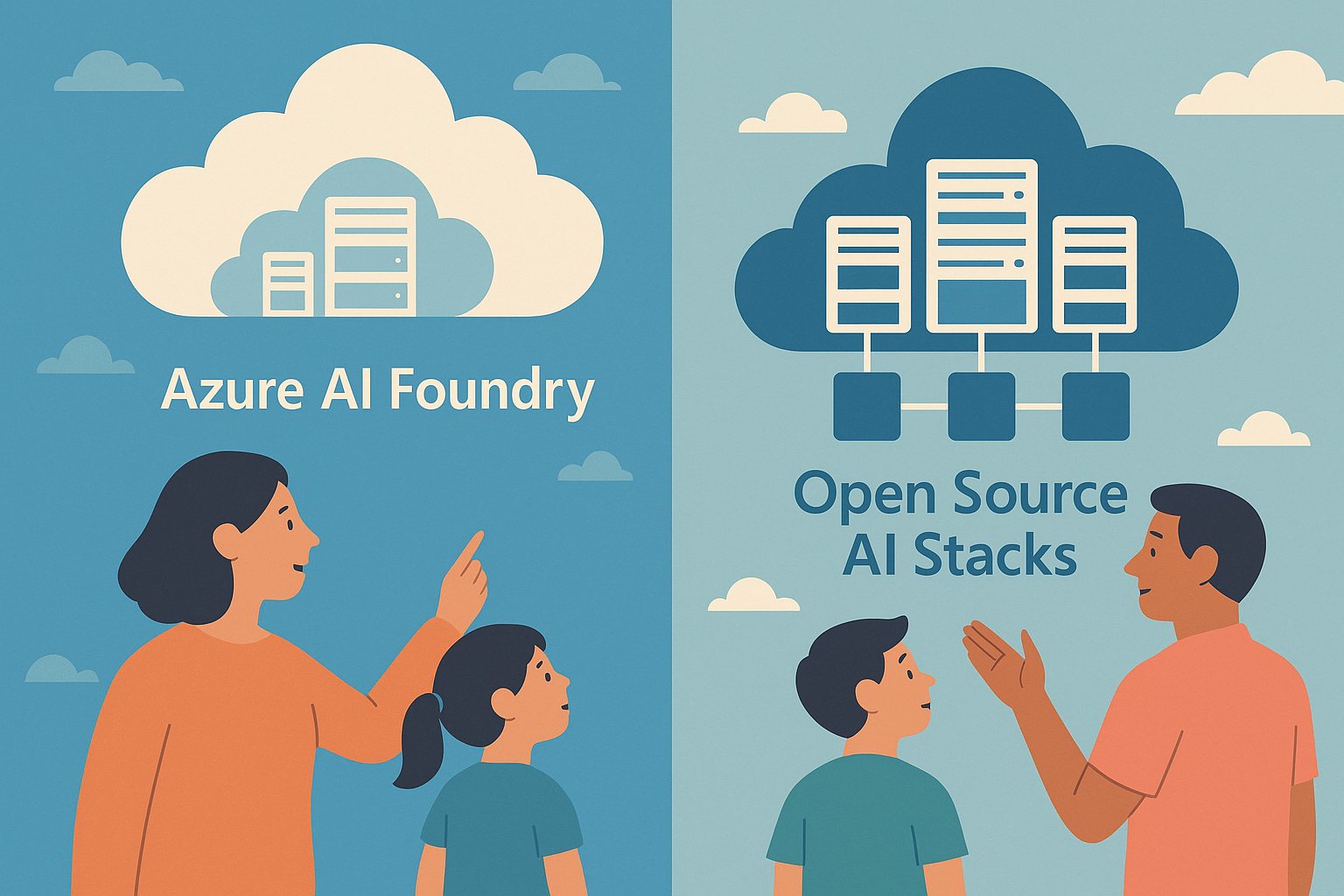
  • Azure AI Foundry vs Open Source Stacks: Which Path Fits Better in 2026?

    Azure AI Foundry vs Open Source Stacks: Which Path Fits Better in 2026?

    Teams choosing an AI platform in 2026 usually face the same tradeoff: managed convenience versus open-source control. Neither path is automatically better.

    Choose Azure AI Foundry When

    • You want faster enterprise rollout
    • You need built-in governance and integration
    • Your team prefers less platform maintenance

    Choose Open Source When

    • You need deeper model and infrastructure control
    • You want portability across clouds
    • You can support the operational complexity

    The Real Decision

    The right answer depends less on ideology and more on internal skills, compliance needs, and how much platform ownership your team can realistically handle.