Tag: Cloud Governance

  • Azure Policy as Code: How to Govern Cloud Resources at Scale Without Losing Your Mind

    Azure Policy as Code: How to Govern Cloud Resources at Scale Without Losing Your Mind

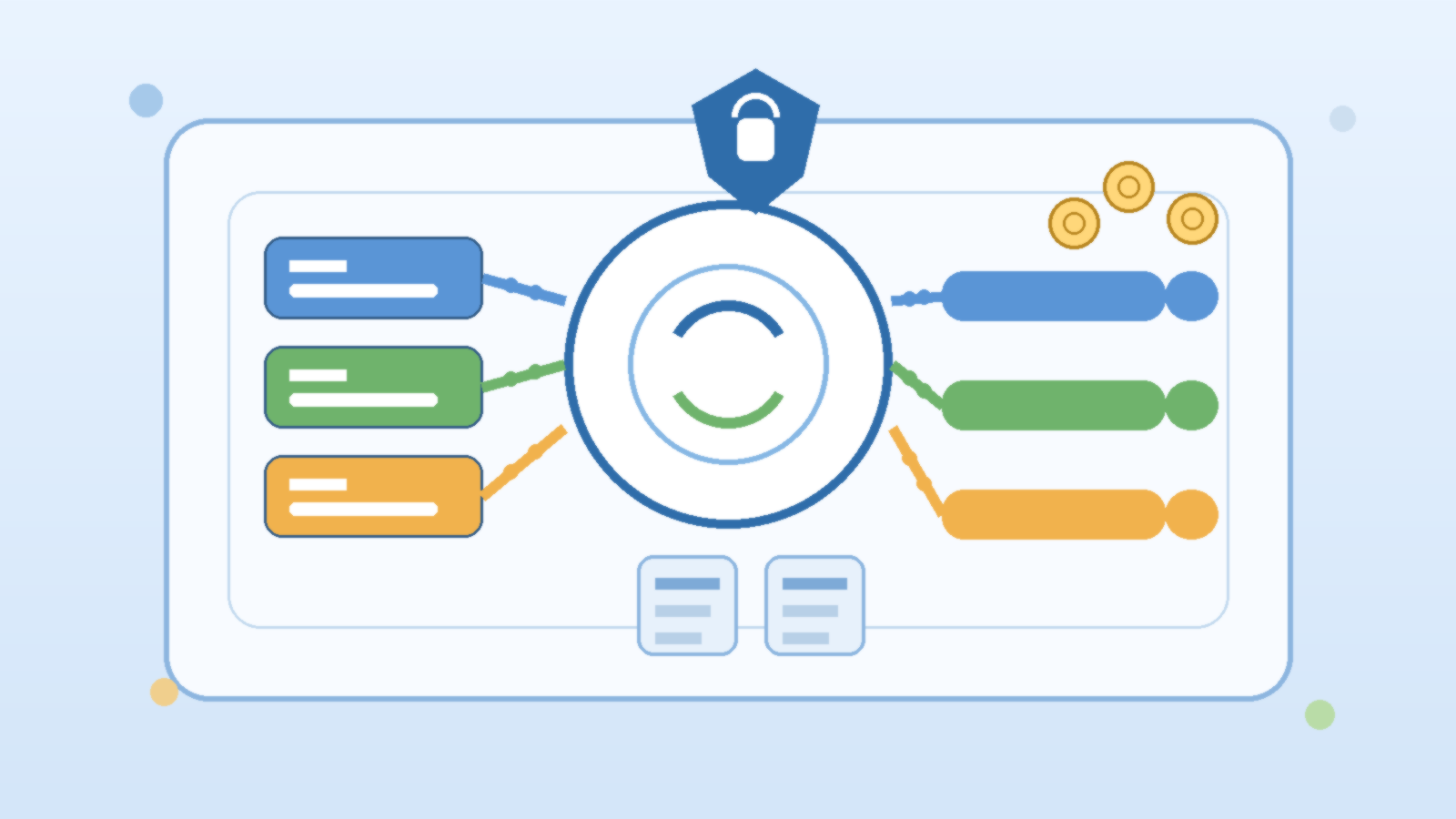
    If you’ve spent any time managing a non-trivial Azure environment, you’ve probably hit the same wall: things drift. Someone creates a storage account without encryption at rest. A subscription gets spun up without a cost center tag. A VM lands in a region you’re not supposed to use. Manual reviews catch some of it, but not all of it — and by the time you catch it, the problem has already been live for weeks.

    Azure Policy offers a solution, but clicking through the Azure portal to define and assign policies one at a time doesn’t scale. The moment you have more than a handful of subscriptions or a team larger than one person, you need something more disciplined. That’s where Policy as Code (PaC) comes in.

    This guide walks through what Policy as Code means for Azure, how to structure a working repository, the key operational decisions you’ll need to make, and how to wire it all into a CI/CD pipeline so governance is automatic — not an afterthought.


    What “Policy as Code” Actually Means

    The phrase sounds abstract, but the idea is simple: instead of managing your Azure Policies through the portal, you store them in a Git repository as JSON or Bicep files, version-control them like any other infrastructure code, and deploy them through an automated pipeline.

    This matters for several reasons.

    First, Git history becomes your audit trail. Every policy change, every exemption, every assignment — it’s all tracked with who changed it, when, and why (assuming your team writes decent commit messages). That’s something the portal can never give you.

    Second, you can enforce peer review. If someone wants to create a new “allowed locations” policy or relax an existing deny effect, they open a pull request. Your team reviews it before it goes anywhere near production.

    Third, you get consistency across environments. A staging environment governed by a slightly different set of policies than production is a gap waiting to become an incident. Policy as Code makes it easy to parameterize for environment differences without maintaining completely separate policy definitions.

    Structuring Your Policy Repository

    There’s no single right structure, but a layout that has worked well across a variety of team sizes looks something like this:

    azure-policy/
      policies/
        definitions/
          storage-require-https.json
          require-resource-tags.json
          allowed-vm-skus.json
        initiatives/
          security-baseline.json
          tagging-standards.json
      assignments/
        subscription-prod.json
        subscription-dev.json
        management-group-root.json
      exemptions/
        storage-legacy-project-x.json
      scripts/
        deploy.ps1
        test.ps1
      .github/
        workflows/
          policy-deploy.yml

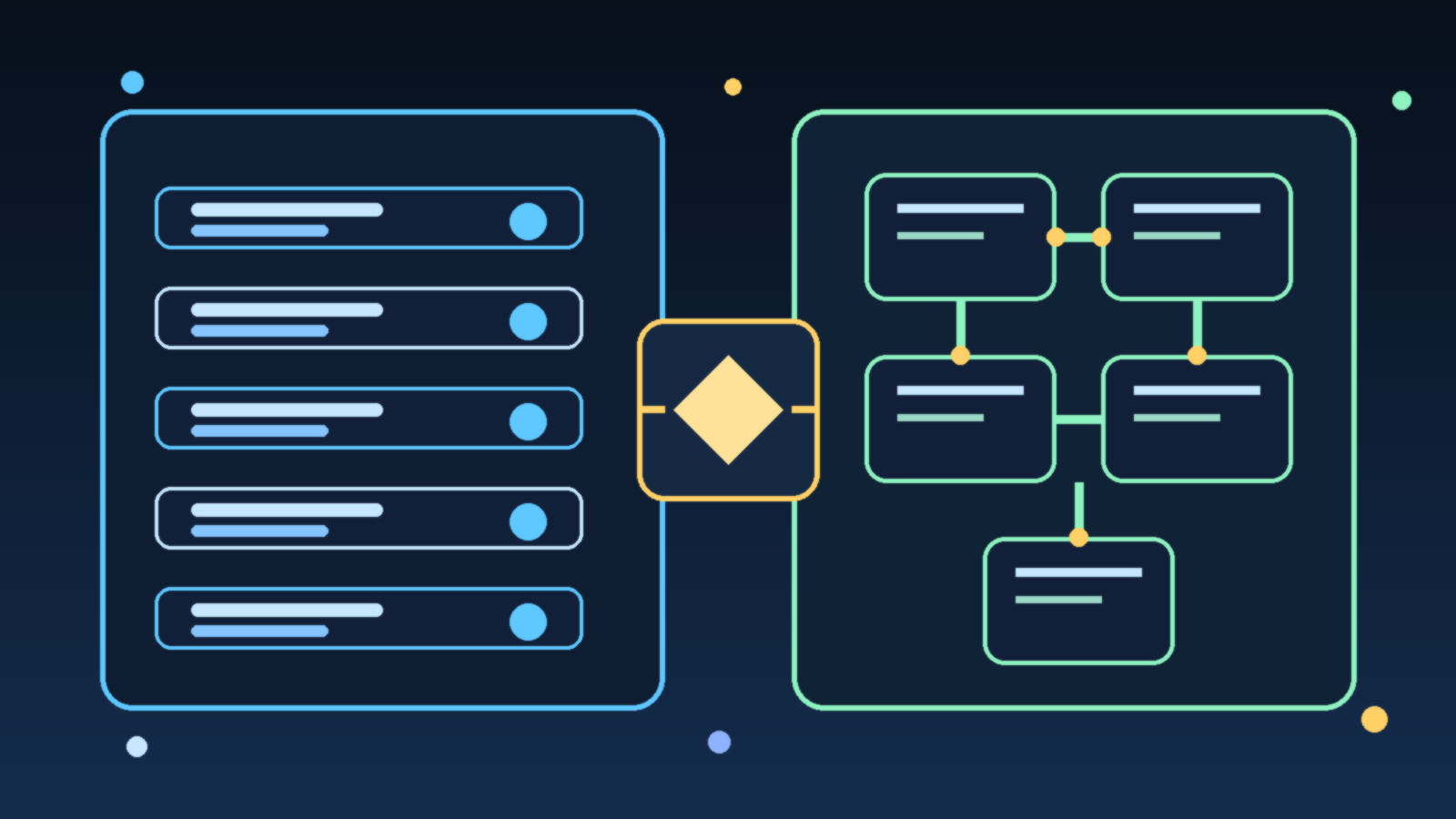
    Policy definitions live in policies/definitions/ — these are the raw policy rule files. Initiatives (policy sets) group related definitions together in policies/initiatives/. Assignments connect initiatives or individual policies to scopes (subscriptions, management groups, resource groups) and live in assignments/. Exemptions are tracked separately so they’re visible and reviewable rather than buried in portal configuration.

    Writing a Solid Policy Definition

    A policy definition file is JSON with a few key sections: displayName, description, mode, parameters, and policyRule. Here’s a practical example — requiring that all storage accounts enforce HTTPS-only traffic:

    {
      "displayName": "Storage accounts should require HTTPS-only traffic",
      "description": "Ensures that all Azure Storage accounts are configured with supportsHttpsTrafficOnly set to true.",
      "mode": "Indexed",
      "parameters": {
        "effect": {
          "type": "String",
          "defaultValue": "Audit",
          "allowedValues": ["Audit", "Deny", "Disabled"]
        }
      },
      "policyRule": {
        "if": {
          "allOf": [
            {
              "field": "type",
              "equals": "Microsoft.Storage/storageAccounts"
            },
            {
              "field": "Microsoft.Storage/storageAccounts/supportsHttpsTrafficOnly",
              "notEquals": true
            }
          ]
        },
        "then": {
          "effect": "[parameters('effect')]"
        }
      }
    }

    A few design choices worth noting. The effect is parameterized — this lets you assign the same definition with Audit in dev (to surface violations without blocking) and Deny in production (to actively block non-compliant resources). Hardcoding the effect is a common early mistake that forces you to maintain duplicate definitions for different environments.

    The mode of Indexed means this policy only evaluates resource types that support tags and location. For policies targeting resource group properties or subscription-level resources, use All instead.

    Grouping Policies into Initiatives

    Individual policy definitions are powerful, but assigning them one at a time to every subscription is tedious and error-prone. Initiatives (also called policy sets) let you bundle related policies and assign the whole bundle at once.

    A tagging standards initiative might group together policies for requiring a cost-center tag, requiring an owner tag, and inheriting tags from the resource group. An initiative like this assigns cleanly at the management group level, propagates down to all subscriptions, and can be updated in one place when your tagging requirements change.

    Define your initiatives in a JSON file and reference the policy definitions by their IDs. When you deploy via the pipeline, definitions go up first, then initiatives get built from them, then assignments connect initiatives to scopes — order matters.

    Testing Policies Before They Touch Production

    There are two kinds of pain with policy governance: violations you catch before deployment, and violations you discover after. Policy as Code should maximize the first kind.

    Linting and schema validation can run in your CI pipeline on every pull request. Tools like the Azure Policy VS Code extension or Bicep’s built-in linter catch structural errors before they ever reach Azure.

    What-if analysis is available for some deployment scenarios. More practically, deploy to a dedicated governance test subscription first. Assign your policy with Audit effect, then run your compliance scripts and check the compliance report. If expected-compliant resources show as non-compliant, your policy logic has a bug.

    Exemptions are another testing tool — if a specific resource legitimately needs to be excluded from a policy (legacy system, approved exception, temporary dev environment), track that exemption in your repo with a documented justification and expiry date. Exemptions that live only in the portal are invisible and tend to become permanent by accident.

    Wiring Policy Deployment into CI/CD

    A minimal GitHub Actions workflow for policy deployment looks something like this:

    name: Deploy Azure Policies
    
    on:
      push:
        branches: [main]
        paths:
          - 'policies/**'
          - 'assignments/**'
          - 'exemptions/**'
      pull_request:
        branches: [main]
    
    jobs:
      validate:
        runs-on: ubuntu-latest
        steps:
          - uses: actions/checkout@v4
          - name: Validate policy JSON
            run: |
              find policies/ -name '*.json' | xargs -I {} python3 -c "import json,sys; json.load(open('{}'))" && echo "All JSON valid"
    
      deploy:
        runs-on: ubuntu-latest
        needs: validate
        if: github.ref == 'refs/heads/main'
        steps:
          - uses: actions/checkout@v4
          - uses: azure/login@v2
            with:
              creds: ${{ secrets.AZURE_CREDENTIALS }}
          - name: Deploy policy definitions
            run: ./scripts/deploy.ps1 -Stage definitions
          - name: Deploy initiatives
            run: ./scripts/deploy.ps1 -Stage initiatives
          - name: Deploy assignments
            run: ./scripts/deploy.ps1 -Stage assignments

    The key pattern: pull requests trigger validation only. Merges to main trigger the actual deployment. Policy changes that bypass review by going directly to main can be prevented with branch protection rules.

    For Azure DevOps shops, the same pattern applies using pipeline YAML with environment gates — require a manual approval before the assignment stage runs in production if your organization needs that extra checkpoint.

    Common Pitfalls Worth Avoiding

    Starting with Deny effects. The first instinct when you see a compliance gap is to block it immediately. Resist this. Start every new policy with Audit for at least two weeks. Let the compliance data show you what’s actually out of compliance before you start blocking things. Blocking before you understand the landscape leads to surprised developers and emergency exemptions.

    Scope creep in initiatives. It’s tempting to build one giant “everything” initiative. Don’t. Break initiatives into logical domains — security baseline, tagging standards, allowed regions, allowed SKUs. Smaller initiatives are easier to update, easier to understand, and easier to exempt selectively when needed.

    Not versioning your initiatives. When you change an initiative — adding a new policy, changing parameters — update the initiative’s display name and maintain a changelog. Initiatives that silently change are hard to reason about in compliance reports.

    Forgetting inherited policies. If you’re working in a larger organization where your management group already has policies assigned from above, those assignments interact with yours. Map the existing policy landscape before you assign new policies, especially deny-effect ones, to avoid conflicts or redundant coverage.

    Not cleaning up exemptions. Exemptions with no expiry date live forever. Add an expiry review process — even a simple monthly script that lists exemptions older than 90 days — and review whether they’re still justified.

    Getting Started Without Boiling the Ocean

    If you’re starting from scratch, a practical week-one scope is:

    1. Pick three policies you know you need: require encryption at rest on storage accounts, require tags on resource groups, deny resources in non-approved regions.
    2. Stand up a policy repo with the folder structure above.
    3. Deploy with Audit effect to a dev subscription.
    4. Fix the real violations you find rather than exempting them.
    5. Set up the CI/CD pipeline so future changes require a pull request.

    That scope is small enough to finish and large enough to prove the value. From there, building out a full security baseline initiative and expanding to production becomes a natural next step rather than a daunting project.

    Policy as Code isn’t glamorous, but it’s the difference between a cloud environment that drifts toward chaos and one that stays governable as it grows. The portal will always let you click things in. The question is whether anyone will know what got clicked, why, or whether it’s still correct six months later. Code and version control answer all three.
  • Kubernetes vs. Azure Container Apps: How to Choose the Right Container Platform for Your Team

    Kubernetes vs. Azure Container Apps: How to Choose the Right Container Platform for Your Team

    Containerization changed how teams build and ship software. But choosing how to run those containers is a decision that has major downstream effects on your team's operational overhead, cost structure, and architectural flexibility. Two options that come up most often in Azure environments are Azure Kubernetes Service (AKS) and Azure Container Apps (ACA). They both run containers. They both scale. And they both sit in Azure. So what actually separates them — and when does each one win?

    This post breaks down the key differences so you can make a clear, informed choice rather than defaulting to “just use Kubernetes” because it's familiar.

    What Each Platform Actually Is

    Azure Kubernetes Service (AKS) is Microsoft's managed Kubernetes offering. You still manage node pools, configure networking, handle storage classes, set up ingress controllers, and reason about cluster capacity. Azure handles the Kubernetes control plane, but everything from the node level down is on you. AKS gives you the full Kubernetes API — every knob, every operator, every custom resource definition.

    Azure Container Apps (ACA) is a fully managed, serverless container platform. Under the hood it runs on Kubernetes and KEDA (the Kubernetes-based event-driven autoscaler), but that entire layer is completely hidden from you. You deploy containers. You define scale rules. Azure takes care of everything else, including zero-scale when traffic drops to nothing.

    The simplest mental model: AKS is infrastructure you control; ACA is a platform that controls itself.

    Operational Complexity: The Real Cost of Kubernetes

    Kubernetes is powerful, but it does not manage itself. On AKS, someone on your team needs to own the cluster. That means patching node pools when new Kubernetes versions drop, right-sizing VM SKUs, configuring cluster autoscaler settings, setting up an ingress controller (NGINX, Application Gateway Ingress Controller, or another option), managing Persistent Volume Claims for stateful workloads, and wiring up monitoring with Azure Monitor or Prometheus.

    None of this is particularly hard if you have a dedicated platform or DevOps team. But for a team of five developers shipping a SaaS product, this is real overhead that competes with feature work. A misconfigured cluster autoscaler during a traffic spike does not just cause degraded performance — it can cascade into an outage.

    Azure Container Apps removes this entire layer. There are no nodes to patch, no ingress controllers to configure, no cluster autoscaler to tune. You push a container image, configure environment variables and scale rules, and the platform handles the rest. For teams without dedicated infrastructure engineers, this is a significant productivity multiplier.

    Scaling Behavior: When ACA's Serverless Model Shines

    Azure Container Apps was built from the ground up around event-driven autoscaling via KEDA. Out of the box, ACA can scale your containers based on HTTP traffic, CPU, memory, Azure Service Bus queue depth, Azure Event Hub consumer lag, or any custom metric KEDA supports. More importantly, it can scale all the way to zero replicas when there is nothing to process — and you pay nothing while scaled to zero.

    This makes ACA an excellent fit for workloads with bursty or unpredictable traffic patterns: background job processors, webhook handlers, batch pipelines, internal APIs that see low-to-moderate traffic. If your workload sits idle for hours at a time, the cost savings from zero-scale can be substantial.

    AKS supports horizontal pod autoscaling and KEDA as an add-on, but scaling to zero requires additional configuration, and you still pay for the underlying nodes even if no pods are scheduled on them (unless you are also using Virtual Nodes or node pool autoscaling all the way down to zero, which adds more complexity). For baseline-heavy workloads that always run, AKS's fixed node cost is predictable and can be cheaper than per-request ACA billing at high sustained loads.

    Networking and Ingress: AKS Wins on Flexibility

    If your architecture involves complex networking requirements — internal load balancers, custom ingress routing rules, mutual TLS between services, integration with existing Azure Application Gateway or Azure Front Door configurations, or network policies enforced at the pod level — AKS gives you the surface area to configure all of it precisely.

    Azure Container Apps provides built-in ingress with HTTPS termination, traffic splitting for blue/green and canary deployments, and Dapr integration for service-to-service communication. For many teams, that is more than enough. But if you need to bolt Container Apps into an existing hub-and-spoke network topology with specific NSG rules and UDRs, you will find the abstraction starts to fight you. ACA supports VNet integration, but the configuration surface is much smaller than what AKS exposes.

    Multi-Container Architectures and Microservices

    Both platforms support multi-container deployments, but they model them differently. AKS uses Kubernetes Pods, which can contain multiple containers sharing a network namespace and storage volumes. This is the standard pattern for sidecar containers — log shippers, service mesh proxies, init containers for secret injection.

    Azure Container Apps supports multi-container configurations within an environment, and it has first-class support for Dapr as a sidecar abstraction. If you are building microservices that need service discovery, distributed tracing, and pub/sub messaging without wiring it all up manually, Dapr on ACA is genuinely elegant. The trade-off is that you are adopting Dapr's abstraction model, which may or may not align with how your team already thinks about inter-service communication.

    For teams building a large microservices estate with diverse inter-service communication requirements, AKS with a service mesh like Istio or Linkerd still offers the most control. For teams building five to fifteen services that need to talk to each other, ACA with Dapr is often simpler to operate at any given point in the lifecycle.

    Cost Considerations

    Cost is one of the most common decision drivers, and neither platform is universally cheaper. The comparison depends heavily on your workload profile:

    • Low or bursty traffic: ACA's scale-to-zero capability means you pay only for active compute. An API that handles 50 requests per hour costs nearly nothing on ACA. The same workload on AKS requires at least one running node regardless of traffic.
    • High, sustained throughput: AKS with right-sized reserved instances or spot node pools can be significantly cheaper than ACA per-vCPU-hour at high sustained load. ACA's consumption pricing adds up when you are running hundreds of thousands of requests continuously.
    • Operational cost: Do not forget the engineering time needed to manage AKS. Even at a conservative estimate of a few hours per week per cluster, that is a real cost that does not show up in the Azure bill.

    When to Choose AKS

    AKS is the right choice when your requirements push beyond what a managed platform can abstract cleanly. Choose AKS when you have a dedicated platform or DevOps team that can own the cluster, when you need custom Kubernetes operators or CRDs that do not exist as managed services, when your workload has complex stateful requirements with specific storage class needs, when you need precise control over networking at the pod and node level, or when you are running multiple teams with very different workloads that benefit from a shared cluster with namespace isolation and RBAC at scale.

    AKS is also the better choice if your organization has existing Kubernetes expertise and well-established GitOps workflows using tools like Flux or ArgoCD. The investment in that expertise has a higher return on a full Kubernetes environment than on a platform that abstracts it away.

    When to Choose Azure Container Apps

    Azure Container Apps wins when developer productivity and operational simplicity are the primary constraints. Choose ACA when your team does not have or does not want to staff dedicated Kubernetes expertise, when your workloads are event-driven or have variable traffic patterns that benefit from scale-to-zero, when you want built-in Dapr support for microservice communication without managing a service mesh, when you need fast time-to-production without cluster provisioning and configuration overhead, or when you are running internal tooling, staging environments, or background processors where operational complexity would be disproportionate to the workload value.

    ACA has also matured significantly since its initial release. Dedicated plan pricing, GPU support, and improved VNet integration have addressed many of the early limitations that pushed teams toward AKS by default. It is worth re-evaluating ACA even if you dismissed it a year or two ago.

    The Decision in One Question

    If you could only ask one question to guide this decision, ask this: Does your team want to operate a container platform, or use one?

    AKS is for teams that want — or need — to operate a platform. ACA is for teams that want to use one. Both are excellent tools. Neither is the wrong answer in the right context. The mistake is defaulting to one without honestly evaluating what your specific team, workload, and organizational constraints actually need.

  • Azure OpenAI Service vs. Azure AI Foundry: How to Choose the Right Entry Point for Your Enterprise

    Azure OpenAI Service vs. Azure AI Foundry: How to Choose the Right Entry Point for Your Enterprise

    The Short Answer: They Are Not the Same Thing

    If you have been trying to figure out whether to use Azure OpenAI Service or Azure AI Foundry for your enterprise AI workloads, you are not alone. Microsoft has been actively evolving both offerings, and the naming has not made things easier. Both products live under the broader Azure AI umbrella, both can serve GPT-4o and other OpenAI models, and both show up in the same Azure documentation sections. But they solve different problems, and picking the wrong one upfront will cost you rework later.

    This post breaks down what each service actually does, where they overlap, and how to choose between them when you are scoping an enterprise AI project in 2025 and beyond.

    What Azure OpenAI Service Actually Is

    Azure OpenAI Service is a managed API endpoint that gives you access to OpenAI foundation models — GPT-4o, GPT-4, o1, and others — hosted entirely within Azure’s infrastructure. It is the straightforward path if your primary need is calling a powerful language model from your application while keeping data inside your Azure tenant.

    The key properties that make it compelling for enterprises are data residency, private networking support via Virtual Network integration and private endpoints, and Microsoft’s enterprise compliance commitments. Your prompts and completions do not leave your Azure region, and the model does not train on your data. For regulated industries — healthcare, finance, government — these are non-negotiable requirements, and Azure OpenAI Service checks them.

    Azure OpenAI is also the right choice if your team is building something relatively focused: a document summarization pipeline, a customer support bot backed by a single model, or an internal search augmented with GPT. You provision a deployment, set token quotas, configure a network boundary, and call the API. The operational surface is small and predictable.

    What Azure AI Foundry Actually Is

    Azure AI Foundry (previously called Azure AI Studio in earlier iterations) is a platform layer on top of — and alongside — Azure OpenAI Service. It is designed for teams that need more than a single model endpoint. Think of it as the full development and operations environment for building, evaluating, and deploying AI-powered applications at enterprise scale.

    With Azure AI Foundry you get access to a model catalog that goes well beyond OpenAI’s models. Mistral, Meta’s Llama family, Cohere, Phi, and dozens of other models are available for evaluation and deployment through the same interface. This is significant: it means you are not locked into a single model vendor for every use case, and you can run comparative evaluations across models without managing separate deployment pipelines for each.

    Foundry also introduces the concept of AI projects and hubs, which provide shared governance, cost tracking, and access control across multiple AI initiatives within an organization. If your enterprise has five different product teams all building AI features, Foundry’s hub model gives central platform engineering a single place to manage quota, enforce security policies, and audit usage — without requiring every team to configure their own independent Azure OpenAI instances from scratch.

    The Evaluation and Observability Gap

    One of the most practical differences between the two services shows up when you need to measure whether your AI application is actually working. Azure OpenAI Service gives you token usage metrics, latency data, and error rates through Azure Monitor. That is useful for operations but tells you nothing about output quality.

    Azure AI Foundry includes built-in evaluation tooling that lets you run systematic quality assessments on prompts, RAG pipelines, and fine-tuned models. You can define evaluation datasets, score model outputs against custom criteria such as groundedness, relevance, and coherence, and compare results across model versions or configurations. For enterprise teams that need to demonstrate AI accuracy and reliability to internal stakeholders or regulators, this capability closes a real gap.

    If your organization is past the prototype stage and is trying to operationalize AI responsibly — which increasingly means being able to show evidence that outputs meet quality standards — Foundry’s evaluation layer is not optional overhead. It is how you build the governance documentation that auditors and risk teams are starting to ask for.

    Agent and Orchestration Capabilities

    Azure AI Foundry is also where Microsoft has been building out its agentic AI capabilities. The Azure AI Agent Service, which reached general availability in 2025, is provisioned and managed through Foundry. It provides a hosted runtime for agents that can call tools, execute code, search indexed documents, and chain steps together without you managing the orchestration infrastructure yourself.

    This matters if you are moving from single-turn model queries to multi-step automated workflows. A customer onboarding process that calls a CRM, checks a knowledge base, generates a document, and sends a notification is an agent workflow, not a prompt. Azure OpenAI Service alone will not run that for you. You need Foundry’s agent infrastructure, or you need to build your own orchestration layer with something like Semantic Kernel or LangChain deployed on your own compute.

    For teams that want a managed path to production agents without owning the runtime, Foundry is the clear choice. For teams that already have a mature orchestration framework in place and just need reliable model endpoints, Azure OpenAI Service may be sufficient for the model-calling layer.

    Cost and Complexity Trade-offs

    Azure OpenAI Service has a simpler cost model. You pay for tokens consumed through your deployments, with optional provisioned throughput reservations if you need predictable latency under load. There are no additional platform fees layered on top.

    Azure AI Foundry introduces more variables. Certain model deployments — particularly serverless API deployments for third-party models — are billed differently than Azure OpenAI deployments. Storage, compute for evaluation runs, and agent execution each add line items. For a large organization running dozens of AI projects, the observability and governance benefits likely justify the added complexity. For a small team building a single application, the added surface area may create more overhead than value.

    There is also an operational complexity dimension. Foundry’s hub and project model requires initial setup and ongoing administration. Getting the right roles assigned, connecting the right storage accounts, and configuring network policies for a Foundry hub takes more time than provisioning a standalone Azure OpenAI instance. Budget that time explicitly if you are choosing Foundry for a new initiative.

    A Simple Framework for Choosing

    Here is the decision logic that tends to hold up in practice:

    • Use Azure OpenAI Service if you have a focused, single-model application, your team is comfortable managing its own orchestration, and your primary requirements are data privacy, compliance, and a stable API endpoint.
    • Use Azure AI Foundry if you need multi-model evaluation, agent-based workflows, centralized governance across multiple AI projects, or built-in quality evaluation for responsible AI compliance.
    • Use both if you are building a mature enterprise platform. Foundry projects can connect to Azure OpenAI deployments. Many organizations run Azure OpenAI for production endpoints and use Foundry for evaluation, prompt management, and agentic workloads sitting alongside.

    The worst outcome is treating this as an either/or architecture decision locked in forever. Microsoft has built these services to complement each other. Start with the tighter scope of Azure OpenAI Service if you need something in production quickly, and layer in Foundry capabilities as your governance and operational maturity needs grow.

    The Bottom Line

    Azure OpenAI Service and Azure AI Foundry are not competing products — they are different layers of the same enterprise AI stack. Azure OpenAI gives you secure, compliant model endpoints. Azure AI Foundry gives you the platform to build, evaluate, govern, and operate AI applications at scale. Understanding the boundary between them is the first step to choosing an architecture that will not need to be rebuilt in six months when your requirements expand.

  • How to Separate Dev, Test, and Prod Models in Azure AI Without Tripling Your Governance Overhead

    How to Separate Dev, Test, and Prod Models in Azure AI Without Tripling Your Governance Overhead

    Most enterprise teams understand the need to separate development, test, and production environments for ordinary software. The confusion starts when AI enters the stack. Some teams treat models, prompts, connectors, and evaluation data as if they can float across environments with only light labeling. That usually works until a prototype prompt leaks into production, a test connector touches live content, or a platform team realizes that its audit trail cannot clearly explain which behavior belonged to which stage.

    Environment separation for AI is not only about keeping systems neat. It is about preserving trust in how model-backed behavior is built, reviewed, and released. The goal is not to create three times as much bureaucracy. The goal is to keep experimentation flexible while making production behavior boring in the best possible way.

    Separate More Than the Endpoint

    A common mistake is to say an AI platform has proper environment separation because development uses one deployment name and production uses another. That is a start, but it is not enough. Strong separation usually includes the model deployment, prompt configuration, tool permissions, retrieval sources, secrets, logging destinations, and approval path. If only the endpoint changes while everything else stays shared, the system still has plenty of room for cross-environment confusion.

    This matters because AI behavior is assembled from several moving parts. The model is only one layer. A team may keep production on a stable deployment while still allowing a development prompt template, a loose retrieval connector, or a broad service principal to shape what happens in practice. Clean boundaries come from the full path, not from one variable in an app settings file.

    Let Development Move Fast, but Keep Production Boring

    Development environments should support quick prompt iteration, evaluation experiments, and integration changes. That freedom is useful because AI systems often need more tuning cycles than conventional application features. The problem appears when teams quietly import that experimentation style into production. A platform becomes harder to govern when the live environment is treated like an always-open workshop.

    The healthier pattern is to make development intentionally flexible and production intentionally predictable. Developers can explore different prompt structures, tool choices, and ranking logic in lower environments, but the release path into production should narrow sharply. A production change should look like a reviewed release, not a late-night tweak that happened to improve a metric.

    Use Test Environments to Validate Operational Behavior, Not Just Output Quality

    Many teams use test environments only to see whether the answer looks right. That is too small a role for a critical stage. Test should also validate the operational behavior around the model: access control, logging, rate limits, fallback behavior, content filtering, connector scope, and cost visibility. If those controls are not exercised before production, the organization is not really testing the system it plans to operate.

    That operational focus is especially important when several internal teams share the same AI platform. A production incident rarely begins with one wrong sentence on a screen. It usually begins with a control that behaved differently than expected under real load or with real data. Test environments exist to catch those mismatches while the blast radius is still small.

    Keep Identity and Secret Boundaries Aligned to the Environment

    Environment separation breaks down quickly when identities are shared. If development, test, and production all rely on the same broad credential or connector identity, the labels may differ while the risk stays the same. Separate managed identities, narrower role assignments, and environment-specific secret scopes make it much easier to understand what each stage can actually touch.

    This is one of those areas where small shortcuts create large future confusion. Shared identities make early setup easier, but they also blur ownership during incident response and audit review. When a risky retrieval or tool call appears in logs, teams should be able to tell immediately which environment made it and what permissions it was supposed to have.

    Treat Prompt and Retrieval Changes Like Release Artifacts

    AI teams sometimes version code carefully while leaving prompts and retrieval settings in a loose operational gray zone. That gap is dangerous because those assets often shape behavior more directly than the surrounding application code. Prompt templates, grounding strategies, ranking weights, and safety instructions should move through environments with the same basic discipline as application releases.

    That does not require heavyweight ceremony. It does require traceability. Teams should know which prompt set is active in each environment, what changed between versions, and who approved the production promotion. The point is not to slow learning. The point is to prevent a platform from becoming impossible to explain after six months of rapid iteration.

    Avoid Multiplying Governance by Standardizing the Control Pattern

    Some leaders resist stronger separation because they assume it means three independent stacks of policy and paperwork. That is the wrong design target. Good platform teams standardize the control pattern across environments while changing the risk posture at each stage. The same policy families can exist everywhere, but production should have tighter defaults, narrower permissions, stronger approvals, and more durable logging.

    That approach reduces overhead because engineers learn one operating model instead of three unrelated ones. It also improves governance quality. Reviewers can compare development, test, and production using the same conceptual map: identity, connector scope, prompt version, model deployment, approval gate, telemetry, and rollback path.

    Define Promotion Rules Before the First High-Pressure Launch

    The worst time to invent environment rules is during a rushed release. Promotion criteria should exist before the platform becomes politically important. A practical checklist might require evaluation results above a defined threshold, explicit review of tool permissions, confirmation of logging coverage, connector scope verification, and a documented rollback plan. Those are not glamorous tasks, but they prevent fragile launches.

    Production AI should feel intentionally promoted, not accidentally arrived at. If a team cannot explain why a model behavior is ready for production, it probably is not. The discipline may look fussy during calm weeks, but it becomes invaluable during audits, incidents, and leadership questions about how the system is actually controlled.

    Final Takeaway

    Separating dev, test, and prod in Azure AI is not about pretending AI needs a totally new operating philosophy. It is about applying familiar environment discipline to a stack that includes models, prompts, connectors, identities, and evaluation flows. Teams that separate those elements cleanly usually move faster over time because production becomes easier to trust and easier to debug.

    Teams that skip the discipline often discover the same lesson the hard way: a shared AI platform becomes expensive and politically fragile when nobody can prove which environment owned which behavior. Strong separation keeps experimentation useful and governance manageable at the same time.

  • Why Internal AI Automations Need a Kill Switch Before Wider Rollout

    Why Internal AI Automations Need a Kill Switch Before Wider Rollout

    Teams love to talk about what an internal AI automation can do when it works. They spend much less time deciding how to stop it when it behaves badly. That imbalance is risky. The more an assistant can read, generate, route, or trigger on behalf of a team, the more important it becomes to have an emergency brake that is obvious, tested, and fast.

    A kill switch is not a dramatic movie prop. It is a practical operating control. It gives humans a clean way to pause automation before a noisy model response becomes a customer issue, a compliance event, or a chain of bad downstream updates. If an organization is ready to let AI touch real workflows, it should be ready to stop those workflows just as quickly.

    What a Kill Switch Actually Means

    In enterprise AI, a kill switch is any control that can rapidly disable a model-backed action path without requiring a long deployment cycle. That may be a feature flag, a gateway policy, a queue pause, a connector disablement, or a role-based control that removes write access from an agent. The exact implementation matters less than the outcome: the risky behavior stops now, not after a meeting tomorrow.

    The strongest designs use more than one level. A product team might have an application-level toggle for a single feature, while the platform team keeps a broader control that can block an entire integration or tenant-wide route. That layering matters because some failures are local and some are systemic.

    Why Prompt Quality Is Not Enough Protection

    Many AI programs still overestimate how much safety can be achieved through careful prompting alone. Good prompts help, but they do not eliminate model drift, bad retrieval, broken tool permissions, malformed outputs, or upstream data problems. When the failure mode moves from “odd text on a screen” to “the system changed something important,” operational controls matter more than prompt polish.

    This is especially true for internal agents that can create tickets, update records, summarize regulated content, or trigger secondary automations. In those systems, a single bad assumption can spread faster than a reviewer can read logs. The point of a kill switch is to bound blast radius before forensics become a scavenger hunt.

    Place the Emergency Stop at the Control Plane, Not Only in the App

    If the only way to disable a risky AI workflow is to redeploy the product, the control is too slow. Better teams place stop controls in the parts of the system that sit upstream of the model and downstream actions. API gateways, orchestration services, feature management systems, message brokers, and policy engines are all good places to anchor a pause capability.

    Control-plane stops are useful because they can interrupt behavior even when the application itself is under stress. They also create cleaner separation of duties. A security or platform engineer should not need to edit business logic in a hurry just to stop an unsafe route. They should be able to block the path with a governed operational control.

    • Block all write actions while still allowing read-only diagnostics.
    • Disable a single connector without taking down the full assistant experience.
    • Route traffic to a safe fallback model or static response.
    • Pause queue consumers so harmful outputs do not fan out to downstream systems.

    Those options give incident responders room to stabilize the situation without erasing evidence or turning off every helpful capability at once.

    Define Clear Triggers Before You Need Them

    A kill switch fails when nobody agrees on when to use it. Strong teams define activation thresholds ahead of time. That may include repeated hallucinated policy guidance, unusually high tool-call error rates, suspicious data egress patterns, broken moderation outcomes, or unexplained spikes in automated changes. The threshold does not have to be perfect, but it has to be concrete enough that responders are not arguing while the system keeps running.

    It also helps to separate temporary caution from full shutdown. For example, a team may first drop the assistant into read-only mode, then disable external connectors, then fully block inference if the problem persists. Graduated response levels are calmer and usually more sustainable than a single giant on-off decision.

    Make Ownership Obvious

    One of the most common enterprise failure patterns is shared ownership with no real operator. The application team assumes the platform team can stop the workflow. The platform team assumes the product owner will make the call. Security notices the problem but is not sure which switch is safe to touch. That is how minor issues become long incidents.

    Every important AI automation should answer four operational questions in plain language: who can pause it, who approves a restart, where the control lives, and what evidence must be checked before turning it back on. If those answers are hidden in tribal knowledge, the design is unfinished.

    Test the Stop Path Like a Real Feature

    Organizations routinely test model quality, latency, and cost. They should test emergency shutdowns with the same seriousness. A kill switch that exists only on an architecture slide is not a control. Run drills. Confirm that the right people can access it, that logs still capture the event, that fallback behavior is understandable, and that the pause does not silently leave a dangerous side channel open.

    These drills do not need to be theatrical. A practical quarterly exercise is enough for many teams: simulate a bad retrieval source, a runaway connector, or a model policy regression, then measure how long it takes to pause the workflow and communicate status. The exercise usually reveals at least one hidden dependency worth fixing.

    Use Restarts as a Deliberate Decision, Not a Reflex

    Turning an AI automation back on should be a controlled release, not an emotional relief valve. Before re-enabling, teams should verify the triggering condition, validate the fix, review logs for collateral effects, and confirm that the same issue will not instantly recur. If the automation writes into business systems, a second set of eyes is often worth the extra few minutes.

    That discipline protects credibility. Teams lose trust in internal AI faster when the system fails, gets paused, then comes back with the same problem an hour later. A deliberate restart process tells the organization that automation is being operated like infrastructure, not treated like a toy with admin access.

    Final Takeaway

    The most mature AI teams do not just ask whether a workflow can be automated. They ask how quickly they can contain it when reality gets messy. A kill switch is not proof that a program lacks confidence. It is proof that the team understands systems fail in inconvenient ways and plans accordingly.

    If an internal AI automation is important enough to connect to real data and real actions, it is important enough to deserve a fast, tested, well-owned way to stop. Wider rollout should come after that control exists, not before.

  • How to Build an Azure Landing Zone for Internal AI Prototypes Without Slowing Down Every Team

    How to Build an Azure Landing Zone for Internal AI Prototypes Without Slowing Down Every Team

    Internal AI projects usually start with good intentions and almost no guardrails. A team wants to test a retrieval workflow, wire up a model endpoint, connect a few internal systems, and prove business value quickly. The problem is that speed often turns into sprawl. A handful of prototypes becomes a pile of unmanaged resources, unclear data paths, shared secrets, and costs that nobody remembers approving. The fix is not a giant enterprise architecture review. It is a practical Azure landing zone built specifically for internal AI experimentation.

    A good landing zone for AI prototypes gives teams enough freedom to move fast while making sure identity, networking, logging, budget controls, and data boundaries are already in place. If you get that foundation right, teams can experiment without creating cleanup work that security, platform engineering, and finance will be untangling six months later.

    Start with a separate prototype boundary, not a shared innovation playground

    One of the most common mistakes is putting every early AI effort into one broad subscription or one resource group called something like innovation. It feels efficient at first, but it creates messy ownership and weak accountability. Teams share permissions, naming drifts immediately, and no one is sure which storage account, model deployment, or search service belongs to which prototype.

    A better approach is to define a dedicated prototype boundary from the start. In Azure, that usually means a subscription or a tightly governed management group path for internal AI experiments, with separate resource groups for each project or team. This structure makes policy assignment, cost tracking, role scoping, and eventual promotion much easier. It also gives you a clean way to shut down work that never moves beyond the pilot stage.

    Use identity guardrails before teams ask for broad access

    AI projects tend to pull in developers, data engineers, security reviewers, product owners, and business testers. If you wait until people complain about access, the default answer often becomes overly broad Contributor rights and a shared secret in a wiki. That is the exact moment the landing zone starts to fail.

    Use Microsoft Entra groups and Azure role-based access control from day one. Give each prototype its own admin group, developer group, and reader group. Scope access at the smallest level that still lets the team work. If a prototype uses Azure OpenAI, Azure AI Search, Key Vault, storage, and App Service, do not assume every contributor needs full rights to every resource. Split operational roles from application roles wherever you can. That keeps experimentation fast without teaching the organization bad permission habits.

    For sensitive environments, add just-in-time or approval-based elevation for the few tasks that genuinely require broader control. Most prototype work does not need standing administrative access. It needs a predictable path for the rare moments when elevated actions are necessary.

    Define data rules early, especially for internal documents and prompts

    Many internal AI prototypes are not risky because of the model itself. They are risky because teams quickly connect the model to internal documents, tickets, chat exports, customer notes, or knowledge bases without clearly classifying what should and should not enter the workflow. Once that happens, the prototype becomes a silent data integration program.

    Your landing zone should include clear data handling defaults. Decide which data classifications are allowed in prototype environments, what needs masking or redaction, where temporary files can live, and how prompt logs or conversation history are stored. If a team wants to work with confidential content, require a stronger pattern instead of letting them inherit the same defaults as a low-risk proof of concept.

    In practice, that means standardizing on approved storage locations, enforcing private endpoints or network restrictions where appropriate, and making Key Vault the normal path for secrets. Teams move faster when the secure path is already built into the environment rather than presented as a future hardening exercise.

    Bake observability into the landing zone instead of retrofitting it after launch

    Prototype teams almost always focus on model quality first. Logging, traceability, and cost visibility get treated as later concerns. That is understandable, but it becomes expensive fast. When a prototype suddenly gains executive attention, the team is asked basic questions about usage, latency, failure rates, and spending. If the landing zone did not provide a baseline observability pattern, people start scrambling.

    Set expectations that every prototype inherits monitoring from the platform layer. Azure Monitor, Log Analytics, Application Insights, and cost management alerts should not be optional add-ons. At minimum, teams should be able to see request volume, error rates, dependency failures, basic prompt or workflow diagnostics, and spend trends. You do not need a giant enterprise dashboard on day one. You do need enough telemetry to tell whether a prototype is healthy, risky, or quietly becoming a production workload without the controls to match.

    Put budget controls around enthusiasm

    AI experimentation creates a strange budgeting problem. Individual tests feel cheap, but usage grows in bursts. A few enthusiastic teams can create real monthly cost without ever crossing a formal procurement checkpoint. The landing zone should make spending visible and slightly inconvenient to ignore.

    Use budgets, alerts, naming standards, and tagging policies so every prototype can be traced to an owner, a department, and a business purpose. Require tags such as environment, owner, cost center, and review date. Set budget alerts low enough that teams see them before finance does. This is not about slowing down innovation. It is about making sure innovation still has an owner when the invoice arrives.

    Make the path from prototype to production explicit

    A landing zone for internal AI prototypes should never pretend that a prototype environment is production-ready. It should do the opposite. It should make the differences obvious and measurable. If a prototype succeeds, there needs to be a defined promotion path with stronger controls around availability, testing, data handling, support ownership, and change management.

    That promotion path can be simple. For example, you might require an architecture review, a security review, production support ownership, and documented recovery expectations before a workload can move out of the prototype boundary. The important part is that teams know the graduation criteria in advance. Otherwise, temporary environments become permanent because nobody wants to rebuild the solution later.

    Standardize a lightweight deployment pattern

    Landing zones work best when they are more than a policy deck. Teams need a practical starting point. That usually means infrastructure as code templates, approved service combinations, example pipelines, and documented patterns for common internal AI scenarios such as chat over documents, summarization workflows, or internal copilots with restricted connectors.

    If every team assembles its environment by hand, you will get configuration drift immediately. A lightweight template with opinionated defaults is far better. It can include pre-wired diagnostics, standard tags, role assignments, key management, and network expectations. Teams still get room to experiment inside the boundary, but they are not rebuilding the platform layer every time.

    What a practical minimum standard looks like

    If you want a simple starting checklist for an internal AI prototype landing zone in Azure, the minimum standard should include the following elements:

    • Dedicated ownership and clear resource boundaries for each prototype.
    • Microsoft Entra groups and scoped Azure RBAC instead of shared broad access.
    • Approved secret storage through Key Vault rather than embedded credentials.
    • Basic logging, telemetry, and cost visibility enabled by default.
    • Required tags for owner, environment, cost center, and review date.
    • Defined data handling rules for prompts, documents, outputs, and temporary storage.
    • A documented promotion process for anything that starts looking like production.

    That is not overengineering. It is the minimum needed to keep experimentation healthy once more than one team is involved.

    The goal is speed with structure

    The best landing zone for internal AI prototypes is not the one with the most policy objects or the biggest architecture diagram. It is the one that quietly removes avoidable mistakes. Teams should be able to start quickly, connect approved services, observe usage, control access, and understand the difference between a safe experiment and an accidental production system.

    Azure gives organizations enough building blocks to create that balance, but the discipline has to come from the landing zone design. If you want better AI experimentation outcomes, do not wait for the third or fourth prototype to expose the same governance issues. Give teams a cleaner starting point now, while the environment is still small enough to shape on purpose.

  • How to Keep AI Sandbox Subscriptions From Becoming Permanent Azure Debt

    How to Keep AI Sandbox Subscriptions From Becoming Permanent Azure Debt

    AI teams often need a place to experiment quickly. A temporary Azure subscription, a fresh resource group, and a few model-connected services can feel like the fastest route from idea to proof of concept. The trouble is that many sandboxes are only temporary in theory. Once they start producing something useful, they quietly stick around, accumulate access, and keep spending money long after the original test should have been reviewed.

    That is how small experiments turn into permanent Azure debt. The problem is not that sandboxes exist. The problem is that they are created faster than they are governed, and nobody defines the point where a trial environment must either graduate into a managed platform or be shut down cleanly.

    Why AI Sandboxes Age Badly

    Traditional development sandboxes already have a tendency to linger, but AI sandboxes age even worse because they combine infrastructure, data access, identity permissions, and variable consumption costs. A team may start with a harmless prototype, then add Azure OpenAI access, a search index, storage accounts, test connectors, and a couple of service principals. Within weeks, the environment stops being a scratchpad and starts looking like a shadow platform.

    That drift matters because the risk compounds quietly. Costs continue in the background, model deployments remain available, access assignments go stale, and test data starts blending with more sensitive workflows. By the time someone notices, the sandbox is no longer simple enough to delete casually and no longer clean enough to trust as production.

    Set an Expiration Rule Before the First Resource Is Created

    The best time to govern a sandbox is before it exists. Every experimental Azure subscription or resource group should have an expected lifetime, an owner, and a review date tied to the original request. If there is no predefined checkpoint, people will naturally treat the environment as semi-permanent because nobody enjoys interrupting a working prototype to do cleanup paperwork.

    A lightweight expiration rule works better than a vague policy memo. Teams should know that an environment will be reviewed after a defined period, such as 30 or 45 days, and that the review must end in one of three outcomes: extend it with justification, promote it into a managed landing zone, or retire it. That one decision point prevents a lot of passive sprawl.

    Use Azure Policy and Tags to Make Temporary Really Mean Temporary

    Manual tracking breaks down quickly once several teams are running parallel experiments. Azure Policy and tagging give you a more durable way to spot sandboxes before they become invisible. Required tags for owner, cost center, expiration date, and environment purpose make it much easier to query what exists and why it still exists.

    Policy can reinforce those expectations by denying obviously noncompliant deployments or flagging resources that do not meet the minimum metadata standard. The goal is not to punish experimentation. It is to make experimental environments legible enough that platform teams can review them without playing detective across subscriptions and portals.

    Separate Prototype Freedom From Production Access

    A common mistake is letting a sandbox keep reaching further into real enterprise systems because the prototype is showing promise. That is usually the moment when a temporary environment becomes dangerous. Experimental work often needs flexibility, but that is not the same thing as open-ended access to production data, broad service principal rights, or unrestricted network paths.

    A better model is to keep the sandbox useful while limiting what it can touch. Sample datasets, constrained identities, narrow scopes, and approved integration paths let teams test ideas without normalizing risky shortcuts. If a proof of concept truly needs deeper access, that should be the signal to move it into a managed environment instead of stretching the sandbox beyond its original purpose.

    Watch for Cost Drift Before Finance Has To

    AI costs are especially easy to underestimate in a sandbox because usage looks small until several experiments overlap. Model calls, vector indexing, storage growth, and attached services can create a monthly bill that feels out of proportion to the casual way the environment was approved. Once that happens, teams either panic and overcorrect or quietly avoid talking about the spend at all.

    Azure budgets, alerts, and resource-level visibility should be part of the sandbox pattern from the start. A sandbox does not need enterprise-grade finance ceremony, but it does need an early warning system. If an experiment is valuable enough to keep growing, that is good news. It just means the environment should move into a more deliberate operating model before the bill becomes its defining feature.

    Make Promotion a Real Path, Not a Bureaucratic Wall

    Teams keep half-governed sandboxes alive for one simple reason: promotion into a proper platform often feels slower than leaving the prototype alone. If the managed path is painful, people will rationalize the shortcut. That is not a moral failure. It is a design failure in the platform process.

    The healthiest Azure environments give teams a clear migration path from experiment to supported service. That might mean a standard landing zone, reusable infrastructure templates, approved identity patterns, and a documented handoff into operational ownership. When promotion is easier than improvisation, sandboxes stop turning into accidental long-term architecture.

    Final Takeaway

    AI sandboxes are not the problem. Unbounded sandboxes are. If temporary subscriptions have no owner, no expiration rule, no policy shape, and no promotion path, they will eventually become a messy blend of prototype logic, real spend, and unclear accountability.

    The practical fix is to define the sandbox lifecycle up front, tag it clearly, limit what it can reach, and make graduation into a managed Azure pattern easier than neglect. That keeps experimentation fast without letting yesterday’s pilot become tomorrow’s permanent debt.

  • How to Use Azure Policy to Keep AI Sandbox Subscriptions From Becoming Production Backdoors

    How to Use Azure Policy to Keep AI Sandbox Subscriptions From Becoming Production Backdoors

    Abstract blue and violet cloud security illustration with layered shapes and glowing network paths

    AI teams often start in a sandbox subscription for the right reasons. They want to experiment quickly, compare models, test retrieval flows, and try new automation patterns without waiting for every enterprise control to be polished. The problem is that many sandboxes quietly accumulate permanent exceptions. A temporary test environment gets a broad managed identity, a permissive network path, a storage account full of copied data, and a deployment template that nobody ever revisits. A few months later, the sandbox is still labeled non-production, but it has become one of the easiest ways to reach production-adjacent systems.

    Azure Policy is one of the best tools for stopping that drift before it becomes normal. Used well, it gives platform teams a way to define what is allowed in AI sandbox subscriptions, what must be tagged and documented, and what should be blocked outright. It does not replace identity design, network controls, or human approval. What it does provide is a practical way to enforce the baseline rules that keep an experimental environment from turning into a permanent loophole.

    Why AI Sandboxes Drift Faster Than Other Cloud Environments

    Most sandbox subscriptions are created to remove friction. That is exactly why they become risky. Teams add resources quickly, often with broad permissions and short-term workarounds, because speed is the point. In AI projects, this problem gets worse because experimentation often crosses several control domains at once. A single proof of concept may involve model endpoints, storage, search indexes, document ingestion, secret retrieval, notebooks, automation accounts, and outbound integrations.

    If there is no policy guardrail, each convenience decision feels harmless on its own. Over time, though, the subscription starts to behave like a shadow platform. It may contain production-like data, long-lived service principals, public endpoints, or copy-pasted network rules that were never meant to survive the pilot stage. At that point, calling it a sandbox is mostly a naming exercise.

    Start by Defining What a Sandbox Is Allowed to Be

    Before writing policy assignments, define the operating intent of the subscription. A sandbox is not simply a smaller production environment. It is a place for bounded experimentation. That means its controls should be designed around expiration, isolation, and reduced blast radius.

    For example, you might decide that an AI sandbox subscription may host temporary model experiments, retrieval prototypes, and internal test applications, but it may not store regulated data, create public IP addresses without exception review, peer directly into production virtual networks, or run identities with tenant-wide privileges. Azure Policy works best after those boundaries are explicit. Without that clarity, teams usually end up writing rules that are either too weak to matter or so broad that engineers immediately look for ways around them.

    Use Deny Policies for the Few Things That Should Never Be Normal

    The strongest Azure Policy effect is `deny`, and it should be used carefully. If you try to deny everything interesting, developers will hate the environment and the policy set will collapse under exception pressure. The better approach is to reserve deny policies for the patterns that should never become routine in an AI sandbox.

    A good example is preventing unsupported regions, blocking unrestricted public IP deployment, or disallowing resource types that create uncontrolled paths to sensitive systems. You can also deny deployments that are missing required tags such as data classification, owner, expiration date, and business purpose. These controls are useful because they stop the easiest forms of drift at creation time instead of relying on cleanup later.

    Use Audit and Modify to Improve Behavior Without Freezing Experimentation

    Not every control belongs in a hard block. Some are better handled with `audit`, `auditIfNotExists`, or `modify`. Those effects help teams see drift and correct it while still leaving room for legitimate testing. In AI sandbox subscriptions, this is especially helpful for operational hygiene.

    For instance, you can audit whether diagnostic settings are enabled, whether Key Vault soft delete is configured, whether storage accounts restrict public access, or whether approved tags are present on inherited resources. The `modify` effect can automatically add or normalize tags when the fix is straightforward. That gives engineers useful feedback without turning every experiment into a support ticket.

    Treat Network Exposure as a Policy Question, Not Just a Security Review Question

    AI teams often focus on model quality first and treat network design as something to revisit later. That is how sandbox environments end up with public endpoints, broad firewall exceptions, and test services that are reachable from places they should never be reachable from.

    Azure Policy can help force the right conversation earlier. You can use it to restrict which SKUs, networking modes, or public access settings are allowed for storage, databases, and other supporting services. You can also audit or deny resources that are created outside approved network patterns. This matters because many AI risks do not come from the model itself. They come from the surrounding infrastructure that moves prompts, files, embeddings, and results across environments with too little friction.

    Require Expiration Signals So Temporary Environments Actually Expire

    One of the most practical sandbox controls is also one of the least glamorous: require an expiration tag and enforce follow-up around it. Temporary environments rarely disappear on their own. They survive because nobody is clearly accountable for cleaning them up, and because the original test work slowly becomes an unofficial dependency.

    A policy initiative can require tags such as `ExpiresOn`, `Owner`, and `WorkloadStage`, then pair those tags with reporting or automation outside Azure Policy. The value here is not the tag itself. The value is that a sandbox subscription becomes legible. Reviewers can quickly see whether a deployment still has a business reason to exist, and platform teams can spot old experiments before they turn into permanent access paths.

    Keep Exceptions Visible and Time Bound

    Every policy program eventually needs exceptions. The mistake is treating exceptions as invisible administrative work instead of as security-relevant decisions. In AI environments, exceptions often involve high-impact shortcuts such as broader outbound access, looser identity permissions, or temporary access to sensitive datasets.

    If you grant an exception, record why it exists, who approved it, what resources it covers, and when it should end. Even if Azure Policy itself is not the system of record for exception governance, your policy model should assume that exceptions are time-bound and reviewable. Otherwise the exception process becomes a slow-motion replacement for the standard.

    Build Policy Sets Around Real AI Platform Patterns

    The cleanest policy design usually comes from grouping controls into a small number of understandable initiatives instead of dumping dozens of unrelated rules into one assignment. For AI sandbox subscriptions, that often means separating controls into themes such as data handling, network exposure, identity hygiene, and lifecycle governance.

    That structure helps in two ways. First, engineers can understand what a failed deployment is actually violating. Second, platform teams can tune controls over time without turning every policy update into a mystery. Good governance is easier to maintain when teams can say, with a straight face, which initiative exists to control which class of risk.

    Final Takeaway

    Azure Policy will not make an AI sandbox safe by itself. It will not fix bad role design, weak approval paths, or careless data handling. What it can do is stop the most common forms of cloud drift from becoming normal operating practice. That is a big deal, because most AI security problems in the cloud do not begin with a dramatic breach. They begin with a temporary shortcut that nobody removed.

    If you want sandbox subscriptions to stay useful without becoming production backdoors, define the sandbox operating model first, deny only the patterns that should never be acceptable, audit the rest with intent, and make expiration and exceptions visible. That is how experimentation stays fast without quietly rewriting your control boundary.

  • Why AI Agent Sandboxing Belongs in Your Cloud Governance Model

    Why AI Agent Sandboxing Belongs in Your Cloud Governance Model

    Enterprise teams are moving from simple chat assistants to AI agents that can call tools, read internal data, open tickets, generate code, and trigger workflows. That shift is useful, but it changes the risk profile. An assistant that only answers questions is one thing. An agent that can act inside your environment is closer to a junior operator with a very large blast radius.

    That is why sandboxing should sit inside your cloud governance model instead of living as an afterthought in an AI pilot. If an agent can reach production systems, sensitive documents, or shared credentials without strong boundaries, then your cloud controls are already being tested by automation whether your governance process acknowledges it or not.

    Sandboxing Changes the Conversation From Trust to Containment

    Many AI governance discussions still revolve around model safety, prompt filtering, and human review. Those controls matter, but they do not replace execution boundaries. Sandboxing matters because it assumes agents will eventually make a bad call, encounter malicious input, or receive access they should not keep forever.

    A good sandbox does not pretend the model is flawless. It limits what the agent can touch, how long it can keep access, what network paths are available, and what happens when something unusual is requested. That design turns inevitable mistakes into containable incidents instead of cross-system failures.

    Identity Scope Is the First Boundary, Not the Last

    Too many deployments start with broad service credentials because they are fast to wire up. The result is an AI agent that inherits more privilege than any human operator would receive for the same task. In cloud environments, that is a governance smell. Agents should get narrow identities, purpose-built roles, and explicit separation between read, write, and approval paths.

    When teams treat identity as the first sandbox layer, they gain several advantages at once. Access reviews become clearer, audit logs become easier to interpret, and rollback decisions become less chaotic because the agent never had universal reach in the first place.

    Network and Runtime Isolation Matter More Once Tools Enter the Picture

    As soon as an agent can browse, run code, connect to APIs, or pull files from storage, runtime isolation becomes a practical control instead of a theoretical one. Separate execution environments help prevent one compromised task from becoming a pivot point into broader infrastructure. They also let teams apply environment-specific egress rules, storage limits, and expiration windows.

    This is especially important in cloud estates where AI features are layered on top of existing automation. If the same runtime can touch internal documentation, deployment systems, and customer data sources, your governance model is relying on luck. Segmented runtimes give you a cleaner answer when someone asks which agent could access what, under which conditions, and for how long.

    Approval Gates Should Match Business Impact

    Not every agent action deserves the same friction. Reading internal knowledge articles is not the same as rotating secrets, approving invoices, or changing production policy. Sandboxing works best when it is paired with action tiers. Low-risk actions can run automatically inside a narrow lane. Medium-risk actions may require confirmation. High-risk actions should cross a human approval boundary before the agent can continue.

    That structure makes governance feel operational instead of bureaucratic. Teams can move quickly where the risk is low while still preserving deliberate oversight where a mistake would be expensive, public, or hard to reverse.

    Logging Needs Context, Not Just Volume

    AI agent logging often becomes noisy fast. A flood of tool calls is not the same as meaningful auditability. Governance teams need to know which identity was used, which data source was accessed, which policy allowed the action, whether a human approved anything, and what outputs left the sandbox boundary.

    Context-rich logs make incident response far more realistic. They also support healthier reviews with security, compliance, and platform teams because discussions can focus on concrete behavior rather than vague assurances that the agent is “mostly restricted.”

    Start With a Small Operating Model, Then Expand Carefully

    The strongest first move is not a massive autonomous platform. It is a narrow operating model that defines which agent classes exist, which tasks they may perform, which environments they may run in, and which data classes they are allowed to touch. From there, teams can add more capability without losing track of the original safety assumptions.

    That approach is more sustainable than retrofitting controls after several enthusiastic teams have already connected agents to everything. Governance rarely fails because nobody cared. It usually fails because convenience expanded faster than the control model that was supposed to shape it.

    Final Takeaway

    AI agent sandboxing is not just a security feature. It is a governance decision about scope, accountability, and failure containment. In cloud environments, those questions already exist for workloads, service principals, automation accounts, and data platforms. Agents should not get a special exemption just because the interface feels conversational.

    If your organization wants agentic AI without creating invisible operational risk, put sandboxing in the model early. Define identities narrowly, isolate runtimes, tier approvals, and log behavior with enough context to defend your decisions later. That is what responsible scale actually looks like.

  • Azure AI Foundry vs Open Source Stacks: Which Path Fits Better in 2026?

    Azure AI Foundry vs Open Source Stacks: Which Path Fits Better in 2026?

    By 2026, most serious AI teams are no longer deciding whether to build with large models at all. They are deciding how much of the surrounding platform they want to own. That is where the real comparison between Azure AI Foundry and open source stacks starts. The argument is not just managed versus self-hosted. It is operational convenience versus architectural control, and both come with real tradeoffs.

    Azure AI Foundry gives teams a faster path to enterprise integration, governance features, and a cleaner front door for model work inside a Microsoft-heavy environment. Open source stacks offer deeper flexibility, more portability, and the ability to tune the platform around your exact requirements. Neither option wins by default. The right answer depends on your constraints, your internal skills, and how much complexity your team can absorb without pretending it is free.

    Choose Based on Operating Model, Not Ideology

    Teams often frame this as a philosophical decision. One side likes the comfort of a managed cloud platform. The other side prefers the freedom of open tools, open weights, and infrastructure they can inspect more directly. That framing is a little too romantic to be useful. Most teams do not fail because they picked the wrong philosophy. They fail because they picked an operating model they could not sustain.

    If your organization already runs heavily on Azure, has enterprise identity requirements, and wants tighter alignment with existing governance and budgeting patterns, Azure AI Foundry can reduce a lot of setup friction. If your team needs custom orchestration, model portability, or deeper control over serving, observability, and inference behavior, an open source stack may be the more honest fit. The deciding question is simple: which path best matches the ownership burden your team can carry every week, not just during launch month?

    Where Azure AI Foundry Usually Wins

    Azure AI Foundry tends to win when an organization values speed-to-standardization more than absolute platform flexibility. Teams can move faster when identity, access patterns, billing, and governance hooks already line up with the rest of the cloud estate. That does not magically solve AI product quality, but it does remove a lot of platform plumbing that would otherwise steal engineering time.

    This matters most in enterprises where AI work is expected to live alongside broader Azure controls. If security reviewers already understand the subscription model, logging paths, and policy boundaries, the path to production is usually smoother than introducing a custom platform with multiple new operational dependencies. For many internal copilots, knowledge workflows, and governed experimentation programs, managed alignment is a real advantage rather than a compromise.

    Where Open Source Stacks Usually Win

    Open source stacks tend to win when the team needs to shape the platform itself rather than simply consume one. That can mean model routing across vendors, custom retrieval pipelines, specialized serving infrastructure, tighter control over latency paths, or the ability to shift workloads across clouds without redesigning the whole system around one provider’s assumptions.

    The tradeoff is that open source freedom is not the same thing as open source simplicity. More control usually means more operational surface area. Someone has to own packaging, deployment, patching, observability, upgrades, rollback, and the subtle failure modes that appear when multiple components evolve at different speeds. Teams that underestimate that burden often end up recreating a messy internal platform while telling themselves they are avoiding lock-in.

    Governance and Compliance Look Different on Each Path

    Governance is one of the most practical dividing lines. Azure AI Foundry fits naturally when your environment already leans on Azure identity, role scoping, policy controls, and centralized operations. That does not guarantee safe AI usage, but it can make review and enforcement more legible for teams that already manage cloud risk in that ecosystem.

    Open source stacks can still support strong governance, but they require more intentional design. Logging, policy enforcement, model approval, prompt versioning, and data boundary controls do not disappear just because the tooling is flexible. In fact, flexibility increases the chance that two teams will implement the same control in different ways unless platform ownership is clear. That is why open source works best when the organization is willing to build governance into the platform, not bolt it on later.

    Cost Is Not Just About License Price or Token Price

    Cost comparisons often go sideways because teams compare visible platform charges while ignoring the labor required to operate the stack well. Azure AI Foundry may look more expensive on paper for some workloads, but the managed path can reduce internal maintenance, shorten approval cycles, and lower the number of moving parts that require specialist attention. That operational savings is real, even if it does not show up as a line item in the same budget view.

    Open source stacks can absolutely make financial sense, especially when the team can optimize infrastructure use, select lower-cost models intelligently, or avoid provider-specific pricing traps. But those savings only materialize if the team can actually run the platform efficiently. A cheaper architecture diagram can become an expensive operating reality if every upgrade, incident, or integration requires more custom work than expected.

    The Real Test Is How Fast You Can Improve Safely

    The strongest AI teams are not simply shipping once. They are evaluating, tuning, and improving continuously. That is why the most useful comparison is not which platform looks more modern. It is which platform lets your team test changes, manage risk, and iterate without constant platform drama.

    If Azure AI Foundry helps your team move with enough control and enough speed, it is a good answer. If an open source stack gives you the flexibility your product genuinely needs and you have the discipline to operate it well, that is also a good answer. The wrong move is choosing a platform because it sounds sophisticated while ignoring the daily work required to keep it healthy.

    Final Takeaway

    Azure AI Foundry is usually the stronger fit when enterprise alignment, governance familiarity, and faster standardization matter most. Open source stacks are usually stronger when portability, deep customization, and platform-level control matter enough to justify the added ownership burden.

    In 2026, the smarter question is not which side is more visionary. It is which platform choice your team can run responsibly six months from now, after the launch excitement wears off and the operational reality takes over.