Tag: Azure OpenAI

  • Azure OpenAI Service vs. OpenAI API: How to Choose the Right Path for Enterprise Workloads

    Azure OpenAI Service vs. OpenAI API: How to Choose the Right Path for Enterprise Workloads

    When an engineering team decides to add a large language model to their product, one of the first architectural forks in the road is whether to route through Azure OpenAI Service or connect directly to the OpenAI API. Both surfaces expose many of the same models. Both let you call GPT-4o, embeddings endpoints, and the assistants API. But the governance story, cost structure, compliance posture, and operational experience are meaningfully different — and picking the wrong one for your context creates technical debt that compounds over time.

    This guide walks through the real decision criteria so you can make an informed call rather than defaulting to whichever option you set up fastest in a proof of concept.

    Why the Two Options Exist at All

    OpenAI publishes a public API that anyone with a billing account can use. Azure OpenAI Service is a licensed deployment of the same model weights running inside Microsoft’s cloud infrastructure. Microsoft and OpenAI have a deep partnership, but the two products are separate products with separate SKUs, separate support contracts, and separate compliance certifications.

    The existence of both is not an accident. Enterprise buyers often have Microsoft Enterprise Agreements, data residency requirements, or compliance mandates that make the Azure path necessary regardless of preference. Startups and smaller teams often have the opposite situation: they want the fastest path to production with no Azure dependency, and the OpenAI API gives them that.

    Data Privacy and Compliance: The Biggest Differentiator

    For many organizations, this section alone determines the answer. Azure OpenAI Service is covered by the Microsoft Azure compliance framework, which includes SOC 2, ISO 27001, HIPAA Business Associate Agreements, FedRAMP High (for government deployments), and regional data residency options across Azure regions. Customer data processed through Azure OpenAI is not used to train Microsoft or OpenAI models by default, and Microsoft’s data processing agreements with enterprise customers give legal teams something concrete to review.

    The public OpenAI API has its own privacy commitments and an enterprise tier with stronger data handling terms. For companies that are already all-in on Microsoft’s compliance umbrella, however, Azure OpenAI fits more naturally into existing audit evidence and vendor management processes. If your legal team already trusts Azure for sensitive workloads, adding an OpenAI API dependency creates a second vendor to review, a second DPA to negotiate, and a second line item in your annual vendor risk assessment.

    If your workload involves healthcare data, government information, or anything subject to strict data localization requirements, Azure OpenAI Service is usually the faster path to a compliant architecture.

    Model Availability and the Freshness Gap

    This is where the OpenAI API often has a visible advantage: new models typically appear on the public API first, and Azure OpenAI gets them on a rolling deployment schedule that can lag by weeks or months depending on the model and region. If you need access to the absolute latest model version the day it launches, the OpenAI API is the faster path.

    For most production workloads, this freshness gap matters less than it seems. If your application is built against GPT-4o and that model is stable, a few weeks between OpenAI API availability and Azure OpenAI availability is rarely a blocker. Where it does matter is in research contexts, competitive intelligence use cases, or when a specific new capability (like an expanded context window or a new modality) is central to your product roadmap.

    Azure OpenAI also requires you to provision deployments in specific regions and with specific capacity quotas, which can create lead time before you can actually call a new model at scale. The public OpenAI API shares capacity across a global pool and does not require pre-provisioning in the same way, which makes it more immediately flexible during prototyping and early scaling stages.

    Networking, Virtual Networks, and Private Connectivity

    If your application runs inside an Azure Virtual Network and you need your AI traffic to stay on the Microsoft backbone without leaving the Azure network boundary, Azure OpenAI Service supports private endpoints and VNet integration directly. You can lock down your Azure OpenAI resource so it is only accessible from within your VNet, which is a meaningful control for organizations with strict network egress policies.

    The public OpenAI API is accessed over the public internet. You can add egress filtering, proxy layers, and API gateways on top of it, but you cannot natively terminate the connection inside a private network the way Azure Private Link enables for Azure services. For teams running zero-trust architectures or airgapped segments, this difference is not trivial.

    Pricing: Similar Models, Different Billing Mechanics

    Token pricing for equivalent models is generally comparable between the two platforms, but the billing mechanics differ in ways that affect cost predictability. Azure OpenAI offers Provisioned Throughput Units (PTUs), which let you reserve dedicated model capacity in exchange for a predictable hourly rate. This makes sense for workloads with consistent, high-volume traffic because you avoid the variable cost exposure of pay-per-token pricing at scale.

    The public OpenAI API does not have a direct PTU equivalent, though OpenAI has introduced reserved capacity options for enterprise customers. For most standard deployments, you pay per token consumed with standard rate limits. Both platforms offer usage-based pricing that scales with consumption, but Azure PTUs give finance teams a more predictable line item when the workload is stable and well-understood.

    If you are already running Azure workloads and have committed spend through a Microsoft Azure consumption agreement, Azure OpenAI costs can often count toward those commitments, which may matter for your purchasing structure.

    Content Filtering and Policy Controls

    Both platforms include content filtering by default, but Azure OpenAI gives enterprise customers more configuration flexibility over filtering layers, including the ability to request custom content policy configurations for specific approved use cases. This matters for industries like law, medicine, or security research, where the default content filters may be too restrictive for legitimate professional applications.

    These configurations require working directly with Microsoft and going through a review process, which adds friction. But the ability to have a supported, documented policy exception is often preferable to building custom filtering layers on top of a more restrictive default configuration.

    Integration with Azure Services

    If your AI application is part of a broader Azure-native stack, Azure OpenAI Service integrates naturally with the surrounding ecosystem. Azure AI Search (formerly Cognitive Search) connects directly for retrieval-augmented generation pipelines. Azure Managed Identity handles authentication without embedding API keys in application configuration. Azure Monitor and Application Insights collect telemetry alongside your other Azure workloads. Azure API Management can sit in front of your Azure OpenAI deployment for rate limiting, logging, and policy enforcement.

    The public OpenAI API works with all of these things too, but you are wiring them together manually rather than using native integrations. For teams who have already invested in Azure’s operational tooling, the Azure OpenAI path produces less integration code and fewer moving parts to maintain.

    When the OpenAI API Is the Right Call

    There are real scenarios where connecting directly to the OpenAI API is the better choice. If your company has no significant Azure footprint and no compliance requirements that push you toward Microsoft’s certification umbrella, adding Azure just to access OpenAI models adds operational overhead with no payoff. You now have another cloud account to manage, another identity layer to maintain, and another billing relationship to track.

    Startups moving fast in early-stage product development often benefit from the OpenAI API’s simplicity. You create an account, get an API key, and start building. The latency to first working prototype is lower when you are not provisioning Azure resources, configuring resource groups, or waiting for quota approvals in specific regions.

    The OpenAI API also gives you access to features and endpoints that sometimes appear in OpenAI’s product before they are available through Azure. If your competitive advantage depends on using the latest model capabilities as soon as they ship, the direct API path keeps that option open.

    Making the Decision: A Practical Framework

    Rather than defaulting to one or the other, run through these questions before committing to an architecture:

    • Does your workload handle regulated data? If yes and you are already in Azure, Azure OpenAI is almost always the right answer.
    • Do you have an existing Azure footprint? If you already manage Azure resources, Azure OpenAI fits naturally into your operational model with minimal additional overhead.
    • Do you need private network access to the model endpoint? Azure OpenAI supports Private Link. The public OpenAI API does not.
    • Do you need the absolute latest model the day it launches? The public OpenAI API tends to get new models first.
    • Is cost predictability important at scale? Azure Provisioned Throughput Units give you a stable hourly cost model for high-volume workloads.
    • Are you building a fast prototype with no Azure dependencies? The public OpenAI API gets you started with less setup friction.

    For most enterprise teams with existing Azure commitments, Azure OpenAI Service is the more defensible choice. It fits into existing compliance frameworks, supports private networking, integrates with managed identity and Azure Monitor, and gives procurement teams a single vendor relationship. The tradeoff is some lag on new model availability and more initial setup compared to grabbing an API key and calling it directly.

    For independent developers, startups without Azure infrastructure, or teams that need the newest model capabilities immediately, the OpenAI API remains the faster and more flexible path.

    Neither answer is permanent. Many organizations start with the public OpenAI API for rapid prototyping and migrate to Azure OpenAI Service once the use case is validated, compliance review is initiated, and production-scale infrastructure planning begins. What matters is that you make the switch deliberately, with your architectural requirements driving the decision — not convenience at the moment you set up your first proof of concept.

  • Azure OpenAI Service vs. Azure AI Foundry: How to Choose the Right Entry Point for Your Enterprise

    Azure OpenAI Service vs. Azure AI Foundry: How to Choose the Right Entry Point for Your Enterprise

    The Short Answer: They Are Not the Same Thing

    If you have been trying to figure out whether to use Azure OpenAI Service or Azure AI Foundry for your enterprise AI workloads, you are not alone. Microsoft has been actively evolving both offerings, and the naming has not made things easier. Both products live under the broader Azure AI umbrella, both can serve GPT-4o and other OpenAI models, and both show up in the same Azure documentation sections. But they solve different problems, and picking the wrong one upfront will cost you rework later.

    This post breaks down what each service actually does, where they overlap, and how to choose between them when you are scoping an enterprise AI project in 2025 and beyond.

    What Azure OpenAI Service Actually Is

    Azure OpenAI Service is a managed API endpoint that gives you access to OpenAI foundation models — GPT-4o, GPT-4, o1, and others — hosted entirely within Azure’s infrastructure. It is the straightforward path if your primary need is calling a powerful language model from your application while keeping data inside your Azure tenant.

    The key properties that make it compelling for enterprises are data residency, private networking support via Virtual Network integration and private endpoints, and Microsoft’s enterprise compliance commitments. Your prompts and completions do not leave your Azure region, and the model does not train on your data. For regulated industries — healthcare, finance, government — these are non-negotiable requirements, and Azure OpenAI Service checks them.

    Azure OpenAI is also the right choice if your team is building something relatively focused: a document summarization pipeline, a customer support bot backed by a single model, or an internal search augmented with GPT. You provision a deployment, set token quotas, configure a network boundary, and call the API. The operational surface is small and predictable.

    What Azure AI Foundry Actually Is

    Azure AI Foundry (previously called Azure AI Studio in earlier iterations) is a platform layer on top of — and alongside — Azure OpenAI Service. It is designed for teams that need more than a single model endpoint. Think of it as the full development and operations environment for building, evaluating, and deploying AI-powered applications at enterprise scale.

    With Azure AI Foundry you get access to a model catalog that goes well beyond OpenAI’s models. Mistral, Meta’s Llama family, Cohere, Phi, and dozens of other models are available for evaluation and deployment through the same interface. This is significant: it means you are not locked into a single model vendor for every use case, and you can run comparative evaluations across models without managing separate deployment pipelines for each.

    Foundry also introduces the concept of AI projects and hubs, which provide shared governance, cost tracking, and access control across multiple AI initiatives within an organization. If your enterprise has five different product teams all building AI features, Foundry’s hub model gives central platform engineering a single place to manage quota, enforce security policies, and audit usage — without requiring every team to configure their own independent Azure OpenAI instances from scratch.

    The Evaluation and Observability Gap

    One of the most practical differences between the two services shows up when you need to measure whether your AI application is actually working. Azure OpenAI Service gives you token usage metrics, latency data, and error rates through Azure Monitor. That is useful for operations but tells you nothing about output quality.

    Azure AI Foundry includes built-in evaluation tooling that lets you run systematic quality assessments on prompts, RAG pipelines, and fine-tuned models. You can define evaluation datasets, score model outputs against custom criteria such as groundedness, relevance, and coherence, and compare results across model versions or configurations. For enterprise teams that need to demonstrate AI accuracy and reliability to internal stakeholders or regulators, this capability closes a real gap.

    If your organization is past the prototype stage and is trying to operationalize AI responsibly — which increasingly means being able to show evidence that outputs meet quality standards — Foundry’s evaluation layer is not optional overhead. It is how you build the governance documentation that auditors and risk teams are starting to ask for.

    Agent and Orchestration Capabilities

    Azure AI Foundry is also where Microsoft has been building out its agentic AI capabilities. The Azure AI Agent Service, which reached general availability in 2025, is provisioned and managed through Foundry. It provides a hosted runtime for agents that can call tools, execute code, search indexed documents, and chain steps together without you managing the orchestration infrastructure yourself.

    This matters if you are moving from single-turn model queries to multi-step automated workflows. A customer onboarding process that calls a CRM, checks a knowledge base, generates a document, and sends a notification is an agent workflow, not a prompt. Azure OpenAI Service alone will not run that for you. You need Foundry’s agent infrastructure, or you need to build your own orchestration layer with something like Semantic Kernel or LangChain deployed on your own compute.

    For teams that want a managed path to production agents without owning the runtime, Foundry is the clear choice. For teams that already have a mature orchestration framework in place and just need reliable model endpoints, Azure OpenAI Service may be sufficient for the model-calling layer.

    Cost and Complexity Trade-offs

    Azure OpenAI Service has a simpler cost model. You pay for tokens consumed through your deployments, with optional provisioned throughput reservations if you need predictable latency under load. There are no additional platform fees layered on top.

    Azure AI Foundry introduces more variables. Certain model deployments — particularly serverless API deployments for third-party models — are billed differently than Azure OpenAI deployments. Storage, compute for evaluation runs, and agent execution each add line items. For a large organization running dozens of AI projects, the observability and governance benefits likely justify the added complexity. For a small team building a single application, the added surface area may create more overhead than value.

    There is also an operational complexity dimension. Foundry’s hub and project model requires initial setup and ongoing administration. Getting the right roles assigned, connecting the right storage accounts, and configuring network policies for a Foundry hub takes more time than provisioning a standalone Azure OpenAI instance. Budget that time explicitly if you are choosing Foundry for a new initiative.

    A Simple Framework for Choosing

    Here is the decision logic that tends to hold up in practice:

    • Use Azure OpenAI Service if you have a focused, single-model application, your team is comfortable managing its own orchestration, and your primary requirements are data privacy, compliance, and a stable API endpoint.
    • Use Azure AI Foundry if you need multi-model evaluation, agent-based workflows, centralized governance across multiple AI projects, or built-in quality evaluation for responsible AI compliance.
    • Use both if you are building a mature enterprise platform. Foundry projects can connect to Azure OpenAI deployments. Many organizations run Azure OpenAI for production endpoints and use Foundry for evaluation, prompt management, and agentic workloads sitting alongside.

    The worst outcome is treating this as an either/or architecture decision locked in forever. Microsoft has built these services to complement each other. Start with the tighter scope of Azure OpenAI Service if you need something in production quickly, and layer in Foundry capabilities as your governance and operational maturity needs grow.

    The Bottom Line

    Azure OpenAI Service and Azure AI Foundry are not competing products — they are different layers of the same enterprise AI stack. Azure OpenAI gives you secure, compliant model endpoints. Azure AI Foundry gives you the platform to build, evaluate, govern, and operate AI applications at scale. Understanding the boundary between them is the first step to choosing an architecture that will not need to be rebuilt in six months when your requirements expand.

  • How to Set Azure OpenAI Quotas for Internal Teams Without Turning Every Launch Into a Budget Fight

    How to Set Azure OpenAI Quotas for Internal Teams Without Turning Every Launch Into a Budget Fight

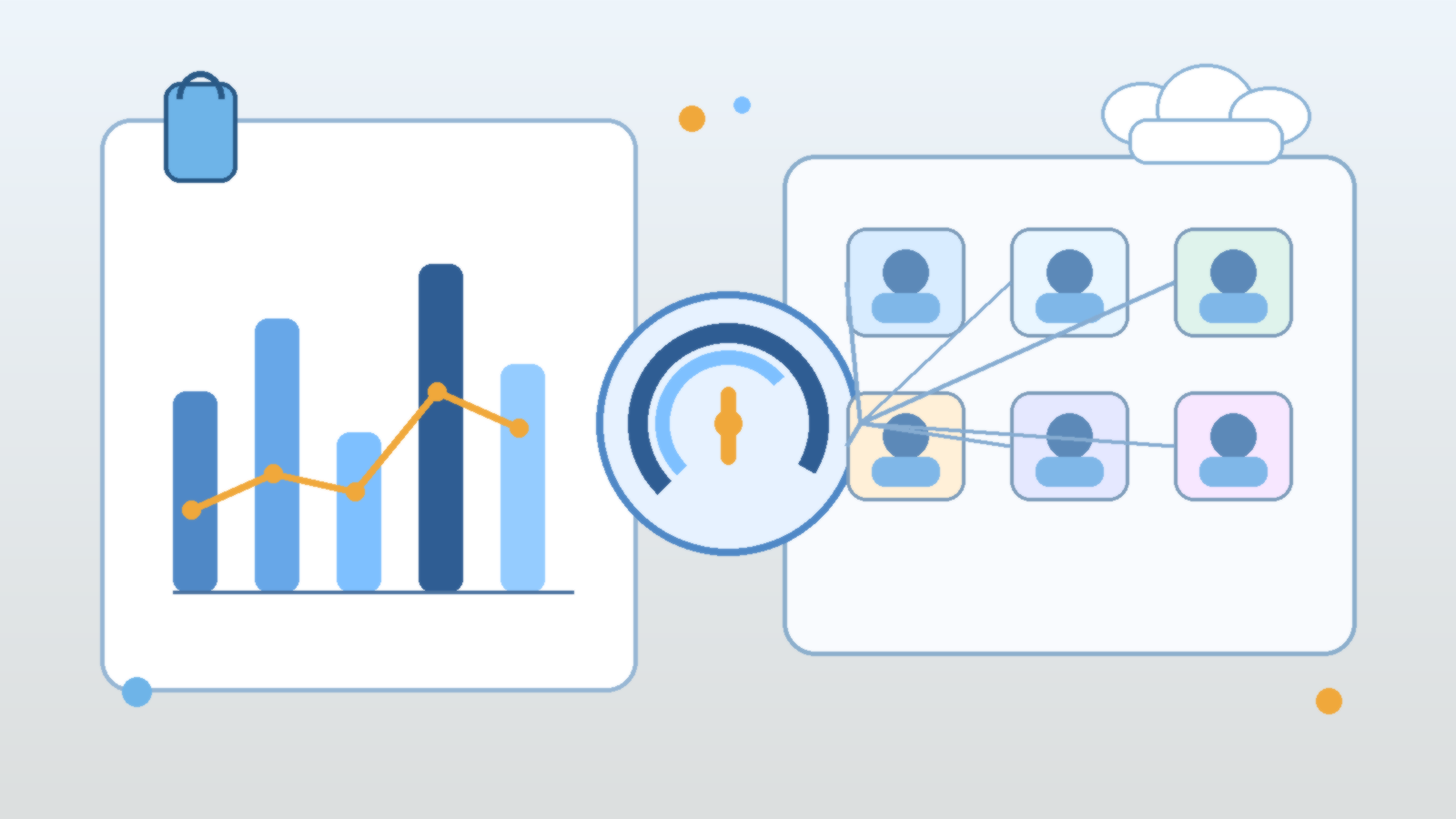
    Illustration of Azure AI quota planning with dashboards, shared capacity, and team workload tiles

    Azure OpenAI projects usually do not fail because the model is unavailable. They fail because the organization never decided how shared capacity should be allocated once multiple teams want the same thing at the same time. One pilot gets plenty of headroom, a second team arrives with a deadline, a third team suddenly wants higher throughput for a demo, and finance starts asking why the new AI platform already feels unpredictable.

    The technical conversation often gets reduced to tokens per minute, requests per minute, or whether provisioned capacity is justified yet. Those details matter, but they are not the whole problem. The real issue is operational ownership. If nobody defines who gets quota, how it is reviewed, and what happens when demand spikes, every model launch turns into a rushed negotiation between engineering, platform, and budget owners.

    Quota Problems Usually Start as Ownership Problems

    Many internal teams begin with one shared Azure OpenAI resource and one optimistic assumption: there will be time to organize quotas later. That works while usage is light. Once multiple workloads compete for throughput, the shared pool becomes political. The loudest team asks for more. The most visible launch gets protected first. Smaller internal apps absorb throttling even if they serve important employees.

    That is why quota planning should be treated like service design instead of a one-time technical setting. Someone needs to own the allocation model, the exceptions process, and the review cadence. Without that, quota decisions drift into ad hoc favors, and every surprise 429 becomes an argument about whose workload matters more.

    Separate Baseline Capacity From Burst Requests

    A practical pattern is to define a baseline allocation for each internal team or application, then handle temporary spikes as explicit burst requests instead of pretending every workload deserves permanent peak capacity. Baseline quota should reflect normal operating demand, not launch-day nerves. Burst handling should cover events like executive demos, migration waves, training sessions, or a newly onboarded business unit.

    This matters because permanent over-allocation hides waste. Teams rarely give capacity back voluntarily once they have it. If the platform group allocates quota based on hypothetical worst-case usage for everyone, the result is a bloated plan that still does not feel fair. A baseline-plus-burst model is more honest. It admits that some demand is real and recurring, while some demand is temporary and should be treated that way.

    Tie Quota to a Named Service Owner and a Business Use Case

    Do not assign significant Azure OpenAI quota to anonymous experimentation. If a workload needs meaningful capacity, it should have a named owner, a clear user population, and a documented business purpose. That does not need to become a heavy governance board, but it should be enough to answer a few basic questions: who runs this service, who uses it, what happens if it is throttled, and what metric proves the allocation is still justified.

    This simple discipline improves both cost control and incident response. When quotas are tied to identifiable services, platform teams can see which internal products deserve priority, which are dormant, and which are still living on last quarter’s assumptions.

    Use Showback Before You Need Full Chargeback

    Organizations often avoid quota governance because they think the only serious option is full financial chargeback. That is overkill for many internal AI programs, especially early on. Showback is usually enough to improve behavior. If each team can see its approximate usage, reserved capacity, and the cost consequence of keeping extra headroom, conversations get much more grounded.

    Showback changes the tone from “the platform is blocking us” to “we are asking the platform to reserve capacity for this workload, and here is why.” That is a healthier discussion. It also gives finance and engineering a shared language without forcing every prototype into a billing maze too early.

    Design for Throttling Instead of Acting Shocked by It

    Even with good allocation, some workloads will still hit limits. That should not be treated as a scandal. It should be expected behavior that applications are designed to handle gracefully. Queueing, retries with backoff, workload prioritization, caching, and fallback models all belong in the engineering plan long before production traffic arrives.

    The important governance point is that application teams should not assume the platform will always solve a usage spike by handing out more quota. Sometimes the right answer is better request shaping, tighter prompt design, or a service-level decision about which users and actions deserve priority when demand exceeds the happy path.

    Review Quotas on a Calendar, Not Only During Complaints

    If quota reviews only happen during incidents, the review process will always feel punitive. A better pattern is a simple recurring check, often monthly or quarterly depending on scale, where platform and service owners look at utilization, recent throttling, upcoming launches, and idle allocations. That makes redistribution normal instead of dramatic.

    These reviews should be short and practical. The goal is not to produce another governance document nobody reads. The goal is to keep the capacity model aligned with reality before the next internal launch or leadership demo creates avoidable pressure.

    Provisioned Capacity Should Follow Predictability, Not Prestige

    Some teams push for provisioned capacity because it sounds more mature or more strategic. That is not a good reason. Provisioned throughput makes the most sense when a workload is steady enough, important enough, and predictable enough to justify that commitment. It is a capacity planning tool, not a trophy for the most influential internal sponsor.

    If your traffic pattern is still exploratory, standard shared capacity with stronger governance may be the better fit. If a workload has a stable usage floor and meaningful business dependency, moving part of its demand to provisioned capacity can reduce drama for everyone else. The point is to decide based on workload shape and operational confidence, not on who escalates hardest.

    Final Takeaway

    Azure OpenAI quota governance works best when it is boring. Define baseline allocations, make burst requests explicit, tie capacity to named owners, show teams what their reservations cost, and review the model before contention becomes a firefight. That turns quota from a budget argument into a service management practice.

    When internal AI platforms skip that discipline, every new launch feels urgent and every limit feels unfair. When they adopt it, teams still have hard conversations, but at least those conversations happen inside a system that makes sense.

  • How to Use Azure API Management as a Policy Layer for Multi-Model AI Without Creating a Governance Mess

    How to Use Azure API Management as a Policy Layer for Multi-Model AI Without Creating a Governance Mess

    Teams often add a second or third model provider for good reasons. They want better fallback options, lower cost for simpler tasks, regional flexibility, or the freedom to use specialized models for search, extraction, and generation. The problem is that many teams wire each new provider directly into applications, which creates a policy problem long before it creates a scaling problem.

    Once every app team owns its own prompts, credentials, rate limits, logging behavior, and safety controls, the platform starts to drift. One application redacts sensitive fields before sending prompts upstream, another does not. One team enforces approved models, another quietly swaps in a new endpoint on Friday night. The architecture may still work, but governance becomes inconsistent and expensive.

    Azure API Management can help, but only if you treat it as a policy layer instead of just another proxy. Used well, APIM gives teams a place to standardize authentication, route selection, observability, and request controls across multiple AI backends. Used poorly, it becomes a fancy pass-through that adds latency without reducing risk.

    Start With the Governance Problem, Not the Gateway Diagram

    A lot of APIM conversations begin with the traffic flow. Requests enter through one hostname, policies run, and the gateway forwards traffic to Azure OpenAI or another backend. That picture is useful, but it is not the reason the pattern matters.

    The real value is that a central policy layer gives platform teams a place to define what every AI call must satisfy before it leaves the organization boundary. That can include approved model catalogs, mandatory headers, abuse protection, prompt-size limits, region restrictions, and logging standards. If you skip that design work, APIM just hides complexity rather than controlling it.

    This is why strong teams define their non-negotiables first. They decide which backends are allowed, which data classes may be sent to which provider, what telemetry is required for every request, and how emergency provider failover should behave. Only after those rules are clear does the gateway become genuinely useful.

    Separate Model Routing From Application Logic

    One of the easiest ways to create long-term chaos is to let every application decide where each prompt goes. It feels flexible in the moment, but it hard-codes provider behavior into places that are difficult to audit and even harder to change.

    A better pattern is to let applications call a stable internal API contract while APIM handles routing decisions behind that contract. That does not mean the platform team hides all choice from developers. It means the routing choices are exposed through governed products, APIs, or policy-backed parameters rather than scattered custom code.

    This separation matters when costs shift, providers degrade, or a new model becomes the preferred default for a class of workloads. If the routing logic lives in the policy layer, teams can change platform behavior once and apply it consistently. If the logic lives in twenty application repositories, every improvement turns into a migration project.

    Use Policy to Enforce Minimum Safety Controls

    APIM becomes valuable fast when it consistently enforces the boring controls that otherwise get skipped. For example, the gateway can require managed identity or approved subscription keys, reject oversized payloads, inject correlation IDs, and block calls to deprecated model deployments.

    It can also help standardize pre-processing and post-processing rules. Some teams use policy to strip known secrets from headers, route only approved workloads to external providers, or ensure moderation and content-filter metadata are captured with each transaction. The exact implementation will vary, but the principle is simple: safety controls should not depend on whether an individual developer remembered to copy a code sample correctly.

    That same discipline applies to egress boundaries. If a workload is only approved for Azure OpenAI in a specific geography, the policy layer should make the compliant path easy and the non-compliant path hard or impossible. Governance works better when it is built into the platform shape, not left as a wiki page suggestion.

    Standardize Observability Before You Need an Incident Review

    Multi-model environments fail in more ways than single-provider stacks. A request might succeed with the wrong latency profile, route to the wrong backend, exceed token expectations, or return content that technically looks valid but violates an internal policy. If observability is inconsistent, incident reviews become guesswork.

    APIM gives teams a shared place to capture request metadata, route decisions, consumer identity, policy outcomes, and response timing in a normalized way. That makes it much easier to answer practical questions later. Which apps were using a deprecated deployment? Which provider saw the spike in failed requests? Which team exceeded the expected token budget after a prompt template change?

    This data is also what turns governance from theory into management. Leaders do not need perfect dashboards on day one, but they do need a reliable way to see usage patterns, policy exceptions, and provider drift. If the gateway only forwards traffic and none of that context is retained, the control plane is missing its most useful control.

    Do Not Let APIM Become a Backdoor Around Provider Governance

    A common mistake is to declare victory once all traffic passes through APIM, even though the gateway still allows nearly any backend, key, or route the caller requests. In that setup, APIM may centralize access, but it does not centralize control.

    The fix is to govern the products and policies as carefully as the backends themselves. Limit who can publish or change APIs, review policy changes like code, and keep provider onboarding behind an approval path. A multi-model platform should not let someone create a new external AI route with less scrutiny than a normal production integration.

    This matters because gateways attract convenience exceptions. Someone wants a temporary test route, a quick bypass for a partner demo, or direct pass-through for a new SDK feature. Those requests can be reasonable, but they should be explicit exceptions with an owner and an expiration point. Otherwise the policy layer slowly turns into a collection of unofficial escape hatches.

    Build for Graceful Provider Change, Not Constant Provider Switching

    Teams sometimes hear “multi-model” and assume every request should dynamically choose the cheapest or fastest model in real time. That can work for some workloads, but it is usually not the first maturity milestone worth chasing.

    A more practical goal is graceful provider change. The platform should make it possible to move a governed workload from one approved backend to another without rewriting every client, relearning every monitoring path, or losing auditability. That is different from building an always-on model roulette wheel.

    APIM supports that calmer approach well. You can define stable entry points, approved routing policies, and controlled fallback behaviors while keeping enough abstraction to change providers when business or risk conditions change. The result is a platform that remains adaptable without becoming unpredictable.

    Final Takeaway

    Azure API Management can be an excellent policy layer for multi-model AI, but only if it carries real policy responsibility. The win is not that every AI call now passes through a prettier URL. The win is that identity, routing, observability, and safety controls stop fragmenting across application teams.

    If you are adding more than one AI backend, do not ask only how traffic should flow. Ask where governance should live. For many teams, APIM is most valuable when it becomes the answer to that second question.

  • How to Use Azure API Management as an AI Control Plane

    How to Use Azure API Management as an AI Control Plane

    Many organizations start their AI platform journey by wiring applications straight to a model endpoint and promising themselves they will add governance later. That works for a pilot, but it breaks down quickly once multiple teams, models, environments, and approval boundaries show up. Suddenly every app has its own authentication pattern, logging format, retry logic, and ad hoc content controls.

    Azure API Management can help clean that up, but only if it is treated as an AI control plane rather than a basic pass-through proxy. The goal is not to add bureaucracy between developers and models. The goal is to centralize the policies that should be consistent anyway, while letting teams keep building on top of a stable interface.

    Start With a Stable Front Door Instead of Per-App Model Wiring

    When each application connects directly to Azure OpenAI or another model provider, every team ends up solving the same platform problems on its own. One app may log prompts, another may not. One team may rotate credentials correctly, another may leave secrets in a pipeline variable for months. The more AI features spread, the more uneven that operating model becomes.

    A stable API Management front door gives teams one integration pattern for authentication, quotas, headers, observability, and policy enforcement. That does not eliminate application ownership, but it does remove a lot of repeated plumbing. Developers can focus on product behavior while the platform team handles the cross-cutting controls that should not vary from app to app.

    Put Model Routing Rules in Policy, Not in Scattered Application Code

    Model selection tends to become messy fast. A chatbot might use one deployment for low-cost summarization, another for tool calling, and a fallback model during regional incidents. If every application embeds that routing logic separately, you create a maintenance problem that looks small at first and expensive later.

    API Management policies give you a cleaner place to express routing decisions. You can steer traffic by environment, user type, request size, geography, or service health without editing six applications every time a model version changes. This also helps governance teams understand what is actually happening, because the routing rules live in one visible control layer instead of being hidden across repos and release pipelines.

    Use the Gateway to Enforce Cost and Rate Guardrails Early

    Cost surprises in AI platforms rarely come from one dramatic event. They usually come from many normal requests that were never given a sensible ceiling. A gateway layer is a practical place to apply quotas, token budgeting, request size constraints, and workload-specific rate limits before usage gets strange enough to trigger a finance conversation.

    This matters even more in internal platforms where success spreads by imitation. If one useful AI feature ships without spending controls, five more teams may copy the same pattern within a month. A control plane lets you set fair limits once and improve them deliberately instead of treating cost governance as a cleanup project.

    Centralize Identity and Secret Handling Without Hiding Ownership

    One of the least glamorous benefits of API Management is also one of the most important: it reduces the number of places where model credentials and backend connection details need to live. Managed identity, Key Vault integration, and policy-based authentication flows are not exciting talking points, but they are exactly the kind of boring consistency that keeps an AI platform healthy.

    That does not mean application teams lose accountability. They still own their prompts, user experiences, data handling choices, and business logic. The difference is that the platform team can stop secret sprawl and normalize backend access patterns before they become a long-term risk.

    Log the Right AI Signals, Not Just Generic API Metrics

    Traditional API telemetry is helpful, but AI workloads need additional context. It is useful to know more than latency and status code. Teams usually need visibility into which model deployment handled the request, whether content filters fired, which policy branch routed the call, what quota bucket applied, and whether a fallback path was used.

    When API Management sits in front of your model estate, it becomes a natural place to enrich logs and forward them into your normal monitoring stack. That makes platform reviews, incident response, and capacity planning much easier because AI traffic is described in operational terms rather than treated like an opaque blob of HTTP requests.

    Keep the Control Plane Thin Enough That Developers Do Not Fight It

    There is a trap here: once a gateway becomes central, it is tempting to cram every idea into it. If the control plane becomes slow, hard to version, or impossible to debug, teams will look for a way around it. Good platform design means putting shared policy in the gateway while leaving product-specific behavior in the application where it belongs.

    A useful rule is to centralize what should be consistent across teams, such as authentication, quotas, routing, basic safety checks, and observability. Leave conversation design, retrieval strategy, business workflow decisions, and user-facing behavior to the teams closest to the product. That balance protects the platform without turning it into a bottleneck.

    Final Takeaway

    Azure API Management is not the whole AI governance story, but it is a strong place to anchor the parts that benefit from consistency. Used well, it gives developers a predictable front door, gives platform teams a durable policy layer, and gives leadership a clearer answer to the question of how AI traffic is being controlled.

    If you want AI teams to move quickly without rebuilding governance from scratch in every repo, treat API Management as an AI control plane. Keep the policies visible, keep the developer experience sane, and keep the shared rules centralized enough that scaling does not turn into drift.

  • How to Use Private Endpoints for Azure OpenAI Without Breaking Every Developer Workflow

    How to Use Private Endpoints for Azure OpenAI Without Breaking Every Developer Workflow

    Abstract cloud and network illustration with layered blue shapes, glowing pathways, and isolated connection points

    Most teams understand the security pitch for private endpoints. Keep AI traffic off the public internet, restrict access to approved networks, and reduce the chance that a rushed proof of concept becomes a broadly reachable production dependency. The problem is that many rollouts stop at the network diagram. The private endpoint gets turned on, developers lose access, automation breaks, and the platform team ends up making informal exceptions that quietly weaken the original control.

    A better approach is to treat private connectivity as a platform design problem, not just a checkbox. Azure OpenAI can absolutely live behind private endpoints, but the deployment has to account for development paths, CI/CD flows, identity boundaries, DNS resolution, and the difference between experimentation and production. If those pieces are ignored, private networking becomes the kind of security control people work around instead of trust.

    Start by separating who needs access from where access should originate

    The first mistake is thinking about private endpoints only in terms of users. In practice, the more important question is where requests should come from. An interactive developer using a corporate laptop is one access pattern. A GitHub Actions runner, Azure DevOps agent, internal application, or managed service calling Azure OpenAI is a different one. If you treat them all the same, you either create unnecessary friction or open wider network paths than you intended.

    Start by defining the approved sources of traffic. Production applications should come from tightly controlled subnets or managed hosting environments. Build agents should come from known runner locations or self-hosted infrastructure that can resolve the private endpoint correctly. Human testing should use a separate path, such as a virtual desktop, jump host, or developer sandbox network, instead of pushing every laptop onto the same production-style route.

    That source-based view helps keep the architecture honest. It also makes later reviews easier because you can explain why a specific network path exists instead of relying on vague statements about team convenience.

    Private DNS is usually where the rollout succeeds or fails

    The private endpoint itself is often the easy part. DNS is where real outages begin. Once Azure OpenAI is tied to a private endpoint, the service name needs to resolve to the private IP from approved networks. If your private DNS zone links are incomplete, if conditional forwarders are missing, or if hybrid name resolution is inconsistent, one team can reach the service while another gets confusing connection failures.

    That is why platform teams should test name resolution before they announce the control as finished. Validate the lookup path from production subnets, from developer environments that are supposed to work, and from networks that are intentionally blocked. The goal is not merely to confirm that the good path works. The goal is to confirm that the wrong path fails in a predictable way.

    A clean DNS design also prevents a common policy mistake: leaving the public endpoint reachable because the private route was never fully reliable. Once teams start using that fallback, the security boundary becomes optional in practice.

    Build a developer access path on purpose

    Developers still need to test prompts, evaluate model behavior, and troubleshoot application calls. If the only answer is "use production networking," you end up normalizing too much access. If the answer is "file a ticket every time," people will search for alternate tools or use public AI services outside governance.

    A better pattern is to create a deliberate developer path with narrower permissions and better observability. That may be a sandbox virtual network with access to nonproduction Azure OpenAI resources, a bastion-style remote workstation, or an internal portal that proxies requests to the service on behalf of authenticated users. The exact design can vary, but the principle is the same: developers need a path that is supported, documented, and easier than bypassing the control.

    This is also where environment separation matters. Production private endpoints should not become the default testing target for every proof of concept. Give teams a safe place to experiment, then require stronger change control when something is promoted into a production network boundary.

    Use identity and network controls together, not as substitutes

    Private endpoints reduce exposure, but they do not replace identity. If a workload can reach the private IP and still uses overbroad credentials, you have only narrowed the route, not the authority. Azure OpenAI deployments should still be tied to managed identities, scoped secrets, or other clearly bounded authentication patterns depending on the application design.

    The same logic applies to human access. If a small number of engineers need diagnostic access, that should be role-based, time-bounded where possible, and easy to review later. Security teams sometimes overestimate what network isolation can solve by itself. In reality, the strongest design is a layered one where identity decides who may call the service and private networking decides from where that call may originate.

    That layered model is especially important for AI workloads because the data being sent to the model often matters as much as the model resource itself. A private endpoint does not automatically prevent sensitive prompts from being mishandled elsewhere in the workflow.

    Plan for CI/CD and automation before the first outage

    A surprising number of private endpoint rollouts fail because deployment automation was treated as an afterthought. Template validation jobs, smoke tests, prompt evaluation pipelines, and application release checks often need to reach the service. If those jobs run from hosted agents on the public internet, they will fail the moment private access is enforced.

    There are workable answers, but they need to be chosen explicitly. You can run self-hosted agents inside approved networks, move test execution into Azure-hosted environments with private connectivity, or redesign the pipeline so only selected stages need live model access. What does not work well is pretending that deployment tooling will somehow adapt on its own.

    This is also a governance issue. If the only way to keep releases moving is to temporarily reopen public access during deployment windows, the control is not mature yet. Stable security controls should fit into the delivery process instead of forcing repeated exceptions.

    Make exception handling visible and temporary

    Even well-designed environments need exceptions sometimes. A migration may need short-term dual access. A vendor-operated tool may need a controlled validation window. A developer may need break-glass troubleshooting during an incident. The mistake is allowing those exceptions to become permanent because nobody owns their cleanup.

    Treat private endpoint exceptions like privileged access. Give them an owner, a reason, an approval path, and an expiration point. Log which systems were opened, for whom, and for how long. If an exception survives multiple review cycles, that usually means the baseline architecture still has a gap that needs to be fixed properly.

    Visible exceptions are healthier than invisible workarounds. They show where the platform still creates friction, and they give the team a chance to improve the standard path instead of arguing about policy in the abstract.

    Measure whether the design is reducing risk or just relocating pain

    The real test of a private endpoint strategy is not whether a diagram looks secure. It is whether the platform reduces unnecessary exposure without teaching teams bad habits. Watch for signals such as repeated requests to re-enable public access, DNS troubleshooting spikes, shadow use of unmanaged AI tools, or pipelines that keep failing after network changes.

    Good platform security should make the right path sustainable. If developers have a documented test route, automation has an approved execution path, DNS works consistently, and exceptions are rare and temporary, then private endpoints are doing their job. If not, the environment may be secure on paper but fragile in daily use.

    Private endpoints for Azure OpenAI are worth using, especially for sensitive workloads. Just do not mistake private connectivity for a complete operating model. The teams that succeed are the ones that pair network isolation with identity discipline, reliable DNS, workable developer access, and automation that was designed for the boundary from day one.

  • How to Audit Azure OpenAI Access Without Slowing Down Every Team

    How to Audit Azure OpenAI Access Without Slowing Down Every Team

    Abstract illustration of Azure access auditing across AI services, identities, and approvals

    Azure OpenAI environments usually start small. One team gets access, a few endpoints are created, and everyone feels productive. A few months later, multiple apps, service principals, test environments, and ad hoc users are touching the same AI surface area. At that point, the question is no longer whether access should be reviewed. The question is how to review it without creating a process that every delivery team learns to resent.

    Good access auditing is not about slowing work down for the sake of ceremony. It is about making ownership, privilege scope, and actual usage visible enough that teams can tighten risk without turning every change into a ticket maze. Azure gives you plenty of tools for this, but the operational pattern matters more than the checkbox list.

    Start With a Clear Map of Humans, Apps, and Environments

    Most access reviews become painful because everything is mixed together. Human users, CI pipelines, backend services, experimentation sandboxes, and production workloads all end up in the same conversation. That makes it difficult to tell which permissions are temporary, which are essential, and which are leftovers from a rushed deployment.

    A more practical approach is to separate the review into lanes. Audit human access separately from workload identities. Review development and production separately. Identify who owns each Azure OpenAI resource, which applications call it, and what business purpose those calls support. Once that map exists, drift becomes easier to spot because every identity is tied to a role and an environment instead of floating around as an unexplained exception.

    Review Role Assignments by Purpose, Not Just by Name

    Role names can create false confidence. Someone may technically be assigned a familiar Azure role, but the real issue is whether that role is still justified for their current work. Access auditing gets much better when reviewers ask a boring but powerful question for every assignment: what outcome does this permission support today?

    That question trims away a lot of inherited clutter. Maybe an engineer needed broad rights during an initial proof of concept but now only needs read access to logs and model deployment metadata. Maybe a shared automation identity has permissions that made sense before the architecture changed. If the purpose is unclear, the permission should not get a free pass just because it has existed for a while.

    Use Activity Signals So Reviews Are Grounded in Reality

    Access reviews are far more useful when they are paired with evidence of actual usage. An account that has not touched the service in months should be questioned differently from one that is actively supporting a live production workflow. Azure activity data, sign-in patterns, service usage, and deployment history help turn a theoretical review into a practical one.

    This matters because stale access often survives on ambiguity. Nobody is fully sure whether an identity is still needed, so it remains in place out of caution. Usage signals reduce that guesswork. They do not eliminate the need for human judgment, but they give reviewers something more concrete than habit and memory.

    Build a Fast Path for Legitimate Change

    The reason teams hate audits is not that they object to accountability. It is that poorly designed reviews block routine work while still missing the riskiest exceptions. If a team needs a legitimate access change for a new deployment, a model evaluation sprint, or an incident response task, there should be a documented path to request it with clear ownership and a reasonable turnaround time.

    That fast path is part of security, not a compromise against it. When the official process is too slow, people create side channels, shared credentials, or long-lived exceptions that stay around forever. A responsive approval flow keeps teams inside the guardrails instead of teaching them to route around them.

    Time-Bound Exceptions Beat Permanent Good Intentions

    Every Azure environment accumulates “temporary” access that quietly becomes permanent because nobody schedules its removal. The fix is simple in principle: exceptions should expire unless someone actively renews them with a reason. This is especially important for AI systems because experimentation tends to create extra access paths quickly, and the cleanup rarely feels urgent once the demo works.

    Time-bound exceptions lower the cognitive load of future reviews. Instead of trying to remember why a special case exists, reviewers can see when it was granted, who approved it, and whether it is still needed. That turns access hygiene from detective work into routine maintenance.

    Turn the Audit Into a Repeatable Operating Rhythm

    The best Azure OpenAI access reviews are not giant quarterly dramas. They are repeatable rhythms with scoped owners, simple evidence, and small correction loops. One team might own workload identity review, another might own human access attestations, and platform engineering might watch for cross-environment drift. Each group handles its lane without waiting for one enormous all-hands ritual.

    That model keeps the review lightweight enough to survive contact with real work. More importantly, it makes access auditing normal. When teams know the process is consistent, fair, and tied to actual usage, they stop seeing it as arbitrary friction and start seeing it as part of operating a serious AI platform.

    Final Takeaway

    Auditing Azure OpenAI access does not need to become a bureaucratic slowdown. Separate people from workloads, review permissions by purpose, bring activity evidence into the discussion, provide a fast path for legitimate change, and make exceptions expire by default.

    When those habits are in place, access reviews become sharper and less disruptive at the same time. That is the sweet spot mature teams should want: less privilege drift, more accountability, and far fewer meetings that feel like security theater.