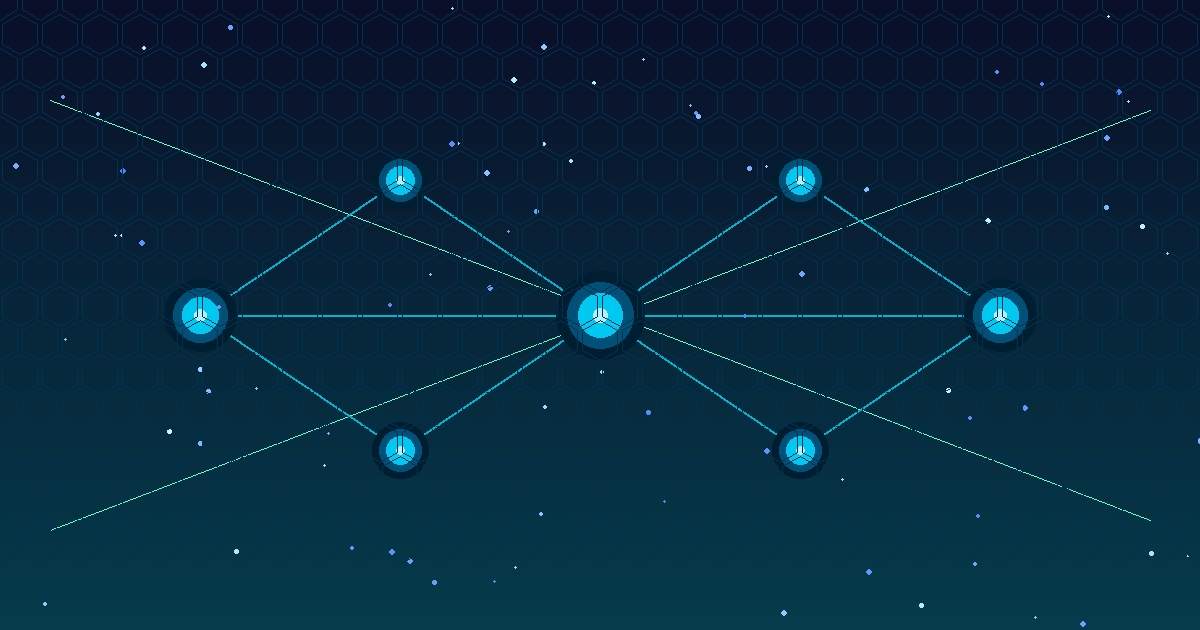
If you have spent any time building with AI agents in the past year, you have probably run into the same frustration: every tool, database, and API your agent needs to access requires its own custom integration. One connector for your calendar, another for your file system, another for your internal APIs, and yet another for each SaaS tool you rely on. It is the same fragmentation problem the USB world solved with a universal connector — and that is exactly what the Model Context Protocol (MCP) is designed to fix for AI.
Introduced by Anthropic in late 2024 and rapidly adopted across the ecosystem, MCP is an open standard that defines how AI models communicate with external tools and data sources. By late 2025, it had become a de facto infrastructure layer for serious AI agent deployments. This post breaks down what MCP is, how it works under the hood, where it fits in your architecture, and what you need to know to use it safely in production.
What Is the Model Context Protocol?
MCP is a client-server protocol that standardizes how AI applications — whether a chat assistant, an autonomous agent, or a coding tool — communicate with the services and data they need. Instead of writing a bespoke integration every time you want your AI to read a file, query a database, or call an API, you write one MCP server for that resource, and any MCP-compatible client can use it immediately.
The protocol defines three core primitive types that a server can expose:
- Tools — callable functions the model can invoke (equivalent to a function call or action). Think “search the web,” “run a SQL query,” or “create a calendar event.”
- Resources — data that the model can read, like files, database records, or API responses.
- Prompts — reusable prompt templates that encode domain knowledge or workflows.
The client (your AI application) discovers what a server offers, and the model decides which tools and resources to use based on the task at hand. The whole exchange follows a well-defined message format, so any compliant server works with any compliant client.
How MCP Works Architecturally
MCP uses a JSON-RPC 2.0 message format transported over one of two channels: stdio (for local servers launched as child processes) or HTTP with Server-Sent Events (for remote servers). The stdio transport is the simpler path for local tooling — your IDE spawns an MCP server, communicates over standard input/output, and tears it down when done. The HTTP/SSE transport is what you use for shared, hosted infrastructure.
The lifecycle of a typical MCP interaction flows through four stages. First, an initialization handshake establishes the connection and negotiates protocol version and capabilities. Second, the client calls discovery endpoints to learn what tools and resources the server offers. Third, during inference the model invokes those tools or reads those resources as the task requires. Fourth, the server returns structured results that flow back into the model’s active context window.
Because the protocol is transport-agnostic and language-agnostic, MCP servers exist in Python, TypeScript, Go, Rust, and virtually every other language. The official SDKs handle the boilerplate, so building a new server is usually a few dozen lines of code.
Why the Ecosystem Moved So Quickly
The speed of MCP adoption has been remarkable. Claude Desktop, Cursor, Zed, Continue, and dozens of other AI tools added MCP support within months of the spec being published. The reason is straightforward: the fragmentation problem was genuinely painful, and the protocol solved it cleanly.
Before MCP, every AI coding assistant had its own plugin format. Every enterprise AI platform had its own connector SDK. Developers building on top of these platforms had to re-implement the same integrations repeatedly. With MCP, you write the server once and it works everywhere that supports the protocol. The network effect kicked in fast: once major clients added support, server authors had a large ready audience, which attracted more client support, which in turn drove more server development.
By early 2026, the MCP ecosystem includes hundreds of community-maintained servers for common tools — GitHub, Slack, Google Drive, Postgres, Jira, Notion, and many more — available as open source packages you can drop into your setup in minutes.
Building Your First MCP Server
The fastest path to a working MCP server is the official TypeScript SDK. The pattern is simple: you define a server, register tools with their input schemas using Zod, implement the handler function that does the actual work, and connect the server to a transport. The SDK takes care of all the JSON-RPC plumbing, the capability advertisement, and the protocol handshake. The Python SDK follows the same approach using decorator syntax, so the choice of language comes down to what your team already knows.
For a read-only resource that exposes database records, the pattern is similar: you define a resource URI template, implement a read handler that returns the data, and the protocol handles delivery into the model’s context. Tools are for actions; resources are for data access. Keeping that distinction clean in your design makes your servers easier to reason about and easier to secure.
MCP in Enterprise: Where It Gets Interesting
For organizations deploying AI agents at scale, MCP introduces an important architectural question: do you run MCP servers per-user, per-team, or as shared infrastructure? The answer depends on your access control model.
The per-user local server model is the simplest. Each developer or user runs their own MCP servers on their own machine. Isolation is built in, credentials stay local, and there is no central attack surface. This is how most IDE-based setups work today.
The remote shared server model is what enterprises typically want for production agents. You deploy MCP servers as microservices behind your existing API gateway — Azure API Management, AWS API Gateway, or similar — apply OAuth 2.0 authentication, enforce role-based access, and get centralized logging. The tradeoff is operational complexity, but you gain the auditability and access control that compliance requirements demand.
A third emerging pattern is the MCP proxy or gateway: a single endpoint that multiplexes multiple MCP servers and handles auth, rate limiting, and routing in one place. This reduces client configuration burden and lets you enforce policy centrally rather than server by server.
Security Considerations You Cannot Ignore
MCP significantly expands the attack surface of AI systems. When you give an agent the ability to read files, execute queries, or call external APIs, you have to think carefully about what happens when something goes wrong. The threat model has three main dimensions.
Prompt injection via tool results. A malicious document, web page, or database record could contain instructions designed to hijack the model’s behavior after it reads the content. Mitigations include sanitizing tool outputs before injecting them into context, relying on system prompts that the model treats as authoritative, and implementing human-in-the-loop checkpoints for sensitive or irreversible actions.
Over-privileged tools. Every tool you expose to a model represents potential blast radius. Apply the principle of least privilege: give agents access only to what they need for the specific task, scope read and write permissions separately, and prefer dry-run or staging tools for autonomous workflows.
Malicious or compromised MCP servers. Because the ecosystem is growing rapidly, the quality and security posture of community servers varies widely. Before installing a community MCP server, review its source code, check what system permissions it requests, and verify package provenance. Treat third-party MCP servers with the same scrutiny you would apply to any third-party dependency running with elevated privileges.
MCP and Agentic Workflows
The most powerful applications of MCP are in multi-step agentic workflows, where an AI model autonomously sequences tool calls to accomplish a goal. A research agent might call a web search tool, extract structured data with a parsing tool, write results to a database with a storage tool, and send a summary with a messaging tool — all in a single coherent workflow triggered by one user request.
MCP’s role here is as the connective tissue. The agent framework — whether LangChain, AutoGen, CrewAI, or a custom loop — handles the orchestration logic. MCP handles the last mile: the actual connection to the tools and data the agent needs. This separation of concerns is what makes the architecture composable. You can swap agent frameworks without rewriting your tool integrations, and you can add new capabilities to existing agents simply by deploying a new MCP server.
Multi-agent systems, where multiple specialized models collaborate on a task, benefit especially from this pattern. One agent handles research, another handles writing, a third handles review, and they all access the same tools through the same protocol. The orchestration complexity stays in the framework; the tool connectivity stays in MCP.
What to Watch in 2026
MCP is still evolving quickly. Streamable HTTP transport is replacing the original HTTP/SSE transport to address connection management issues at scale — if you are building remote MCP servers today, design for the newer spec. Authorization standardization is an active area of development, with the community converging on OAuth 2.0 with PKCE as the standard pattern for remote servers.
Platform-native MCP support is also expanding. Azure AI Foundry, AWS Bedrock, and Google Vertex are all integrating MCP into their managed agent services, which means you will increasingly be able to configure tool connections through a control plane UI rather than writing code. For teams that are not building agent infrastructure from scratch, this significantly lowers the barrier.
Governance tooling is the third frontier worth watching. Audit logging of tool calls, policy engines that allow or deny specific tool invocations based on context, and observability dashboards that surface agent tool usage patterns are all emerging. For regulated environments, this layer will become a compliance requirement, not an optional enhancement.
Getting Started
The quickest way to experience MCP firsthand is to install Claude Desktop and connect one of the pre-built community servers. The official MCP servers repository on GitHub includes ready-to-use servers for the filesystem, Git, GitHub, Postgres, Slack, and many more, with installation instructions that take about five minutes to follow.
For building your own server, start with the TypeScript or Python SDK documentation at modelcontextprotocol.io. The spec itself is readable and well-structured — an hour with it will give you a solid mental model of the protocol’s capabilities and constraints.
The USB-C analogy is useful but imperfect. USB-C standardized physical connectivity; MCP standardizes semantic connectivity — the ability to give an AI model meaningful, structured access to any capability you choose to expose. As AI agents take on more consequential work in production systems, that standardized layer is not just a convenience. It is essential infrastructure.