Tag: agents

  • Model Context Protocol (MCP): The Universal Connector for AI Agents

    Model Context Protocol (MCP): The Universal Connector for AI Agents

    If you have spent any time building with AI agents in the past year, you have probably run into the same frustration: every tool, database, and API your agent needs to access requires its own custom integration. One connector for your calendar, another for your file system, another for your internal APIs, and yet another for each SaaS tool you rely on. It is the same fragmentation problem the USB world solved with a universal connector — and that is exactly what the Model Context Protocol (MCP) is designed to fix for AI.

    Introduced by Anthropic in late 2024 and rapidly adopted across the ecosystem, MCP is an open standard that defines how AI models communicate with external tools and data sources. By late 2025, it had become a de facto infrastructure layer for serious AI agent deployments. This post breaks down what MCP is, how it works under the hood, where it fits in your architecture, and what you need to know to use it safely in production.

    What Is the Model Context Protocol?

    MCP is a client-server protocol that standardizes how AI applications — whether a chat assistant, an autonomous agent, or a coding tool — communicate with the services and data they need. Instead of writing a bespoke integration every time you want your AI to read a file, query a database, or call an API, you write one MCP server for that resource, and any MCP-compatible client can use it immediately.

    The protocol defines three core primitive types that a server can expose:

    • Tools — callable functions the model can invoke (equivalent to a function call or action). Think “search the web,” “run a SQL query,” or “create a calendar event.”
    • Resources — data that the model can read, like files, database records, or API responses.
    • Prompts — reusable prompt templates that encode domain knowledge or workflows.

    The client (your AI application) discovers what a server offers, and the model decides which tools and resources to use based on the task at hand. The whole exchange follows a well-defined message format, so any compliant server works with any compliant client.

    How MCP Works Architecturally

    MCP uses a JSON-RPC 2.0 message format transported over one of two channels: stdio (for local servers launched as child processes) or HTTP with Server-Sent Events (for remote servers). The stdio transport is the simpler path for local tooling — your IDE spawns an MCP server, communicates over standard input/output, and tears it down when done. The HTTP/SSE transport is what you use for shared, hosted infrastructure.

    The lifecycle of a typical MCP interaction flows through four stages. First, an initialization handshake establishes the connection and negotiates protocol version and capabilities. Second, the client calls discovery endpoints to learn what tools and resources the server offers. Third, during inference the model invokes those tools or reads those resources as the task requires. Fourth, the server returns structured results that flow back into the model’s active context window.

    Because the protocol is transport-agnostic and language-agnostic, MCP servers exist in Python, TypeScript, Go, Rust, and virtually every other language. The official SDKs handle the boilerplate, so building a new server is usually a few dozen lines of code.

    Why the Ecosystem Moved So Quickly

    The speed of MCP adoption has been remarkable. Claude Desktop, Cursor, Zed, Continue, and dozens of other AI tools added MCP support within months of the spec being published. The reason is straightforward: the fragmentation problem was genuinely painful, and the protocol solved it cleanly.

    Before MCP, every AI coding assistant had its own plugin format. Every enterprise AI platform had its own connector SDK. Developers building on top of these platforms had to re-implement the same integrations repeatedly. With MCP, you write the server once and it works everywhere that supports the protocol. The network effect kicked in fast: once major clients added support, server authors had a large ready audience, which attracted more client support, which in turn drove more server development.

    By early 2026, the MCP ecosystem includes hundreds of community-maintained servers for common tools — GitHub, Slack, Google Drive, Postgres, Jira, Notion, and many more — available as open source packages you can drop into your setup in minutes.

    Building Your First MCP Server

    The fastest path to a working MCP server is the official TypeScript SDK. The pattern is simple: you define a server, register tools with their input schemas using Zod, implement the handler function that does the actual work, and connect the server to a transport. The SDK takes care of all the JSON-RPC plumbing, the capability advertisement, and the protocol handshake. The Python SDK follows the same approach using decorator syntax, so the choice of language comes down to what your team already knows.

    For a read-only resource that exposes database records, the pattern is similar: you define a resource URI template, implement a read handler that returns the data, and the protocol handles delivery into the model’s context. Tools are for actions; resources are for data access. Keeping that distinction clean in your design makes your servers easier to reason about and easier to secure.

    MCP in Enterprise: Where It Gets Interesting

    For organizations deploying AI agents at scale, MCP introduces an important architectural question: do you run MCP servers per-user, per-team, or as shared infrastructure? The answer depends on your access control model.

    The per-user local server model is the simplest. Each developer or user runs their own MCP servers on their own machine. Isolation is built in, credentials stay local, and there is no central attack surface. This is how most IDE-based setups work today.

    The remote shared server model is what enterprises typically want for production agents. You deploy MCP servers as microservices behind your existing API gateway — Azure API Management, AWS API Gateway, or similar — apply OAuth 2.0 authentication, enforce role-based access, and get centralized logging. The tradeoff is operational complexity, but you gain the auditability and access control that compliance requirements demand.

    A third emerging pattern is the MCP proxy or gateway: a single endpoint that multiplexes multiple MCP servers and handles auth, rate limiting, and routing in one place. This reduces client configuration burden and lets you enforce policy centrally rather than server by server.

    Security Considerations You Cannot Ignore

    MCP significantly expands the attack surface of AI systems. When you give an agent the ability to read files, execute queries, or call external APIs, you have to think carefully about what happens when something goes wrong. The threat model has three main dimensions.

    Prompt injection via tool results. A malicious document, web page, or database record could contain instructions designed to hijack the model’s behavior after it reads the content. Mitigations include sanitizing tool outputs before injecting them into context, relying on system prompts that the model treats as authoritative, and implementing human-in-the-loop checkpoints for sensitive or irreversible actions.

    Over-privileged tools. Every tool you expose to a model represents potential blast radius. Apply the principle of least privilege: give agents access only to what they need for the specific task, scope read and write permissions separately, and prefer dry-run or staging tools for autonomous workflows.

    Malicious or compromised MCP servers. Because the ecosystem is growing rapidly, the quality and security posture of community servers varies widely. Before installing a community MCP server, review its source code, check what system permissions it requests, and verify package provenance. Treat third-party MCP servers with the same scrutiny you would apply to any third-party dependency running with elevated privileges.

    MCP and Agentic Workflows

    The most powerful applications of MCP are in multi-step agentic workflows, where an AI model autonomously sequences tool calls to accomplish a goal. A research agent might call a web search tool, extract structured data with a parsing tool, write results to a database with a storage tool, and send a summary with a messaging tool — all in a single coherent workflow triggered by one user request.

    MCP’s role here is as the connective tissue. The agent framework — whether LangChain, AutoGen, CrewAI, or a custom loop — handles the orchestration logic. MCP handles the last mile: the actual connection to the tools and data the agent needs. This separation of concerns is what makes the architecture composable. You can swap agent frameworks without rewriting your tool integrations, and you can add new capabilities to existing agents simply by deploying a new MCP server.

    Multi-agent systems, where multiple specialized models collaborate on a task, benefit especially from this pattern. One agent handles research, another handles writing, a third handles review, and they all access the same tools through the same protocol. The orchestration complexity stays in the framework; the tool connectivity stays in MCP.

    What to Watch in 2026

    MCP is still evolving quickly. Streamable HTTP transport is replacing the original HTTP/SSE transport to address connection management issues at scale — if you are building remote MCP servers today, design for the newer spec. Authorization standardization is an active area of development, with the community converging on OAuth 2.0 with PKCE as the standard pattern for remote servers.

    Platform-native MCP support is also expanding. Azure AI Foundry, AWS Bedrock, and Google Vertex are all integrating MCP into their managed agent services, which means you will increasingly be able to configure tool connections through a control plane UI rather than writing code. For teams that are not building agent infrastructure from scratch, this significantly lowers the barrier.

    Governance tooling is the third frontier worth watching. Audit logging of tool calls, policy engines that allow or deny specific tool invocations based on context, and observability dashboards that surface agent tool usage patterns are all emerging. For regulated environments, this layer will become a compliance requirement, not an optional enhancement.

    Getting Started

    The quickest way to experience MCP firsthand is to install Claude Desktop and connect one of the pre-built community servers. The official MCP servers repository on GitHub includes ready-to-use servers for the filesystem, Git, GitHub, Postgres, Slack, and many more, with installation instructions that take about five minutes to follow.

    For building your own server, start with the TypeScript or Python SDK documentation at modelcontextprotocol.io. The spec itself is readable and well-structured — an hour with it will give you a solid mental model of the protocol’s capabilities and constraints.

    The USB-C analogy is useful but imperfect. USB-C standardized physical connectivity; MCP standardizes semantic connectivity — the ability to give an AI model meaningful, structured access to any capability you choose to expose. As AI agents take on more consequential work in production systems, that standardized layer is not just a convenience. It is essential infrastructure.
  • Agentic AI in the Enterprise: Architecture, Governance, and the Guardrails You Need Before Production

    Agentic AI in the Enterprise: Architecture, Governance, and the Guardrails You Need Before Production

    For years, AI in the enterprise meant one thing: a model that answered questions. You sent a prompt, it returned text, and your team decided what to do next. That model is dissolving fast. In 2026, AI agents can initiate tasks, call tools, interact with external systems, and coordinate with other agents — often with minimal human involvement in the loop.

    This shift to agentic AI is genuinely exciting. It also creates a category of operational and security challenges that most enterprise teams are not yet ready for. This guide covers what agentic AI actually means in a production enterprise context, the practical architecture decisions you need to make, and the governance guardrails that separate teams who ship safely from teams who create incidents.

    What “Agentic AI” Actually Means

    An AI agent is a system that can take actions in the world, not just generate text. In practice that means: calling external APIs, reading or writing files, browsing the web, executing code, querying databases, sending emails, or invoking other agents. The key difference from a standard LLM call is persistence and autonomy — an agent maintains context across multiple steps and makes decisions about what to do next without a human approving each move.

    Agents can be simple (a single model looping through a task list) or complex (networks of specialized agents coordinating through a shared message bus). Frameworks like LangGraph, AutoGen, Semantic Kernel, and Azure AI Agent Service all offer different abstractions for building these systems. What unites them is the same underlying pattern: model + tools + memory + loop.

    The Architecture Decisions That Matter Most

    Before you start wiring agents together, three architectural choices will define your trajectory for months. Get these right early, and the rest is execution. Get them wrong, and you will be untangling assumptions for a long time.

    1. Orchestration Model: Centralized vs. Decentralized

    A centralized orchestrator — one agent that plans and delegates to specialist sub-agents — is easier to reason about, easier to audit, and easier to debug. A decentralized mesh, where agents discover and invoke each other peer-to-peer, scales better but creates tracing nightmares. For most enterprise deployments in 2026, the advice is to start centralized and decompose only when you have a concrete scaling constraint that justifies the complexity. Premature decentralization is one of the most common agentic architecture mistakes.

    2. Tool Scope: What Can the Agent Actually Do?

    Every tool you give an agent is a potential blast radius. An agent with write access to your CRM, your ticketing system, and your email gateway can cause real damage if it hallucinates a task or misinterprets a user request. The principle of least privilege applies to agents at least as strongly as it applies to human users. Start with read-only tools, promote to write tools only after demonstrating reliable behavior in staging, and enforce tool-level RBAC so that not every agent in your fleet has access to every tool.

    3. Memory Architecture: Short-Term, Long-Term, and Shared

    Agents need memory to do useful work across sessions. Short-term memory (conversation context) is straightforward. Long-term memory — persisting facts, user preferences, or intermediate results — requires an explicit storage strategy. Shared memory across agents in a team raises data governance questions: who can read what, how long is data retained, and what happens when two agents write conflicting facts to the same store. These are not hypothetical concerns; they are the questions your security and compliance teams will ask before approving a production deployment.

    Governance Guardrails You Need Before Production

    Deploying agentic AI without governance guardrails is like deploying a microservices architecture without service mesh policies. Technically possible; operationally inadvisable. Here are the controls that mature teams are putting in place.

    Approval Gates for High-Impact Actions

    Not every action an agent takes needs human approval. But some actions — sending external communications, modifying financial records, deleting data, provisioning infrastructure — should require an explicit human confirmation step before execution. Build an approval gate pattern into your agent framework early. This is not a limitation of AI capability; it is sound operational design. The best agentic systems in production in 2026 use a tiered action model: autonomous for low-risk, asynchronous approval for medium-risk, synchronous approval for high-risk.

    Structured Audit Logging for Every Tool Call

    Every tool invocation should produce a structured log entry: which agent called it, with what arguments, at what time, and what the result was. This sounds obvious, but many early-stage agentic deployments skip it in favor of moving fast. When something goes wrong — and something will go wrong — you need to reconstruct the exact sequence of decisions and actions the agent took. Structured logs are the foundation of that reconstruction. Route them to your SIEM and treat them with the same retention policies you apply to human-initiated audit events.

    Prompt Injection Defense

    Prompt injection is the leading attack vector against agentic systems today. An adversary who can get malicious instructions into the data an agent processes — via a crafted email, a poisoned document, or a tampered web page — can potentially redirect the agent to take unintended actions. Defense strategies include: sandboxing external content before it enters the agent context, using a separate model or classifier to screen retrieved content for instruction-like patterns, and applying output validation before any tool call that has side effects. No single defense is foolproof, which is why defense-in-depth matters here just as much as it does in traditional security.

    Rate Limiting and Budget Controls

    Agents can loop. Without budget controls, a misbehaving agent can exhaust your LLM token budget, hammer an external API into a rate limit, or generate thousands of records in a downstream system before anyone notices. Set hard limits on: tokens per agent run, tool calls per run, external API calls per time window, and total cost per agent per day. These limits should be enforced at the infrastructure layer, not just in application code that a future developer might accidentally remove.

    Observability: You Cannot Govern What You Cannot See

    Observability for agentic systems is meaningfully harder than observability for traditional services. A single user request can fan out into dozens of model calls, tool invocations, and sub-agent interactions, often asynchronously. Distributed tracing — using a correlation ID that propagates through every step of an agent run — is the baseline requirement. OpenTelemetry is becoming the de facto standard here, with emerging support in most major agent frameworks.

    Beyond tracing, you want metrics on: agent task completion rates, failure modes (did the agent give up, hit a loop limit, or produce an error?), tool call latency and error rates, and the quality of final outputs (which requires an LLM-as-judge evaluation loop or human sampling). Teams that invest in this observability infrastructure early find that it pays back many times over when diagnosing production issues and demonstrating compliance to auditors.

    Multi-Agent Coordination and the A2A Protocol

    When you have multiple agents that need to collaborate, you face an interoperability problem: how does one agent invoke another, pass context, and receive results in a reliable, auditable way? In 2026, the emerging answer is Agent-to-Agent (A2A) protocols — standardized message schemas for agent invocation, task handoff, and result reporting. Google published an open A2A spec in early 2025, and several vendors have built compatible implementations.

    Adopting A2A-compatible interfaces for your agents — even when they are all internal — pays dividends in interoperability and auditability. It also makes it easier to swap out an agent implementation without cascading changes to every agent that calls it. Think of it as the API contract discipline you already apply to microservices, extended to AI agents.

    Common Pitfalls in Enterprise Agentic Deployments

    Several failure patterns show up repeatedly in teams shipping agentic AI for the first time. Knowing them in advance is a significant advantage.

    • Over-autonomy in the first version: Starting with a fully autonomous agent that requires no human input is almost always a mistake. The trust has to be earned through demonstrated reliability at lower autonomy levels first.
    • Underestimating context window management: Long-running agents accumulate context quickly. Without an explicit summarization or pruning strategy, you will hit token limits or degrade model performance. Plan for this from day one.
    • Ignoring determinism requirements: Some workflows — financial reconciliation, compliance reporting, medical record updates — require deterministic behavior that LLM-driven agents fundamentally cannot provide without additional scaffolding. Hybrid approaches (deterministic logic for the core workflow, LLM for interpretation and edge cases) are usually the right answer.
    • Testing only the happy path: Agentic systems fail in subtle ways when edge cases occur in the middle of a multi-step workflow. Test adversarially: what happens if a tool returns an unexpected error halfway through? What if the model produces a malformed tool call? Resilience testing for agents is different from unit testing and requires deliberate design.

    The Bottom Line

    Agentic AI is not a future trend — it is a present deployment challenge for enterprise teams building on top of modern LLM platforms. The teams getting it right share a common pattern: they start narrow (one well-defined task, limited tools, heavy human oversight), demonstrate value, build observability and governance infrastructure in parallel, then expand scope incrementally as trust is established.

    The teams struggling share a different pattern: they try to build the full autonomous agent system before they have the operational foundations in place. The result is an impressive demo that becomes an operational liability the moment it hits production.

    The underlying technology is genuinely powerful. The governance and operational discipline to deploy it safely are what separate production-grade agentic AI from a very expensive prototype.

  • How to Add Observability to AI Agents in Production

    How to Add Observability to AI Agents in Production

    Why Observability Is Different for AI Agents

    Traditional application monitoring asks a fairly narrow set of questions: Did the HTTP call succeed? How long did it take? What was the error code? For AI agents, those questions are necessary but nowhere near sufficient. An agent might complete every API call successfully, return a 200 OK, and still produce outputs that are subtly wrong, wildly expensive, or impossible to debug later.

    The core challenge is that AI agents are non-deterministic. The same input can produce a different output on a different day, with a different model version, at a different temperature, or simply because the underlying model received an update from the provider. Reproducing a failure is genuinely hard. Tracing why a particular response happened — which tools were called, in what order, with what inputs, and which model produced which segment of reasoning — requires infrastructure that most teams are not shipping alongside their models.

    This post covers the practical observability patterns that matter most when you move AI agents from prototype to production: what to instrument, how OpenTelemetry fits in, what metrics to track, and what questions you should be able to answer in under a minute when something goes wrong.

    Start with Distributed Tracing, Not Just Logs

    Logs are useful, but they fall apart for multi-step agent workflows. When an agent orchestrates three tool calls, makes two LLM requests, and then synthesizes a final answer, a flat log file tells you what happened in sequence but not why, and it makes correlating latency across steps tedious. Distributed tracing solves this by representing each logical step as a span with a parent-child relationship.

    OpenTelemetry (OTel) is now the de facto standard for this. The OpenTelemetry GenAI semantic conventions, which reached stable status in late 2024, define consistent attribute names for LLM calls: gen_ai.system, gen_ai.request.model, gen_ai.usage.input_tokens, gen_ai.usage.output_tokens, and so on. Adopting these conventions means your traces are interoperable across observability backends — whether you ship to Grafana, Honeycomb, Datadog, or a self-hosted collector.

    Each LLM call in your agent should be wrapped as a span. Each tool invocation should be a child span of the agent turn that triggered it. Retries should be separate spans, not silent swallowed events. When your provider rate-limits a request and your SDK retries automatically, that retry should be visible in your trace — because silent retries are one of the most common causes of mysterious cost spikes.

    The Metrics That Actually Matter in Production

    Not all metrics are equally useful for AI workloads. After instrumenting several agent systems, the following metrics tend to surface the most actionable signal.

    Token Throughput and Cost Per Turn

    Track input and output tokens per agent turn, not just per raw LLM call. An agent turn may involve multiple LLM calls — planning, tool selection, synthesis — and the combined token count is what translates to your monthly bill. Aggregate this by agent type, user segment, or feature area so you can identify which workflows are driving cost and make targeted optimizations rather than blunt model downgrades.

    Time-to-First-Token and End-to-End Latency

    Users experience latency as a whole, but debugging it requires breaking it apart. Capture time-to-first-token for streaming responses, tool execution time separately from LLM time, and the total wall-clock duration of the agent turn. When latency spikes, you want to know immediately whether the bottleneck is the model, the tool, or network overhead — not spend twenty minutes correlating timestamps across log lines.

    Tool Call Success Rate and Retries

    If your agent calls external APIs, databases, or search indexes, those calls will fail sometimes. Track success rate, error type, and retry count per tool. A sudden spike in tool failures often precedes a drop in response quality — the agent starts hallucinating answers because its information retrieval step silently degraded.

    Model Version Attribution

    Major cloud LLM providers do rolling model updates, and behavior can shift without a version bump you explicitly requested. Always capture the full model identifier — including any version suffix or deployment label — in your span attributes. When your eval scores drift or user satisfaction drops, you need to correlate that signal with which model version was serving traffic at that time.

    Evaluation Signals: Beyond “Did It Return Something?”

    Production observability for AI agents eventually needs to include output quality signals, not just infrastructure health. This is where most teams run into friction: evaluating LLM output at scale is genuinely hard, and full human review does not scale.

    The practical approach is a layered evaluation strategy. Automated evals — things like response length checks, schema validation for structured outputs, keyword presence for expected content, and lightweight LLM-as-judge scoring — run on every response. They catch obvious regressions without human review. Sampled human eval or deeper LLM-as-judge evaluation covers a smaller percentage of traffic and flags edge cases. Periodic regression test suites run against golden datasets and fire alerts when pass rate drops below a threshold.

    The key is to attach eval scores as structured attributes on your OTel spans, not as side-channel logs. This lets you correlate quality signals with infrastructure signals in the same query — for example, filtering to high-latency turns and checking whether output quality also degraded, or filtering to a specific model version and comparing average quality scores before and after a provider update.

    Sampling Strategy: You Cannot Trace Everything

    At meaningful production scale, tracing every span at full fidelity is expensive. A well-designed sampling strategy keeps costs manageable while preserving diagnostic coverage.

    Head-based sampling — deciding at the start of a trace whether to record it — is simple but loses visibility into rare failures because you do not know they are failures when the decision is made. Tail-based sampling defers the decision until the trace is complete, allowing you to always record error traces and slow traces while sampling healthy fast traces at a lower rate. Most production teams end up with tail-based sampling configured to keep 100% of errors and slow outliers plus a fixed percentage of normal traffic.

    For AI agents specifically, consider always recording traces where the agent used an unusually high token count or had more than a set number of tool calls — these are the sessions most likely to indicate prompt injection attempts, runaway loops, or unexpected behavior worth reviewing.

    The One-Minute Diagnostic Test

    A useful benchmark for whether your observability setup is actually working: can you answer the following questions in under sixty seconds using your dashboards and trace explorer, without digging through raw logs?

    • Which agent type is generating the most cost today?
    • What was the average end-to-end latency over the last hour, broken down by agent turn versus tool call?
    • Which tool has the highest failure rate in the last 24 hours?
    • What model version was serving traffic when last night’s error spike occurred?
    • Which five individual traces from the last hour had the highest token counts?

    If any of those require a Slack message to a teammate or a custom SQL query against raw logs, your instrumentation has gaps worth closing before your next incident.

    Practical Starting Points

    If you are starting from scratch or adding observability to an existing agent system, the following sequence tends to deliver the most value fastest.

    1. Instrument LLM calls with OTel GenAI attributes. This alone gives you token usage, latency, and model version in every trace. Popular frameworks like LangChain, LlamaIndex, and Semantic Kernel have community OTel instrumentation libraries that handle most of this automatically.
    2. Add a per-agent-turn root span. Wrap the entire agent turn in a parent span so tool calls and LLM calls nest under it. This makes cost and latency aggregation per agent turn trivial.
    3. Ship to a backend that supports trace-based alerting. Grafana Tempo, Honeycomb, Datadog APM, and Azure Monitor Application Insights all support this. Pick one based on where the rest of your infrastructure lives.
    4. Build a cost dashboard. Token count times model price per token, grouped by agent type and date. This is the first thing leadership will ask for and the most actionable signal for optimization decisions.
    5. Add at least one automated quality check per response. Even a simple schema check or response length outlier alert is better than flying blind on quality.

    Getting Ahead of the Curve

    Observability is not a feature you add after launch — it is a prerequisite for operating AI agents responsibly at scale. The teams that build solid tracing, cost tracking, and evaluation pipelines early are the ones who can confidently iterate on their agents without fear that a small prompt change quietly degraded the user experience for two weeks before anyone noticed.

    The tooling is now mature enough that there is no good reason to skip this work. OpenTelemetry GenAI conventions are stable, community instrumentation libraries exist for major frameworks, and every major observability vendor supports LLM workloads. The gap between teams that have production AI observability and teams that do not is increasingly a gap in operational confidence — and that gap shows up clearly when something unexpected happens at 2 AM.

  • Azure OpenAI Service vs. Azure AI Foundry: How to Choose the Right Entry Point for Your Enterprise

    Azure OpenAI Service vs. Azure AI Foundry: How to Choose the Right Entry Point for Your Enterprise

    The Short Answer: They Are Not the Same Thing

    If you have been trying to figure out whether to use Azure OpenAI Service or Azure AI Foundry for your enterprise AI workloads, you are not alone. Microsoft has been actively evolving both offerings, and the naming has not made things easier. Both products live under the broader Azure AI umbrella, both can serve GPT-4o and other OpenAI models, and both show up in the same Azure documentation sections. But they solve different problems, and picking the wrong one upfront will cost you rework later.

    This post breaks down what each service actually does, where they overlap, and how to choose between them when you are scoping an enterprise AI project in 2025 and beyond.

    What Azure OpenAI Service Actually Is

    Azure OpenAI Service is a managed API endpoint that gives you access to OpenAI foundation models — GPT-4o, GPT-4, o1, and others — hosted entirely within Azure’s infrastructure. It is the straightforward path if your primary need is calling a powerful language model from your application while keeping data inside your Azure tenant.

    The key properties that make it compelling for enterprises are data residency, private networking support via Virtual Network integration and private endpoints, and Microsoft’s enterprise compliance commitments. Your prompts and completions do not leave your Azure region, and the model does not train on your data. For regulated industries — healthcare, finance, government — these are non-negotiable requirements, and Azure OpenAI Service checks them.

    Azure OpenAI is also the right choice if your team is building something relatively focused: a document summarization pipeline, a customer support bot backed by a single model, or an internal search augmented with GPT. You provision a deployment, set token quotas, configure a network boundary, and call the API. The operational surface is small and predictable.

    What Azure AI Foundry Actually Is

    Azure AI Foundry (previously called Azure AI Studio in earlier iterations) is a platform layer on top of — and alongside — Azure OpenAI Service. It is designed for teams that need more than a single model endpoint. Think of it as the full development and operations environment for building, evaluating, and deploying AI-powered applications at enterprise scale.

    With Azure AI Foundry you get access to a model catalog that goes well beyond OpenAI’s models. Mistral, Meta’s Llama family, Cohere, Phi, and dozens of other models are available for evaluation and deployment through the same interface. This is significant: it means you are not locked into a single model vendor for every use case, and you can run comparative evaluations across models without managing separate deployment pipelines for each.

    Foundry also introduces the concept of AI projects and hubs, which provide shared governance, cost tracking, and access control across multiple AI initiatives within an organization. If your enterprise has five different product teams all building AI features, Foundry’s hub model gives central platform engineering a single place to manage quota, enforce security policies, and audit usage — without requiring every team to configure their own independent Azure OpenAI instances from scratch.

    The Evaluation and Observability Gap

    One of the most practical differences between the two services shows up when you need to measure whether your AI application is actually working. Azure OpenAI Service gives you token usage metrics, latency data, and error rates through Azure Monitor. That is useful for operations but tells you nothing about output quality.

    Azure AI Foundry includes built-in evaluation tooling that lets you run systematic quality assessments on prompts, RAG pipelines, and fine-tuned models. You can define evaluation datasets, score model outputs against custom criteria such as groundedness, relevance, and coherence, and compare results across model versions or configurations. For enterprise teams that need to demonstrate AI accuracy and reliability to internal stakeholders or regulators, this capability closes a real gap.

    If your organization is past the prototype stage and is trying to operationalize AI responsibly — which increasingly means being able to show evidence that outputs meet quality standards — Foundry’s evaluation layer is not optional overhead. It is how you build the governance documentation that auditors and risk teams are starting to ask for.

    Agent and Orchestration Capabilities

    Azure AI Foundry is also where Microsoft has been building out its agentic AI capabilities. The Azure AI Agent Service, which reached general availability in 2025, is provisioned and managed through Foundry. It provides a hosted runtime for agents that can call tools, execute code, search indexed documents, and chain steps together without you managing the orchestration infrastructure yourself.

    This matters if you are moving from single-turn model queries to multi-step automated workflows. A customer onboarding process that calls a CRM, checks a knowledge base, generates a document, and sends a notification is an agent workflow, not a prompt. Azure OpenAI Service alone will not run that for you. You need Foundry’s agent infrastructure, or you need to build your own orchestration layer with something like Semantic Kernel or LangChain deployed on your own compute.

    For teams that want a managed path to production agents without owning the runtime, Foundry is the clear choice. For teams that already have a mature orchestration framework in place and just need reliable model endpoints, Azure OpenAI Service may be sufficient for the model-calling layer.

    Cost and Complexity Trade-offs

    Azure OpenAI Service has a simpler cost model. You pay for tokens consumed through your deployments, with optional provisioned throughput reservations if you need predictable latency under load. There are no additional platform fees layered on top.

    Azure AI Foundry introduces more variables. Certain model deployments — particularly serverless API deployments for third-party models — are billed differently than Azure OpenAI deployments. Storage, compute for evaluation runs, and agent execution each add line items. For a large organization running dozens of AI projects, the observability and governance benefits likely justify the added complexity. For a small team building a single application, the added surface area may create more overhead than value.

    There is also an operational complexity dimension. Foundry’s hub and project model requires initial setup and ongoing administration. Getting the right roles assigned, connecting the right storage accounts, and configuring network policies for a Foundry hub takes more time than provisioning a standalone Azure OpenAI instance. Budget that time explicitly if you are choosing Foundry for a new initiative.

    A Simple Framework for Choosing

    Here is the decision logic that tends to hold up in practice:

    • Use Azure OpenAI Service if you have a focused, single-model application, your team is comfortable managing its own orchestration, and your primary requirements are data privacy, compliance, and a stable API endpoint.
    • Use Azure AI Foundry if you need multi-model evaluation, agent-based workflows, centralized governance across multiple AI projects, or built-in quality evaluation for responsible AI compliance.
    • Use both if you are building a mature enterprise platform. Foundry projects can connect to Azure OpenAI deployments. Many organizations run Azure OpenAI for production endpoints and use Foundry for evaluation, prompt management, and agentic workloads sitting alongside.

    The worst outcome is treating this as an either/or architecture decision locked in forever. Microsoft has built these services to complement each other. Start with the tighter scope of Azure OpenAI Service if you need something in production quickly, and layer in Foundry capabilities as your governance and operational maturity needs grow.

    The Bottom Line

    Azure OpenAI Service and Azure AI Foundry are not competing products — they are different layers of the same enterprise AI stack. Azure OpenAI gives you secure, compliant model endpoints. Azure AI Foundry gives you the platform to build, evaluate, govern, and operate AI applications at scale. Understanding the boundary between them is the first step to choosing an architecture that will not need to be rebuilt in six months when your requirements expand.

  • When AI Automation Fails Quietly: 5 Warning Signs Teams Miss

    When AI Automation Fails Quietly: 5 Warning Signs Teams Miss

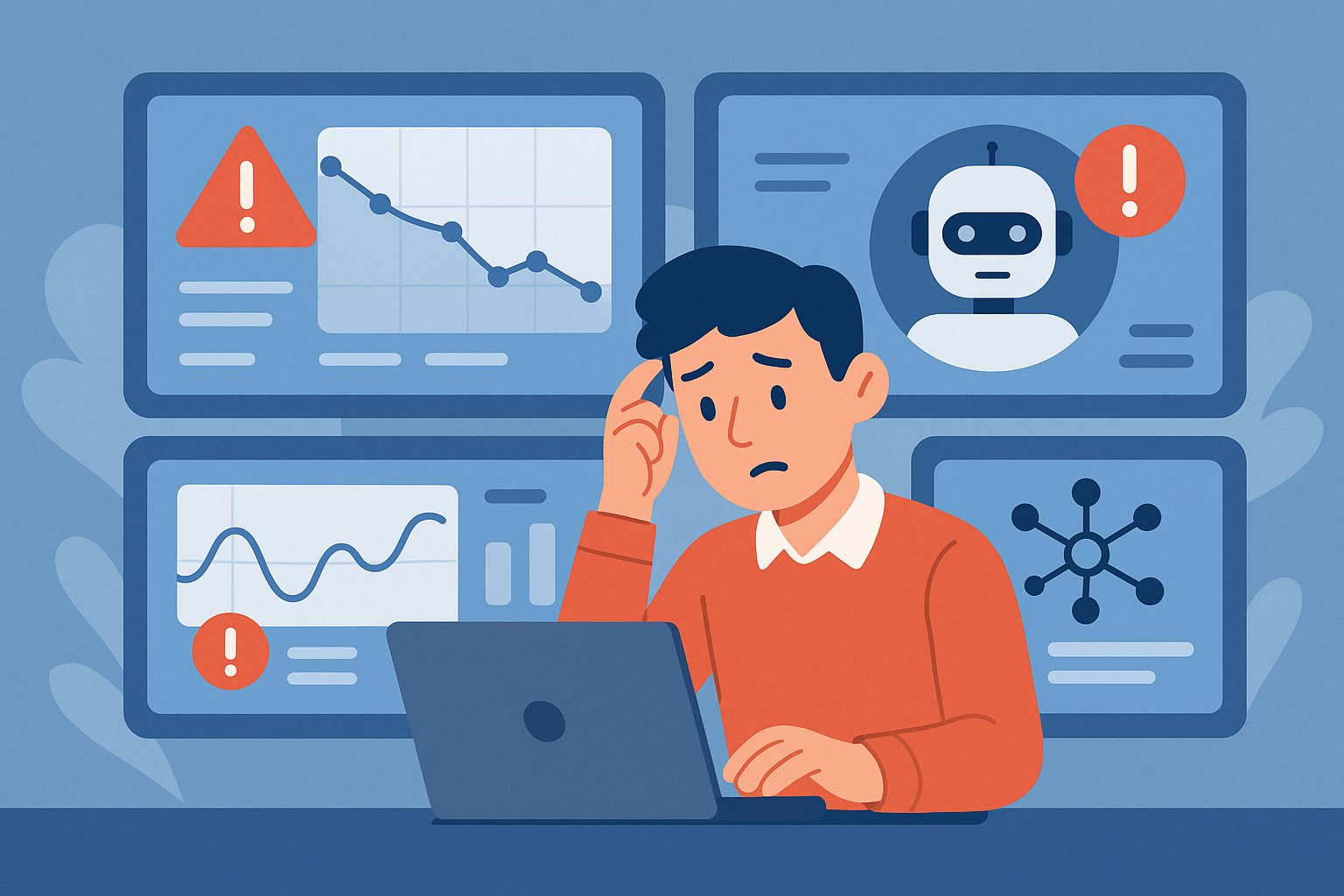
    AI automation does not always fail in dramatic ways. Sometimes it keeps running while quietly producing weaker results, missing edge cases, or increasing hidden operational risk. That kind of failure is especially dangerous because teams often notice it only after trust is already damaged.

    1) Output Quality Drifts Without Obvious Errors

    One of the first warning signs is that the system still appears healthy, but the work product slowly gets worse. Summaries become less precise, extracted data needs more cleanup, or drafted responses sound less helpful. Because nothing is crashing, these issues can hide in plain sight.

    This is why quality sampling matters. If no one reviews real outputs regularly, gradual decline can continue for weeks before anyone recognizes the pattern.

    2) Human Overrides Start Increasing

    When operators begin correcting the system more often, that is a signal. Even if those corrections are small, the rising override rate often means the automation is no longer saving as much time as expected.

    Teams should track override frequency the same way they track uptime. A stable system is not just available. It is useful without constant repair.

    3) Latency and Cost Rise Together

    If response time gets slower while costs climb, there is usually an underlying design issue. It may be unnecessary tool calls, bloated prompts, weak routing logic, or too much reliance on large models for simple tasks.

    That combination often appears before an obvious outage. Watching cost and latency together gives a much clearer picture than either metric alone.

    4) Edge Cases Get Handled Inconsistently

    A healthy automation system should fail in understandable ways. If the same unusual input sometimes works and sometimes breaks, the workflow is probably more brittle than it looks.

    Inconsistency is often a warning that the prompt, retrieval, or tool orchestration is under-specified. It usually means the system needs clearer guardrails, not just more model power.

    5) Teams Stop Trusting the System

    Once users start saying they need to double-check everything, the system has already crossed into a danger zone. Trust is expensive to rebuild. Even a technically functional workflow can become operationally useless if nobody believes it anymore.

    That is why AI reliability should be measured in business confidence as well as raw task completion.

    Final Takeaway

    Quiet failures are often more damaging than loud ones. The best defense is not blind optimism. It is regular review, clear metrics, and fast correction loops before small problems become normal behavior.