Blog

  • How to Review AI Connector Requests Before They Become Shadow Integrations

    How to Review AI Connector Requests Before They Become Shadow Integrations

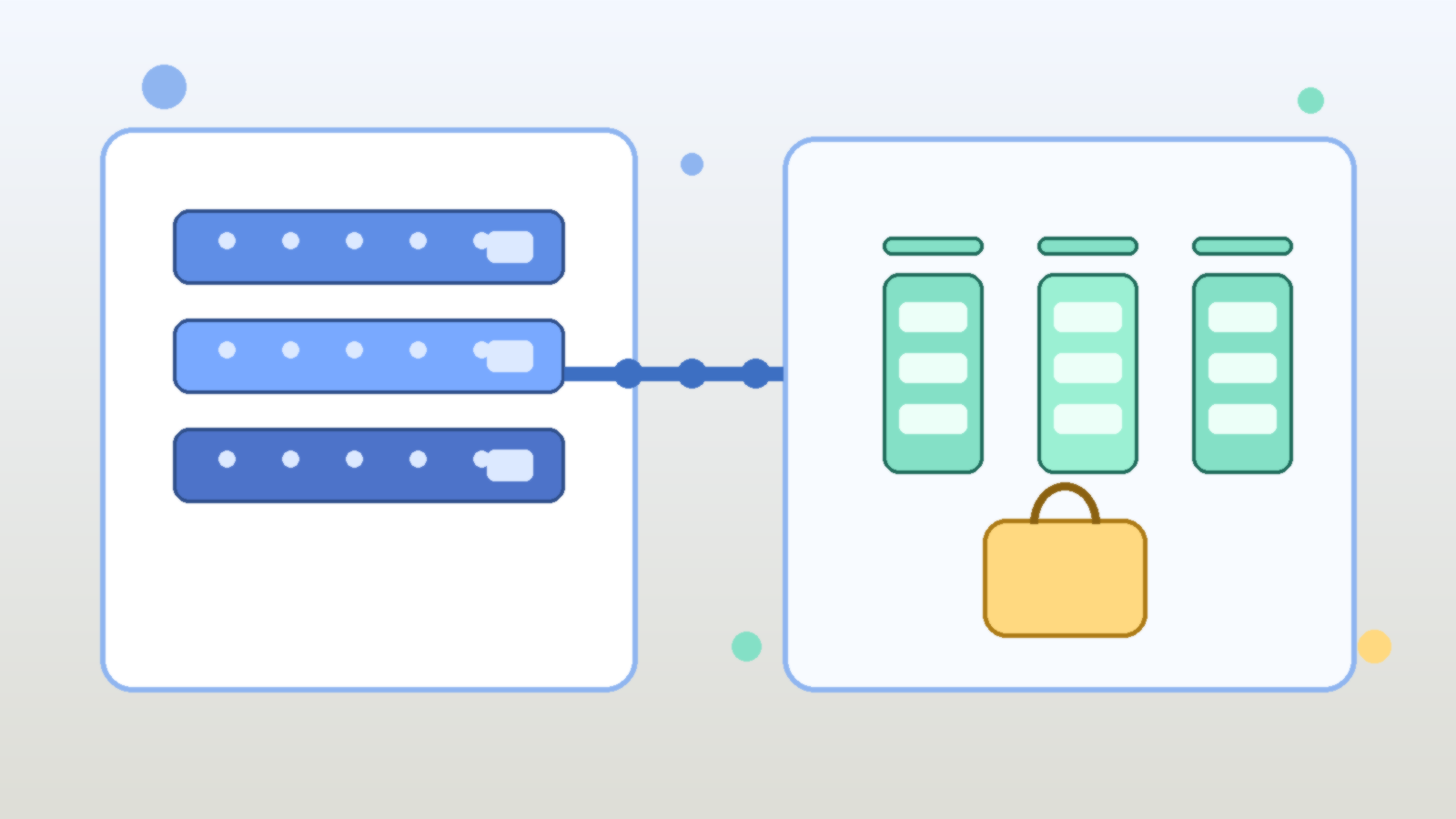
    Abstract teal and blue illustration of connected systems with gated pathways and glowing nodes

    AI platforms become much harder to govern once every team starts asking for a new connector, plugin, webhook, or data source. On paper, each request sounds reasonable. A sales team wants the assistant to read CRM notes. A support team wants ticket summaries pushed into chat. A finance team wants a workflow that can pull reports from a shared drive and send alerts when numbers move. None of that sounds dramatic in isolation, but connector sprawl is how many internal AI programs drift from controlled enablement into shadow integration territory.

    The problem is not that connectors are bad. The problem is that every connector quietly expands trust. It creates a new path for prompts, context, files, tokens, and automated actions to cross system boundaries. If that path is approved casually, the organization ends up with an AI estate that is technically useful but operationally messy. Reviewing connector requests well is less about saying no and more about making sure each new integration is justified, bounded, and observable before it becomes normal.

    Start With the Business Action, Not the Connector Name

    Many review processes begin too late in the stack. Teams ask whether a SharePoint connector, Slack app, GitHub integration, or custom webhook should be allowed, but they skip the more important question: what business action is the connector actually supposed to support? That distinction matters because the same connector can represent very different levels of risk depending on what the AI system will do with it.

    Reading a controlled subset of documents for retrieval is one thing. Writing comments, updating records, triggering deployments, or sending data into another system is another. A solid review starts by defining whether the request is for read access, write access, administrative actions, scheduled automation, or some mix of those capabilities. Once that is clear, the rest of the control design gets easier because the conversation is grounded in operational intent instead of vendor branding.

    Map the Data Flow Before You Debate the Tooling

    Connector reviews often get derailed into product debates. People compare features, ease of setup, and licensing before anyone has clearly mapped where the data will move. That is backwards. Before approving an integration, document what enters the AI system, what leaves it, where it is stored, what logs are created, and which human or service identity is responsible for each step.

    This data-flow view usually reveals the hidden risk. A connector that looks harmless may expose internal documents to a model context window, write generated summaries into a downstream system, or keep tokens alive longer than the requesting team expects. Even when the final answer is yes, the organization is better off because the integration boundary is visible instead of implied.

    Separate Retrieval Access From Action Permissions

    One of the most common connector mistakes is bundling retrieval and action privileges together. Teams want an assistant that can read system state and also take the next step, so they grant a single integration broad permissions for convenience. That makes troubleshooting harder and raises the blast radius when the workflow misfires.

    A better design separates passive context gathering from active change execution. If the assistant needs to read documentation, tickets, or dashboards, give it a read-scoped path that is isolated from write-capable automations. If a later step truly needs to update data or trigger a workflow, treat that as a separate approval and identity decision. This split does not eliminate risk, but it makes the control boundary much easier to reason about and much easier to audit.

    Review Whether the Connector Creates a New Trust Shortcut

    A connector request should trigger one simple but useful question: does this create a shortcut around an existing control? If the answer is yes, the request deserves more scrutiny. Many shadow integrations do not look like security exceptions at first. They look like productivity improvements that happen to bypass queueing, peer review, role approval, or human sign-off.

    For example, a connector might let an AI workflow pull documents from a repository that humans can access only through a governed interface. Another might let generated content land in a production system without the normal validation step. A third might quietly centralize access through a service account that sees more than any individual requester should. These patterns are dangerous because the integration becomes the easiest path through the environment, and the easiest path tends to become the default path.

    Make Owners Accountable for Lifecycle, Not Just Setup

    Connector approvals often focus on initial setup and ignore the long tail. That is how stale integrations stay alive long after the original pilot ends. Every approved connector should have a clearly named owner, a business purpose, and a review point that forces the team to justify why the integration still exists.

    This is especially important for AI programs because experimentation moves quickly. A connector that made sense during a proof of concept may no longer fit the architecture six weeks later, but it remains in place because nobody wants to untangle it. Requiring an owner and a review date changes that habit. It turns connector approval from a one-time permission event into a maintained responsibility.

    Require Logging That Explains the Integration, Not Just That It Ran

    Basic activity logs are not enough for connector governance. Knowing that an API call happened is useful, but it does not tell reviewers why the integration exists, what scope it was supposed to have, or whether the current behavior still matches the original approval. Good connector governance needs enough logging and metadata to explain intent as well as execution.

    That usually means preserving the requesting team, approved use case, identity scope, target systems, and review history alongside the technical logs. Without that context, investigators end up reconstructing decisions after an incident from scattered tickets and half-remembered assumptions. With that context, unusual activity stands out faster because reviewers can compare the current behavior to a defined operating boundary.

    Standardize a Small Review Checklist So Speed Does Not Depend on Memory

    The healthiest connector programs do not rely on one security person or one platform architect remembering every question to ask. They use a small repeatable checklist. The checklist does not need to be bureaucratic to be effective. It just needs to force the team to answer the same core questions every time.

    A practical checklist usually covers the business purpose, read versus write scope, data sensitivity, token storage method, logging expectations, expiration or review date, owner, fallback behavior, and whether the connector bypasses an existing control path. That is enough structure to catch bad assumptions without slowing every request to a halt. If the integration is genuinely low risk, the checklist makes approval easier. If the integration is not low risk, the gaps show up early.

    Final Takeaway

    AI connector sprawl is rarely caused by one reckless decision. It usually grows through a long series of reasonable-sounding approvals that nobody revisits. That is why connector governance should focus on trust boundaries, data flow, action scope, and lifecycle ownership instead of treating each request as a simple tooling choice.

    If you review connector requests by business action, separate retrieval from execution, watch for new trust shortcuts, and require visible ownership over time, you can keep AI integrations useful without letting them become a shadow architecture. The goal is not to block every connector. The goal is to make sure every approved connector still makes sense when someone looks at it six months later.
  • How to Use Azure Policy to Keep AI Sandbox Subscriptions From Becoming Production Backdoors

    How to Use Azure Policy to Keep AI Sandbox Subscriptions From Becoming Production Backdoors

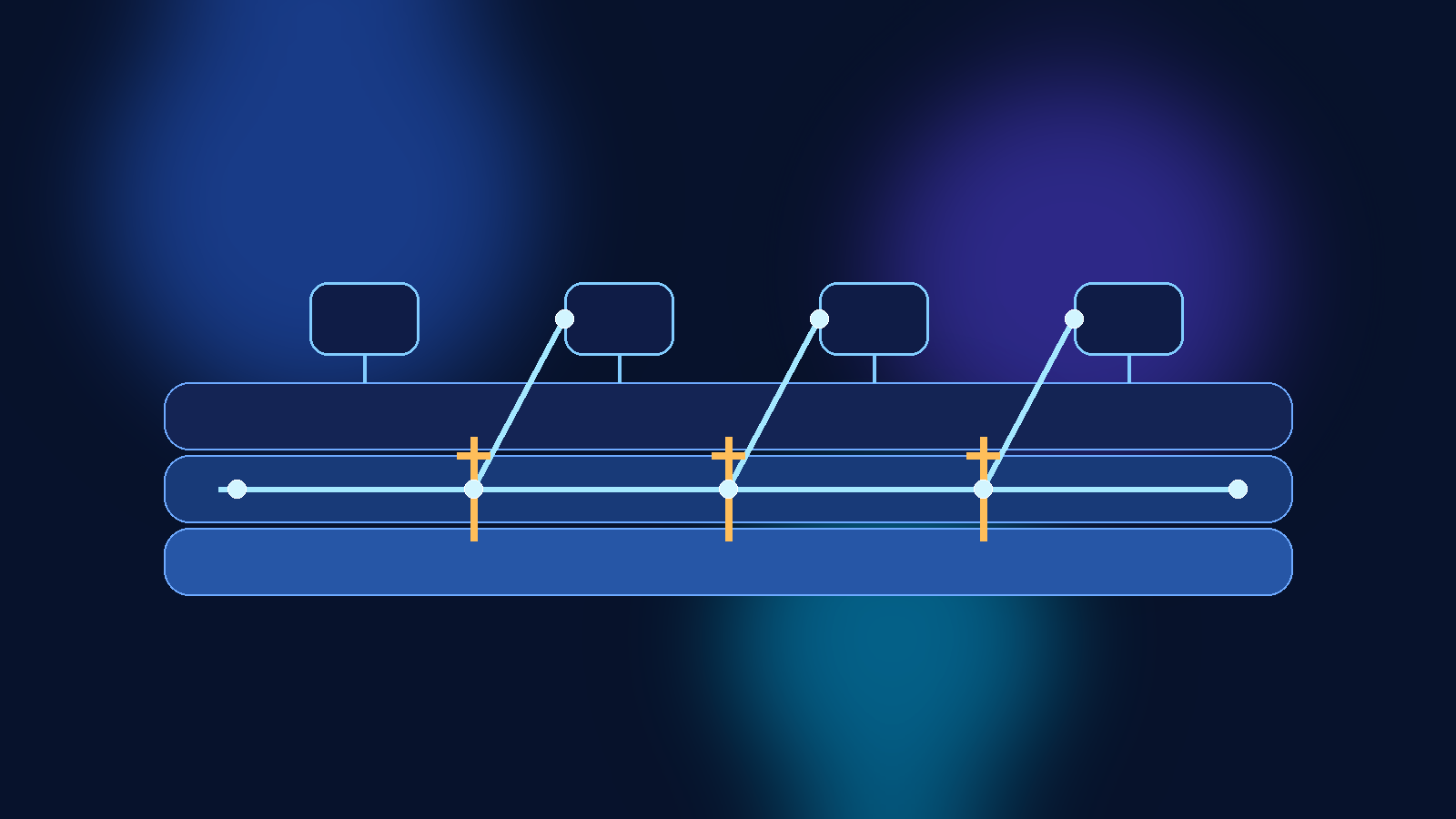
    Abstract blue and violet cloud security illustration with layered shapes and glowing network paths

    AI teams often start in a sandbox subscription for the right reasons. They want to experiment quickly, compare models, test retrieval flows, and try new automation patterns without waiting for every enterprise control to be polished. The problem is that many sandboxes quietly accumulate permanent exceptions. A temporary test environment gets a broad managed identity, a permissive network path, a storage account full of copied data, and a deployment template that nobody ever revisits. A few months later, the sandbox is still labeled non-production, but it has become one of the easiest ways to reach production-adjacent systems.

    Azure Policy is one of the best tools for stopping that drift before it becomes normal. Used well, it gives platform teams a way to define what is allowed in AI sandbox subscriptions, what must be tagged and documented, and what should be blocked outright. It does not replace identity design, network controls, or human approval. What it does provide is a practical way to enforce the baseline rules that keep an experimental environment from turning into a permanent loophole.

    Why AI Sandboxes Drift Faster Than Other Cloud Environments

    Most sandbox subscriptions are created to remove friction. That is exactly why they become risky. Teams add resources quickly, often with broad permissions and short-term workarounds, because speed is the point. In AI projects, this problem gets worse because experimentation often crosses several control domains at once. A single proof of concept may involve model endpoints, storage, search indexes, document ingestion, secret retrieval, notebooks, automation accounts, and outbound integrations.

    If there is no policy guardrail, each convenience decision feels harmless on its own. Over time, though, the subscription starts to behave like a shadow platform. It may contain production-like data, long-lived service principals, public endpoints, or copy-pasted network rules that were never meant to survive the pilot stage. At that point, calling it a sandbox is mostly a naming exercise.

    Start by Defining What a Sandbox Is Allowed to Be

    Before writing policy assignments, define the operating intent of the subscription. A sandbox is not simply a smaller production environment. It is a place for bounded experimentation. That means its controls should be designed around expiration, isolation, and reduced blast radius.

    For example, you might decide that an AI sandbox subscription may host temporary model experiments, retrieval prototypes, and internal test applications, but it may not store regulated data, create public IP addresses without exception review, peer directly into production virtual networks, or run identities with tenant-wide privileges. Azure Policy works best after those boundaries are explicit. Without that clarity, teams usually end up writing rules that are either too weak to matter or so broad that engineers immediately look for ways around them.

    Use Deny Policies for the Few Things That Should Never Be Normal

    The strongest Azure Policy effect is `deny`, and it should be used carefully. If you try to deny everything interesting, developers will hate the environment and the policy set will collapse under exception pressure. The better approach is to reserve deny policies for the patterns that should never become routine in an AI sandbox.

    A good example is preventing unsupported regions, blocking unrestricted public IP deployment, or disallowing resource types that create uncontrolled paths to sensitive systems. You can also deny deployments that are missing required tags such as data classification, owner, expiration date, and business purpose. These controls are useful because they stop the easiest forms of drift at creation time instead of relying on cleanup later.

    Use Audit and Modify to Improve Behavior Without Freezing Experimentation

    Not every control belongs in a hard block. Some are better handled with `audit`, `auditIfNotExists`, or `modify`. Those effects help teams see drift and correct it while still leaving room for legitimate testing. In AI sandbox subscriptions, this is especially helpful for operational hygiene.

    For instance, you can audit whether diagnostic settings are enabled, whether Key Vault soft delete is configured, whether storage accounts restrict public access, or whether approved tags are present on inherited resources. The `modify` effect can automatically add or normalize tags when the fix is straightforward. That gives engineers useful feedback without turning every experiment into a support ticket.

    Treat Network Exposure as a Policy Question, Not Just a Security Review Question

    AI teams often focus on model quality first and treat network design as something to revisit later. That is how sandbox environments end up with public endpoints, broad firewall exceptions, and test services that are reachable from places they should never be reachable from.

    Azure Policy can help force the right conversation earlier. You can use it to restrict which SKUs, networking modes, or public access settings are allowed for storage, databases, and other supporting services. You can also audit or deny resources that are created outside approved network patterns. This matters because many AI risks do not come from the model itself. They come from the surrounding infrastructure that moves prompts, files, embeddings, and results across environments with too little friction.

    Require Expiration Signals So Temporary Environments Actually Expire

    One of the most practical sandbox controls is also one of the least glamorous: require an expiration tag and enforce follow-up around it. Temporary environments rarely disappear on their own. They survive because nobody is clearly accountable for cleaning them up, and because the original test work slowly becomes an unofficial dependency.

    A policy initiative can require tags such as `ExpiresOn`, `Owner`, and `WorkloadStage`, then pair those tags with reporting or automation outside Azure Policy. The value here is not the tag itself. The value is that a sandbox subscription becomes legible. Reviewers can quickly see whether a deployment still has a business reason to exist, and platform teams can spot old experiments before they turn into permanent access paths.

    Keep Exceptions Visible and Time Bound

    Every policy program eventually needs exceptions. The mistake is treating exceptions as invisible administrative work instead of as security-relevant decisions. In AI environments, exceptions often involve high-impact shortcuts such as broader outbound access, looser identity permissions, or temporary access to sensitive datasets.

    If you grant an exception, record why it exists, who approved it, what resources it covers, and when it should end. Even if Azure Policy itself is not the system of record for exception governance, your policy model should assume that exceptions are time-bound and reviewable. Otherwise the exception process becomes a slow-motion replacement for the standard.

    Build Policy Sets Around Real AI Platform Patterns

    The cleanest policy design usually comes from grouping controls into a small number of understandable initiatives instead of dumping dozens of unrelated rules into one assignment. For AI sandbox subscriptions, that often means separating controls into themes such as data handling, network exposure, identity hygiene, and lifecycle governance.

    That structure helps in two ways. First, engineers can understand what a failed deployment is actually violating. Second, platform teams can tune controls over time without turning every policy update into a mystery. Good governance is easier to maintain when teams can say, with a straight face, which initiative exists to control which class of risk.

    Final Takeaway

    Azure Policy will not make an AI sandbox safe by itself. It will not fix bad role design, weak approval paths, or careless data handling. What it can do is stop the most common forms of cloud drift from becoming normal operating practice. That is a big deal, because most AI security problems in the cloud do not begin with a dramatic breach. They begin with a temporary shortcut that nobody removed.

    If you want sandbox subscriptions to stay useful without becoming production backdoors, define the sandbox operating model first, deny only the patterns that should never be acceptable, audit the rest with intent, and make expiration and exceptions visible. That is how experimentation stays fast without quietly rewriting your control boundary.

  • Why AI Agent Sandboxing Belongs in Your Cloud Governance Model

    Why AI Agent Sandboxing Belongs in Your Cloud Governance Model

    Enterprise teams are moving from simple chat assistants to AI agents that can call tools, read internal data, open tickets, generate code, and trigger workflows. That shift is useful, but it changes the risk profile. An assistant that only answers questions is one thing. An agent that can act inside your environment is closer to a junior operator with a very large blast radius.

    That is why sandboxing should sit inside your cloud governance model instead of living as an afterthought in an AI pilot. If an agent can reach production systems, sensitive documents, or shared credentials without strong boundaries, then your cloud controls are already being tested by automation whether your governance process acknowledges it or not.

    Sandboxing Changes the Conversation From Trust to Containment

    Many AI governance discussions still revolve around model safety, prompt filtering, and human review. Those controls matter, but they do not replace execution boundaries. Sandboxing matters because it assumes agents will eventually make a bad call, encounter malicious input, or receive access they should not keep forever.

    A good sandbox does not pretend the model is flawless. It limits what the agent can touch, how long it can keep access, what network paths are available, and what happens when something unusual is requested. That design turns inevitable mistakes into containable incidents instead of cross-system failures.

    Identity Scope Is the First Boundary, Not the Last

    Too many deployments start with broad service credentials because they are fast to wire up. The result is an AI agent that inherits more privilege than any human operator would receive for the same task. In cloud environments, that is a governance smell. Agents should get narrow identities, purpose-built roles, and explicit separation between read, write, and approval paths.

    When teams treat identity as the first sandbox layer, they gain several advantages at once. Access reviews become clearer, audit logs become easier to interpret, and rollback decisions become less chaotic because the agent never had universal reach in the first place.

    Network and Runtime Isolation Matter More Once Tools Enter the Picture

    As soon as an agent can browse, run code, connect to APIs, or pull files from storage, runtime isolation becomes a practical control instead of a theoretical one. Separate execution environments help prevent one compromised task from becoming a pivot point into broader infrastructure. They also let teams apply environment-specific egress rules, storage limits, and expiration windows.

    This is especially important in cloud estates where AI features are layered on top of existing automation. If the same runtime can touch internal documentation, deployment systems, and customer data sources, your governance model is relying on luck. Segmented runtimes give you a cleaner answer when someone asks which agent could access what, under which conditions, and for how long.

    Approval Gates Should Match Business Impact

    Not every agent action deserves the same friction. Reading internal knowledge articles is not the same as rotating secrets, approving invoices, or changing production policy. Sandboxing works best when it is paired with action tiers. Low-risk actions can run automatically inside a narrow lane. Medium-risk actions may require confirmation. High-risk actions should cross a human approval boundary before the agent can continue.

    That structure makes governance feel operational instead of bureaucratic. Teams can move quickly where the risk is low while still preserving deliberate oversight where a mistake would be expensive, public, or hard to reverse.

    Logging Needs Context, Not Just Volume

    AI agent logging often becomes noisy fast. A flood of tool calls is not the same as meaningful auditability. Governance teams need to know which identity was used, which data source was accessed, which policy allowed the action, whether a human approved anything, and what outputs left the sandbox boundary.

    Context-rich logs make incident response far more realistic. They also support healthier reviews with security, compliance, and platform teams because discussions can focus on concrete behavior rather than vague assurances that the agent is “mostly restricted.”

    Start With a Small Operating Model, Then Expand Carefully

    The strongest first move is not a massive autonomous platform. It is a narrow operating model that defines which agent classes exist, which tasks they may perform, which environments they may run in, and which data classes they are allowed to touch. From there, teams can add more capability without losing track of the original safety assumptions.

    That approach is more sustainable than retrofitting controls after several enthusiastic teams have already connected agents to everything. Governance rarely fails because nobody cared. It usually fails because convenience expanded faster than the control model that was supposed to shape it.

    Final Takeaway

    AI agent sandboxing is not just a security feature. It is a governance decision about scope, accountability, and failure containment. In cloud environments, those questions already exist for workloads, service principals, automation accounts, and data platforms. Agents should not get a special exemption just because the interface feels conversational.

    If your organization wants agentic AI without creating invisible operational risk, put sandboxing in the model early. Define identities narrowly, isolate runtimes, tier approvals, and log behavior with enough context to defend your decisions later. That is what responsible scale actually looks like.

  • How to Use Microsoft Entra Access Packages to Control Internal AI Tool Access

    How to Use Microsoft Entra Access Packages to Control Internal AI Tool Access

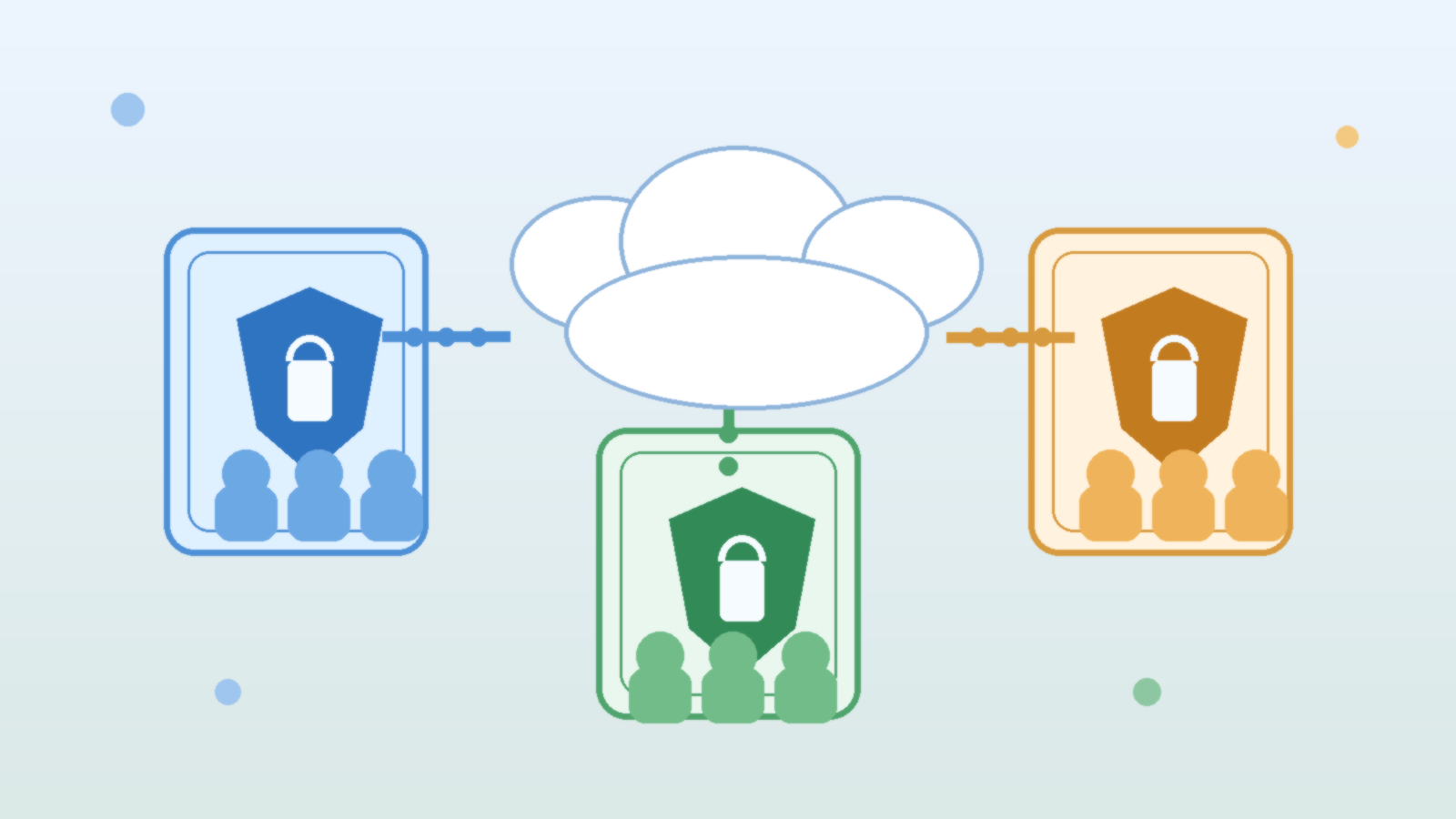
    Abstract layered illustration of secure access pathways and approval nodes in blue, teal, and gold.

    Internal AI tools often start with a small pilot group and then spread faster than the access model around them. Once several departments want the same chatbot, summarization assistant, or document analysis workflow, ad hoc approvals become messy. Teams lose track of who still needs access, who approved it, and whether the original business reason is still valid.

    Microsoft Entra access packages are a practical answer to that problem. They let you bundle group memberships, app assignments, and approval rules into a repeatable access path. For internal AI tools, that means you can grant access with less manual overhead while still enforcing expiration, reviews, and basic governance.

    Why Internal AI Access Gets Sloppy So Fast

    Most internal AI tools touch valuable data even when they look harmless. A meeting summarizer may connect to recordings and calendars. A knowledge assistant may expose internal documents. A coding helper may reach repositories, logs, or deployment notes. If access is granted through one-off requests in chat or email, the organization quickly ends up with broad standing access and weak evidence for why each person has it.

    The risk is not only unauthorized access. The bigger operational problem is drift. Contractors stay in groups longer than expected, employees keep access after role changes, and reviewers have no easy way to tell which assignments were temporary and which were intentionally long term. That is exactly the kind of slow governance failure that turns into a security issue later.

    What Access Packages Actually Improve

    An access package gives people a defined way to request the access they need instead of asking an administrator to piece it together manually. You can bundle the right Entra group, connected app assignment, and approval chain into one requestable unit. That removes inconsistency and makes the path easier to audit.

    For AI use cases, the real value is that access packages also support expiration and access reviews. Those two controls matter because AI programs change quickly. A pilot that needed twenty users last month may need five hundred this quarter, while another assistant may be retired before its original access assumptions were ever cleaned up. Access packages help the identity process keep up with that pace.

    Start With a Role-Based Access Design

    Before building anything in Entra, define who should actually get the tool. Do not start with the broad statement that everyone in the company may eventually need it. Start with the smallest realistic set of roles that have a clear business reason to use the tool today.

    For example, an internal AI research assistant might have separate paths for platform engineers, legal reviewers, and a small pilot group of business users. Those audiences may all use the same service, but they often need different approval routes and review cadences. Treating them as one giant access bucket makes governance weaker and troubleshooting harder.

    Build Approval Rules That Match Real Risk

    Not every AI tool needs the same approval path. A low-risk assistant that only works with public or lightly sensitive content may only need manager approval and a short expiration period. A tool that can reach customer records, source code, or regulated documents may need both a manager and an application owner in the loop.

    The mistake to avoid is making every request equally painful. If the approval process is too heavy for low-risk tools, teams will pressure administrators to create exceptions outside the workflow. It is better to align the access package rules with the data sensitivity and capabilities of the AI system so the control feels proportionate.

    • Use short expirations for pilot programs and early rollouts.
    • Require stronger approval for tools that can retrieve sensitive internal content.
    • Separate broad read access from higher-risk administrative capabilities.

    Use Expiration and Reviews as Normal Operations

    Expiration should be the default, not the exception. Internal AI tools evolve quickly, and the cleanest way to prevent stale access is to force a periodic decision about whether each assignment still makes sense. Access packages make that easier because the expiration date is built into the request path rather than added later through manual cleanup.

    Access reviews are just as important. They give managers or owners a chance to confirm that a person still uses the tool for a real business need. For AI services, this is especially useful after reorganizations, project changes, or security reviews. The review cycle turns identity governance into a repeated habit instead of a one-time setup task.

    Keep the Package Scope Tight

    It is tempting to put every related permission into one access package so users only submit a single request. That convenience can backfire if the package quietly grants more than the tool actually needs. For example, access to an AI portal does not always require access to training data locations, admin consoles, or debugging workspaces.

    A better pattern is to create a standard user package for normal use and separate packages for elevated capabilities. That structure supports least privilege without forcing administrators to design a unique workflow for every individual. It also makes access reviews clearer because reviewers can see the difference between basic use and privileged access.

    Final Takeaway

    Microsoft Entra access packages are not flashy, but they solve a very real problem for internal AI rollouts. They replace improvised access decisions with a repeatable model that supports approvals, expiration, and review. That is exactly what growing AI programs need once interest spreads beyond the original pilot team.

    If you want internal AI access to stay manageable, treat identity governance as part of the product rollout instead of a cleanup project for later. Access packages make that discipline much easier to maintain.

  • How to Roll Out Passkeys for Workforce Accounts Without Breaking Legacy Sign-In Flows

    How to Roll Out Passkeys for Workforce Accounts Without Breaking Legacy Sign-In Flows

    Passkeys are one of the clearest upgrades available in identity security right now. They reduce phishing risk, lower the odds of password reuse, and make sign-in easier for employees who are tired of juggling passwords, OTP prompts, and repeated reset cycles. The problem is that most real environments are not greenfield. They include legacy SaaS apps, old conditional access patterns, shared support workflows, and a pile of devices that do not all behave the same way.

    If you push passkeys into that kind of environment too aggressively, you create help desk pain, confused users, and emergency exceptions that quietly weaken the security gains you were trying to get. A better approach is to treat passkey rollout as an identity modernization project instead of a one-click feature switch.

    Start with the sign-in paths that matter most

    Before you change any authentication policy, map your current workforce sign-in flows. That means identifying which applications already support modern authentication, which ones still depend on older federation patterns, and where employees are most likely to hit fallback prompts. In Microsoft-heavy environments, this usually means reviewing Entra ID sign-in methods, device registration posture, browser support, and conditional access dependencies together rather than in separate admin silos.

    The goal is not to document every edge case forever. It is to identify the few flows that can break your rollout: privileged admin access, remote worker onboarding, shared kiosk or frontline device usage, and legacy apps that silently fall back to passwords. Those are the flows that deserve deliberate testing first.

    Choose a rollout model that allows controlled fallback

    A common mistake is treating passkeys as an all-or-nothing replacement on day one. In practice, most teams should begin with a phased model. Enable passkeys for a pilot group, keep a limited fallback path for business continuity, and make the fallback visible enough to monitor. Hidden fallback routes become permanent technical debt.

    • Start with a pilot group that includes both technical users and a few ordinary employees.
    • Keep at least one recovery path that is documented, auditable, and time-bound.
    • Use policy groups so you can widen or narrow rollout without rewriting every control.
    • Track how often fallback is used, because repeated fallback often signals app or device gaps.

    That phased model keeps the business moving while still forcing you to confront where passwordless sign-in is not fully ready. If fallback usage stays high after the pilot, that is useful evidence. It tells you that the environment needs more cleanup before broader enforcement.

    Fix device and browser prerequisites before you blame the users

    Passkey adoption often stalls for reasons that look like user resistance but are actually platform inconsistency. Device registration is incomplete. Browser versions are outdated. Mobile authenticator posture is uneven. Security keys are distributed without a clean lifecycle process. When those basics are messy, employees experience passkeys as random friction instead of a simpler sign-in method.

    Do the boring work early. Validate which managed device types are officially supported, how recovery works when an employee replaces a phone, and whether your browser baseline is modern enough across Windows, macOS, iOS, and Android. Also review what happens on personal devices if your workforce uses BYOD for some applications. A passkey strategy that only works beautifully on the best-managed laptop fleet is not yet a workforce strategy.

    Separate privileged accounts from general user rollout

    Administrators, break-glass accounts, and service-adjacent identities should not ride through the exact same rollout path as the general employee population. Privileged identities need stronger assurance, tighter recovery controls, and more conservative exception handling. If your help desk can casually weaken recovery for a high-value account, your passkey rollout may look modern on paper while still being fragile in practice.

    For privileged users, define stricter enrollment requirements, stronger logging expectations, and a separate recovery playbook. That usually means tighter approval checks, explicit backup method ownership, and regular review of who still has legacy methods enabled. Passwordless should reduce attack surface, not simply add one more authentication option on top of every existing method forever.

    Train support teams on recovery, not just enrollment

    Most rollout plans spend plenty of time on enrollment instructions and not nearly enough time on account recovery. That is backwards. Enrollment is usually a guided success path. Recovery is where security shortcuts happen under pressure. If a user loses a device before a deadline, the support experience will determine whether the program earns trust or creates long-term resentment.

    Support teams should know exactly how to verify identity, what recovery methods are allowed, when escalation is required, and how to remove stale authentication artifacts safely. They also need clear language for users: what passkeys are, why they are safer, and what employees should do before replacing a device or traveling with limited connectivity.

    Measure success with fewer exceptions, not just higher enrollment

    Enrollment numbers are useful, but they are not enough. A team can claim impressive passkey adoption while still carrying a large hidden risk if legacy passwords, weak recovery methods, or broad help desk overrides remain everywhere. Better metrics include fallback frequency, password reset volume, phishing-related incidents, exception count, and the number of privileged accounts that still rely on legacy methods.

    If those operational risk indicators are improving, your rollout is actually modernizing identity. If they are flat, then you may only be adding a nicer login option on top of the same old weaknesses.

    Final thought

    Passkeys are worth the effort, but they reward disciplined rollout more than enthusiasm. The winning pattern is simple: map the real sign-in flows, phase the rollout, protect recovery, and treat legacy fallback as a temporary bridge rather than a permanent comfort blanket. Teams that do that usually get both outcomes they want: better security and a smoother user experience.

  • How to Audit Azure OpenAI Access Without Slowing Down Every Team

    How to Audit Azure OpenAI Access Without Slowing Down Every Team

    Abstract illustration of Azure access auditing across AI services, identities, and approvals

    Azure OpenAI environments usually start small. One team gets access, a few endpoints are created, and everyone feels productive. A few months later, multiple apps, service principals, test environments, and ad hoc users are touching the same AI surface area. At that point, the question is no longer whether access should be reviewed. The question is how to review it without creating a process that every delivery team learns to resent.

    Good access auditing is not about slowing work down for the sake of ceremony. It is about making ownership, privilege scope, and actual usage visible enough that teams can tighten risk without turning every change into a ticket maze. Azure gives you plenty of tools for this, but the operational pattern matters more than the checkbox list.

    Start With a Clear Map of Humans, Apps, and Environments

    Most access reviews become painful because everything is mixed together. Human users, CI pipelines, backend services, experimentation sandboxes, and production workloads all end up in the same conversation. That makes it difficult to tell which permissions are temporary, which are essential, and which are leftovers from a rushed deployment.

    A more practical approach is to separate the review into lanes. Audit human access separately from workload identities. Review development and production separately. Identify who owns each Azure OpenAI resource, which applications call it, and what business purpose those calls support. Once that map exists, drift becomes easier to spot because every identity is tied to a role and an environment instead of floating around as an unexplained exception.

    Review Role Assignments by Purpose, Not Just by Name

    Role names can create false confidence. Someone may technically be assigned a familiar Azure role, but the real issue is whether that role is still justified for their current work. Access auditing gets much better when reviewers ask a boring but powerful question for every assignment: what outcome does this permission support today?

    That question trims away a lot of inherited clutter. Maybe an engineer needed broad rights during an initial proof of concept but now only needs read access to logs and model deployment metadata. Maybe a shared automation identity has permissions that made sense before the architecture changed. If the purpose is unclear, the permission should not get a free pass just because it has existed for a while.

    Use Activity Signals So Reviews Are Grounded in Reality

    Access reviews are far more useful when they are paired with evidence of actual usage. An account that has not touched the service in months should be questioned differently from one that is actively supporting a live production workflow. Azure activity data, sign-in patterns, service usage, and deployment history help turn a theoretical review into a practical one.

    This matters because stale access often survives on ambiguity. Nobody is fully sure whether an identity is still needed, so it remains in place out of caution. Usage signals reduce that guesswork. They do not eliminate the need for human judgment, but they give reviewers something more concrete than habit and memory.

    Build a Fast Path for Legitimate Change

    The reason teams hate audits is not that they object to accountability. It is that poorly designed reviews block routine work while still missing the riskiest exceptions. If a team needs a legitimate access change for a new deployment, a model evaluation sprint, or an incident response task, there should be a documented path to request it with clear ownership and a reasonable turnaround time.

    That fast path is part of security, not a compromise against it. When the official process is too slow, people create side channels, shared credentials, or long-lived exceptions that stay around forever. A responsive approval flow keeps teams inside the guardrails instead of teaching them to route around them.

    Time-Bound Exceptions Beat Permanent Good Intentions

    Every Azure environment accumulates “temporary” access that quietly becomes permanent because nobody schedules its removal. The fix is simple in principle: exceptions should expire unless someone actively renews them with a reason. This is especially important for AI systems because experimentation tends to create extra access paths quickly, and the cleanup rarely feels urgent once the demo works.

    Time-bound exceptions lower the cognitive load of future reviews. Instead of trying to remember why a special case exists, reviewers can see when it was granted, who approved it, and whether it is still needed. That turns access hygiene from detective work into routine maintenance.

    Turn the Audit Into a Repeatable Operating Rhythm

    The best Azure OpenAI access reviews are not giant quarterly dramas. They are repeatable rhythms with scoped owners, simple evidence, and small correction loops. One team might own workload identity review, another might own human access attestations, and platform engineering might watch for cross-environment drift. Each group handles its lane without waiting for one enormous all-hands ritual.

    That model keeps the review lightweight enough to survive contact with real work. More importantly, it makes access auditing normal. When teams know the process is consistent, fair, and tied to actual usage, they stop seeing it as arbitrary friction and start seeing it as part of operating a serious AI platform.

    Final Takeaway

    Auditing Azure OpenAI access does not need to become a bureaucratic slowdown. Separate people from workloads, review permissions by purpose, bring activity evidence into the discussion, provide a fast path for legitimate change, and make exceptions expire by default.

    When those habits are in place, access reviews become sharper and less disruptive at the same time. That is the sweet spot mature teams should want: less privilege drift, more accountability, and far fewer meetings that feel like security theater.

  • How to Rotate Secrets for AI Connectors Without Breaking Production Workflows

    How to Rotate Secrets for AI Connectors Without Breaking Production Workflows

    Abstract illustration of rotating credentials across connected AI services and protected systems

    AI teams love connecting models to storage accounts, vector databases, ticketing systems, cloud services, and internal tools. Then the uncomfortable part arrives: those connections depend on credentials that eventually need to change. Secret rotation sounds like a security housekeeping task until a production workflow breaks at 2 AM because one forgotten connector is still using the old value.

    The fix is not to rotate less often. The fix is to treat secret rotation as an operational design problem instead of a once-a-quarter scramble. If your AI workflows depend on API keys, service principals, app passwords, webhooks, or database credentials, you need a rotation plan that assumes connectors will be missed, caches will linger, and rollback may be necessary. The teams that handle rotation cleanly are not luckier. They are just more deliberate.

    Start by Mapping Every Dependency the Secret Actually Touches

    A single credential often reaches more places than people remember. The obvious path might be an application setting or secret vault reference, but the real blast radius can include scheduled jobs, CI pipelines, local environment files, monitoring webhooks, serverless functions, backup scripts, and internal admin tools. AI platforms make this worse because teams often wire up extra connectors during experimentation and forget to document them once the prototype becomes real.

    Before rotating anything, build a dependency map. Identify where the credential is stored, which services consume it, who owns each consumer, and how each component reloads configuration. A connector that only reads its secret on startup behaves very differently from one that pulls fresh values on every request. That distinction matters because it tells you whether rotation is a config update, a restart event, or a staged cutover.

    Prefer Dual-Key or Overlap Windows Whenever the Platform Allows It

    The cleanest secret rotations avoid hard cutovers. If a platform supports two active keys, overlapping certificates, or parallel client secrets, use that feature. Create the new credential, distribute it everywhere, validate that traffic works, and only then retire the old one. This reduces the rotation from a cliff-edge event to a controlled migration.

    That overlap window is especially helpful for AI connectors because some jobs run on schedules, some hold long-lived workers in memory, and some retry aggressively after failures. A dual-key period gives those systems time to converge. Without it, you are counting on every service to update at exactly the right moment, which is a fantasy most production environments do not deserve.

    Separate Rotation Readiness From Rotation Day

    One reason secret updates go badly is that teams combine discovery, implementation, validation, and the actual cutover into the same maintenance window. That is backwards. Readiness work should happen before the rotation date. Config paths should already be known. Restart requirements should already be documented. Owners should already know what success looks like and what rollback steps exist.

    On rotation day, the goal should be boring execution, not detective work. If engineers are still trying to remember where an old key might live, the process is already fragile. A good runbook breaks the event into phases: prepare the new credential, distribute it safely, validate connectivity in low-risk paths, switch production traffic, monitor for failures, and then revoke the retired secret only after you have enough confidence that nothing critical is still leaning on it.

    Design AI Integrations to Fail Loudly and Usefully

    Many secret rotation incidents become painful because connectors fail in vague ways. The model call times out. A background job retries forever. An ingestion pipeline quietly stops syncing. None of those symptoms immediately tells an operator that a credential expired or that a downstream service is rejecting the new authentication path.

    Your AI connectors should emit failures that make the problem legible. Authentication errors should be distinguishable from rate limits and payload issues. Health checks should exercise the real dependency path, not just confirm that the process is still running. Dashboards should show which connector failed, which environment is affected, and whether the issue began at the same time as a rotation event. If the system cannot explain its own failure, rotation will feel much riskier than it needs to be.

    Use Staged Validation Instead of Blind Trust

    After distributing a new secret, prove that each important path still works. That does not mean only testing one happy-path API call. It means validating the real workflows that matter: model inference, document ingestion, retrieval, outbound notifications, scheduled maintenance jobs, and any approval or handoff processes tied to those connectors.

    Staged validation helps because it catches environment-specific drift. Maybe development was updated but production still references an older variable group. Maybe the background worker uses a separate secret store from the web app. Maybe one serverless function still has an inline credential from six months ago. These are ordinary problems, not rare disasters, and they are exactly why a rotation checklist should test each lane explicitly instead of assuming consistency because the architecture diagram looked tidy.

    Rollback Must Be Planned Before Revocation

    Teams sometimes think rollback is impossible for secret rotation because the point is to retire an old credential. That is only partly true. If you use overlap windows, rollback can mean temporarily restoring the prior active key while you fix the consumers that missed the change. If you do not have that option, then rollback needs to mean a fast path to issue and distribute another replacement credential with known ownership and clear communication.

    The important thing is not pretending that revocation is the final step in the story. Revocation should happen after validation and after a short observation period, not as a dramatic act of confidence the moment the new secret is generated. Security is stronger when rotation is reliable. Breaking production just to prove you take credential hygiene seriously is not maturity. It is theater.

    Final Takeaway

    Secret rotation for AI connectors works best when it is treated like controlled change management: map dependencies, use overlap where possible, separate readiness from execution, validate real workflows, and delay revocation until you have evidence that the new path is stable.

    That approach is not glamorous, but it is the difference between a responsible security practice and a self-inflicted outage. In production AI systems, the goal is not just to rotate secrets. It is to rotate them without teaching the business that every security improvement comes with avoidable chaos.

  • Why AI Logging Needs a Data Retention Policy Before Your Copilot Becomes a Liability

    Why AI Logging Needs a Data Retention Policy Before Your Copilot Becomes a Liability

    Abstract illustration of layered AI log records flowing into a governance panel with a shield and hourglass

    Teams love AI logs right up until they realize how much sensitive context those logs can accumulate. Prompt histories, tool traces, retrieval snippets, user feedback, and model outputs are incredibly useful when you are debugging quality or proving that a workflow actually worked. They are also exactly the kind of data exhaust that expands quietly until nobody can explain what is stored, how long it stays around, or who should still have access to it.

    That is why AI logging needs a retention policy early, not after the first uncomfortable incident review. If your copilot or agent stack is handling internal documents, support conversations, system prompts, identity context, or privileged tool output, your logs are no longer harmless telemetry. They are operational records with security, privacy, and governance consequences.

    AI Logs Age Into Risk Faster Than Teams Expect

    In a typical application, logs are often short, structured, and relatively repetitive. In an AI system, logs can be much richer. They may include chunks of retrieved knowledge, free-form user questions, generated recommendations, exception traces, and even copies of third-party responses. That richness is what makes them helpful for troubleshooting, but it also means they can collect far more business context than traditional observability data.

    The risk is not only that one sensitive item shows up in a trace. It is that weeks or months of traces can slowly create a shadow knowledge base full of internal decisions, credentials accidentally pasted into prompts, customer details, or policy language that should not sit in a debugging system forever. The longer that material lingers without clear rules, the more likely it is to be rediscovered in the wrong context.

    Retention Rules Force Teams to Separate Useful From Reckless

    A retention policy forces a mature question: what do we genuinely need to keep? Some logs support short-term debugging and can expire quickly. Some belong in longer-lived audit records because they show approvals, policy decisions, or tool actions that must be reviewable later. Some data should never be retained in raw form at all and should be redacted, summarized, or dropped before storage.

    Without that separation, the default outcome is usually infinite accumulation. Storage is cheap enough that nobody feels pain immediately, and the system appears more useful because everything is searchable. Then a compliance request, security review, or incident investigation forces the team to admit it has been keeping far more than it can justify.

    Different AI Data Streams Deserve Different Lifetimes

    One of the biggest mistakes in AI governance is treating all generated telemetry the same way. User prompts, retrieval context, execution traces, moderation events, and model evaluations serve different purposes. They should not all inherit one blanket retention period just because they land in the same platform.

    A practical policy usually starts by classifying data streams according to sensitivity and operational value. Prompt and response content might need aggressive expiration or masking. Tool execution events may need longer retention because they show what the system actually did. Aggregated metrics can often live much longer because they preserve performance trends without preserving raw content.

    • Keep short-lived debugging traces only as long as they are actively useful for engineering work.
    • Retain approval, audit, or policy enforcement events long enough to support reviews and investigations.
    • Mask or exclude secrets, tokens, and highly sensitive fields before they reach log storage.
    • Prefer summaries and metrics when raw conversational content is not necessary.

    Redaction Is Not a Substitute for Retention

    Redaction helps, but it does not remove the need for expiration. Even well-scrubbed logs still reveal patterns about user behavior, internal operations, and system structure. They can also retain content that was not recognized as sensitive at ingestion time. Assuming that redaction alone solves the problem is a comfortable shortcut, not a governance strategy.

    The safer posture is to combine both controls. Redact aggressively where you can, restrict access tightly, and then delete data on a schedule that reflects why it was collected in the first place. That approach keeps the team honest about purpose instead of letting “maybe useful later” become a permanent excuse.

    Retention Policy Design Changes Product Behavior

    Good retention rules do more than satisfy auditors. They influence product design upstream. Once teams know certain classes of raw prompt content will expire quickly, they become more deliberate about what they persist, what they hash, and what they aggregate. They also start building review workflows that do not depend on indefinite access to every historical interaction.

    That is healthy pressure. It pushes the platform toward deliberate observability instead of indiscriminate hoarding. It also makes it easier to explain the system to customers and internal stakeholders, because the answer to “what happens to my data?” becomes concrete instead of awkwardly vague.

    Start With a Policy That Engineers Can Actually Operate

    The best retention policy is not the most elaborate one. It is the one your platform can enforce consistently. Define categories of AI telemetry, assign owners, specify retention windows, and document which controls apply to raw content versus summaries or metrics. If you cannot automate expiration yet, at least document the gap clearly instead of pretending the data is under control.

    AI systems create powerful new records of how people ask questions, how tools act, and how decisions are made. That makes logging valuable, but it also makes indefinite logging a bad default. Before your copilot becomes a liability, decide what deserves to stay, what needs to fade quickly, and what should never be stored in the first place.

  • Why Every RAG Project Needs a Content Freshness Policy Before Users Trust the Answers

    Why Every RAG Project Needs a Content Freshness Policy Before Users Trust the Answers

    Retrieval-augmented generation, usually shortened to RAG, often gets pitched as the practical fix for stale model knowledge. Instead of relying only on a model’s training data, a RAG system pulls in documents from your own environment and uses them as context for an answer. That sounds reassuring, but it creates a new problem that many teams underestimate: the system is only as trustworthy as the freshness of the content it retrieves.

    If outdated policies, old product notes, retired architecture diagrams, or superseded runbooks stay in the retrievable set for too long, the model will happily cite and summarize them. To an end user, the answer still looks polished and current. Under the hood, however, the system may be grounding itself in documents that no longer reflect reality.

    Fresh Retrieval Is Not the Same Thing as Accurate Retrieval

    Many RAG conversations focus on ranking quality, chunking strategy, vector similarity, and prompt templates. Those matter, but they do not solve the governance problem. A retriever can be technically excellent and still return the wrong material if the index contains stale, duplicated, or no-longer-approved content.

    This is why freshness needs to be treated as a first-class quality signal. When users ask about pricing, internal procedures, product capabilities, or security controls, they are usually asking for the current truth, not the most semantically similar historical answer.

    Stale Context Creates Quiet Failure Modes

    The dangerous part of stale context is that it does not usually fail in dramatic ways. A RAG system rarely announces that its source document was archived nine months ago or that a newer policy replaced the one it found. Instead, it produces an answer that sounds measured, complete, and useful.

    That kind of failure is hard to catch because it blends into normal success. A support assistant may quote an obsolete escalation path. A security copilot may recommend an access pattern that the organization already banned. An internal knowledge bot may pull from a migration guide that applied before the platform team changed standards. The result is not just inaccuracy. It is misplaced trust.

    Every Corpus Needs Lifecycle Rules

    A content freshness policy gives the retrieval layer a lifecycle instead of a pileup. Teams should define which sources are authoritative, how often they are re-indexed, when documents expire, and what happens when a source is replaced or retired. Without those rules, the corpus tends to grow forever, and old material keeps competing with the documents people actually want the assistant to use.

    The policy does not have to be complicated, but it does need to be explicit. A useful starting point is to classify sources by operational sensitivity and change frequency. Security standards, HR policies, pricing pages, API references, incident runbooks, and architecture decisions all age differently. Treating them as if they share the same refresh cycle is a shortcut to drift.

    • Define source owners for each indexed content domain.
    • Set expected refresh windows based on how quickly the source changes.
    • Mark superseded or archived documents so they drop out of normal retrieval.
    • Record version metadata that can be shown to users or reviewers.

    Metadata Should Help the Model, Not Just the Admin

    Freshness policies work better when metadata is usable at inference time, not just during indexing. If the retrieval layer knows a document’s publication date, review date, owner, status, and superseded-by relationship, it can make better ranking decisions before the model ever starts writing.

    That same metadata can also support safer answer generation. For example, a system can prefer reviewed documents, down-rank stale ones, or warn the user when the strongest matching source is older than the expected freshness window. Those controls turn freshness from an internal maintenance task into a visible trust feature.

    Trust Improves When the System Admits Its Boundaries

    One of the smartest things a RAG product can do is refuse false confidence. If the newest authoritative document is too old, missing, or contradictory, the assistant should say so clearly. That may feel less impressive than producing a seamless answer, but it is much better for long-term credibility.

    In practice, this means designing for uncertainty. A mature implementation might respond with the best available answer while also exposing source dates, linking to the underlying documents, or noting that the most relevant policy has not been reviewed recently. Users do not need perfection. They need enough signal to judge whether the answer is current enough to act on.

    Freshness Is a Product Decision, Not Just an Indexing Job

    It is tempting to assign content freshness to the search pipeline and call it done. In reality, this is a cross-functional decision involving platform owners, content teams, security reviewers, and product leads. The retrieval layer reflects the organization’s habits. If content ownership is vague and document retirement is inconsistent, the RAG experience will eventually inherit that chaos.

    The strongest teams treat freshness like part of product quality. They decide what “current enough” means for each use case, measure it, and design visible safeguards around it. That is how a RAG assistant stops being a demo and starts becoming something people can rely on.

    Final Takeaway

    RAG does not remove the need for knowledge management. It raises the cost of doing it badly. If your system retrieves content that is old, superseded, or ownerless, the model can turn that drift into confident-looking answers at scale.

    A content freshness policy is what keeps retrieval grounded in the present instead of the archive. Before users trust your answers, make sure your corpus has rules for staying current.

  • Why Every AI Pilot Needs a Data Retention Policy Before Launch

    Why Every AI Pilot Needs a Data Retention Policy Before Launch

    Most AI pilot projects begin with excitement and speed. A team wants to test a chatbot, summarize support tickets, draft internal content, or search across documents faster than before. The technical work starts quickly because modern tools make it easy to stand something up in days instead of months.

    What usually lags behind is a decision about retention. People ask whether the model is accurate, how much the service costs, and whether the pilot should connect to internal data. Far fewer teams stop to ask a simple operational question: how long should prompts, uploaded files, generated outputs, and usage logs actually live?

    That gap matters because retention is not just a legal concern. It shapes privacy exposure, security review, troubleshooting, incident response, and user trust. If a pilot stores more than the team expects, or keeps it longer than anyone intended, the project can quietly drift from a safe experiment into a governance problem.

    AI Pilots Accumulate More Data Than Teams Expect

    An AI pilot rarely consists of only a prompt and a response. In practice, there are uploaded files, retrieval indexes, conversation history, feedback labels, exception traces, browser logs, and often a copy of generated output pasted somewhere else for later use. Even when each piece looks harmless on its own, the combined footprint becomes much richer than the team planned for.

    This is why a retention policy should exist before launch, not after the first success story. Once people start using a helpful pilot, the data trail expands fast. It becomes harder to untangle what is essential for product improvement versus what is simply leftover operational residue that nobody remembered to clean up.

    Prompts and Outputs Deserve Different Rules

    Many teams treat all AI data as one category, but that is usually too blunt. Raw prompts may contain sensitive context, copied emails, internal notes, or customer fragments. Generated outputs may be safer to retain in some cases, especially when they become part of an approved business workflow. System logs may need a shorter window, while audit events may need a longer one.

    Separating these categories makes the policy more practical. Instead of saying “keep AI data for 90 days,” a stronger rule might say that prompt bodies expire quickly, approved outputs inherit the retention of the destination system, and security-relevant audit records follow the organization’s existing control standards.

    Retention Decisions Shape Security Exposure

    Every extra day of stored AI interaction data extends the window in which that information can be misused, leaked, or pulled into discovery work nobody anticipated. A pilot that feels harmless in week one may become more sensitive after users realize it can answer real work questions and begin pasting in richer material.

    Retention is therefore a security control, not just housekeeping. Shorter storage windows reduce blast radius. Clear deletion behavior reduces ambiguity during incident response. Defined storage locations make it easier to answer basic questions like who can read the data, what gets backed up, and whether the team can actually honor a delete request.

    Vendors and Internal Systems Create Split Responsibility

    AI pilots often span a vendor platform plus one or more internal systems. A team might use a hosted model, store logs in a cloud workspace, send analytics into another service, and archive approved outputs in a document repository. If retention is only defined in one layer, the overall policy is incomplete.

    That is where teams get surprised. They disable one history feature and assume the data is gone, while another copy still exists in telemetry, exports, or downstream collaboration tools. A launch-ready retention policy should name each storage point clearly enough that operations and security teams can verify the behavior instead of guessing.

    A Good Pilot Policy Should Be Boring and Specific

    The best retention policies are not dramatic. They are clear, narrow, and easy to execute. They define what data is stored, where it lives, how long it stays, who can access it, and what event triggers deletion or review. They also explain what the pilot should not accept, such as regulated records, source secrets, or customer data that has no business purpose in the test.

    Specificity beats slogans here. “We take privacy seriously” does not help an engineer decide whether prompt logs should expire after seven days or ninety. A simple table in an internal design note, backed by actual configuration, is far more valuable than broad policy language nobody can operationalize.

    Final Takeaway

    An AI pilot is not low risk just because it is temporary. Temporary projects often have the weakest controls because everyone assumes they will be cleaned up later. If the pilot is useful, later usually never arrives on its own.

    That is why retention belongs in the launch checklist. Decide what will be stored, separate prompts from outputs, map vendor and internal copies, and set deletion rules early. Teams that do this before users pile in tend to move faster with fewer surprises once the pilot starts succeeding.