Blog

  • What Good AI Agent Governance Looks Like in Practice

    What Good AI Agent Governance Looks Like in Practice

    AI agent governance is turning into one of those phrases that sounds solid in a strategy deck and vague everywhere else. Most teams agree they need it. Fewer teams can explain what it looks like in day-to-day operations when agents are handling requests, touching data, and making decisions inside real business workflows.

    The practical version is less glamorous than the hype cycle suggests. Good governance is not a single approval board and it is not a giant document nobody reads. It is a set of operating rules that make agents visible, constrained, reviewable, and accountable before they become deeply embedded in the business.

    Start With a Clear Owner for Every Agent

    An agent without a named owner is a future cleanup problem. Someone needs to be responsible for what the agent is allowed to do, which data it can touch, which systems it can call, and what happens when it behaves badly. This is true whether the agent was built by a platform team, a security group, or a business unit using a low-code tool.

    Ownership matters because AI agents rarely fail in a neat technical box. A bad permission model, an overconfident workflow, or a weak human review step can all create risk. If nobody owns the full operating model, issues bounce between teams until the problem becomes expensive enough to get attention.

    Treat Identity and Access as Product Design, Not Setup Work

    Many governance problems start with identity shortcuts. Agents get broad service credentials because it is faster. Connectors inherit access nobody re-evaluates. Test workflows keep production permissions because nobody wants to break momentum. Then the organization acts surprised when an agent can see too much or trigger the wrong action.

    Good practice is boring on purpose: least privilege, scoped credentials, environment separation, and explicit approval for high-risk actions. If an agent drafts a change request, that is different from letting it execute the change. If it summarizes financial data, that is different from letting it publish a finance-facing decision. Those lines should be designed early, not repaired after an incident.

    Put Approval Gates Where the Business Risk Actually Changes

    Not every agent action deserves the same level of friction. Requiring human approval for everything creates theater and pushes people toward shadow tools. Requiring approval for nothing creates a different kind of mess. The smarter approach is to put gates at the moments where consequences become meaningfully harder to undo.

    For most organizations, those moments include sending externally, changing records of authority, spending money, granting access, and triggering irreversible workflow steps. Internal drafting, summarization, or recommendation work may need logging and review without needing a person to click approve every single time. Governance works better when it follows risk gradients instead of blanket fear.

    Make Agent Behavior Observable Without Turning It Into Noise

    If teams cannot see which agents are active, what tools they use, which policies they hit, and where they fail, they do not have governance. They have hope. That does not mean collecting everything forever. It means keeping the signals that help operations and accountability: workflow context, model path, tool calls, approval state, policy decisions, and enough event history to investigate a problem properly.

    The quality of observability matters more than sheer volume. Useful governance data should help a team answer concrete questions: which agent handled this task, who approved the risky step, what data boundary was crossed, and what changed after the rollout. If the logs cannot support those answers, the governance layer is mostly decorative.

    Review Agents as Living Systems, Not One-Time Projects

    AI agents drift. Prompts change, models change, connectors change, and business teams start relying on workflows in ways nobody predicted during the pilot. That is why launch approval is only the start. Strong teams schedule lightweight reviews that check whether an agent still has the right access, still matches its documented purpose, and still deserves the trust the business is placing in it.

    Those reviews do not need to be dramatic. A recurring review can confirm ownership, recent incidents, policy exceptions, usage growth, and whether the original guardrails still match the current risk. The important thing is that review is built into the lifecycle. Agents should not become invisible just because they survived their first month.

    Keep the Human Role Real

    Governance fails when “human in the loop” becomes a slogan attached to fake oversight. If the reviewer lacks context, lacks authority, or is expected to rubber-stamp outputs at speed, the control is mostly cosmetic. A real human control means the person understands what they are approving and has a credible path to reject, revise, or escalate the action.

    This matters because the social part of governance is easy to underestimate. Teams need to know when they are accountable for an agent outcome and when the platform itself should carry the burden. Good operating models remove that ambiguity before the first messy edge case lands on someone’s desk.

    Final Takeaway

    Good AI agent governance is not abstract. It looks like named ownership, constrained access, risk-based approval gates, useful observability, scheduled review, and human controls that mean something. None of that kills innovation. It keeps innovation from quietly turning into operational debt with a smarter marketing label.

    Organizations do not need perfect governance before they start using agents. They do need enough structure to know who built what, what it can do, when it needs oversight, and how to pull it back when reality gets more complicated than the demo.


  • How to Keep AI Usage Logs Useful Without Turning Them Into Employee Surveillance

    How to Keep AI Usage Logs Useful Without Turning Them Into Employee Surveillance

    Once teams start using internal AI tools, the question of logging shows up quickly. Leaders want enough visibility to investigate bad outputs, prove policy compliance, control costs, and spot risky behavior. Employees, meanwhile, do not want every prompt treated like a surveillance feed. Both instincts are understandable, which is why careless logging rules create trouble fast.

    The useful framing is simple: the purpose of AI usage logs is to improve system accountability, not to watch people for the sake of watching them. When logging becomes too vague, security and governance break down. When it becomes too invasive, trust breaks down. A good policy protects both.

    Start With the Questions You Actually Need to Answer

    Many logging programs fail because they begin with a technical capability instead of a governance need. If a platform can capture everything, some teams assume they should capture everything. That is backwards. First define the questions the logs need to answer. Can you trace which tool handled a sensitive task? Can you investigate a policy violation? Can you explain a billing spike? Can you reproduce a failure that affected a customer or employee workflow?

    Those questions usually point to a narrower set of signals than full prompt hoarding. In many environments, metadata such as user role, tool name, timestamp, model, workflow identifier, approval path, and policy outcome will do more governance work than raw prompt text alone. The more precise the operational question, the less tempted a team will be to collect data just because it is available.

    Separate Security Logging From Performance Review Data

    This is where a lot of organizations get themselves into trouble. If employees believe AI logs will quietly flow into performance management, the tools become politically radioactive. People stop experimenting, work around approved tools, or avoid useful automation because every interaction feels like evidence waiting to be misread.

    Teams should explicitly define who can access AI logs and for what reasons. Security, platform engineering, and compliance functions may need controlled access for incident response, troubleshooting, or audit support. That does not automatically mean direct managers should use prompt histories as an informal productivity dashboard. If the boundaries are real, write them down. If they are not written down, people will assume the broadest possible use.

    Log the Workflow Context, Not Just the Prompt

    A prompt without context is easy to overinterpret. Someone asking an AI tool to draft a termination memo, summarize a security incident, or rephrase a customer complaint may be doing legitimate work. The meaningful governance signal often comes from the surrounding workflow, not the sentence fragment itself.

    That is why mature logging should connect AI activity to the business process around it. Record whether the interaction happened inside an approved HR workflow, a ticketing tool, a document review pipeline, or an engineering assistant. Track whether the output was reviewed by a human, blocked by policy, or sent to an external system. This makes investigations more accurate and reduces the chance that a single alarming prompt gets ripped out of context.

    Redact and Retain Deliberately

    Not every log field needs the same lifespan. Sensitive prompt content, uploaded files, and generated outputs should be handled with more care than high-level event metadata. In many cases, teams can store detailed content for a shorter retention window while keeping less sensitive control-plane records longer for audit and trend analysis.

    Redaction matters too. If prompts may contain personal data, legal material, health information, or customer secrets, a logging strategy that blindly stores raw text creates a second data-governance problem in the name of solving the first one. Redaction pipelines, access controls, and tiered retention are not optional polish. They are part of the design.

    Make Employees Aware of the Rules Before Problems Happen

    Trust does not come from saying, after the fact, that the logs were only meant for safety. It comes from telling people up front what is collected, why it is collected, how long it is retained, and who can review it. A short plain-language policy often does more good than a dense governance memo nobody reads.

    That policy should also explain what the logs are not for. If the organization is serious about avoiding surveillance drift, say so clearly. Employees do not need perfect silence around monitoring. They need predictable rules and evidence that leadership can follow its own boundaries.

    Good Logging Should Reduce Fear, Not Increase It

    The best AI governance programs make responsible use easier. Good logs support incident reviews, debugging, access control, and policy enforcement without turning every employee interaction into a suspicion exercise. That balance is possible, but only if teams resist the lazy idea that maximum collection equals maximum safety.

    If your AI logging approach would make a reasonable employee assume they are being constantly watched, it probably needs redesign. Useful governance should create accountability for systems and decisions. It should not train people to fear the tools that leadership wants them to use well.

    Final Takeaway

    AI usage logs are worth keeping, but they need purpose, limits, and context. Collect enough to investigate risk, improve reliability, and satisfy governance obligations. Avoid turning a technical control into a cultural liability. When the logging model is narrow, transparent, and role-based, teams get safer AI operations without sliding into employee surveillance by accident.

  • What Good AI Agent Governance Looks Like in Practice

    What Good AI Agent Governance Looks Like in Practice

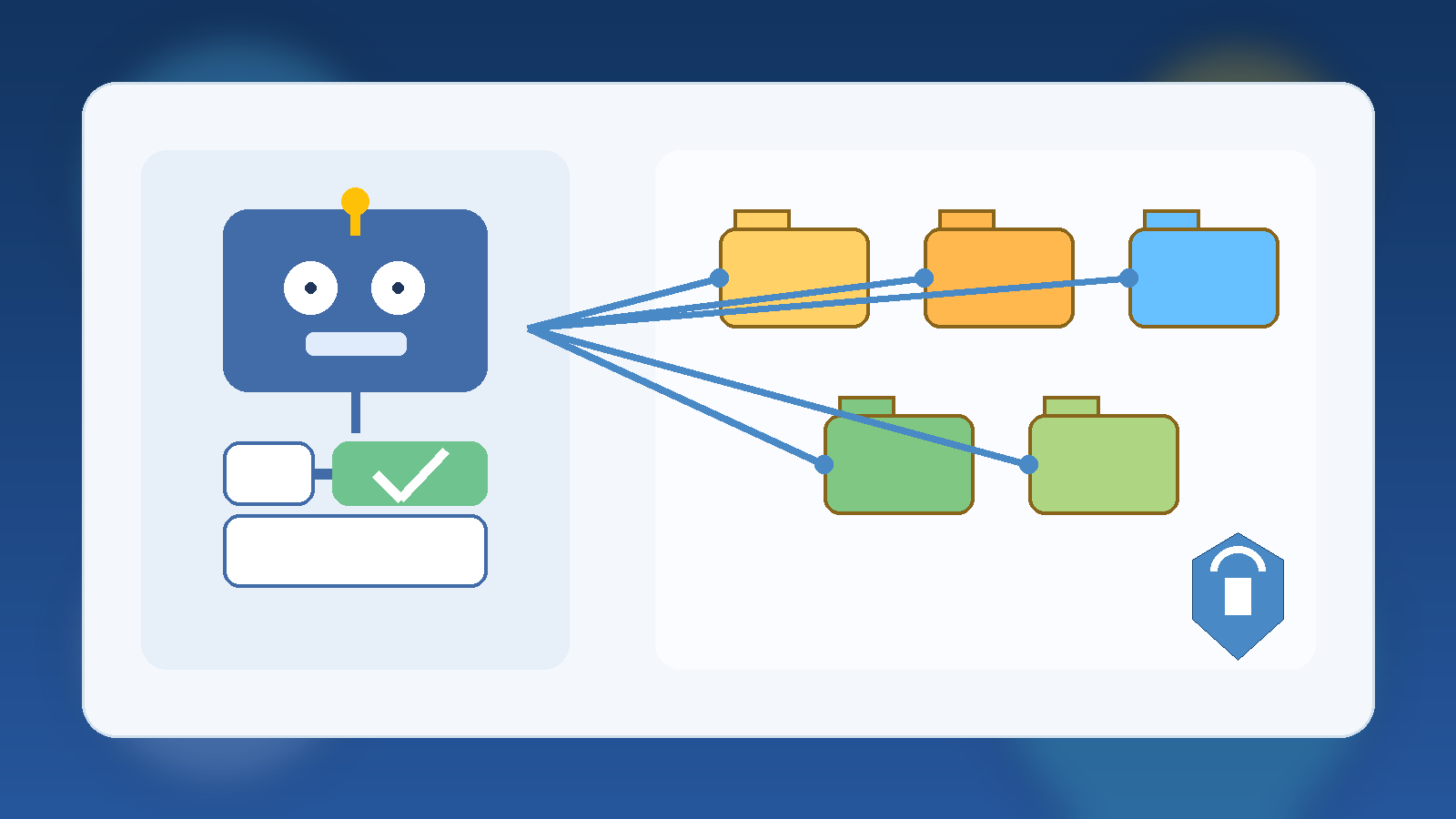
    AI agents are moving from demos into real business workflows. That shift changes the conversation. The question is no longer whether a team can connect an agent to internal tools, cloud platforms, or ticketing systems. The real question is whether the organization can control what that agent is allowed to do, understand what it actually did, and stop it quickly when it drifts outside its intended lane.

    Good AI agent governance is not about slowing everything down with paperwork. It is about making sure automation stays useful, predictable, and safe. In practice, the best governance models look less like theoretical policy decks and more like a set of boring but reliable operational controls.

    Start With a Narrow Action Boundary

    The first mistake many teams make is giving an agent broad access because it might be helpful later. That is backwards. An agent should begin with a sharply defined job and the minimum set of permissions needed to complete that job. If it summarizes support tickets, it does not also need rights to close accounts. If it drafts infrastructure changes, it does not also need permission to apply them automatically.

    Narrow action boundaries reduce blast radius. They also make testing easier because teams can evaluate one workflow at a time instead of trying to reason about a loosely controlled digital employee with unclear privileges. Restriction at the start is not a sign of distrust. It is a sign of decent engineering.

    Separate Read Access From Write Access

    Many agent use cases create value before they ever need to change anything. Reading dashboards, searching documentation, classifying emails, or assembling reports can deliver measurable savings without granting the power to modify systems. That is why strong governance separates observation from execution.

    When write access is necessary, it should be specific and traceable. Approving a purchase order, restarting a service, or updating a customer record should happen through a constrained interface with known rules. This is far safer than giving a generic API token and hoping the prompt keeps the agent disciplined.

    Put Human Approval in Front of High-Risk Actions

    There is a big difference between asking an agent to prepare a recommendation and asking it to execute a decision. High-risk actions should pass through an approval checkpoint, especially when money, access, customer data, or public communication is involved. The agent can gather context, propose the next step, and package the evidence, but a person should still confirm the action when the downside is meaningful.

    • Infrastructure changes that affect production systems
    • Messages sent to customers, partners, or the public
    • Financial transactions or purchasing actions
    • Permission grants, credential rotation, or identity changes

    Approval gates are not a sign that the system failed. They are part of the system. Mature automation does not remove judgment from important decisions. It routes judgment to the moments where it matters most.

    Make Audit Trails Non-Negotiable

    If an agent touches a business workflow, it needs logs that a human can follow. Those logs should show what context the agent received, what tool or system it called, what action it attempted, whether the action succeeded, and who approved it if approval was required. Without that trail, incident response turns into guesswork.

    Auditability also improves adoption. Security teams trust systems they can inspect. Operations teams trust systems they can replay. Leadership trusts systems that produce evidence instead of vague promises. An agent that cannot explain itself operationally will eventually become a political problem, even if it works most of the time.

    Add Budget and Usage Guardrails Early

    Cost governance is easy to postpone because the first pilot usually looks cheap. The trouble starts when a successful pilot becomes a habit and that habit spreads across teams. Good AI agent governance includes clear token budgets, API usage caps, concurrency limits, and alerts for unusual spikes. The goal is to avoid the familiar pattern where a clever internal tool quietly becomes a permanent spending surprise.

    Usage guardrails also create better engineering behavior. When teams know there is a budget, they optimize prompts, trim unnecessary context, and choose lower-cost models for low-risk tasks. Governance is not just defensive. It often produces a better product.

    Treat Prompts, Policies, and Connectors as Versioned Assets

    Many organizations still treat agent behavior as something informal and flexible, but that mindset does not scale. Prompt instructions, escalation rules, tool permissions, and system connectors should all be versioned like application code. If a change makes an agent more aggressive, expands its tool access, or alters its approval rules, that change should be reviewable and reversible.

    This matters for both reliability and accountability. When an incident happens, teams need to know whether the problem came from a model issue, a prompt change, a connector bug, or a permissions expansion. Versioned assets give investigators something concrete to compare.

    Plan for Fast Containment, Not Perfect Prevention

    No governance framework will eliminate every mistake. Models can still hallucinate, tools can still misbehave, and integrations can still break in confusing ways. That is why good governance includes a fast containment model: kill switches, credential revocation paths, disabled connectors, rate limiting, and rollback procedures that do not depend on improvisation.

    The healthiest teams design for graceful failure. They assume something surprising will happen eventually and build the controls that keep a weird moment from becoming a major outage or a trust-damaging incident.

    Governance Should Make Adoption Easier

    Teams resist governance when it feels like a vague set of objections. They accept governance when it gives them a clean path to deployment. A practical standard might say that read-only workflows can launch with documented logs, while write-enabled workflows need explicit approval gates and named owners. That kind of framework helps delivery teams move faster because the rules are understandable.

    In other words, good AI agent governance should function like a paved road, not a barricade. The best outcome is not a perfect policy document. It is a repeatable way to ship useful automation without leaving security, finance, and operations to clean up the mess later.

  • How to Stop Azure Test Projects From Turning Into Permanent Cost Problems

    How to Stop Azure Test Projects From Turning Into Permanent Cost Problems

    Azure makes it easy to get a promising idea off the ground. That speed is useful, but it also creates a familiar problem: a short-lived test environment quietly survives long enough to become part of the monthly bill. What started as a harmless proof of concept turns into a permanent cost line with no real owner.

    This is not usually a finance problem first. It is an operating discipline problem. When teams can create resources faster than they can label, review, and retire them, cloud spend drifts away from intentional decisions and toward quiet default behavior.

    Fast Provisioning Needs an Expiration Mindset

    Most Azure waste does not come from a dramatic mistake. It comes from things that nobody bothers to shut down: development databases that never sleep, public IPs attached to old test workloads, oversized virtual machines left running after a demo, and storage accounts holding data that no longer matters.

    The fix starts with mindset. If a resource is created for a test, it should be treated like something temporary from the first minute. Teams that assume every experiment needs a review date are much less likely to inherit a pile of stale infrastructure three months later.

    Tagging Only Works When It Drives Decisions

    Many organizations talk about tagging standards, but tags are useless if nobody acts on them. A tag like environment=test or owner=team-alpha becomes valuable only when budgets, dashboards, and cleanup workflows actually use it.

    That is why the best Azure tagging schemes stay practical. Teams need a short set of required tags that answer operational questions: who owns this, what is it for, what environment is it in, and when should it be reviewed. Anything longer than that often collapses under its own ambition.

    Budgets and Alerts Should Reach a Human Who Can Act

    Azure budgets are helpful, but they are not magical. A budget alert sent to a forgotten mailbox or a broad operations list will not change behavior. The alert needs to reach a person or team that can decide whether the spend is justified, temporary, or a sign that something should be turned off.

    That means alerts should map to ownership boundaries, not just subscriptions. If a team can create and run a workload, that same team should see cost signals early enough to respond before an experiment becomes an assumed production dependency.

    Make Cleanup a Normal Part of the Build Pattern

    Cleanup should not be a heroic end-of-quarter exercise. It should be a routine design decision. Infrastructure as code helps here because teams can define not only how resources appear, but also how they get paused, scaled down, or removed when the work is over.

    Even a simple checklist improves outcomes. Before a test project is approved, someone should already know how the environment will be reviewed, what data must be preserved, and which parts can be deleted without debate. That removes friction when it is time to shut things down.

    • Set a review date when the environment is created.
    • Require a real owner tag tied to a team that can take action.
    • Use budgets and alerts at the resource group or workload level when possible.
    • Automate shutdown schedules for non-production compute.
    • Review old storage, networking, and snapshot resources during cleanup, not just virtual machines.

    Governance Should Reduce Drift, Not Slow Useful Work

    Good Azure governance is not about making every experiment painful. It is about making the cheap, responsible path easier than the sloppy one. When teams have standard tags, sensible quotas, cleanup expectations, and clear escalation points, they can still move quickly without leaving financial debris behind them.

    That balance matters because cloud platforms reward speed. If governance only says no, people route around it. If governance creates simple guardrails that fit how engineers actually work, the organization gets both experimentation and cost control.

    Final Takeaway

    Azure test projects become permanent cost problems when nobody defines ownership, review dates, and cleanup expectations at the start. A little structure goes a long way. Temporary workloads stay temporary when tags mean something, alerts reach the right people, and retirement is part of the plan instead of an afterthought.

  • How to Keep Internal AI Tools From Becoming Shadow IT

    How to Keep Internal AI Tools From Becoming Shadow IT

    Internal AI tools usually start with good intentions. A team wants faster summaries, better search, or a lightweight assistant that understands company documents. Someone builds a prototype, people like it, and adoption jumps before governance catches up.

    That is where the risk shows up. An internal AI tool can feel small because it lives inside the company, but it still touches sensitive data, operational workflows, and employee trust. If nobody owns the boundaries, the tool can become shadow IT with better marketing.

    Speed Without Ownership Creates Quiet Risk

    Fast internal adoption often hides basic unanswered questions. Who approves new data sources? Who decides whether the system can take action instead of just answering questions? Who is on the hook when the assistant gives a bad answer about policy, architecture, or customer information?

    If those answers are vague, the tool is already drifting into shadow IT territory. Teams may trust it because it feels useful, while leadership assumes someone else is handling the risk. That gap is how small experiments grow into operational dependencies with weak accountability.

    Start With a Clear Operating Boundary

    The strongest internal AI programs define a narrow first job. Maybe the assistant can search approved documentation, summarize support notes, or draft low-risk internal content. That is a much healthier launch point than giving it broad access to private systems on day one.

    A clear boundary makes review easier because people can evaluate a real use case instead of a vague promise. It also gives the team a chance to measure quality and failure modes before the system starts touching higher-risk workflows.

    Decide Which Data Is In Bounds Before People Ask

    Most governance trouble shows up around data, not prompts. Employees will naturally ask the tool about contracts, HR issues, customer incidents, pricing notes, and half-finished strategy documents if the interface allows it. If the system has access, people will test the edge.

    That means teams should define approved data sources before broad rollout. It helps to write the rule in plain language: what the assistant may read, what it must never ingest, and what requires an explicit review path first. Ambiguity here creates avoidable exposure.

    Give the Tool a Human Escalation Path

    Internal AI should not pretend it can safely answer everything. When confidence is low, policy is unclear, or a request would trigger a sensitive action, the system needs a graceful handoff. That might be a support queue, a documented owner, or a clear instruction to stop and ask a human reviewer.

    This matters because trust is easier to preserve than repair. People can accept a tool that says, “I am not the right authority for this.” They lose trust quickly when it sounds confident and wrong in a place where accuracy matters.

    Measure More Than Usage

    Adoption charts are not enough. A healthy internal AI program also watches for error patterns, risky requests, stale knowledge, and the amount of human review still required. Those signals reveal whether the tool is maturing into infrastructure or just accumulating unseen liabilities.

    • Track which sources the assistant relies on most often.
    • Review failed or escalated requests for patterns.
    • Check whether critical guidance stays current after policy changes.
    • Watch for teams using the tool outside its original scope.

    That kind of measurement keeps leaders grounded in operational reality. It shifts the conversation from “people are using it” to “people are using it safely, and we know where it still breaks.”

    Final Takeaway

    Internal AI tools do not become shadow IT because teams are reckless. They become shadow IT because usefulness outruns ownership. The cure is not endless bureaucracy. It is clear scope, defined data boundaries, accountable operators, and a visible path for human review when the tool reaches its limits.

    If an internal assistant is becoming important enough that people depend on it, it is important enough to govern like a real system.

  • Security Posture Scorecards: What Leaders Should Actually Measure in 2026

    Security Posture Scorecards: What Leaders Should Actually Measure in 2026

    Security scorecards can be helpful, but many of them still emphasize whatever is easy to count rather than what actually reduces risk. In 2026, strong teams are moving away from vanity metrics and toward measures that reflect real operational posture.

    Measure Response Readiness, Not Just Control Coverage

    It is useful to know how many controls are enabled, but leaders also need to know how quickly the team can detect, triage, and respond when something goes wrong. A control that exists on paper but does not improve response outcomes can create false confidence.

    That is why response readiness should be visible in the scorecard alongside preventive controls.

    Track Identity Risk in Practical Terms

    Identity remains one of the most important parts of modern security posture. Instead of only counting users with MFA enabled, teams should also track stale privileged accounts, unreviewed service identities, and broad role assignments that survive longer than they should.

    Those metrics point more directly at the places where real incidents often start.

    Include Exception Debt

    Security exceptions pile up quietly. Temporary rule changes, policy bypasses, and one-off approvals often remain in place far beyond their intended life. A useful scorecard should show how many exceptions exist, how old they are, and whether they still have a justified owner.

    Exception debt is one of the clearest signs that posture may be weaker than leadership assumes.

    Use Trends, Not Isolated Snapshots

    A single monthly score can hide more than it reveals. Teams should look at direction over time: are privileged accounts being reduced, is patch lag improving, are unresolved high-risk findings shrinking, and are incident response times getting faster?

    Trend lines tell a more honest story than one polished status number.

    Final Takeaway

    The best security scorecards in 2026 are not designed to look impressive in a meeting. They are designed to help leaders see whether risk is actually going down and where the team needs to act next.

  • Why Cloud Teams Need Simpler Runbooks, Not More Documentation

    Why Cloud Teams Need Simpler Runbooks, Not More Documentation

    When systems get more complex, teams often respond by writing more documentation. That sounds sensible, but in practice it often creates a different problem: nobody can find the one page they actually need when something is on fire. Strong cloud teams usually need simpler runbooks, not larger piles of documentation.

    Runbooks Should Be Actionable Under Pressure

    A runbook is not the same thing as a knowledge base article. During an incident, people need short, clear steps with the right links, commands, and escalation paths. Long explanations might be useful for training, but they slow people down when response time matters.

    The best runbooks assume the reader is under pressure and has no patience for extra scrolling.

    Too Much Documentation Creates Decision Friction

    If a team has six different pages for the same service, no one knows which one is current. That uncertainty creates hesitation, and hesitation is expensive during outages and risky changes. Simpler runbooks reduce the time spent deciding which document to trust.

    Documentation volume is not the same as operational clarity.

    Separate Explanation from Execution

    Teams often mix background explanation and emergency procedure into the same page. That makes both weaker. A cleaner pattern is to keep a short execution runbook for urgent work and a separate reference doc for deeper context.

    This gives responders speed while still preserving the why behind the process.

    Review Runbooks After Real Incidents

    The best time to improve a runbook is right after it fails to help enough. If responders had to improvise steps, chase outdated links, or ignore the document entirely, that is a sign the runbook needs revision. Real incidents reveal the difference between documentation that exists and documentation that works.

    Teams should treat runbooks like operational tools, not static paperwork.

    Final Takeaway

    Cloud teams do not need endless pages to feel prepared. They need a smaller set of clear, current runbooks that are easy to use when decisions need to happen fast.

  • Why Family Laptops Should Use Separate Browser Profiles Instead of One Shared Browser

    Why Family Laptops Should Use Separate Browser Profiles Instead of One Shared Browser

    A family laptop often starts with good intentions. It sits in a kitchen, living room, or shared workspace, and everyone uses the same browser because it feels convenient. Then little problems start piling up: the wrong account stays signed in, autofill exposes private details, bookmarks turn into clutter, and one person’s search history changes what everyone else sees.

    None of that feels dramatic at first, which is exactly why it gets ignored. A shared browser on a shared computer quietly mixes privacy, security, and usability into one messy pile. The easier fix is not buying more hardware. It is giving each regular user their own browser profile.

    One Shared Browser Blends Too Many Digital Lives

    Browsers remember a surprising amount. They keep passwords, payment suggestions, browsing history, synced tabs, extension settings, and account sessions. When a household treats all of that as communal by default, people start bumping into each other’s digital lives in ways that are awkward at best and risky at worst.

    A teenager should not accidentally open a parent’s work email because the tab was still active. A spouse should not have to wonder whether saved cards are being exposed in checkout screens. Even in very trusting homes, convenience has a way of leaking more context than anyone intended to share.

    Separate Profiles Clean Up the Everyday Experience

    The biggest win is often practical, not philosophical. Separate profiles give each person their own bookmarks, open tabs, extensions, theme, and sign-in state. That means the browser stops feeling like a digital junk drawer and starts behaving more like a personalized workspace.

    This also reduces accidental mistakes. When Alex opens the laptop, Alex sees Alex’s accounts. When a child opens it, they land in a different profile with different defaults. That small separation removes a lot of friction before it turns into confusion.

    Profiles Are Also a Quiet Security Upgrade

    Separate browser profiles do not replace good device security, but they do shrink the blast radius of normal family life. Saved passwords stay tied to the right person. Browser extensions for work or school do not automatically affect everyone else. Sync settings become more intentional instead of silently blending accounts together.

    That matters most on laptops that move around the house or leave the house entirely. If one profile is signed in everywhere and used by everyone, a stolen or misplaced device can expose far more than the family realized. Clear profile boundaries make cleanup and account recovery less chaotic.

    Create a Real Guest Option for Short-Term Use

    Not every person touching the laptop needs a full profile. Visiting relatives, a babysitter helping with school pickup information, or a friend checking directions usually need temporary access, not a permanent digital footprint on the machine. Guest mode exists for a reason, and households should use it.

    That keeps temporary browsing separate from the family’s regular habits while also avoiding the bad shortcut of handing someone a signed-in personal window. It is a simple boundary, but it prevents a lot of accidental exposure.

    Keep the Setup Simple Enough to Stick

    The best household system is one people will actually use. That usually means giving each regular user a clearly named browser profile, pinning the browser icon where everyone can find it, and explaining the difference between personal profiles and guest access in one sentence. If the rule is too complicated, people will ignore it and fall back to the shared profile out of habit.

    A little setup work now prevents a lot of digital housekeeping later. The goal is not to make the family laptop feel locked down. It is to make it feel orderly, respectful, and easier for everyone to use without stepping on each other.

    Final Takeaway

    When a household shares one laptop, sharing one browser profile feels harmless because it is familiar. In practice, it creates unnecessary mess and avoidable privacy leaks. Separate profiles are one of those rare tech habits that improve security and convenience at the same time.

    If a family computer still runs through one giant shared browser, that is an easy upgrade to fix this week. Give each person their own profile, keep guest use temporary, and let the laptop stop pretending every user is the same person.