Category: Azure

  • Azure AI Foundry vs Open Source Stacks: Which Path Fits Better in 2026?

    Azure AI Foundry vs Open Source Stacks: Which Path Fits Better in 2026?

    By 2026, most serious AI teams are no longer deciding whether to build with large models at all. They are deciding how much of the surrounding platform they want to own. That is where the real comparison between Azure AI Foundry and open source stacks starts. The argument is not just managed versus self-hosted. It is operational convenience versus architectural control, and both come with real tradeoffs.

    Azure AI Foundry gives teams a faster path to enterprise integration, governance features, and a cleaner front door for model work inside a Microsoft-heavy environment. Open source stacks offer deeper flexibility, more portability, and the ability to tune the platform around your exact requirements. Neither option wins by default. The right answer depends on your constraints, your internal skills, and how much complexity your team can absorb without pretending it is free.

    Choose Based on Operating Model, Not Ideology

    Teams often frame this as a philosophical decision. One side likes the comfort of a managed cloud platform. The other side prefers the freedom of open tools, open weights, and infrastructure they can inspect more directly. That framing is a little too romantic to be useful. Most teams do not fail because they picked the wrong philosophy. They fail because they picked an operating model they could not sustain.

    If your organization already runs heavily on Azure, has enterprise identity requirements, and wants tighter alignment with existing governance and budgeting patterns, Azure AI Foundry can reduce a lot of setup friction. If your team needs custom orchestration, model portability, or deeper control over serving, observability, and inference behavior, an open source stack may be the more honest fit. The deciding question is simple: which path best matches the ownership burden your team can carry every week, not just during launch month?

    Where Azure AI Foundry Usually Wins

    Azure AI Foundry tends to win when an organization values speed-to-standardization more than absolute platform flexibility. Teams can move faster when identity, access patterns, billing, and governance hooks already line up with the rest of the cloud estate. That does not magically solve AI product quality, but it does remove a lot of platform plumbing that would otherwise steal engineering time.

    This matters most in enterprises where AI work is expected to live alongside broader Azure controls. If security reviewers already understand the subscription model, logging paths, and policy boundaries, the path to production is usually smoother than introducing a custom platform with multiple new operational dependencies. For many internal copilots, knowledge workflows, and governed experimentation programs, managed alignment is a real advantage rather than a compromise.

    Where Open Source Stacks Usually Win

    Open source stacks tend to win when the team needs to shape the platform itself rather than simply consume one. That can mean model routing across vendors, custom retrieval pipelines, specialized serving infrastructure, tighter control over latency paths, or the ability to shift workloads across clouds without redesigning the whole system around one provider’s assumptions.

    The tradeoff is that open source freedom is not the same thing as open source simplicity. More control usually means more operational surface area. Someone has to own packaging, deployment, patching, observability, upgrades, rollback, and the subtle failure modes that appear when multiple components evolve at different speeds. Teams that underestimate that burden often end up recreating a messy internal platform while telling themselves they are avoiding lock-in.

    Governance and Compliance Look Different on Each Path

    Governance is one of the most practical dividing lines. Azure AI Foundry fits naturally when your environment already leans on Azure identity, role scoping, policy controls, and centralized operations. That does not guarantee safe AI usage, but it can make review and enforcement more legible for teams that already manage cloud risk in that ecosystem.

    Open source stacks can still support strong governance, but they require more intentional design. Logging, policy enforcement, model approval, prompt versioning, and data boundary controls do not disappear just because the tooling is flexible. In fact, flexibility increases the chance that two teams will implement the same control in different ways unless platform ownership is clear. That is why open source works best when the organization is willing to build governance into the platform, not bolt it on later.

    Cost Is Not Just About License Price or Token Price

    Cost comparisons often go sideways because teams compare visible platform charges while ignoring the labor required to operate the stack well. Azure AI Foundry may look more expensive on paper for some workloads, but the managed path can reduce internal maintenance, shorten approval cycles, and lower the number of moving parts that require specialist attention. That operational savings is real, even if it does not show up as a line item in the same budget view.

    Open source stacks can absolutely make financial sense, especially when the team can optimize infrastructure use, select lower-cost models intelligently, or avoid provider-specific pricing traps. But those savings only materialize if the team can actually run the platform efficiently. A cheaper architecture diagram can become an expensive operating reality if every upgrade, incident, or integration requires more custom work than expected.

    The Real Test Is How Fast You Can Improve Safely

    The strongest AI teams are not simply shipping once. They are evaluating, tuning, and improving continuously. That is why the most useful comparison is not which platform looks more modern. It is which platform lets your team test changes, manage risk, and iterate without constant platform drama.

    If Azure AI Foundry helps your team move with enough control and enough speed, it is a good answer. If an open source stack gives you the flexibility your product genuinely needs and you have the discipline to operate it well, that is also a good answer. The wrong move is choosing a platform because it sounds sophisticated while ignoring the daily work required to keep it healthy.

    Final Takeaway

    Azure AI Foundry is usually the stronger fit when enterprise alignment, governance familiarity, and faster standardization matter most. Open source stacks are usually stronger when portability, deep customization, and platform-level control matter enough to justify the added ownership burden.

    In 2026, the smarter question is not which side is more visionary. It is which platform choice your team can run responsibly six months from now, after the launch excitement wears off and the operational reality takes over.

  • How to Design Service-to-Service Authentication in Azure Without Creating Permanent Trust

    How to Design Service-to-Service Authentication in Azure Without Creating Permanent Trust

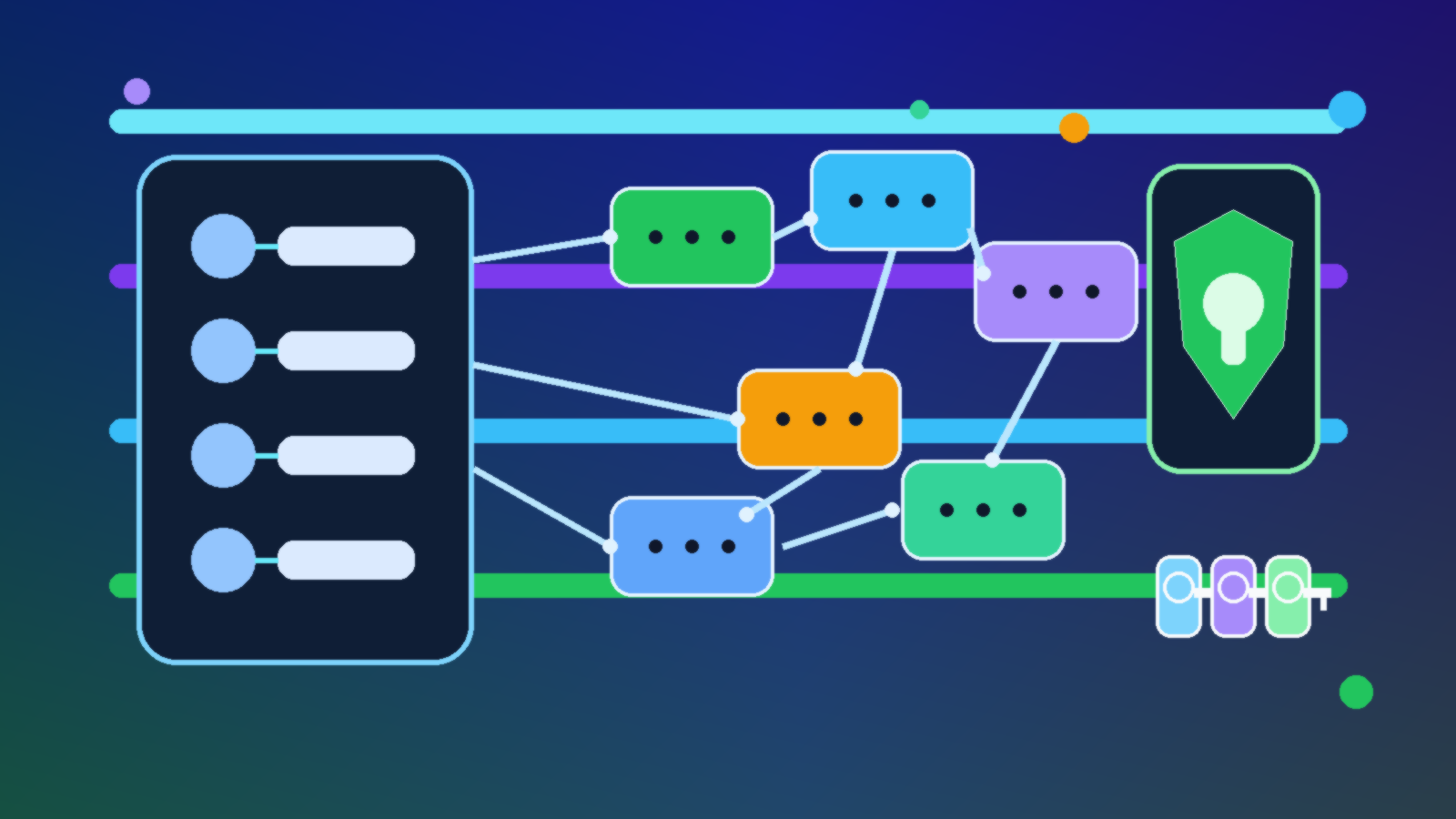
    Abstract illustration of Azure service identities, trust boundaries, and secure machine-to-machine connections

    Service-to-service authentication sounds like an implementation detail until it becomes the reason a small compromise turns into a large one. In Azure, teams often connect apps, functions, automation jobs, and data services under delivery pressure, then promise themselves they will clean up the identity model later. Later usually means a pile of permanent secrets, overpowered service principals, and trust relationships nobody wants to touch.

    The better approach is to design machine identity the same way mature teams design human access: start narrow, avoid permanent standing privilege, and make every trust decision easy to explain. Azure gives teams the building blocks for this, but the outcome still depends on architecture choices, not just feature checkboxes.

    Start With Managed Identity Before You Reach for Secrets

    If an Azure-hosted workload needs to call another Azure service, managed identity should usually be the default starting point. It removes the need to manually create, distribute, rotate, and protect a client secret in the application layer. That matters because most service-to-service failures are not theoretical cryptography problems. They are operational problems caused by credentials that live too long and spread too far.

    Managed identities are also easier to reason about during reviews. A team can inspect which workload owns the identity, which roles it has, and where those roles are assigned. That visibility is much harder to maintain when the environment is stitched together with secret values copied across pipelines, app settings, and documentation pages.

    Treat Role Scope as Part of the Authentication Design

    Authentication and authorization are tightly connected in machine-to-machine flows. A clean token exchange does not help much if the identity behind it has contributor rights across an entire subscription when it only needs to read one queue or write to one storage container. In practice, many teams solve connectivity first and least privilege later, which is how temporary shortcuts become permanent risk.

    Designing this well means scoping roles at the smallest practical boundary, using purpose-built roles when they exist, and resisting the urge to reuse one identity for multiple unrelated services. A shared service principal might look efficient in a diagram, but it makes blast radius, auditability, and future cleanup much worse.

    Avoid Permanent Trust Between Tiers

    One of the easiest traps in Azure is turning every dependency into a standing trust relationship. An API trusts a function app forever. The function app trusts Key Vault forever. A deployment pipeline trusts production resources forever. None of those decisions feel dramatic when they are made one at a time, but together they create a system where compromise in one tier becomes a passport into the next one.

    A healthier pattern is to use workload identity only where the call is genuinely needed, keep permissions resource-specific, and separate runtime access from deployment access. Build pipelines should not automatically inherit the same long-term trust that production workloads use at runtime. Those are different operational contexts and should be modeled as different identities.

    Use Key Vault to Reduce Secret Exposure, Not to Justify More Secrets

    Key Vault is useful, but it is not a license to keep designing around static secrets. Sometimes a secret is still necessary, especially when talking to external systems that do not support stronger identity patterns. Even then, the design goal should be to contain the secret, rotate it, monitor its usage, and avoid replicating it across multiple applications and environments.

    Teams get into trouble when “it is in Key Vault” becomes the end of the conversation. A secret in Key Vault can still be overexposed if too many identities can read it, if access is broader than the workload requires, or if the same credential quietly unlocks multiple systems.

    Make Machine Identity Reviewable by Humans

    Good service-to-service authentication design should survive an audit without needing tribal knowledge. Someone new to the environment should be able to answer a few basic questions: which workload owns this identity, what resources can it reach, why does it need that access, and how would the team revoke or replace it safely? If the answers live only in one engineer’s head, the design is already weaker than it looks.

    This is where naming standards, tagging, role assignment hygiene, and architecture notes matter. They are not paperwork for its own sake. They are what make machine trust understandable enough to maintain over time instead of slowly turning into inherited risk.

    Final Takeaway

    In Azure, service-to-service authentication should be designed to expire cleanly, scale narrowly, and reveal its intent clearly. Managed identity, tight role scope, separated deployment and runtime trust, and disciplined secret handling all push in that direction. The real goal is not just getting one app to talk to another. It is preventing that connection from becoming a permanent, invisible trust path that nobody remembers how to challenge.

  • Why Azure Landing Zones Break When Naming and Tagging Are Optional

    Why Azure Landing Zones Break When Naming and Tagging Are Optional

    Azure landing zones are supposed to make cloud growth more orderly. They give teams a place to standardize subscriptions, networking, policy, identity, and operational guardrails before entropy gets a head start. On paper, that sounds mature. In practice, plenty of landing zone efforts still stumble because two basics stay optional for too long: naming and tagging.

    That sounds almost too simple to be the real problem, which is probably why teams keep underestimating it. But once naming and tagging turn into suggestions instead of standards, everything built on top of them starts getting noisier, slower, and more expensive. Cost reviews get fuzzy. Automation needs custom exceptions. Ownership questions become detective work. Governance looks present but behaves inconsistently.

    Naming Standards Are Really About Operational Clarity

    A naming convention is not there to make architects feel organized. It is there so humans and systems can identify resources quickly without opening six different blades in the portal. When a resource group, key vault, virtual network, or storage account tells you nothing about environment, workload, region, or purpose, the team loses time every time it touches that asset.

    That friction compounds fast. Incident response gets slower because responders need extra lookup steps. Access reviews take longer because reviewers cannot tell whether a resource is still aligned to a real workload. Migration and cleanup work become riskier because teams hesitate to remove anything they do not understand. A weak naming model quietly taxes every future operation.

    Tagging Is What Turns Governance Into Something Queryable

    Tags are not just decorative metadata. They are one of the simplest ways to make a cloud estate searchable, classifiable, and automatable across subscriptions. If a team wants to know which resources belong to a business service, which owner is accountable, which environment is production, or which workloads are in scope for a control, tags are often the easiest path to a reliable answer.

    Once tagging becomes optional, teams stop trusting the data. Some resources have an owner tag, some do not. Some use prod, some use production, and some use nothing at all. Finance cannot line costs up cleanly. Security cannot target review campaigns precisely. Platform engineers start writing workaround logic because the metadata layer cannot be trusted to tell the truth consistently.

    Cost Management Suffers First, Even When Nobody Notices Right Away

    One of the earliest failures shows up in cloud cost reporting. Leaders want to know which product, department, environment, or initiative is driving spend. If resources were deployed without consistent tags, those questions become partial guesses instead of clear reports. The organization still gets a bill, but the explanation behind the bill becomes less credible.

    That uncertainty changes behavior. Teams argue over chargeback numbers. Waste reviews turn into debates about attribution instead of action. FinOps work gets stuck in data cleanup mode because the estate was never disciplined enough to support clean slices in the first place. Optional tagging looks harmless at deployment time, but it becomes expensive during every monthly review afterward.

    Automation Gets Fragile When Metadata Cannot Be Trusted

    Cloud automation usually assumes some level of consistency. Scripts, policies, lifecycle jobs, and dashboards need stable ways to identify what they are acting on. If naming patterns drift and tags are missing, engineers either broaden automation until it becomes risky or narrow it with manual exception lists until it becomes annoying to maintain.

    Neither outcome is good. Broad automation can hit the wrong resources. Narrow automation turns every new workload into a special case. This is one reason strong landing zones bake in naming and tagging requirements as early controls. Those standards are not bureaucracy for its own sake. They are the foundation that lets automation stay predictable as the estate grows.

    Policy Without Enforced Basics Becomes Mostly Symbolic

    Many Azure teams proudly point to policy initiatives, blueprint replacements, and control frameworks that look solid in governance meetings. But if the environment still allows unmanaged names and inconsistent tags into production, the governance model is weaker than it appears. The organization has controls on paper, but not enough discipline at creation time.

    The better approach is straightforward: define required naming components, define a small set of mandatory tags that actually matter, and enforce them where teams create resources. That usually means combining clear standards with Azure Policy, templates, and review expectations. The goal is not to turn every deployment into a paperwork exercise. The goal is to stop avoidable ambiguity before it becomes operational debt.

    What Strong Teams Usually Standardize

    The most effective standards are short enough to follow and strict enough to be useful. Most teams do well when they standardize a naming pattern that signals workload, environment, region, and resource purpose, then require a focused tag set that covers owner, cost center, application or service name, environment, and data sensitivity or criticality where appropriate.

    That is usually enough to improve operations without drowning people in metadata chores. The mistake is trying to make every tag optional except during audits. If the tag is important for cost, support, or governance, it should exist at deployment time, not after a spreadsheet-driven cleanup sprint.

    Final Takeaway

    Azure landing zones do not break only because of major architecture mistakes. They also break because teams leave basic operational structure to individual preference. Optional naming and tagging create confusion that spreads into cost management, automation, access reviews, and governance reporting.

    If a team wants its landing zone to stay useful beyond the first wave of deployments, naming and tagging cannot live in the nice-to-have category. They are not the whole governance story, but they are the part that makes the rest of the story easier to run.

  • How to Keep Azure Service Principals From Becoming Permanent Backdoors

    How to Keep Azure Service Principals From Becoming Permanent Backdoors

    Azure service principals are useful because automation needs an identity. Deployment pipelines, backup jobs, infrastructure scripts, and third-party tools all need a way to authenticate without asking a human to click through a login prompt every time. The trouble is that many teams create a service principal once, get the job working, and then quietly stop managing it.

    That habit creates a long-lived risk surface. A forgotten service principal with broad permissions can outlast employees, projects, naming conventions, and even entire cloud environments. If nobody can clearly explain what it does, why it still exists, and how its credentials are protected, it has already started drifting from useful automation into security debt.

    Why Service Principals Become Dangerous So Easily

    The first problem is that service principals often begin life during time pressure. A team needs a release pipeline working before the end of the day, so they grant broad rights, save a client secret, and promise to tighten it later. Later rarely arrives. The identity stays in place long after the original deployment emergency is forgotten.

    The second problem is visibility. Human admin accounts are easier to talk about because everyone understands who owns them. Service principals feel more abstract. They live inside scripts, CI systems, and secret stores, so they can remain active for months without attracting attention until an audit or incident response exercise reveals just how much power they still have.

    Start With Narrow Scope Instead of Cleanup Promises

    The safest time to constrain a service principal is the moment it is created. Teams should decide which subscription, resource group, or workload the identity actually needs to touch and keep the assignment there. Granting contributor rights at a wide scope because it is convenient today usually creates a cleanup problem that grows harder over time.

    This is also where role choice matters. A deployment identity that only needs to manage one application stack should not automatically inherit unrelated storage, networking, or policy rights. Narrowing scope early is not just cleaner governance. It directly reduces the blast radius if the credential is leaked or misused later.

    Prefer Better Credentials Over Shared Secrets

    Client secrets are easy to create, which is exactly why they are overused. If a team can move toward managed identities, workload identity federation, or certificate-based authentication, that is usually a healthier direction than distributing static secrets across multiple tools. Static credentials are simple until they become everybody’s hidden dependency.

    Even when a client secret is temporarily unavoidable, it should live in a deliberate secret store with clear rotation ownership. A secret copied into pipeline variables, wiki pages, and local scripts is no longer a credential management strategy. It is an incident waiting for a trigger.

    Tie Every Service Principal to an Owner and a Purpose

    Automation identities become especially risky when nobody feels responsible for them. Every service principal should have a plain-language purpose, a known technical owner, and a record of which system depends on it. If a deployment breaks tomorrow, the team should know which identity was involved without having to reverse-engineer the entire environment.

    That ownership record does not need to be fancy. A lightweight inventory that captures the application name, scope, credential type, rotation date, and business owner already improves governance dramatically. The key is to make the identity visible enough that it cannot become invisible infrastructure.

    Review Dormant Access Before It Becomes Legacy Access

    Teams are usually good at creating automation identities and much less disciplined about retiring them. Projects end, vendors change, release pipelines get replaced, and proof-of-concept environments disappear, but the related service principals often survive. A quarterly review of unused sign-ins, inactive applications, and stale role assignments can uncover access that nobody meant to preserve.

    That review should focus on evidence, not guesswork. Sign-in logs, last credential usage, and current role assignments tell a more honest story than memory. If an identity has broad rights and no recent legitimate activity, the burden should shift toward disabling or removing it rather than assuming it might still matter.

    Build Rotation and Expiration Into the Operating Model

    Too many teams treat credential rotation as an exceptional security chore. It should be part of normal cloud operations. Secrets and certificates need scheduled renewal, documented testing, and a clear owner who can confirm the dependent automation still works after the change. If rotation is scary, that is usually a sign that the dependency map is already too fragile.

    Expiration also creates useful pressure. When credentials are short-lived or reviewed on a schedule, teams are forced to decide whether the automation still deserves access. That simple checkpoint is often enough to catch abandoned integrations before they become permanent backdoors hidden behind a friendly application name.

    Final Takeaway

    Azure service principals are not the problem. Unmanaged service principals are. They are powerful tools for reliable automation, but only when teams treat them like production identities with scope limits, ownership, review, and lifecycle controls.

    If a service principal has broad access, an old secret, and no obvious owner, it is not harmless background plumbing. It is unfinished security work. The teams that stay out of trouble are the ones that manage automation identities with the same seriousness they apply to human admin accounts.

  • How to Build a Practical Privileged Access Model for Small Azure Teams

    How to Build a Practical Privileged Access Model for Small Azure Teams

    Small Azure teams often inherit a strange access model. In the early days, broad permissions feel efficient because the same few people are building, troubleshooting, and approving everything. A month later, that convenience turns into risk. Nobody is fully sure who can change production, who can read sensitive settings, or which account was used to make a critical update. The team is still small, but the blast radius is already large.

    A practical privileged access model does not require a giant enterprise program. It requires clear boundaries, a few deliberate role decisions, and the discipline to stop using convenience as the default security strategy. For most small teams, the goal is not perfect separation of duties on day one. The goal is to reduce preventable risk without making normal work painfully slow.

    Start by Separating Daily Work From Privileged Work

    The first mistake many teams make is treating administrator access as a normal working state. If an engineer spends all day signed in with powerful rights, routine work and privileged work blend together. That makes accidental changes more likely and makes incident review much harder later.

    A better pattern is simple: use normal identities for everyday collaboration, and step into privileged access only when a task truly needs it. That one change improves accountability immediately. It also makes teams think more carefully about what really requires elevated access versus what has merely always been done that way.

    Choose Built-In Roles More Carefully Than You Think

    Azure offers a wide range of built-in roles, but small teams often default to Owner or Contributor because those roles solve problems quickly. The trouble is that they solve too many problems. Broad roles are easy to assign and hard to unwind once projects grow.

    In practice, it is usually better to start with the narrowest role that supports the work. Give platform admins the access they need to manage subscriptions and guardrails. Give application teams access at the resource group or workload level instead of the whole estate. Use reader access generously for visibility, but be much more selective with write access. Small teams do not need dozens of custom roles to improve. They need fewer lazy role assignments.

    • Reserve Owner for a very small number of trusted administrators.
    • Prefer Contributor only where broad write access is genuinely required.
    • Use resource-specific roles for networking, security, monitoring, or secrets management whenever they fit.
    • Scope permissions as low as practical, ideally at the management group, subscription, resource group, or individual resource level that matches the real job.

    Treat Subscription Boundaries as Security Boundaries

    Small teams sometimes keep everything in one subscription because it is easier to understand. That convenience fades once environments and workloads start mixing together. Shared subscriptions make it harder to contain mistakes, separate billing cleanly, and assign permissions with confidence.

    Even a modest Azure footprint benefits from meaningful boundaries. Separate production from nonproduction. Separate highly sensitive workloads from general infrastructure when the risk justifies it. When access is aligned to real boundaries, role assignment becomes clearer and reviews become less subjective. The structure does some of the policy work for you.

    Use Privileged Identity Management if the Team Can Access It

    If your licensing and environment allow it, Azure AD Privileged Identity Management is one of the most useful control upgrades a small team can make. It changes standing privilege into eligible privilege, which means people activate elevated roles when needed instead of holding them all the time. That alone reduces exposure.

    Just-in-time activation also improves visibility. Approvals, activation windows, and access reviews create a cleaner operational trail than long-lived admin rights. For a small team, that matters because people are usually moving fast and wearing multiple hats. Good tooling should reduce ambiguity, not add to it.

    Protect the Accounts That Can Change the Most

    Privileged access design is not only about role assignment. It is also about the identities behind those roles. A beautifully scoped role model still fails if high-impact accounts are weakly protected. At minimum, privileged identities should have strong phishing-resistant authentication wherever possible, tighter sign-in policies, and more scrutiny than ordinary user accounts.

    That usually means enforcing stronger MFA methods, restricting risky sign-in patterns, and avoiding shared admin accounts entirely. If emergency access accounts exist, document them carefully, monitor them, and keep their purpose narrow. Break-glass access is not a substitute for a normal operating model.

    Review Access on a Schedule Before Entitlement Drift Gets Comfortable

    Small teams accumulate privilege quietly. Temporary access becomes permanent. A contractor finishes work but keeps the same role. A one-off incident leads to a broad assignment that nobody revisits. Over time, the access model stops reflecting reality.

    That is why recurring review matters, even if it is lightweight. A monthly or quarterly check of privileged role assignments is often enough to catch the obvious problems before they become normal. Teams do not need a bureaucratic ceremony here. They need a repeatable habit: confirm who still needs access, confirm the scope is still right, and remove what no longer serves a clear purpose.

    Document the Operating Rules, Not Just the Role Names

    One of the biggest gaps in small environments is the assumption that role names explain themselves. They do not. Two people can both hold Contributor access and still operate under very different expectations. Without documented rules, the team ends up relying on tribal knowledge, which tends to fail exactly when people are rushed or new.

    Write down the practical rules: who can approve production access, when elevated roles should be activated, how emergency access is handled, and what logging or ticketing is expected for major changes. Clear operating rules turn privilege from an informal social understanding into something the team can actually govern.

    Final Takeaway

    A good privileged access model for a small Azure team is not about copying the largest enterprise playbook. It is about creating enough structure that powerful access becomes intentional, time-bound, and reviewable. Separate normal work from elevated work. Scope roles more narrowly. Protect high-impact accounts more aggressively. Revisit assignments before they fossilize.

    That approach will not remove every risk, but it will eliminate a surprising number of avoidable ones. For a small team, that is exactly the kind of security win that matters most.

  • How to Compare Azure Firewall, NSGs, and WAF Without Buying the Wrong Control

    How to Compare Azure Firewall, NSGs, and WAF Without Buying the Wrong Control

    Azure gives teams several ways to control traffic, and that is exactly why people mix them up. Network security groups, Azure Firewall, and web application firewall all inspect or filter traffic, but they solve different problems at different layers. When teams treat them like interchangeable checkboxes, they usually spend too much money in one area and leave obvious gaps in another.

    The better way to think about the choice is simple: start with the attack surface you are trying to control, then match the control to that layer. NSGs are the lightweight traffic guardrails around subnets and NICs. Azure Firewall is the central policy enforcement point for broader network flows. WAF is the application-aware filter that protects HTTP and HTTPS traffic from web-specific attacks. Once you separate those jobs, the architecture decisions become much clearer.

    Start with the traffic layer, not the product name

    A lot of confusion comes from people shopping by product name instead of by control plane. NSGs work at layers 3 and 4. They are rule-based allow and deny lists for source, destination, port, and protocol. That makes them a practical fit for segmenting subnets, limiting east-west movement, and enforcing basic inbound or outbound restrictions close to the workload.

    Azure Firewall also operates primarily at the network and transport layers, but with much broader scope and centralization. It is designed to be a shared enforcement point for multiple networks, with features like application rules, DNAT, threat intelligence filtering, and richer logging. If the question is how to standardize egress control, centralize policy, or reduce the sprawl of custom rules across many teams, Azure Firewall belongs in that conversation.

    WAF sits higher in the stack. It is for HTTP and HTTPS workloads that need protection from application-layer threats such as SQL injection, cross-site scripting, or malformed request patterns. If your exposure is a web app behind Application Gateway or Front Door, WAF is the control that understands URLs, headers, cookies, and request signatures. NSGs and Azure Firewall are still useful nearby, but they do not replace what WAF is built to inspect.

    Where NSGs are the right answer

    NSGs are often underrated because they are not flashy. In practice, they are the default building block for network segmentation in Azure, and they should be present in almost every environment. They are fast to deploy, inexpensive compared with managed perimeter services, and easy to reason about when your goal is straightforward traffic scoping.

    They are especially useful when you want to limit which subnets can talk to each other, restrict management ports, or block accidental exposure from a workload that should never be public in the first place. In many smaller deployments, teams can solve a surprising amount of risk with disciplined NSG design before they need a more centralized firewall strategy.

    • Use NSGs to segment application, database, and management subnets.
    • Use NSGs to tightly limit administrative access paths.
    • Use NSGs when a workload needs simple, local traffic rules without a full central inspection layer.

    The catch is that NSGs do not give you the same operational model as a centralized firewall. Large environments end up with rule drift, duplicated logic, and inconsistent ownership if every team manages them in isolation. That is not a flaw in the product so much as a reminder that local controls eventually need central governance.

    Where Azure Firewall earns its keep

    Azure Firewall starts to make sense when you need one place to define and observe policy across many spokes, subscriptions, or application teams. It is a better fit for enterprises that care about consistent outbound control, approved destinations, network logging, and shared policy administration. Instead of embedding the full security model inside dozens of NSG collections, teams can route traffic through a managed control point and apply standards there.

    This is also where cost conversations become more honest. Azure Firewall is not the cheapest option for a simple workload, and it should not be deployed just to look more mature. Its value shows up when central policy, logging, and scale reduce operational mess. If the environment is tiny and static, it may be overkill. If the environment is growing, multi-team, or audit-sensitive, it can save more in governance pain than it costs in service spend.

    One common mistake is expecting Azure Firewall to be the web protection layer as well. It can filter and control application destinations, but it is not a substitute for a WAF on customer-facing web traffic. That is the wrong tool boundary, and teams discover it the hard way when they need request-level protections later.

    Where WAF belongs in the design

    WAF belongs wherever a public web application needs to defend against application-layer abuse. That includes websites, portals, APIs, and other HTTP-based endpoints where malicious payloads matter as much as open ports. A WAF can enforce managed rule sets, detect known attack patterns, and give teams a safer front door for internet-facing apps.

    That does not mean WAF is only about blocking attackers. It is also about reducing the burden on the application team. Developers should not have to rebuild every generic web defense inside each app when a platform control can filter a wide class of bad requests earlier in the path. Used well, WAF lets the application focus on business logic while the platform handles known web attack patterns.

    The boundary matters here too. WAF is not your network segmentation control, and it is not your broad egress governance layer. Teams get the best results when they place it in front of web workloads while still using NSGs and, where appropriate, Azure Firewall behind the scenes.

    A practical decision model for real environments

    Most real Azure environments do not choose just one of these controls. They combine them. A sensible baseline is NSGs for segmentation, WAF for public web applications, and Azure Firewall when the organization needs centralized routing and policy enforcement. That layered model maps well to how attacks actually move through an environment.

    If you are deciding what to implement first, prioritize the biggest risk and the most obvious gap. If subnets are overly open, fix NSGs. If web apps are public without request inspection, add WAF. If every team is reinventing egress and network policy in a slightly different way, centralize with Azure Firewall. Security architecture gets cleaner when you solve the right problem first instead of buying the product with the most enterprise-sounding name.

    The shortest honest answer

    If you want the shortest version, it is this: use NSGs to control local network access, use Azure Firewall to centralize broader network policy, and use WAF to protect web applications from application-layer attacks. None of them is the whole answer alone. The right design is usually the combination that matches your traffic paths, governance model, and exposure to the internet.

    That is a much better starting point than asking which one is best. In Azure networking, the better question is which layer you are actually trying to protect.

  • How to Use Azure Policy Without Turning Governance Into a Developer Tax

    How to Use Azure Policy Without Turning Governance Into a Developer Tax

    Azure Policy is one of those tools that can either make a cloud estate safer and easier to manage, or make every engineering team feel like governance exists to slow them down. The difference is not the feature set. The difference is how you use it. When policy is introduced as a wall of denials with no rollout plan, teams work around it, deployments fail late, and governance earns a bad reputation. When it is used as a staged operating model, it becomes one of the most practical ways to raise standards without creating unnecessary friction.

    Start with visibility before enforcement

    The fastest way to turn Azure Policy into a developer tax is to begin with broad deny rules across subscriptions that already contain drift, exceptions, and legacy workloads. A better approach is to start with audit-focused initiatives that show what is happening today. Teams need a baseline before they can improve it. Platform owners also need evidence about where the biggest risks actually are, instead of assuming every standard should be enforced immediately.

    This visibility-first phase does two useful things. First, it surfaces repeat problems such as untagged resources, public endpoints, or unsupported SKUs. Second, it gives you concrete data for prioritization. If a rule only affects a small corner of the estate, it does not deserve the same rollout energy as a control that improves backup coverage, identity hygiene, or network exposure across dozens of workloads.

    Write policies around platform standards, not one-off preferences

    Strong governance comes from standardizing the things that should be predictable across the platform. Naming patterns, required tags, approved regions, private networking expectations, managed identity usage, and logging destinations are all good candidates because they reduce ambiguity and improve operations. Weak governance happens when policy gets used to encode every opinion an administrator has ever had. That creates clutter, exceptions, and resistance.

    If a standard matters enough to enforce, it should also exist outside the policy engine. It should be visible in landing zone documentation, infrastructure-as-code modules, architecture patterns, and deployment examples. Policy works best as the safety net behind a clear paved road. If teams can only discover a rule after a deployment fails, governance has already arrived too late.

    Use initiatives to express intent at the right level

    Individual policy definitions are useful building blocks, but initiatives are where governance starts to feel operationally coherent. Grouping related policies into initiatives makes it easier to align controls with business goals like secure networking, cost discipline, or data protection. It also simplifies assignment and reporting because stakeholders can discuss the outcome they want instead of memorizing a list of disconnected rule names.

    • A baseline initiative for core platform hygiene such as tags, approved regions, and diagnostics.
    • A security initiative for identity, network exposure, encryption, and monitoring expectations.
    • An application delivery initiative for approved service patterns, backup settings, and deployment guardrails.

    The list matters less than the structure. Teams respond better when governance feels organized and purposeful. They respond poorly when every assignment looks like a random pile of rules added over time.

    Pair deny policies with a clean exception process

    Deny policies have an important place, especially for high-risk issues that should never make it into production. But the moment you enforce them, you need a legitimate path for handling edge cases. Otherwise, engineers will treat the platform team as a ticket queue whose main job is approving bypasses. A clean exception process should define who can approve a waiver, how long it lasts, what compensating controls are expected, and how it gets reviewed later.

    This is where governance maturity shows up. Good policy programs do not pretend exceptions will disappear. They make exceptions visible, temporary, and expensive enough that teams only request them when they genuinely need them. That protects standards without ignoring real-world delivery pressure.

    Shift compliance feedback left into delivery pipelines

    Even a well-designed policy set becomes frustrating if developers only encounter it at deployment time in a shared subscription. The better pattern is to surface likely violations earlier through templates, pre-deployment validation, CI checks, and standardized modules. When teams can see policy expectations before the final deployment stage, they spend less time debugging avoidable issues and more time shipping working systems.

    In practical terms, this usually means platform teams invest in reusable Bicep or Terraform modules, example repositories, and pipeline steps that mirror the same standards enforced in Azure. Governance becomes cheaper when compliance is the default path rather than a separate clean-up exercise after a failed release.

    Measure whether policy is improving the platform

    Azure Policy should produce operational outcomes, not just dashboards full of non-compliance counts. If the program is working, you should see fewer risky configurations, faster environment provisioning, less debate about standards, and better consistency across subscriptions. Those are platform outcomes people can feel. Raw violation totals only tell part of the story, because they can rise temporarily when your visibility improves.

    A useful governance review looks at trends such as how quickly findings are remediated, which controls generate repeated exceptions, which subscriptions drift most often, and which standards are still too hard to meet through the paved road. If policy keeps finding the same issue, that is usually a platform design problem, not just a team discipline problem.

    Governance works best when it feels like product design

    The healthiest Azure environments treat governance as part of platform product design. The platform team sets standards, publishes a clear path for meeting them, watches the data, and tightens enforcement in stages. That approach respects both risk management and delivery speed. Azure Policy is powerful, but power alone is not what makes it valuable. The real value comes from using it to make the secure, supportable path the easiest path for everyone building on the platform.

  • How to Stop Azure Test Projects From Turning Into Permanent Cost Problems

    How to Stop Azure Test Projects From Turning Into Permanent Cost Problems

    Azure makes it easy to get a promising idea off the ground. That speed is useful, but it also creates a familiar problem: a short-lived test environment quietly survives long enough to become part of the monthly bill. What started as a harmless proof of concept turns into a permanent cost line with no real owner.

    This is not usually a finance problem first. It is an operating discipline problem. When teams can create resources faster than they can label, review, and retire them, cloud spend drifts away from intentional decisions and toward quiet default behavior.

    Fast Provisioning Needs an Expiration Mindset

    Most Azure waste does not come from a dramatic mistake. It comes from things that nobody bothers to shut down: development databases that never sleep, public IPs attached to old test workloads, oversized virtual machines left running after a demo, and storage accounts holding data that no longer matters.

    The fix starts with mindset. If a resource is created for a test, it should be treated like something temporary from the first minute. Teams that assume every experiment needs a review date are much less likely to inherit a pile of stale infrastructure three months later.

    Tagging Only Works When It Drives Decisions

    Many organizations talk about tagging standards, but tags are useless if nobody acts on them. A tag like environment=test or owner=team-alpha becomes valuable only when budgets, dashboards, and cleanup workflows actually use it.

    That is why the best Azure tagging schemes stay practical. Teams need a short set of required tags that answer operational questions: who owns this, what is it for, what environment is it in, and when should it be reviewed. Anything longer than that often collapses under its own ambition.

    Budgets and Alerts Should Reach a Human Who Can Act

    Azure budgets are helpful, but they are not magical. A budget alert sent to a forgotten mailbox or a broad operations list will not change behavior. The alert needs to reach a person or team that can decide whether the spend is justified, temporary, or a sign that something should be turned off.

    That means alerts should map to ownership boundaries, not just subscriptions. If a team can create and run a workload, that same team should see cost signals early enough to respond before an experiment becomes an assumed production dependency.

    Make Cleanup a Normal Part of the Build Pattern

    Cleanup should not be a heroic end-of-quarter exercise. It should be a routine design decision. Infrastructure as code helps here because teams can define not only how resources appear, but also how they get paused, scaled down, or removed when the work is over.

    Even a simple checklist improves outcomes. Before a test project is approved, someone should already know how the environment will be reviewed, what data must be preserved, and which parts can be deleted without debate. That removes friction when it is time to shut things down.

    • Set a review date when the environment is created.
    • Require a real owner tag tied to a team that can take action.
    • Use budgets and alerts at the resource group or workload level when possible.
    • Automate shutdown schedules for non-production compute.
    • Review old storage, networking, and snapshot resources during cleanup, not just virtual machines.

    Governance Should Reduce Drift, Not Slow Useful Work

    Good Azure governance is not about making every experiment painful. It is about making the cheap, responsible path easier than the sloppy one. When teams have standard tags, sensible quotas, cleanup expectations, and clear escalation points, they can still move quickly without leaving financial debris behind them.

    That balance matters because cloud platforms reward speed. If governance only says no, people route around it. If governance creates simple guardrails that fit how engineers actually work, the organization gets both experimentation and cost control.

    Final Takeaway

    Azure test projects become permanent cost problems when nobody defines ownership, review dates, and cleanup expectations at the start. A little structure goes a long way. Temporary workloads stay temporary when tags mean something, alerts reach the right people, and retirement is part of the plan instead of an afterthought.

  • Azure Architecture Reviews: What Strong Teams Check Before Launch

    Azure Architecture Reviews: What Strong Teams Check Before Launch

    Architecture reviews often become shallow checkbox exercises right when they should be most valuable. A strong Azure architecture review should happen before launch pressure takes over and should focus on operational reality, not just diagrams.

    Check Identity and Access First

    Identity mistakes are still some of the most expensive mistakes in cloud environments. Before launch, teams should review role assignments, managed identities, and any broad contributor-level access that slipped in during development.

    If permissions look convenient instead of intentional, they probably need one more pass.

    Validate Networking Assumptions

    Cloud architectures often look safe on paper while hiding risky defaults in networking. Review ingress paths, private endpoints, outbound traffic needs, DNS dependencies, and cross-region communications before the system reaches production traffic.

    It is much cheaper to fix networking assumptions before customers depend on the application.

    Review Observability as a Launch Requirement

    Monitoring should not be a follow-up project. A launch-ready system needs enough logging, metrics, and alerting to explain failures quickly. If the team cannot answer what will page, who will respond, and how they will investigate, the review is not finished.

    Architecture is not just about how the system runs. It is also about how the team supports it.

    Ask What Happens Under Stress

    Strong reviews always include failure-mode questions. What happens if traffic doubles? What fails first if a dependent service slows down? What happens if a region, key service, or identity dependency is unavailable?

    Systems look strongest before launch. Good reviews test whether they will still look strong under pressure.

    Final Takeaway

    A useful Azure architecture review is not a formality. It is a final chance to find weak assumptions before customers, cost, and complexity turn them into real incidents.

  • Azure Cost Reviews That Actually Work: A Weekly Checklist for Real Teams

    Azure Cost Reviews That Actually Work: A Weekly Checklist for Real Teams

    Most cost reviews fail because they happen too late and ask the wrong questions. A useful Azure cost review should be short, repeatable, and tied to actions the team can actually take that week.

    Start with the Biggest Movers

    The first step is not reviewing every single line item. Start by identifying the services, subscriptions, or resource groups that changed the most since the last review. Large movement usually tells a more useful story than absolute totals alone.

    This keeps the meeting focused. It is easier to explain a spike or drop when the change is recent and visible.

    Check for Idle or Mis-Sized Compute

    Compute is still one of the easiest places to waste money. Review virtual machines, node pools, and app services that are oversized or left running around the clock without a business reason.

    Even small rightsizing actions compound over time, especially across multiple environments.

    Review Storage Growth Before It Becomes Normal

    Storage growth often slips through because it feels harmless in the beginning. But backup copies, snapshots, logs, and old artifacts accumulate quietly until they become a meaningful part of the bill.

    A weekly check keeps this from turning into a quarterly surprise.

    Ask Which Spend Was Intentional

    Not every cost increase is bad. Some increases are the result of successful launches or higher demand. The real goal is separating intentional spend from accidental spend.

    That framing keeps the conversation practical and avoids treating every increase like a mistake.

    End Every Review with Assignments

    A cost review without owners is just reporting. Every flagged item should leave the meeting with a named person, an expected action, and a deadline for follow-up.

    This is what turns FinOps from a slide deck activity into an operational habit.

    Final Takeaway

    The best Azure cost review is not long or dramatic. It is a weekly routine that catches waste early, separates signal from noise, and leads to specific decisions.